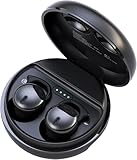
Why Won’t My Earbuds Work? Troubleshooting Guide
Ah, the frustration! You reach for your earbuds, ready to escape into your favorite tunes, podcast, or audiobook, only to be met with… silence. Or maybe a crackle, a buzz, or just one earbud working. Sound familiar? You’re definitely not alone. Earbud issues are incredibly common, but thankfully, they’re often easily fixed.
This guide is your friend. We’ll explore the most frequent reasons why your earbuds might be failing you, from the simplest fixes to more in-depth troubleshooting. We’ll cover everything from basic checks to device-specific solutions, ensuring you can get back to enjoying your audio without the headache. So, let’s get started and bring back your sound!
Get ready to become an earbud troubleshooting expert. No more silent commutes or missed calls due to faulty audio! We’ll equip you with the knowledge to diagnose and solve the most common earbud problems. Let’s bring the music back!
Basic Troubleshooting Steps
Before you start panicking, let’s go through some quick checks. These often solve the problem without needing advanced techniques. These are the simplest, yet most effective, initial steps to take.
1. Check the Obvious: Power and Connections
It sounds simple, but it’s often the culprit! Make sure your earbuds are properly charged (if they’re wireless) and that your device is powered on. For wired earbuds, ensure the jack is securely plugged into the audio source. A loose connection is a frequent issue. Also, check the volume levels on both your device and the earbuds themselves. Sometimes, the volume is simply turned down or muted.
2. Inspect the Earbuds Physically
Give your earbuds a good visual inspection. Look for any obvious damage like frayed wires, broken housings, or blocked speaker grilles. Debris, such as earwax or dust, can easily clog the sound outlets, leading to muffled or absent audio. Use a soft, dry cloth or a cotton swab to gently clean the earbud tips and grilles. Be gentle to avoid pushing debris further in. For wired earbuds, carefully examine the cable for any kinks or bends, which can damage the internal wires.
3. Restart Your Devices
Sometimes, a simple restart can fix software glitches that are causing issues with your earbuds. Restart both your audio source (smartphone, tablet, computer, etc.) and, if applicable, your earbuds. For wireless earbuds, this often involves placing them back in their charging case, closing the lid, and then taking them out again. For wired earbuds, simply unplugging and replugging them in can sometimes reset the audio connection.
Wireless Earbud Troubleshooting
Wireless earbuds come with their own set of potential problems. Let’s explore these more specific issues and their solutions.
1. Bluetooth Connectivity Issues
Bluetooth is the lifeline of your wireless earbuds. Connectivity issues are very common. Here’s how to troubleshoot them:
- Pairing: Make sure your earbuds are properly paired with your device. Go to your device’s Bluetooth settings and check if your earbuds are listed. If not, put your earbuds into pairing mode (usually by holding a button on the earbuds or the charging case) and then search for them in your device’s Bluetooth settings.
- Distance: Bluetooth has a limited range. Ensure your earbuds and your device are within the recommended distance (usually around 30 feet or 10 meters) of each other. Walls and other obstructions can also interfere with the signal.
- Interference: Bluetooth signals can be affected by other devices emitting radio waves, such as microwaves, Wi-Fi routers, and other Bluetooth devices. Try moving away from these sources of interference.
- Forget and Re-pair: Sometimes, the existing pairing is corrupted. Try “forgetting” your earbuds in your device’s Bluetooth settings and then re-pairing them. This often resolves connectivity problems.
- Check for Updates: Ensure both your earbuds and your audio source device have the latest software updates. Updates often include bug fixes that can improve Bluetooth performance.
2. Charging Problems
If your wireless earbuds won’t charge or don’t hold a charge, here’s what to do:
- Charging Case: Make sure the charging case itself is charged. Many earbuds won’t charge if the case is dead.
- Charging Contacts: Clean the charging contacts on both the earbuds and the charging case. These can become dirty, preventing proper charging. Use a dry cotton swab or a soft cloth.
- Power Source: Try a different power source (wall outlet, USB port on your computer, etc.) and a different charging cable to rule out a faulty charger or cable.
- Battery Life: Be realistic about battery life. Wireless earbuds’ battery life diminishes over time. If your earbuds are old, the battery may simply be at the end of its lifespan.
- Deep Discharge: Avoid letting your earbuds completely discharge. This can sometimes harm the battery over time.
3. Audio Quality Issues
Poor audio quality is another common complaint with wireless earbuds. Here’s how to troubleshoot:
- Codec Support: Check the Bluetooth codec supported by both your earbuds and your device. Some codecs (like aptX or LDAC) offer better audio quality than others (like SBC). Your device might not support the best codec your earbuds offer.
- Equalizer Settings: Experiment with the equalizer settings on your device or in the music app. Adjusting the EQ can sometimes improve the sound quality.
- Volume Levels: Ensure the volume is not set too high, which can cause distortion.
- Interference: As mentioned earlier, interference can also affect audio quality. Move away from potential sources of interference.
- Earbud Fit: Make sure the earbuds fit snugly in your ears. Poor fit can result in a loss of bass and overall audio quality. Try different sizes of ear tips.
Wired Earbud Troubleshooting
Wired earbuds have their own set of potential issues, often related to physical damage or connection problems.
1. Physical Damage to the Cable
The cable is the most vulnerable part of wired earbuds. Here’s how to address cable-related issues:
- Inspect the Cable: Carefully examine the entire length of the cable for any visible damage, such as kinks, bends, cuts, or exposed wires.
- Testing the Cable: If you suspect cable damage, try wiggling the cable near the earbud housings and the jack while listening to audio. If the sound cuts in and out, the cable is likely damaged.
- Repair or Replace: In some cases, a damaged cable can be repaired (though this is often difficult). However, it’s usually more practical and cost-effective to replace the earbuds, especially if the damage is extensive.
2. Jack Connection Problems
The 3.5mm jack (or the connector on your device) can also be a source of problems. Here’s how to troubleshoot:
- Clean the Jack: Use a cotton swab lightly dampened with isopropyl alcohol to clean the jack on your device. Dust and debris can interfere with the connection.
- Test with Another Device: Try your earbuds with a different device to see if the problem persists. This will help determine if the issue is with the earbuds or the device’s audio output.
- Check the Device’s Port: Inspect the audio port on your device for any damage or obstructions.
- Adapter Issues: If you’re using an adapter (e.g., a USB-C to 3.5mm adapter), try a different adapter to rule out a faulty adapter.
3. Internal Wiring Issues
Sometimes, the problem lies within the earbuds themselves. Here’s what to consider:
- Testing the Drivers: If one earbud isn’t working, it could be a driver issue. Try swapping the left and right earbuds (if possible) to see if the problem follows the earbud. If it does, the driver is likely the issue.
- Internal Damage: Internal wiring damage is difficult to diagnose without specialized equipment. In most cases, it’s best to replace the earbuds if you suspect internal damage.
- Warranty: If your earbuds are still under warranty, contact the manufacturer for a repair or replacement.
Device-Specific Solutions
Sometimes, the problem is specific to the device you’re using. Here are some solutions for common devices.
1. Smartphones (android and Ios)
- Volume Mixer: Check the volume mixer in your device’s settings to ensure the volume for your earbuds isn’t muted or set too low.
- App Conflicts: Close any apps that might be interfering with audio output. Some apps, like music players or video streaming services, can sometimes conflict with each other.
- Bluetooth Settings (for wireless earbuds): Go to your device’s Bluetooth settings and ensure your earbuds are connected and that there are no errors listed.
- Software Updates: Make sure your phone’s operating system is up to date. Software updates often include bug fixes that can address audio issues.
- Factory Reset (last resort): If all else fails, consider a factory reset of your phone. Remember to back up your data first. This will erase all your data and settings.
2. Computers (windows and Macos)
- Sound Settings: Check your computer’s sound settings to ensure your earbuds are selected as the output device and that the volume is turned up.
- Driver Issues: Make sure your audio drivers are up to date. You can usually update drivers through your operating system’s settings or the manufacturer’s website.
- Audio Enhancements: Some computers have audio enhancement features that can sometimes interfere with audio output. Try disabling these features in your sound settings.
- Bluetooth Settings (for wireless earbuds): Check your computer’s Bluetooth settings to ensure your earbuds are connected and working properly.
- Restart Audio Services: Sometimes, restarting the audio services on your computer can resolve audio issues.
- External Sound Card or DAC (Digital-to-Analog Converter): If you’re using an external sound card or DAC, make sure it’s properly connected and configured.
3. Gaming Consoles (playstation, Xbox, Nintendo Switch)
- Console Settings: Check the audio settings on your gaming console to ensure your earbuds are selected as the audio output device and that the volume is turned up.
- Controller Connection: If you’re using a wired connection to your controller, make sure the connection is secure. If you’re using a wireless connection, make sure the controller is paired correctly.
- Headset Adapter Issues: If you’re using a headset adapter, try a different adapter to rule out a faulty adapter.
- Firmware Updates: Make sure your console and controller have the latest firmware updates.
- Chat Audio Settings: Check your chat audio settings to make sure your earbuds are selected for both game audio and chat audio (if applicable).
- Test with Another Device: Test your earbuds with another device to determine if the issue lies with the console or the earbuds.
Advanced Troubleshooting
If the basic troubleshooting steps haven’t worked, it’s time to delve deeper. These steps may require some technical knowledge.
1. Resetting Your Earbuds
Many wireless earbuds have a reset function. This can often resolve software glitches. Consult your earbuds’ manual for instructions on how to reset them. The reset process varies depending on the brand and model, but it usually involves holding down a button on the charging case or the earbuds themselves for a certain amount of time.
2. Firmware Updates
Check if there are any firmware updates available for your earbuds. These updates often include bug fixes and performance improvements. You can usually find the firmware update instructions on the manufacturer’s website or in the companion app for your earbuds.
3. Testing with a Different Audio Source
This is a crucial step to determine if the problem is with your earbuds or your audio source. Try your earbuds with a different device (another smartphone, tablet, computer, etc.). If the earbuds work fine with another device, the problem likely lies with your original audio source.
4. Using a Multimeter (for Wired Earbuds)
If you’re comfortable with electronics, you can use a multimeter to test the continuity of the wires in your wired earbuds. This can help you pinpoint if there’s a break in the wiring. However, this requires some technical expertise and the proper tools. Exercise caution when working with electronics.
5. Seeking Professional Repair
If you’ve exhausted all other options and your earbuds are still not working, it may be time to seek professional repair. Contact the manufacturer or a qualified electronics repair shop. They may be able to diagnose and fix more complex issues. However, the cost of repair may sometimes exceed the cost of replacement, especially for budget-friendly earbuds.
Preventative Measures
Taking a few simple steps can help prevent earbud problems in the first place.
- Proper Storage: When not in use, store your earbuds in a case or a safe place to protect them from damage.
- Gentle Handling: Avoid pulling on the cable (for wired earbuds) or dropping your earbuds.
- Cleaning Regularly: Clean your earbuds regularly to remove earwax, dust, and debris.
- Avoid Extreme Temperatures and Humidity: Extreme temperatures and humidity can damage electronic components.
- Proper Volume Levels: Avoid listening to audio at excessively high volumes, which can damage your hearing and potentially damage your earbuds.
- Use a Quality Case: Invest in a good quality case to protect your earbuds from damage while traveling or when not in use.
When to Replace Your Earbuds
Sometimes, the best solution is to simply replace your earbuds. Here are some situations where replacement is warranted:
- Extensive Physical Damage: If your earbuds have significant physical damage (e.g., broken wires, cracked housings), replacement is often the most practical option.
- Unresolvable Issues: If you’ve tried all the troubleshooting steps and your earbuds still aren’t working, it may be time to replace them.
- Cost of Repair: If the cost of repairing your earbuds exceeds the cost of a new pair, replacement is a more economical choice.
- Age and Battery Life: If your wireless earbuds are old and the battery life is significantly diminished, it may be time to upgrade.
- Technological Advancements: New earbud models often offer improved features and audio quality, so you might consider an upgrade even if your current earbuds are still functional.
Final Thoughts
We’ve covered a lot of ground, from simple checks to more complex troubleshooting steps. Hopefully, this guide has equipped you with the knowledge to diagnose and fix the issues with your earbuds. Remember to start with the basics – check the power, connections, and physical condition. Then, move on to device-specific solutions. Don’t be afraid to experiment and try different things.
If all else fails, don’t despair! Sometimes, the best solution is to replace your earbuds. However, by using the information in this guide, you should be able to get your earbuds working again in most cases. Enjoy your music, podcasts, and audiobooks, and keep those tunes flowing!
Recommended Products