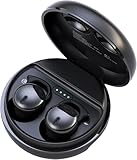
Why Don’t My Earbuds Work? Troubleshooting Guide
Ah, the frustration! You reach for your earbuds, eager to immerse yourself in your favorite music, podcast, or audiobook, only to be met with… silence. Or perhaps a crackling sound, a weak signal, or one earbud working while the other remains stubbornly mute. It’s a common experience, and one that can range from a minor annoyance to a major inconvenience. But don’t despair!
I’ve been there, and I’m here to guide you through the maze of potential issues that might be causing your earbuds to malfunction. We’ll explore the most common culprits, from simple connection problems to more complex hardware failures. I’ll provide you with a step-by-step troubleshooting process, equipping you with the knowledge to diagnose and fix the problem yourself.
So, let’s get started and get those tunes flowing again! We’ll cover everything from the simplest fixes to more involved solutions. This guide is designed to be comprehensive, covering both wired and wireless earbuds, ensuring you can find the answer no matter your setup. Let’s find out why your earbuds aren’t working!
Understanding the Problem: Common Earbud Issues
Before we jump into solutions, let’s understand the typical problems that can plague your earbuds. This will help you narrow down the possibilities and troubleshoot more efficiently. These issues can affect both wired and wireless earbuds, although some are more prevalent in one type than the other.
No Sound at All
This is perhaps the most frustrating issue. It could be a simple volume problem, a connection issue, or a more serious hardware malfunction. Check the obvious first: volume levels on your device and the earbuds themselves (if they have volume controls). Then, move on to more in-depth troubleshooting.
One Earbud Not Working
This is often a sign of a loose connection, a damaged wire (for wired earbuds), or a problem with the driver in one of the earbuds. It could also be a software glitch affecting the audio balance or a problem with the charging case for wireless earbuds.
Crackling or Distorted Sound
This could be due to interference, a loose connection, or damage to the speaker driver. Interference is more common with wireless earbuds, especially if you’re near other devices emitting radio waves. For wired earbuds, a damaged wire is a likely culprit.
Intermittent Sound
Sound that cuts in and out suggests a loose connection, a failing battery (for wireless), or interference. The source of the audio might also be the problem, so consider testing your earbuds with a different device.
Earbuds Not Connecting (wireless)
This can be a Bluetooth issue, a problem with the earbuds’ pairing mode, or a software glitch. Make sure Bluetooth is enabled on your device, that the earbuds are in pairing mode, and that they’re charged.
Low Volume
This might indicate a problem with the device’s volume settings, the earbuds’ volume controls, or a blockage in the earbud’s nozzle.
Earbuds Not Charging (wireless)
This could be a problem with the charging case, the charging cable, or the earbuds themselves. Clean the charging contacts and ensure the cable is properly connected.
Troubleshooting Steps: A Step-by-Step Guide
Now, let’s get down to the nitty-gritty of fixing your earbuds. Follow these steps methodically to diagnose and resolve the issue.
Step 1: The Obvious Checks – the Quick Wins
Before you dive into complex troubleshooting, start with the simplest checks. These often resolve the problem quickly.
- Check the Volume: Ensure the volume is turned up on both your device (phone, tablet, computer) and your earbuds (if they have volume controls). Sometimes, the volume is accidentally muted or set too low.
- Check the Connection (Wired Earbuds): Make sure the headphone jack is fully inserted into your device. A loose connection can cause audio issues. Try wiggling the jack slightly to see if the sound improves.
- Check the Connection (Wireless Earbuds): Ensure your earbuds are properly paired with your device. Unpair and re-pair them if necessary. Check the Bluetooth settings on your device to ensure the earbuds are connected.
- Check the Battery (Wireless Earbuds): Make sure your earbuds are charged. Low battery can cause various issues, including low volume and intermittent sound.
- Check the Source: Test your earbuds with a different audio source (another phone, a computer, etc.). This helps determine if the problem lies with the earbuds or the original device.
- Check for Physical Damage: Inspect the earbuds and the cable (for wired earbuds) for any visible damage, such as frayed wires, broken housings, or blocked nozzles.
Step 2: Cleaning Your Earbuds
Earwax and debris can significantly impact sound quality and even block the sound altogether. Cleaning your earbuds is a crucial step.
- For Earbuds: Use a soft, dry cloth or a cotton swab to gently clean the earbud tips and the mesh filter. Avoid using excessive force or liquids, which can damage the internal components.
- For the Charging Case (Wireless): Clean the charging contacts with a dry cotton swab. Dust and debris can prevent proper charging.
Step 3: Restarting Your Devices
Sometimes, a simple restart can resolve software glitches that might be causing the problem.
- Restart Your Device: Restart the device you’re using with your earbuds (phone, tablet, computer). This clears the system’s memory and can resolve minor software conflicts.
- Restart Your Earbuds (Wireless): Some wireless earbuds have a reset function. Consult your earbuds’ manual for instructions on how to reset them. This often involves placing the earbuds back in their case, closing the lid, and then opening it again.
Step 4: Checking Audio Settings
Incorrect audio settings on your device can cause various sound issues.
- Check Volume Balance: On your device, check the audio balance settings. Ensure the balance isn’t skewed to one side. This can often be found in the accessibility settings or sound settings.
- Disable Mono Audio: Make sure mono audio is disabled. Mono audio sends the same sound to both earbuds, which can be an issue if one earbud is not working.
- Check Audio Output: Ensure that the correct audio output is selected. Your device might be trying to play audio through a different device (e.g., a speaker) instead of your earbuds.
- Update Drivers (Computers): If you’re using your earbuds with a computer, make sure your audio drivers are up-to-date. Outdated drivers can cause compatibility issues.
Step 5: Bluetooth Troubleshooting (wireless Earbuds)
Bluetooth connections can be finicky. Here’s how to troubleshoot Bluetooth issues.
- Turn Bluetooth Off and On: Toggle Bluetooth off and then back on on your device. This can often refresh the connection.
- Forget and Re-Pair Your Earbuds: On your device, go to the Bluetooth settings and “forget” your earbuds. Then, put your earbuds back into pairing mode and re-pair them with your device.
- Check for Interference: Bluetooth signals can be affected by interference from other devices, such as Wi-Fi routers, microwaves, and other Bluetooth devices. Try moving to a different location to see if the connection improves.
- Update Bluetooth Drivers (Computers): Similar to audio drivers, make sure your Bluetooth drivers are up-to-date on your computer.
Step 6: Hardware Inspection and Repair (wired and Wireless)
If the above steps don’t work, it’s time to inspect the hardware. This might involve replacing a cable or, in some cases, the earbuds themselves.
- Wired Earbuds: Inspect the cable for damage. If the cable is frayed or broken, you may need to replace the earbuds or, if you’re comfortable with it, replace the cable yourself (soldering skills required).
- Wireless Earbuds: Check the charging case. Ensure it’s charging properly and that the earbuds are making good contact with the charging pins. If the case is damaged, you may need to replace it or the earbuds.
- Test with Different Cables (Wired): If possible, try a different cable (if the cable is detachable) to rule out a cable problem.
- Listen for Static: When plugged in, listen for any static or crackling sounds that could indicate a loose connection or damage to the drivers.
- Listen Closely: If one earbud is quieter than the other, check for any obstructions in the earbud nozzle, then test by swapping the left and right earbud to determine if the issue is with the earbud itself.
Step 7: Resetting Your Earbuds (if Applicable)
Many wireless earbuds have a factory reset function. This can often resolve software glitches or pairing issues.
- Consult Your Manual: Refer to your earbuds’ manual for instructions on how to reset them. The process varies depending on the brand and model.
- Common Reset Methods: Often involves placing the earbuds back in their case, closing the lid, and holding a button on the case for a certain amount of time.
- Re-Pair After Reset: After resetting your earbuds, you’ll need to re-pair them with your device.
Step 8: Advanced Troubleshooting (if Needed)
If the problem persists, it may require more advanced troubleshooting or professional repair.
- Check Warranty: If your earbuds are still under warranty, contact the manufacturer for support or a repair.
- Contact Manufacturer Support: Contact the manufacturer’s customer support for assistance. They may be able to provide further troubleshooting steps or offer a repair or replacement.
- Professional Repair: If your earbuds are not under warranty and you’re comfortable with it, you could consider taking them to a professional electronics repair shop.
- Consider Replacement: If repair is too costly or not possible, it might be time to replace your earbuds.
Comparing Earbud Types and Common Issues
Different types of earbuds have different strengths, weaknesses, and common issues. Understanding these differences can help you diagnose the problem more effectively.
Wired Earbuds
Advantages: Simple, reliable connection; no battery to worry about; generally more affordable.
Disadvantages: Prone to cable damage; can be less convenient than wireless earbuds; tethered to your device.
Common Issues:
- Damaged cable (frayed, broken)
- Loose connection at the headphone jack
- Driver failure
- Blocked nozzle
Wireless Earbuds
Advantages: Wireless freedom; convenient; often feature noise cancellation and other advanced features.
Disadvantages: Require charging; can have Bluetooth connection issues; more expensive; can be lost easily.
Common Issues:
- Bluetooth connection problems
- Battery issues (won’t charge, short battery life)
- Charging case problems
- Driver failure
- Interference
True Wireless Earbuds (tws)
Advantages: Truly wireless; compact; often feature touch controls and other advanced features.
Disadvantages: Small size can make them easy to lose; more expensive; can have Bluetooth connection issues.
Common Issues:
- Bluetooth connection problems between the earbuds and the device, and between the two earbuds
- Battery issues (charging case problems)
- Driver failure
- Touch control malfunction
| Feature | Wired Earbuds | Wireless Earbuds | True Wireless (TWS) Earbuds |
|---|---|---|---|
| Connection | Wired (3.5mm jack) | Bluetooth | Bluetooth |
| Power | No battery required | Rechargeable battery | Rechargeable battery (in earbuds and charging case) |
| Cable | Yes (attached) | No | No |
| Portability | Good | Very Good | Excellent |
| Price | Generally lower | Generally higher | Generally highest |
| Common Issues | Cable damage, loose connection, driver failure | Bluetooth issues, battery problems, charging case problems | Bluetooth issues (between devices and earbuds), battery issues, charging case problems, potential for losing individual earbuds |
Preventative Measures: Keeping Your Earbuds in Top Shape
Taking care of your earbuds can significantly extend their lifespan and prevent future problems.
- Store Your Earbuds Properly: When not in use, store your earbuds in a case or pouch to protect them from dust, moisture, and physical damage. For wireless earbuds, always store them in their charging case.
- Clean Your Earbuds Regularly: Clean your earbuds regularly, as described above, to prevent earwax and debris buildup.
- Handle the Cable (Wired Earbuds) with Care: Avoid pulling or yanking the cable. When storing, wrap the cable loosely to prevent kinks and damage.
- Avoid Extreme Temperatures and Moisture: Do not expose your earbuds to extreme temperatures or moisture, as this can damage the internal components.
- Charge Your Wireless Earbuds Properly: Follow the manufacturer’s instructions for charging your wireless earbuds. Avoid overcharging or using a charger that is not compatible.
- Keep the Charging Case Clean (Wireless): Clean the charging case regularly to remove dust and debris from the charging contacts.
Troubleshooting Specific Issues
Let’s address some specific problems and their solutions.
My Right Earbud Is Not Working
If only the right earbud isn’t working, first, try swapping the earbuds’ positions to see if the issue changes sides. If it does, the problem is likely with the earbud itself. Clean the earbud and the nozzle. Ensure the volume balance isn’t skewed. Try resetting the earbuds. If it persists, there could be an issue with the driver or internal wiring.
My Left Earbud Is Not Working
The troubleshooting steps are the same as for the right earbud. Swap the earbuds to see if the problem follows the earbud. Check the volume balance, clean the earbud, and try resetting them. The problem could be with the driver or internal wiring.
My Earbuds Are Not Charging
Make sure the charging case (if applicable) is plugged in and charging. Clean the charging contacts on both the earbuds and the case. Try a different charging cable and power adapter. If the case isn’t charging, there might be a problem with the case itself.
My Earbuds Keep Disconnecting
This is often a Bluetooth issue. Try the Bluetooth troubleshooting steps above: turning Bluetooth off and on, forgetting and re-pairing the earbuds, and checking for interference.
My Earbuds Sound Distorted
Clean the earbuds and the nozzle. Ensure the volume isn’t too high. Check for physical damage to the earbuds or the cable. Try a different audio source to rule out a source problem.
My Earbuds Have Low Volume
Turn up the volume on your device and the earbuds. Check for any obstructions in the earbud nozzle. Make sure the volume balance isn’t skewed. If the problem persists, there might be an issue with the drivers.
My Earbuds Are Too Quiet
This is related to low volume. Increase the volume on your device and earbuds. Ensure the audio source is not set at a low volume. Clean the earbuds and the nozzle to remove any potential blockages.
By systematically following these troubleshooting steps, you can often identify and resolve the issues with your earbuds, saving you the expense and hassle of buying new ones. Remember to be patient and methodical, and don’t hesitate to consult your earbuds’ manual or contact the manufacturer’s support if you need further assistance.
Conclusion
Hopefully, this comprehensive guide has given you the tools and knowledge to get your earbuds back in working order. We’ve covered a wide range of potential problems, from simple fixes like adjusting the volume to more involved troubleshooting steps like checking the Bluetooth connection or inspecting the hardware.
Remember to start with the most basic checks, like volume levels and connections, and then work your way through the more advanced troubleshooting steps. Cleaning your earbuds regularly and storing them properly can prevent many common issues and extend their lifespan. If you’ve tried all the troubleshooting steps and your earbuds still aren’t working, it might be time to consider contacting the manufacturer’s support or, if they’re no longer under warranty, looking into a replacement.
Enjoy your music!
Recommended Products