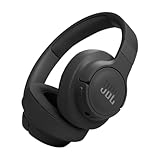
What Is Ambient Aware on Jbl Earbuds?
Hey there! If you’re rocking a pair of JBL earbuds, you’ve probably come across the term “Ambient Aware.” But what exactly does it mean, and why should you care? In a world where we’re constantly plugged in, it’s easy to get lost in our own little audio bubbles. Ambient Aware is JBL’s clever solution to help you stay connected to your surroundings without sacrificing your music or podcast enjoyment.
Think of it as a way to have your cake and eat it too. You get the immersive audio experience you crave, while still being able to hear important sounds like traffic, announcements, or a friendly chat. This feature is particularly useful when you’re out and about, whether you’re commuting, exercising, or simply taking a stroll. Let’s explore what Ambient Aware is all about and how it enhances your listening experience.
Understanding Ambient Aware Technology
Ambient Aware is a feature designed to let you hear what’s happening around you while still enjoying your audio. It works by using the microphones built into your JBL earbuds to pick up external sounds and then mix them with the audio you’re listening to. The result is a more natural and safer listening experience, especially in environments where awareness is crucial.
How It Works
The core of Ambient Aware is its ability to filter and transmit external sounds. Here’s a breakdown of the process:
- Microphone Input: The earbuds’ microphones constantly monitor the surrounding environment, capturing all ambient sounds.
- Signal Processing: The earbuds’ internal processors analyze the incoming audio signals. They identify and prioritize certain sounds, like voices and traffic noises.
- Audio Mixing: The processed ambient sounds are mixed with the audio you’re listening to. The volume of the ambient sounds is typically adjustable, allowing you to control how much of your surroundings you hear.
- Output: The mixed audio is then delivered to your ears through the earbuds’ speakers.
This process is usually done in real-time, providing you with a seamless and intuitive experience. You’ll hear your music or podcast, but you’ll also be able to hear important sounds around you.
Key Components
Several components work together to make Ambient Aware function effectively:
- Microphones: High-quality microphones are essential for capturing ambient sounds accurately.
- Digital Signal Processor (DSP): The DSP is responsible for processing the audio signals, filtering out unwanted noise, and prioritizing important sounds.
- Software Algorithms: Sophisticated software algorithms determine how the ambient sounds are mixed with your audio and how much of each sound you hear.
- Earbud Design: The physical design of the earbuds can also impact Ambient Aware’s effectiveness. Earbuds that fit well and create a good seal can often provide a better balance between ambient sound and audio playback.
Benefits of Using Ambient Aware
Ambient Aware offers a range of benefits that enhance your listening experience and improve your safety and convenience.
Enhanced Safety
One of the primary advantages of Ambient Aware is its ability to enhance your safety, especially in urban environments or when engaging in outdoor activities. By allowing you to hear your surroundings, the feature helps you avoid potential hazards.
- Awareness of Traffic: If you’re walking, running, or cycling, Ambient Aware helps you hear approaching vehicles, horns, and other traffic noises, reducing the risk of accidents.
- Alertness to Emergency Signals: You’ll be able to hear sirens, alarms, and other emergency signals, allowing you to react quickly to potential dangers.
- Avoidance of Obstacles: Ambient Aware helps you hear pedestrians, cyclists, and other obstacles that might be in your path.
Improved Convenience
Ambient Aware makes it easier to stay connected to your environment without having to constantly remove your earbuds or pause your audio. This is particularly useful in various situations.
- Conversations: You can easily hear and participate in conversations without removing your earbuds.
- Announcements: You won’t miss important announcements at airports, train stations, or other public places.
- Ordering Food/Drinks: When ordering food or drinks, you can easily hear the staff and avoid misunderstanding orders.
Better Listening Experience
Ambient Aware can also improve your overall listening experience by providing a more natural and balanced sound. You’ll still enjoy your audio while staying connected to your surroundings.
- Reduced Isolation: Ambient Aware helps to reduce the feeling of isolation that can sometimes come with wearing earbuds.
- Seamless Transition: You can easily transition between listening to your audio and interacting with your environment without having to constantly adjust your earbuds or audio settings.
- Situational Awareness: You’ll have better situational awareness, which can be useful in various situations.
Ambient Aware vs. Talkthru: What’s the Difference?
JBL earbuds often come with two similar but distinct features: Ambient Aware and TalkThru. While both are designed to enhance your awareness of your surroundings, they operate differently.
Ambient Aware
As discussed earlier, Ambient Aware is designed to subtly blend ambient sounds with your audio. It allows you to hear your surroundings while still enjoying your music or podcast. It’s ideal for situations where you want to maintain a moderate level of awareness without sacrificing your audio experience.
Talkthru
TalkThru takes a more drastic approach. When activated, TalkThru significantly lowers the volume of your audio and focuses on amplifying the sounds of speech. This allows you to have a clear conversation with someone without removing your earbuds or pausing your music. It’s perfect for quickly chatting with a cashier, a colleague, or a friend.
Here’s a table summarizing the key differences:
| Feature | Function | Best Use Case | Audio Level |
|---|---|---|---|
| Ambient Aware | Mixes ambient sounds with audio | Walking, commuting, general awareness | Moderate |
| TalkThru | Lowers audio, amplifies speech | Conversations | Significantly Reduced |
How to Use Ambient Aware on Your Jbl Earbuds
Activating and customizing Ambient Aware is usually a straightforward process. The specific steps may vary slightly depending on the model of your JBL earbuds, but the general principles remain the same. Here’s how you can typically use it:
Using the Earbud Controls
Many JBL earbuds allow you to control Ambient Aware directly from the earbuds themselves. This is usually done through a combination of taps and holds on the touch-sensitive or physical buttons. Check your user manual for the specific controls for your model.
- Single Tap: Some models use a single tap to cycle through Ambient Aware, TalkThru, and noise cancellation modes.
- Double Tap/Hold: Other models might use a double tap or a long press on one of the earbuds to activate or adjust Ambient Aware.
Using the Jbl Headphones App
The JBL Headphones app is a powerful tool for customizing your listening experience. It allows you to control a wide range of features, including Ambient Aware. This is often the most convenient way to manage the feature.
- Download and Install: Download the JBL Headphones app from your device’s app store (Google Play Store for Android, App Store for iOS).
- Connect Your Earbuds: Open the app and connect your JBL earbuds via Bluetooth. The app should automatically detect your earbuds.
- Navigate to Settings: Find the settings or control panel for your earbuds within the app. This might be labeled as “Ambient Sound Control,” “Sound Control,” or something similar.
- Enable and Adjust: Within the settings, you should find options to enable Ambient Aware. You might also be able to adjust the level of ambient sound you hear. Some apps offer a slider to control the intensity of Ambient Aware.
- Customize Further: Some apps allow you to customize Ambient Aware even further. You might be able to adjust the focus of the microphones or select specific sound profiles for different environments.
Troubleshooting Common Issues
While Ambient Aware is generally reliable, you might occasionally encounter some issues. Here’s how to troubleshoot some common problems:
- Ambient Sounds Too Quiet: If you can’t hear enough of your surroundings, try increasing the Ambient Aware level in the app or using the earbud controls. Make sure the microphones aren’t blocked by anything.
- Ambient Sounds Too Loud: If the ambient sounds are overpowering your audio, lower the Ambient Aware level.
- Unnatural Sound: If the ambient sounds sound distorted or unnatural, try resetting your earbuds or updating the firmware through the JBL Headphones app.
- Microphone Issues: Ensure the microphones on your earbuds are clean and free from obstructions. Check the app settings to make sure the microphones are enabled for Ambient Aware.
- Connection Problems: Sometimes, Bluetooth connectivity issues can affect Ambient Aware. Make sure your earbuds are properly connected to your device and that there are no obstructions interfering with the Bluetooth signal.
If you’re still experiencing problems, consult the JBL support website or contact customer service for further assistance.
Best Practices for Using Ambient Aware
To get the most out of Ambient Aware, consider these best practices:
- Choose the Right Level: Experiment with the Ambient Aware level to find the setting that best suits your environment and listening preferences. You might want a higher level in busy areas and a lower level in quieter settings.
- Be Aware of Your Surroundings: Even with Ambient Aware enabled, remain vigilant about your surroundings. Don’t rely solely on the feature to keep you safe.
- Consider the Environment: Ambient Aware works best in environments with moderate noise levels. In very loud environments, the feature might struggle to filter and process the sounds effectively.
- Clean Your Earbuds Regularly: Keep your earbuds clean, especially the microphones, to ensure optimal performance.
- Update Firmware: Regularly update the firmware of your earbuds through the JBL Headphones app to ensure you have the latest features and improvements.
Jbl Earbud Models with Ambient Aware
Ambient Aware is a popular feature, and it’s available on a wide range of JBL earbud models. Here are a few examples:
- JBL Tune Series: Many models in the JBL Tune series include Ambient Aware, offering a balance of affordability and functionality.
- JBL Live Series: The JBL Live series often incorporates Ambient Aware, along with other advanced features, to enhance your listening experience.
- JBL Reflect Series: Designed for sports and fitness, the JBL Reflect series often includes Ambient Aware to provide awareness during workouts.
- JBL Club Series: The JBL Club series is geared towards music lovers, and many models feature Ambient Aware for a more immersive and safer listening experience.
Keep in mind that the availability of Ambient Aware can vary depending on the specific model and the region in which it’s sold. Always check the product specifications before purchasing a pair of JBL earbuds to ensure that Ambient Aware is included.
The Future of Ambient Aware
As technology advances, we can expect even more sophisticated and refined Ambient Aware features in future JBL earbuds. Here are some potential developments:
- Advanced Noise Filtering: Improved algorithms could filter out unwanted noise more effectively, allowing you to focus on the sounds that matter most.
- Personalized Sound Profiles: Future earbuds might learn your preferences and automatically adjust Ambient Aware settings based on your environment and listening habits.
- AI-Powered Awareness: Artificial intelligence could play a role in identifying and prioritizing specific sounds, such as emergency signals or the voices of people you know.
- Integration with Smart Assistants: Seamless integration with voice assistants like Google Assistant and Amazon Alexa could allow you to control Ambient Aware with your voice.
- Spatial Audio: Combining Ambient Aware with spatial audio technology could create an even more immersive and natural listening experience.
These advancements promise to make Ambient Aware even more effective and user-friendly, further enhancing the way we experience audio in our everyday lives.
Conclusion
Ambient Aware is a valuable feature that enhances the functionality and safety of your JBL earbuds. It allows you to stay connected to your surroundings while still enjoying your music or podcasts. By understanding how it works and how to use it effectively, you can get the most out of your listening experience. Whether you’re commuting, exercising, or simply navigating your day, Ambient Aware provides a convenient and safe way to enjoy your audio without sacrificing situational awareness. Embrace this technology to enjoy your audio experiences with added safety and convenience.
Recommended Products