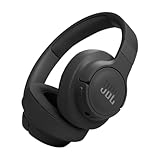
How to Turn on Noise Cancelling on Jbl Earbuds: A Guide
Ever find yourself craving a bubble of silence amidst the chaos of a commute, a busy office, or the hum of an airplane? JBL earbuds with noise-cancelling capabilities offer precisely that – a personal sanctuary of sound. But, how do you actually *activate* this marvelous technology? It’s not always immediately obvious, and the process can vary slightly depending on the specific model you own. Don’t worry, though; I’m here to guide you through the steps.
Noise cancelling is a fantastic feature. It works by using tiny microphones to detect ambient sounds and then generating opposing sound waves to neutralize them, creating a quieter listening experience. This is especially useful for focusing on your music, podcasts, or audiobooks without distractions. In this article, we’ll explore the various methods to turn on noise cancelling on your JBL earbuds, covering different models and providing troubleshooting tips. Let’s get started!
Understanding Noise Cancellation in Jbl Earbuds
Before we jump into the ‘how,’ let’s quickly clarify the ‘what.’ Noise cancellation, or ANC (Active Noise Cancellation), is a technology designed to reduce unwanted background noise. JBL earbuds employ this technology to provide a more immersive listening experience. This is achieved through a combination of hardware and software working in tandem.
How Noise Cancellation Works
The core principle behind ANC is quite ingenious. JBL earbuds, equipped with miniature microphones, actively listen to the surrounding environment. These microphones pick up ambient sounds, such as the rumble of an engine, the chatter in a coffee shop, or the whoosh of wind. The earbuds’ internal processor then analyzes these sounds and generates an ‘anti-noise’ – sound waves that are precisely out of phase with the incoming noise. These opposing sound waves effectively cancel out the ambient noise, creating a quieter listening environment.
This is different from passive noise isolation, which relies on the physical design of the earbuds (e.g., the ear tips) to block sound. ANC actively works to neutralize noise, making it a more effective solution for many types of sounds. The effectiveness of ANC can vary depending on the specific model of JBL earbuds and the type of noise being encountered, but it generally provides a significant reduction in background distractions.
Key Benefits of Noise Cancellation
Why should you care about noise cancellation? Here are some key advantages:
- Improved Listening Experience: ANC allows you to enjoy your music, podcasts, and audiobooks without the interference of external noise. You can hear the details in your audio more clearly.
- Enhanced Focus: Whether you’re working, studying, or simply trying to relax, ANC helps you concentrate by minimizing distractions.
- Reduced Hearing Fatigue: By reducing the need to turn up the volume to overcome background noise, ANC can help prevent hearing fatigue.
- Travel Comfort: ANC is particularly useful on airplanes, trains, and buses, where constant noise can be overwhelming.
- Overall Better Sound Quality: In a quieter environment, you can perceive the full spectrum of sound that your JBL earbuds are capable of producing.
Methods for Turning on Noise Cancelling on Jbl Earbuds
The exact method for activating noise cancelling on your JBL earbuds depends on the model you own. However, the core principles remain the same. Here’s a breakdown of the most common methods:
1. Using the Earbud Controls
Many JBL earbuds feature physical or touch controls directly on the earbuds themselves. This is often the most straightforward way to turn on noise cancelling. Here’s how it generally works:
- Identify the Controls: Locate the touch-sensitive areas or physical buttons on your earbuds. Consult your user manual if you’re unsure where these are located.
- Press and Hold or Tap: The specific action required to activate noise cancelling varies by model. It might involve a long press (holding the button for a few seconds) or a series of taps.
- Cycle Through Modes: Often, a single press or tap will cycle through different modes, such as noise cancelling, ambient aware (which lets in some ambient sound), and off. You’ll usually hear a voice prompt or a sound to indicate which mode is active.
- Check the Status: Some models have LED indicators that change color to indicate the active mode. If your earbuds have an app, this will often show the status.
Example (General): On many JBL earbuds, you might need to press and hold the left earbud’s touch control for a couple of seconds to cycle through noise cancelling, ambient aware, and off modes.
2. Using the Jbl Headphones App
The JBL Headphones app is a powerful tool for managing your earbuds. It provides access to various settings, including noise cancellation controls. Here’s how to use the app:
- Download and Install: Download the JBL Headphones app from the App Store (iOS) or Google Play Store (Android).
- Pair Your Earbuds: Open the app and follow the instructions to pair your JBL earbuds. The app should automatically detect your earbuds.
- Navigate to the Noise Cancelling Settings: Within the app, there’s usually a dedicated section for noise control. This might be labeled ‘ANC,’ ‘Noise Cancelling,’ or something similar.
- Toggle Noise Cancelling: Use the on/off switch or slider within the app to activate noise cancelling. You might also find options to adjust the intensity of the noise cancellation.
- Customize Settings: Some apps allow you to customize the noise cancellation profile. This could involve adjusting the level of noise reduction or selecting specific modes for different environments.
Why use the app? The app offers a more user-friendly and intuitive interface for controlling noise cancellation, especially if your earbuds have limited physical controls. It also allows for firmware updates, which can improve the performance of your noise cancellation.
3. Using Bluetooth Settings (less Common)
In some cases, you might be able to control noise cancelling through your device’s Bluetooth settings. However, this is less common than the methods mentioned above.
- Connect to Your Device: Ensure your JBL earbuds are connected to your smartphone, tablet, or computer via Bluetooth.
- Access Bluetooth Settings: Go to your device’s Bluetooth settings.
- Find Your Earbuds: Locate your JBL earbuds in the list of connected devices.
- Check for Noise Cancelling Options: Some devices might offer noise-cancelling controls within the Bluetooth settings for your earbuds. This is more likely on Android devices with certain custom interfaces.
Note: This method is not universally supported. The JBL Headphones app or the earbud controls are usually the primary methods.
Troubleshooting Common Issues
Sometimes, you might encounter issues when trying to turn on noise cancelling. Here are some troubleshooting tips:
1. Noise Cancelling Not Working
- Check the Mode: Make sure you’ve selected the noise-cancelling mode and not ambient aware mode.
- Firmware Update: Ensure your earbuds have the latest firmware update. You can usually update the firmware through the JBL Headphones app.
- Earbud Placement: Ensure the earbuds are properly inserted into your ears. A good seal is essential for effective noise cancellation.
- Clean the Microphones: Check the microphones on the earbuds for any debris or obstructions. Clean them gently with a soft, dry cloth.
- Restart Your Earbuds: Try turning your earbuds off and on again.
- Restart Your Device: Sometimes, a simple device restart can resolve connectivity issues.
- Check the App: If you are using the app, ensure that your earbuds are connected and that the app has the necessary permissions.
- Factory Reset: As a last resort, consider performing a factory reset of your earbuds. Consult your user manual for instructions on how to do this.
2. Noise Cancelling Weak or Ineffective
- Ear Tip Fit: The ear tips must create a proper seal in your ear canal for effective noise cancellation. Try different sizes of ear tips to find the best fit.
- Environmental Factors: Noise cancellation is more effective against consistent, low-frequency sounds (e.g., engine rumble) than against sudden, high-frequency sounds (e.g., a baby crying).
- App Settings: Check the app settings for any adjustments to the noise cancellation intensity.
- Microphone Interference: Avoid covering the microphones on the earbuds, as this can reduce their effectiveness.
- Volume Level: Ensure that the volume is loud enough to overcome the remaining background noise.
3. Battery Drain
Noise cancelling consumes battery power. If you notice a significant decrease in battery life, consider the following:
- Reduce Noise Cancelling Usage: Use noise cancelling only when needed.
- Charge Fully: Ensure your earbuds are fully charged before use.
- Check the App: Some apps display battery usage information.
- Consider Ambient Aware: If you need to be aware of your surroundings, try using ambient aware mode instead of noise cancelling.
Different Jbl Earbud Models and Their Noise Cancelling Features
JBL offers a wide range of earbuds with noise-cancelling capabilities. The specific features and controls can vary slightly between models. Here’s a brief overview of some popular models:
Jbl Tune Series
The JBL Tune series often features touch controls on the earbuds and control options within the JBL Headphones app. You typically activate noise cancelling by tapping or pressing and holding the touch controls.
Jbl Live Series
The JBL Live series also includes touch controls and app support. Look for the ANC settings in the JBL Headphones app to customize your experience.
Jbl Reflect Series
The JBL Reflect series is designed for sports and fitness. These models usually include touch controls and app support for noise cancellation, and may also offer additional features like sweat resistance and secure fit.
Jbl Tour Series
The JBL Tour series is aimed at a premium audio experience. These earbuds often have advanced noise-cancelling capabilities and offer comprehensive control options through the JBL Headphones app.
Note: Always refer to the user manual for your specific JBL earbud model for detailed instructions on how to use noise cancellation and the specific features available.
Maximizing Your Noise Cancelling Experience
To get the most out of your JBL earbuds’ noise cancellation, consider these tips:
- Choose the Right Ear Tips: Experiment with different ear tip sizes to find the best fit for your ears. A snug seal is crucial for effective noise cancellation.
- Use in Noisy Environments: Noise cancellation is most effective in environments with constant, low-frequency noise, such as airplanes, trains, or offices.
- Adjust the Volume: While noise cancellation helps reduce background noise, you may still need to adjust the volume to fully enjoy your audio.
- Consider Ambient Aware Mode: If you need to be aware of your surroundings (e.g., crossing a street), use ambient aware mode instead of noise cancellation.
- Keep Your Earbuds Clean: Regularly clean your earbuds to prevent wax buildup, which can affect sound quality and noise cancellation performance.
- Update the Firmware: Keep your earbuds’ firmware updated to ensure optimal performance and access to the latest features.
- Customize Settings in the App: Take advantage of the JBL Headphones app to tailor the noise cancellation settings to your preferences.
By following these tips, you can fully enjoy the benefits of noise cancellation and create a more immersive and focused listening experience with your JBL earbuds.
Comparing Noise Cancellation Modes: Anc vs. Ambient Aware
JBL earbuds typically offer two primary modes related to noise control: Active Noise Cancellation (ANC) and Ambient Aware. Understanding the differences between these modes is crucial for optimizing your listening experience.
| Feature | Active Noise Cancellation (ANC) | Ambient Aware |
|---|---|---|
| Function | Reduces background noise by generating opposing sound waves. | Lets in ambient sound to increase awareness of surroundings. |
| Effect | Creates a quieter listening environment, ideal for focus and immersion. | Allows you to hear your surroundings, such as traffic or conversations. |
| Best Use Cases | Airplanes, trains, offices, noisy environments where you want to block out distractions. | Walking, running, commuting in urban areas, situations where you need to be aware of your surroundings. |
| Sound Quality | Can subtly affect audio quality, but generally enhances listening by reducing noise. | Allows external sounds to mix with your audio, potentially affecting audio quality. |
| Battery Consumption | Higher battery consumption. | Lower battery consumption than ANC. |
| Control | Activated via earbud controls or the JBL Headphones app. | Activated via earbud controls or the JBL Headphones app. |
Choosing the Right Mode: Consider the environment and your needs when selecting a mode. If you want to block out noise and focus on your audio, use ANC. If you need to be aware of your surroundings, use Ambient Aware. You can also turn both modes off to conserve battery life.
The Future of Noise Cancellation in Jbl Earbuds
JBL is continuously improving its noise-cancelling technology. We can expect to see advancements in several areas:
- Improved Algorithm: More sophisticated algorithms will be developed to better identify and neutralize a wider range of noises.
- Adaptive Noise Cancellation: Future models may automatically adjust noise cancellation levels based on the environment.
- Personalized Noise Cancellation: Earbuds may be able to personalize noise cancellation based on the user’s ear shape and preferences.
- Integration with AI: Artificial intelligence could be used to optimize noise cancellation performance and provide more intelligent control options.
- Enhanced Transparency: Ambient Aware mode may become even more sophisticated, providing a more natural and clear sound of the surroundings.
These developments will further enhance the listening experience and provide even greater control over your audio environment.
Verdict
Turning on noise cancelling on your JBL earbuds is a straightforward process, typically controlled by the earbud’s touch controls or the JBL Headphones app. Remember to check your specific model’s user manual for precise instructions. By understanding how ANC works, troubleshooting common issues, and utilizing the app’s features, you can fully leverage this technology to create a more immersive and enjoyable listening experience. Whether you’re commuting, working, or simply relaxing, noise cancellation can significantly enhance your audio enjoyment.
Recommended Products