How to Connect Jlab Sport Earbuds: A Simple Guide
So, you’ve got your hands on a pair of JLab Sport earbuds, and you’re eager to get those tunes pumping during your workouts or daily commute. That’s fantastic! These earbuds are designed for active lifestyles, offering a secure fit and sweat-resistant design. But before you can experience that crystal-clear audio, you need to connect them to your device. Don’t worry, it’s a straightforward process, even if you’re not a tech whiz.
This guide will walk you through every step, from the initial pairing to troubleshooting common connection issues. We’ll cover different connection methods and provide helpful tips to ensure a seamless listening experience. I’ll break down everything you need to know, so you can focus on what matters most: enjoying your music, podcasts, or audiobooks. Let’s get started!
Understanding Your Jlab Sport Earbuds
Before we dive into the connection process, let’s briefly familiarize ourselves with your JLab Sport earbuds. Understanding the basics will help you troubleshoot any potential issues and maximize your listening experience.
Key Features
- Bluetooth Connectivity: JLab Sport earbuds primarily connect via Bluetooth, allowing for wireless freedom.
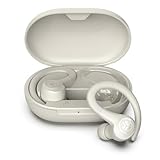
- Charging Case: Most models come with a charging case that provides multiple charges on the go.
- Touch Controls: Many models feature touch controls on the earbuds for managing music playback, calls, and volume.
- Different Models: JLab offers various Sport earbud models, each with slightly different features and connection procedures. Always refer to your specific model’s user manual for the most accurate information.
Essential Components
- Earbuds: The primary audio devices.
- Charging Case: The case that stores and charges the earbuds.
- Charging Cable: Usually a USB-C cable for charging the case.
- User Manual: Provides specific instructions for your model. It’s always a good idea to keep it handy!
How to Connect Your Jlab Sport Earbuds to Your Device
The connection process is generally the same across most JLab Sport earbud models, but there might be slight variations. Here’s a step-by-step guide to connect your earbuds to your smartphone, tablet, or other Bluetooth-enabled devices.
Step 1: Charging Your Earbuds and Case
Ensure both your earbuds and the charging case are adequately charged before you start the pairing process. A low battery can sometimes cause connection issues. Place the earbuds in the charging case and close the lid. Connect the charging case to a power source using the provided USB-C cable. The charging case will typically have LED indicators to show the charging status. Once fully charged, the LED lights will indicate the case and earbuds are ready to go.
Step 2: Entering Pairing Mode
To connect your earbuds, you need to put them into pairing mode. This allows your device to ‘discover’ them. The method for entering pairing mode varies slightly depending on the model. Here’s a general guide:
- For most models: Open the charging case lid. The earbuds should automatically enter pairing mode. You’ll often see a blinking light on one or both earbuds, indicating they’re ready to connect.
- Some models: You might need to press and hold a button on the charging case or the earbuds themselves to activate pairing mode. Refer to your user manual for specific instructions.
Step 3: Activating Bluetooth on Your Device
On your smartphone, tablet, or other device, navigate to the Bluetooth settings. This is usually found in the Settings app. Make sure Bluetooth is turned on. You should see a list of available devices.
Step 4: Selecting Your Jlab Earbuds
In the list of available Bluetooth devices, look for your JLab Sport earbuds. The name will usually be something like ‘JLab GO Air’, ‘JLab JBuds Air’, or a similar variation, depending on your model. Tap on the name to initiate the pairing process. You might be prompted to confirm the connection or enter a passcode (usually ‘0000’ or not needed at all). Follow the on-screen instructions.
Step 5: Connection Confirmation
Once the pairing is successful, your JLab Sport earbuds should be connected to your device. You’ll typically see a ‘Connected’ status next to the earbuds’ name in your Bluetooth settings. You can now start playing audio from your device, and it should come through your earbuds.
Step 6: Testing the Connection
Play some music or a video to test the connection. Adjust the volume on your device and the earbuds (if they have volume controls) to find a comfortable listening level. If you can hear audio clearly, congratulations! You’ve successfully connected your JLab Sport earbuds.
Connecting to Multiple Devices
Many JLab Sport earbuds can remember multiple devices. However, only one device can be connected and actively playing audio at a time. Here’s how to connect to a second device:
- Disconnect from the first device: Either turn off Bluetooth on the first device or disconnect the earbuds in the Bluetooth settings.
- Enter pairing mode: Put the earbuds back into pairing mode (as described in Step 2).
- Connect to the second device: On your second device, search for the earbuds in the Bluetooth settings and connect them (as described in Steps 3 and 4).
You can then switch between devices by disconnecting and reconnecting the earbuds to the desired device.
Troubleshooting Common Connection Issues
Sometimes, you might encounter issues when connecting your JLab Sport earbuds. Here are some common problems and how to fix them:
Problem: Earbuds Not Appearing in the Bluetooth List
Solution:
- Make sure the earbuds are in pairing mode: Double-check that the earbuds are in pairing mode (blinking light).
- Check the battery: Ensure the earbuds have enough battery power.
- Restart the earbuds and your device: Try turning off both the earbuds and your device, then turning them back on.
- Move closer: Ensure the earbuds are within range of your device (typically 33 feet). Bluetooth signals can be affected by obstacles.
- Forget and re-pair: In your device’s Bluetooth settings, forget the earbuds and then re-pair them.
Problem: Earbuds Connecting but No Sound
Solution:
- Check the volume: Make sure the volume is turned up on both your device and the earbuds.
- Check the audio source: Ensure the audio is playing from the correct source (e.g., music app, video app).
- Restart the earbuds and your device: A simple restart can often resolve audio issues.
- Check Bluetooth settings: Verify that the earbuds are selected as the audio output device in your device’s Bluetooth settings.
Problem: One Earbud Not Working
Solution:
- Check the charging case: Make sure both earbuds are properly seated in the charging case and charging.
- Reset the earbuds: Many JLab models have a reset function. Refer to your user manual for the specific reset procedure. This often involves placing the earbuds in the case and pressing a button.
- Forget and re-pair: Forget the earbuds in your device’s Bluetooth settings and then re-pair them.
- Contact JLab support: If the problem persists, contact JLab customer support for assistance.
Problem: Poor Sound Quality or Intermittent Connection
Solution:
- Move closer to your device: Ensure you are within the Bluetooth range.
- Minimize interference: Keep your device away from other devices that might cause interference (e.g., Wi-Fi routers, microwaves).
- Clean the earbuds: Clean the earbud tips to ensure a proper fit and seal.
- Update firmware: Check for firmware updates for your earbuds through the JLab app (if applicable).
- Reset the earbuds: Resetting the earbuds can sometimes resolve sound quality issues.
Using the Jlab App (if Applicable)
Some JLab Sport earbud models are compatible with the JLab app, available for both iOS and Android devices. The app offers additional features and customization options:
- Custom EQ settings: Adjust the equalizer to personalize the sound profile.
- Firmware updates: Receive and install firmware updates for your earbuds.
- Touch control customization: Customize the functions assigned to the touch controls on the earbuds (if supported by your model).
- Product registration: Register your product for warranty purposes.
If your earbuds are compatible with the JLab app, download it from the App Store or Google Play Store. Follow the on-screen instructions to connect your earbuds to the app and explore the available features.
Tips for a Better Listening Experience
Here are some additional tips to maximize your enjoyment of your JLab Sport earbuds:
- Choose the right ear tips: Experiment with the different ear tips included with your earbuds to find the best fit and seal. A good fit will improve sound quality and noise isolation.
- Clean your earbuds regularly: Clean the earbuds and charging case regularly to remove earwax and debris. This will help maintain optimal performance and hygiene.
- Store your earbuds properly: When not in use, store your earbuds in the charging case to protect them and keep them charged.
- Avoid extreme temperatures: Protect your earbuds from extreme temperatures (hot or cold) and direct sunlight, as these can affect battery life and performance.
- Consult the user manual: Always refer to your user manual for specific instructions and troubleshooting tips related to your model.
Advanced Troubleshooting: Resetting Your Earbuds
If you’re still experiencing problems after trying the basic troubleshooting steps, you might need to reset your earbuds. The reset process varies depending on the specific JLab Sport earbud model. Here’s a general guide:
- Place the earbuds in the charging case: Ensure both earbuds are correctly seated in the charging case.
- Close the charging case lid: Close the lid to ensure the earbuds are connected to the charging case.
- Open the charging case lid: Open the lid.
- Locate the reset button (if applicable): Some models have a reset button on the charging case. If your model has one, locate it.
- Press and hold the reset button: Press and hold the reset button for a specific duration (e.g., 10 seconds). The LED lights on the charging case will usually indicate the reset process.
- Wait for the reset to complete: The LED lights will change to indicate the reset has finished.
- Forget and re-pair: After the reset, forget the earbuds in your device’s Bluetooth settings and then re-pair them.
If your model doesn’t have a reset button:
- Place the earbuds in the charging case: Ensure both earbuds are correctly seated in the charging case.
- Close the charging case lid: Close the lid.
- Open the charging case lid: Open the lid.
- Quickly tap the touch sensors on both earbuds 7 times: This is a common reset procedure for models without a physical reset button.
- Wait for the reset to complete: The earbuds’ LED lights will indicate the reset has finished.
- Forget and re-pair: After the reset, forget the earbuds in your device’s Bluetooth settings and then re-pair them.
Important Note: Always refer to your user manual for the exact reset procedure for your specific JLab Sport earbud model. Incorrectly resetting your earbuds might not fix the issue and, in rare cases, could potentially cause other problems. When in doubt, consult the user manual or contact JLab customer support.
Maximizing Battery Life
To ensure you get the most out of your JLab Sport earbuds, consider these battery-saving tips:
- Charge regularly: Charge the earbuds and charging case regularly, even if they’re not completely drained.
- Turn off when not in use: When you’re not listening, place the earbuds back in the charging case. This automatically turns them off and starts charging them.
- Reduce the volume: Listening at very high volumes drains the battery faster.
- Avoid extreme temperatures: As mentioned earlier, extreme temperatures can affect battery life.
- Update firmware: Keep the firmware up to date, as updates often include battery optimization improvements.
Bluetooth Range and Interference
Bluetooth technology has a limited range, typically around 33 feet (10 meters). The actual range can be affected by several factors:
- Obstacles: Walls, furniture, and other objects can block or weaken the Bluetooth signal.
- Interference: Other electronic devices that emit radio waves (e.g., Wi-Fi routers, microwaves) can interfere with the Bluetooth signal.
- Device placement: Placing your device in a pocket or bag can also reduce the range.
To optimize the Bluetooth range and minimize interference:
- Keep the earbuds and your device within close proximity: Try to stay within the recommended range.
- Minimize obstacles: Avoid placing objects between the earbuds and your device.
- Reduce interference: Move away from potential sources of interference.
- Position your device: If possible, place your device in a more open location.
Comparing Jlab Sport Earbud Models
JLab offers a variety of Sport earbud models, each with different features and price points. Here’s a brief comparison of some popular models:
| Feature | JBuds Air Sport | GO Air Sport | Epic Air Sport |
|---|---|---|---|
| Water Resistance | IP66 | IP66 | IP66 |
| Battery Life (Earbuds) | 6 hours | 8 hours | 12 hours |
| Battery Life (with Case) | 24 hours | 32 hours | 48 hours |
| Touch Controls | Yes | Yes | Yes |
| Ear Hooks | Yes | Yes | Yes |
| Wireless Charging | No | No | Yes |
| JLab App Support | Yes | Yes | Yes |
Note: This table provides a general comparison. Specific features and specifications may vary depending on the model and any updates that have been made. Always refer to the product specifications for the most accurate and up-to-date information.
Final Verdict
Connecting your JLab Sport earbuds is a straightforward process, typically involving putting them into pairing mode and connecting them through your device’s Bluetooth settings. Remember to charge both the earbuds and the charging case fully before you begin for the best results. Following the steps outlined in this guide, you should be able to connect your earbuds quickly and easily.
If you encounter any issues, don’t hesitate to refer to the troubleshooting tips provided. You can often resolve common problems like connection failures or audio glitches with a few simple steps, such as restarting the earbuds or forgetting and re-pairing them. Consulting your user manual is also a great resource for model-specific instructions and helpful information.
With your JLab Sport earbuds successfully connected, you’re ready to enjoy your favorite music, podcasts, or audiobooks during your workouts, commutes, or any other activity. Embrace the freedom of wireless audio and make the most of your active lifestyle. Happy listening!
Recommended Products