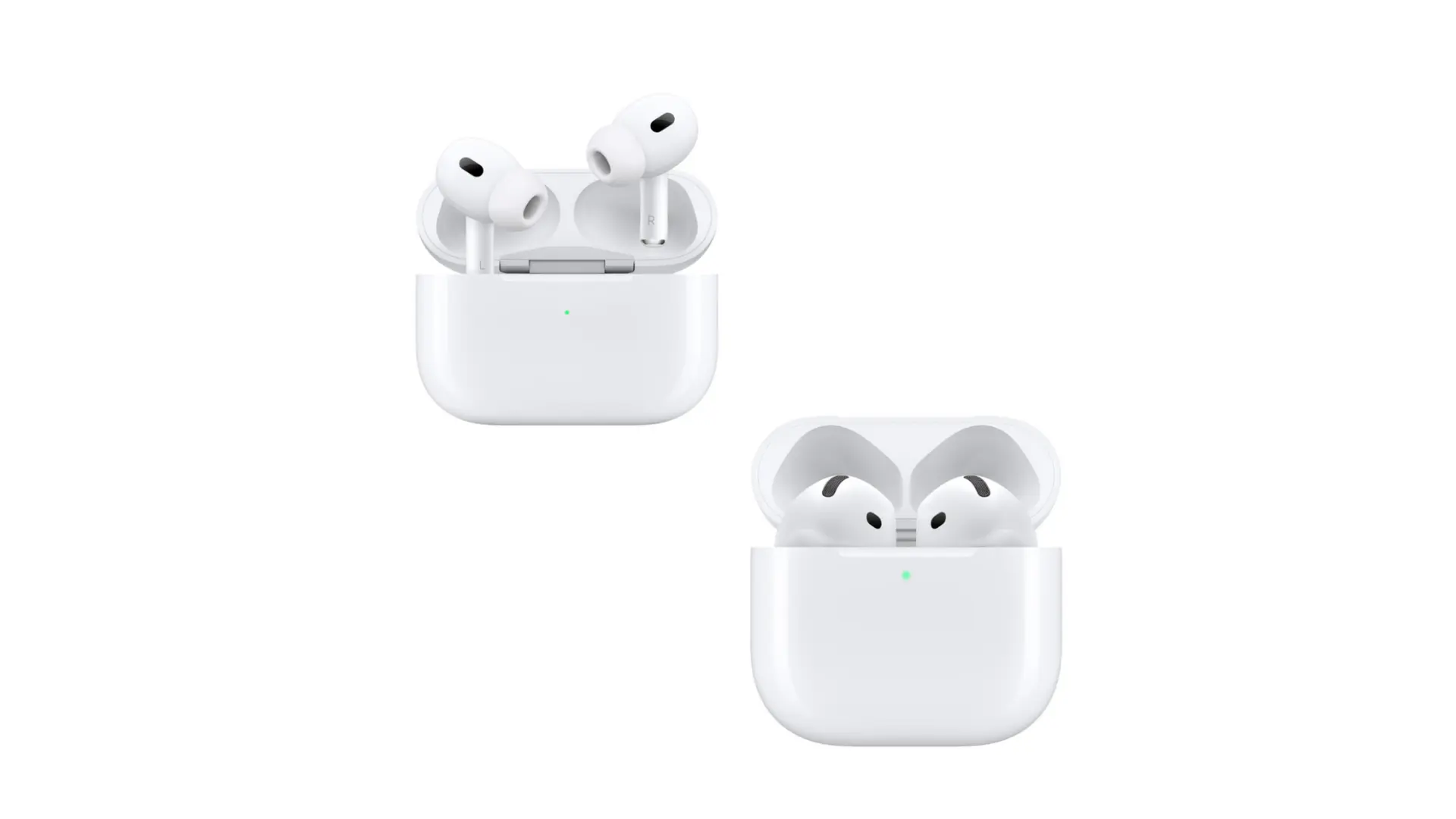
How to Compare Earbuds: A Complete Guide for 2024
Choosing the right earbuds can feel like navigating a maze. The market is flooded with options, each promising superior sound, comfort, and features. But how do you separate the hype from the reality? Don’t worry, I’m here to help. This guide breaks down the essential factors to consider when comparing earbuds, ensuring you make an informed decision and find the perfect pair for your needs.
We’ll cover everything from sound quality and fit to battery life and extra features like noise cancellation. Whether you’re a music enthusiast, a podcast aficionado, or a fitness fanatic, understanding these aspects will empower you to choose earbuds that seamlessly integrate into your lifestyle. Let’s get started on finding the perfect audio companions.
Understanding Earbud Types
Before diving into comparisons, it’s essential to understand the different types of earbuds available. Each type has its pros and cons, influencing your overall listening experience.
True Wireless Earbuds
True wireless earbuds (TWS) are the most popular type. They have no wires connecting the earbuds to each other or your device. They connect via Bluetooth and come with a charging case for portability and extended battery life. They are great for portability and convenience.
Pros:
- Completely wireless, offering maximum freedom of movement.
- Compact and easily portable.
- Often include a charging case for extended battery life.
- Increasingly feature advanced technologies like active noise cancellation (ANC).
Cons:
- Can be more expensive than other types.
- Battery life can be a limiting factor, especially without the charging case.
- Easy to lose one or both earbuds.
Wireless Earbuds (neckband)
Wireless earbuds (neckband) have a wire connecting the two earbuds, which typically rests around your neck. This design offers a balance between convenience and security.
Pros:
- Less likely to get lost than true wireless earbuds.
- Often have longer battery life compared to true wireless earbuds.
- Usually more affordable.
Cons:
- The neckband can be bulky or uncomfortable for some users.
- The wire can get in the way during certain activities.
Wired Earbuds
Wired earbuds connect directly to your device via a 3.5mm audio jack or a Lightning/USB-C connector. They are becoming less common with the rise of wireless technology, but still offer advantages.
Pros:
- Generally the most affordable option.
- No need to charge them.
- Offer the potential for the highest audio quality (depending on the source).
Cons:
- Wires can be inconvenient and prone to tangling.
- Limited compatibility with modern devices that often lack a headphone jack.
- No advanced features like noise cancellation.
Key Features to Compare
Now that you know the different types, let’s explore the critical features to consider when comparing earbuds. These factors will significantly impact your listening experience.
Sound Quality
Sound quality is arguably the most crucial aspect. It encompasses several elements that determine how enjoyable your music, podcasts, or audiobooks sound.
- Drivers: The drivers are the small speakers inside the earbuds. Larger drivers (e.g., 10mm or larger) often provide a fuller, richer sound with better bass response.
- Frequency Response: This specifies the range of frequencies the earbuds can reproduce, typically from 20Hz (low bass) to 20kHz (high treble). A wider frequency response generally indicates better sound quality.
- Audio Codecs: Bluetooth uses codecs to transmit audio. Some codecs, like aptX and LDAC, offer higher audio quality than the standard SBC codec.
- Sound Signature: This refers to the overall tonal balance of the earbuds. Some earbuds are bass-heavy, others are balanced, and some emphasize treble. Consider your preferred music genres and listening preferences.
How to assess sound quality:
- Read reviews: Look for reviews that specifically comment on the sound quality, bass, mids, and treble.
- Listen to samples: If possible, listen to the earbuds in person or find audio samples online using your preferred music.
- Consider your music taste: Bass-heavy earbuds are great for genres like hip-hop and electronic music. Balanced earbuds are better for a wider variety of genres.
Comfort and Fit
Comfort and fit are crucial for extended listening sessions. Ill-fitting earbuds can cause discomfort, fatigue, and even fall out during activities.
- Eartip Material and Size: Most earbuds come with multiple sizes of silicone or foam eartips. Experiment with different sizes to find the best fit. Foam tips often provide a more secure fit and better noise isolation.
- Earbud Design: Consider the shape and design of the earbuds. Some earbuds are designed to fit snugly in the ear canal (in-ear), while others sit in the outer ear (on-ear).
- Weight and Ergonomics: Lighter earbuds are generally more comfortable. Look for ergonomic designs that conform to the shape of your ear.
Tips for finding the right fit:
- Try different eartip sizes: This is the most critical step.
- Consider earbud design: If you have small ears, you may prefer smaller earbuds.
- Read user reviews: See what other users say about the comfort and fit.
- Test them out: If possible, wear the earbuds for a period to see how they feel.
Noise Cancellation (anc) and Noise Isolation
Noise cancellation (ANC) uses microphones to detect ambient noise and then generates opposite sound waves to cancel it out. Noise isolation is achieved through a physical seal created by the eartips, blocking external sounds.
- ANC Performance: The effectiveness of ANC varies. Some earbuds offer excellent noise cancellation, while others are less effective. Look for reviews that specifically mention ANC performance.
- Transparency Mode: This feature allows you to hear your surroundings without removing the earbuds, which is useful for conversations or awareness.
- Noise Isolation: Even without ANC, a good seal created by the eartips can significantly reduce external noise.
How to evaluate noise cancellation:
- Read reviews: Pay attention to reviews that discuss ANC performance in various environments (e.g., airplanes, offices, public transport).
- Test it: If possible, try the earbuds in a noisy environment to assess ANC effectiveness.
- Consider your needs: If you travel frequently or work in a noisy environment, ANC is a valuable feature.
Battery Life
Battery life determines how long you can listen to your earbuds before needing to recharge them. It’s a critical factor, especially for travel or extended use.
- Earbud Battery Life: This refers to how long the earbuds can play audio on a single charge.
- Charging Case Battery Life: The charging case provides additional battery life, allowing you to recharge your earbuds multiple times.
- Fast Charging: Some earbuds support fast charging, providing several hours of playback with a short charging time.
Tips for considering battery life:
- Consider your usage: How long do you typically listen to music or podcasts per day?
- Factor in the charging case: The charging case can significantly extend the total battery life.
- Look for fast charging: This can be a lifesaver if you’re in a hurry.
Microphone Quality
Microphone quality is important for making calls and using voice assistants. A good microphone ensures clear and understandable voice transmission.
- Number of Microphones: Earbuds with multiple microphones often provide better noise cancellation during calls.
- Environmental Noise Cancellation (ENC): ENC technology helps to reduce background noise during calls.
- Voice Assistant Integration: Many earbuds support voice assistants like Siri or Google Assistant.
How to assess microphone quality:
- Read reviews: Look for reviews that specifically comment on call quality.
- Listen to samples: Some reviews may include audio samples of the microphone performance.
- Test calls: If possible, make a test call to assess the microphone quality in different environments.
Durability and Water Resistance
Durability and water resistance are essential considerations, especially if you plan to use your earbuds during workouts or in outdoor environments.
- IP Rating: This rating indicates the level of protection against water and dust. The higher the IP rating, the more resistant the earbuds are.
- Materials: Look for earbuds made from durable materials that can withstand wear and tear.
IP Ratings Explained:
- IPX0: No protection.
- IPX1: Protected against dripping water.
- IPX2: Protected against dripping water when tilted up to 15 degrees.
- IPX3: Protected against spraying water.
- IPX4: Protected against splashing water.
- IPX5: Protected against water jets.
- IPX6: Protected against powerful water jets.
- IPX7: Protected against immersion in water up to 1 meter for 30 minutes.
- IPX8: Protected against prolonged immersion in water.
Tips for considering durability:
- Consider your activities: If you exercise or spend time outdoors, choose earbuds with a higher IP rating.
- Read reviews: See what other users say about the durability of the earbuds.
- Consider the materials: Look for earbuds made from sturdy materials.
Connectivity and Bluetooth
Connectivity and Bluetooth are critical for a seamless and reliable listening experience.
- Bluetooth Version: Newer Bluetooth versions (e.g., 5.0, 5.2, 5.3) offer improved stability, range, and power efficiency.
- Bluetooth Codecs: As mentioned earlier, codecs like aptX and LDAC can improve audio quality.
- Multipoint Pairing: This feature allows you to connect your earbuds to two devices simultaneously.
Tips for considering connectivity:
- Check the Bluetooth version: Newer versions generally offer better performance.
- Consider the codecs: If audio quality is a priority, look for earbuds that support high-quality codecs.
- Consider multipoint pairing: This is a convenient feature if you use multiple devices.
Extra Features
Many earbuds offer additional features that can enhance your listening experience.
- Touch Controls: Allow you to control music playback, answer calls, and adjust volume with taps on the earbuds.
- Wireless Charging: Allows you to charge the charging case wirelessly.
- Find My Earbuds: Some earbuds have a feature that helps you locate them if they are lost.
- Customization Options: Some companion apps offer EQ settings to customize the sound.
Evaluating extra features:
- Consider your needs: Determine which features are important to you.
- Read reviews: See what users say about the functionality and usefulness of the features.
- Check the companion app: If the earbuds have a companion app, see if it offers the features and customization options you need.
Comparing Earbud Brands
Several brands dominate the earbud market. Comparing different brands can help you narrow down your choices.
Apple
Apple’s AirPods are known for their ease of use, seamless integration with Apple devices, and good sound quality. They offer a comfortable fit for some, but not all.
Pros:
- Excellent integration with Apple devices.
- User-friendly design and controls.
- Good sound quality.
- Strong ecosystem.
Cons:
- Can be expensive.
- Fit may not be ideal for all users.
- Limited customization options compared to some competitors.
Samsung
Samsung’s Galaxy Buds series offers a range of earbuds with excellent sound quality, advanced features, and competitive prices. They integrate seamlessly with Samsung devices and Android phones.
Pros:
- Great sound quality.
- Feature-rich with advanced noise cancellation.
- Comfortable fit.
- Competitive pricing.
Cons:
- ANC performance can vary between models.
- Some users may prefer a different sound signature.
Sony
Sony is renowned for its high-quality audio products, and its earbuds are no exception. They often feature exceptional sound quality, advanced noise cancellation, and premium build quality.
Pros:
- Exceptional sound quality.
- Industry-leading noise cancellation.
- Premium build quality.
- Wide range of models.
Cons:
- Can be expensive.
- Some models can be bulky.
Jabra
Jabra earbuds are known for their excellent call quality, comfortable fit, and durability. They are a popular choice for both personal and professional use.
Pros:
- Excellent call quality.
- Comfortable fit.
- Durable build.
- Good noise isolation.
Cons:
- ANC performance may not be as strong as some competitors.
- Sound quality may not be as refined as some premium brands.
Bose
Bose earbuds are known for their excellent sound quality, comfortable fit, and effective noise cancellation. They are a popular choice for both music and active lifestyles.
Pros:
- Excellent sound quality.
- Effective noise cancellation.
- Comfortable fit.
- Durable build.
Cons:
- Can be expensive.
- Some models may not be ideal for all ear shapes.
Other Brands
Many other brands offer excellent earbuds, including:
- Sennheiser: Known for their audiophile-grade sound quality.
- Technics: Offer high-fidelity sound and advanced features.
- 1More: Provide excellent value for money with great sound quality.
- Anker (Soundcore): Offer budget-friendly options with good features.
Creating a Comparison Chart
Creating a comparison chart can help you evaluate different earbuds side-by-side, making it easier to identify the best option for your needs. Here’s how to create one:
- List Your Priorities: Decide which features are most important to you (e.g., sound quality, noise cancellation, battery life).
- Choose Your Earbud Models: Select the earbuds you want to compare.
- Create a Table: Create a table with the features as column headers and the earbud models as row headers.
- Fill in the Information: Research each earbud model and fill in the corresponding information for each feature.
- Analyze the Results: Compare the earbuds based on your priorities and choose the model that best meets your needs.
Example Comparison Chart:
Here’s a simplified example, you can expand this with more features and models.
| Feature | Apple AirPods Pro (2nd Gen) | Samsung Galaxy Buds 2 Pro | Sony WF-1000XM5 |
|---|---|---|---|
| Sound Quality | Excellent | Excellent | Outstanding |
| ANC | Excellent | Excellent | Exceptional |
| Battery Life (Earbuds/Case) | 6/30 hours | 5/20 hours | 8/24 hours |
| Water Resistance | IPX4 | IPX7 | IPX4 |
| Price | $$$ | $$ | $$$ |
Where to Buy Earbuds
You can purchase earbuds from various retailers, both online and offline.
- Online Retailers: Amazon, Best Buy, and the manufacturers’ websites.
- Electronics Stores: Best Buy, Apple Store, and other electronics retailers.
- Specialty Audio Stores: These stores often have a wider selection of high-end earbuds and knowledgeable staff.
Tips for buying earbuds:
- Read reviews: Before purchasing, read reviews from multiple sources.
- Check the return policy: Make sure the retailer has a good return policy in case you’re not satisfied.
- Consider the warranty: Check the warranty coverage.
- Look for deals: Compare prices from different retailers.
Troubleshooting Common Earbud Issues
Even the best earbuds can sometimes encounter problems. Here’s how to troubleshoot some common issues:
Connectivity Problems
- Bluetooth Pairing Issues: Make sure Bluetooth is enabled on your device. Try restarting both your earbuds and your device. Check if the earbuds are listed in your device’s Bluetooth settings and remove then re-pair them.
- Sound Cutting Out: Ensure that your device is within the Bluetooth range. Minimize interference from other devices. Reset the earbuds to factory settings.
Sound Quality Issues
- Low Volume: Adjust the volume on both your earbuds and your device. Clean the eartips and earbud grilles.
- Distorted Sound: Reduce the volume. Check for debris in the earbud grilles. Reset the earbuds.
Charging Issues
- Earbuds Not Charging: Make sure the charging case is charged. Clean the charging contacts on both the earbuds and the case. Try a different charging cable and adapter.
- Charging Case Not Charging: Try a different charging cable and adapter. Check the power outlet.
If the problem persists:
- Consult the user manual: Refer to the user manual for specific troubleshooting steps.
- Contact customer support: Contact the manufacturer’s customer support for assistance.
Final Verdict
Finding the perfect pair of earbuds is a journey of exploration. By carefully considering the factors discussed in this guide, comparing different models, and reading reviews, you can make an informed decision and choose earbuds that deliver an exceptional listening experience. Remember to prioritize the features that matter most to you and don’t be afraid to experiment until you find the perfect fit and sound.
Choosing the right earbuds requires careful consideration of your individual needs and preferences. Start by identifying your priorities: Is sound quality, noise cancellation, battery life, or a comfortable fit most important to you? Research different earbud types and compare their features, paying close attention to sound quality, comfort, battery life, and any additional features that might appeal to you.
Take advantage of reviews, and if possible, try out different models to get a feel for their sound and fit. Don’t be afraid to experiment with different eartips and settings. Once you have a shortlist, create a comparison chart to help you visualize the strengths and weaknesses of each option.
Ultimately, the best earbuds are the ones that fit your ears comfortably, deliver the sound quality you enjoy, and meet your lifestyle needs. With the right information and a little patience, you’ll find the perfect pair to enhance your listening experience for years to come.
Recommended Products