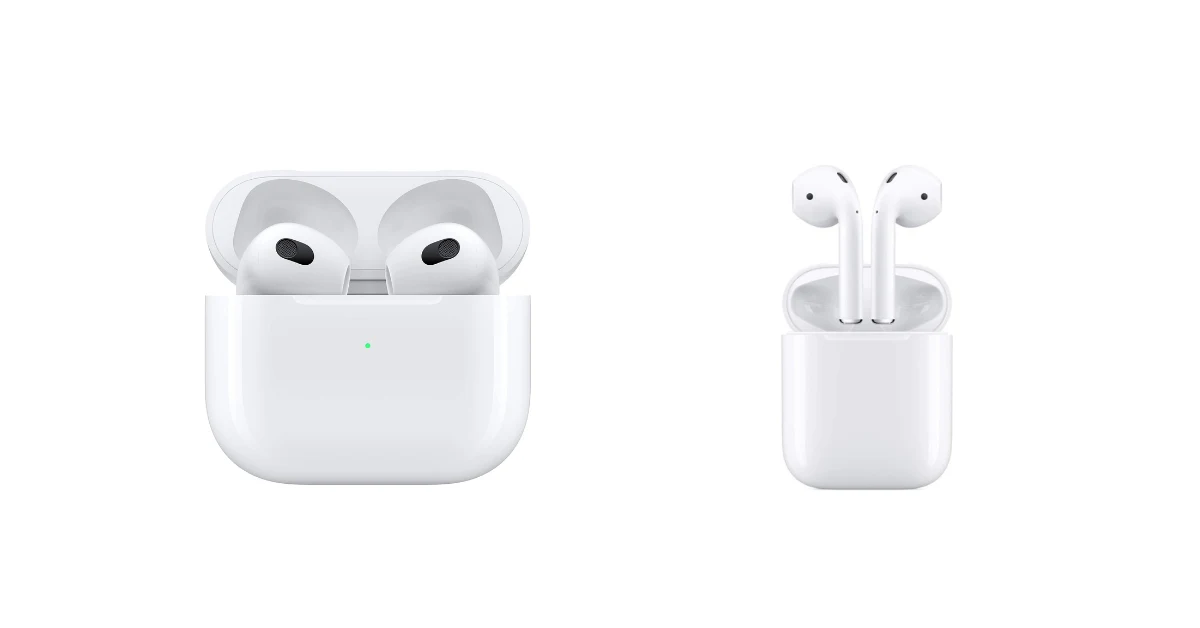
How to Clean Wireless Earbuds: A Comprehensive Guide
Wireless earbuds have become indispensable companions, accompanying us through workouts, commutes, and daily routines. Their convenience, however, comes with a downside: they’re prone to collecting earwax, dust, and other debris. Regularly cleaning your earbuds isn’t just about aesthetics; it’s crucial for maintaining audio quality, preventing infections, and prolonging the life of your devices.
This guide will walk you through the process of cleaning your wireless earbuds safely and effectively. We’ll cover everything from the tools you’ll need to step-by-step instructions for various earbud types. Whether you’re a seasoned audiophile or a casual listener, you’ll find the information you need to keep your earbuds in top condition.
Ignoring earbud hygiene can lead to muffled sound, reduced volume, and even bacterial growth. So, let’s get started and learn how to keep your listening experience crystal clear.
Why Cleaning Wireless Earbuds Matters
Cleaning your wireless earbuds regularly is more important than you might think. It’s not just about appearances; it directly impacts your listening experience and your health. Here’s a breakdown of the key reasons why cleaning is essential:
Improved Audio Quality
Earwax and debris accumulation can significantly degrade sound quality. They can clog the tiny speaker grilles, leading to muffled sound, reduced bass, and overall poor audio performance. By cleaning your earbuds, you ensure that the sound reaches your ears clearly and crisply, as the manufacturers intended.
Preventing Ear Infections
Earbuds come into direct contact with your ears, creating a perfect environment for bacteria and germs to thrive. Regular cleaning helps minimize the risk of ear infections, which can be painful and require medical treatment. Think about it: you’re inserting these devices into your ear canal, so keeping them clean is vital for your ear health.
Extending Earbud Lifespan
Debris can damage the delicate components within your earbuds. Earwax and moisture can corrode the internal electronics, leading to malfunctions and premature failure. Cleaning helps protect these components, extending the lifespan of your investment. It’s a simple act that can save you money in the long run.
Maintaining Hygiene
Cleaning your earbuds is a matter of personal hygiene. It’s similar to brushing your teeth or washing your hands. It prevents the buildup of bacteria and other contaminants, keeping your earbuds clean and safe to use. You wouldn’t want to use dirty earbuds any more than you’d want to use a dirty toothbrush.
Tools You’ll Need
Before you start cleaning, gather the right tools. Using the correct tools ensures a thorough and safe cleaning process, preventing damage to your earbuds. Here’s a list of essential items:
- Microfiber Cloth: A soft, lint-free cloth is perfect for wiping down the exterior surfaces of your earbuds and charging case.
- Cotton Swabs: These are ideal for cleaning hard-to-reach areas, such as the speaker grilles and crevices. However, use them cautiously to avoid pushing debris further in.
- Soft-Bristled Brush: A small brush, like an old toothbrush or a specialized cleaning brush, can help remove stubborn debris.
- Isopropyl Alcohol (70% or Higher): This is a safe and effective disinfectant. Avoid using higher concentrations.
- Clean Water: For dampening the cloth or swabs.
- Toothpicks or SIM Ejector Tool: These can be used to gently dislodge debris from small openings.
- Cleaning Putty (Optional): This is a reusable, moldable cleaning compound that can reach into tight spaces.
- Compressed Air (Optional): Useful for blowing away dust and debris, but use with caution to avoid damaging the earbuds.
Important Safety Note: Always turn off and disconnect your earbuds from any power source before cleaning. Never submerge your earbuds in water unless they are specifically designed to be waterproof. Avoid using harsh chemicals or abrasive materials, as these can damage the earbuds.
Step-by-Step Cleaning Instructions
Cleaning your wireless earbuds is a straightforward process. Here’s a detailed guide, broken down into steps, to ensure your earbuds stay clean and functional:
Step 1: Preparation
Gather your tools in a well-lit area. Make sure you have a clean surface to work on. Before you begin, examine your earbuds to identify any areas with visible dirt or debris.
Step 2: Exterior Cleaning
Use a microfiber cloth to gently wipe down the exterior surfaces of your earbuds and charging case. This removes loose dust, fingerprints, and smudges. For stubborn marks, slightly dampen the cloth with clean water. Avoid getting any moisture into the ports or speaker grilles.
Step 3: Cleaning Speaker Grilles
This is a critical step, as earwax often accumulates here. Use a soft-bristled brush or a dry cotton swab to gently remove any debris from the speaker grilles. Be careful not to apply too much pressure, as this can damage the delicate components. If the debris is particularly stubborn, you can lightly dampen the cotton swab with isopropyl alcohol.
Step 4: Cleaning Crevices and Ports
Use a toothpick, SIM ejector tool, or a cotton swab to clean the crevices and ports. Gently dislodge any dirt or earwax that may be trapped. Avoid inserting these tools too far into the openings to prevent damage. For charging ports, ensure they are free of debris to maintain a good connection.
Step 5: Disinfecting (optional)
To disinfect your earbuds, lightly dampen a cotton swab or microfiber cloth with isopropyl alcohol. Gently wipe the surfaces of your earbuds. Be cautious not to oversaturate the swab or cloth. Allow the earbuds to air dry completely before using them. This step is especially important if you share your earbuds or use them frequently.
Step 6: Cleaning the Charging Case
Use a microfiber cloth to wipe down the exterior of the charging case. For the charging ports inside the case, use a dry cotton swab or a soft-bristled brush to remove any debris. Avoid using liquids inside the case. Make sure the charging contacts are clean to ensure proper charging of your earbuds.
Step 7: Final Inspection
Inspect your earbuds and charging case to ensure they are clean and free of debris. Make sure all components are dry before using them. If you notice any remaining dirt, repeat the cleaning process as needed.
Cleaning Different Types of Earbuds
While the general cleaning process is similar for all wireless earbuds, there are slight variations depending on the design and features of your specific model. Here’s how to clean some common types:
In-Ear Earbuds (with Silicone Tips)
These earbuds typically have silicone tips that fit directly into your ear canal. Here’s how to clean them:
- Remove the silicone tips: Gently detach the silicone tips from the earbuds.
- Clean the tips: Wash the silicone tips with mild soap and water. Rinse thoroughly and allow them to air dry completely.
- Clean the earbud body: Use a microfiber cloth and cotton swabs to clean the earbud body, paying attention to the speaker grilles and any crevices.
- Reattach the tips: Once the tips are dry, reattach them to the earbuds.
Earbuds with Foam Tips
Foam tips are often used for a more secure fit and better noise isolation. Cleaning foam tips requires extra care:
- Remove the foam tips: Carefully detach the foam tips from the earbuds.
- Clean the tips: Gently wipe the foam tips with a slightly damp cloth. Avoid getting them too wet, as this can damage the foam.
- Air dry the tips: Allow the foam tips to air dry completely before reattaching them.
- Clean the earbud body: Use a microfiber cloth and cotton swabs to clean the earbud body.
Waterproof Earbuds
If your earbuds are waterproof, you have more flexibility in the cleaning process. However, always check the manufacturer’s instructions for specific recommendations.
- Rinse with water: You can rinse the earbuds under running water.
- Use mild soap: If needed, use a small amount of mild soap to remove stubborn dirt.
- Air dry: Allow the earbuds to air dry completely before using them.
True Wireless Earbuds (with Charging Cases)
These earbuds come with charging cases, which require special attention:
- Clean the earbuds as described above.
- Clean the charging case: Use a microfiber cloth to wipe down the exterior and a dry cotton swab or soft-bristled brush to clean the charging ports.
- Avoid liquids: Do not use liquids inside the charging case.
Cleaning Frequency and Maintenance
How often you should clean your wireless earbuds depends on how frequently you use them and your environment. However, regular cleaning is key to keeping them in good condition.
Recommended Cleaning Frequency
- Daily or After Each Use: If you use your earbuds frequently, especially during workouts or in dusty environments, wipe them down with a microfiber cloth after each use.
- Weekly: Perform a more thorough cleaning once a week, including cleaning the speaker grilles, crevices, and charging case.
- Monthly: Disinfect your earbuds monthly, especially if you share them or are prone to ear infections.
Maintenance Tips
- Store your earbuds properly: When not in use, store your earbuds in their charging case or a protective pouch to prevent dust and debris from accumulating.
- Avoid extreme temperatures and humidity: Protect your earbuds from extreme temperatures and humidity, as these can damage the internal components.
- Use a protective case: Consider using a protective case for your charging case to prevent scratches and other damage.
- Replace ear tips: Replace your ear tips regularly, especially if they are worn or damaged. This helps maintain hygiene and sound quality.
Troubleshooting Common Issues
Even with regular cleaning, you might encounter some issues with your wireless earbuds. Here’s how to troubleshoot some common problems:
Muffled Sound
Cause: Earwax or debris blocking the speaker grilles.
Solution: Clean the speaker grilles thoroughly using a soft-bristled brush or a dry cotton swab. Ensure there is no blockage.
Low Volume
Cause: Debris buildup or a problem with the internal components.
Solution: Clean the speaker grilles and charging contacts. If the problem persists, check the volume settings on your device and ensure the earbuds are properly connected.
Earbud Not Charging
Cause: Dirty charging contacts or a faulty charging case.
Solution: Clean the charging contacts on both the earbuds and the charging case. Ensure the charging case is plugged in and functioning correctly. Try a different charging cable or power source to rule out any issues.
Earbuds Not Connecting
Cause: Bluetooth connectivity issues or dirty contacts.
Solution: Ensure Bluetooth is enabled on your device and the earbuds are paired correctly. Clean the charging contacts. Restart your earbuds and device. Reset your earbuds to factory settings if needed.
Ear Infection Symptoms
Cause: Bacterial or fungal growth due to dirty earbuds.
Solution: Clean your earbuds immediately and seek medical attention if you experience ear pain, discharge, or hearing loss. Consult a doctor.
Advanced Cleaning Techniques
For particularly stubborn debris or persistent problems, consider these advanced cleaning techniques:
Using Cleaning Putty
Cleaning putty is a reusable, moldable compound that can reach into tight spaces. Gently press the putty onto the speaker grilles and other areas where debris is trapped. The putty will pick up the dirt. Peel it off and discard the debris.
Using Compressed Air
Compressed air can be used to blow away dust and debris. However, use it with caution, as excessive pressure can damage the earbuds. Hold the nozzle a safe distance away and use short bursts of air.
Professional Cleaning
If you’re uncomfortable cleaning your earbuds yourself or if the cleaning process doesn’t resolve the issues, consider seeking professional cleaning services. Some electronics stores offer this service.
Preventative Measures
Preventing debris buildup is the best way to keep your earbuds clean and functional. Here are some preventative measures you can take:
- Use ear tips that fit well: Properly fitting ear tips create a better seal and prevent debris from entering the earbud.
- Clean your ears regularly: Keep your ears clean to minimize earwax buildup.
- Avoid using earbuds in dirty environments: If possible, avoid using your earbuds in dusty or dirty environments.
- Wipe your ears after exercise: After exercising, wipe your ears to remove sweat and debris.
- Store earbuds properly: Store your earbuds in their charging case or a protective pouch when not in use.
Conclusion
Maintaining clean wireless earbuds is essential for optimal audio quality, hygiene, and the longevity of your device. By following the cleaning steps outlined in this guide, you can effectively remove earwax, dust, and debris, ensuring a clear and enjoyable listening experience. Remember to gather the right tools, use gentle techniques, and clean your earbuds regularly, as a preventative measure.
Cleaning your earbuds should be a regular part of your routine. This will not only improve your listening pleasure but also protect your ear health and extend the lifespan of your earbuds. With a few simple steps, you can ensure that your wireless earbuds remain a reliable and enjoyable part of your daily life.
Recommended Products