How to Clean Mesh on Earbuds: A Simple Guide for Sparkling Sound
Ah, those trusty earbuds! They’re our constant companions, delivering podcasts, playlists, and calls with ease. But let’s be honest, they take a beating. From earwax to dust and debris, the mesh covering the speaker drivers can quickly become clogged, leading to muffled audio and a less-than-stellar listening experience. This is where knowing how to clean mesh on earbuds becomes crucial.
Cleaning your earbuds isn’t just about aesthetics; it’s about maintaining sound quality and extending the lifespan of your audio investment. A clean mesh allows sound to travel freely, ensuring you hear every note, word, and beat as intended. Neglecting this simple task can lead to reduced volume, distorted sound, and ultimately, a less enjoyable listening experience. Fortunately, cleaning your earbuds is a straightforward process, and with the right techniques, you can keep them sounding their best.
In this guide, we’ll walk you through the essential steps, tools, and tips to effectively clean the mesh on your earbuds. We’ll cover everything from preventative measures to deep cleaning techniques, ensuring you have all the knowledge needed to keep your earbuds in top condition. Let’s get started!
Understanding Why Earbud Mesh Cleaning Matters
Before we dive into the ‘how,’ let’s understand the ‘why.’ The mesh on your earbuds isn’t just a cosmetic feature; it’s a critical component that protects the delicate speaker drivers from damage. It acts as a barrier against earwax, dust, and other particles that can compromise sound quality and potentially harm the internal components. Regular cleaning is therefore essential.
Earwax Buildup: The Primary Culprit: Earwax is the most common culprit behind clogged earbud mesh. It’s a natural substance produced by your body to protect your ear canal, but when it accumulates on the earbud mesh, it can significantly reduce sound output. Over time, this buildup can harden, making it even more difficult to remove.
Dust and Debris: The Silent Saboteurs: Dust, dirt, and other microscopic particles can also accumulate on the mesh, blocking sound waves and affecting audio clarity. Environmental factors such as wind and the environment you are in can contribute to this problem, leading to a build-up over time.
Impact on Sound Quality: A clogged mesh directly impacts sound quality. You might notice reduced volume, muffled sound, or distorted audio. High frequencies, in particular, tend to suffer, making music and podcasts sound dull and lifeless.
Preventing Damage: Cleaning the mesh regularly helps prevent potential damage to the speaker drivers. When the mesh is blocked, the drivers have to work harder, which can lead to premature wear and tear. Furthermore, if debris gets inside, it can cause permanent damage.
Extending Lifespan: Regular cleaning contributes to the longevity of your earbuds. By removing debris and preventing damage, you can extend their lifespan and get the most out of your investment.
Essential Tools for Cleaning Earbud Mesh
Having the right tools makes the cleaning process easier and more effective. Here’s a list of essential items you’ll need:
- Soft-Bristled Brush: A small, soft-bristled brush, like a toothbrush or a specialized earbud cleaning brush, is ideal for gently removing surface debris. Avoid using hard-bristled brushes, as they can potentially damage the mesh.
- Microfiber Cloth: A clean microfiber cloth is perfect for wiping down the earbuds and removing any remaining residue. It’s gentle and won’t scratch the surface.
- Cotton Swabs: Cotton swabs are useful for accessing hard-to-reach areas and removing stubborn debris. Make sure to use them gently to avoid pushing debris further into the earbud.
- Isopropyl Alcohol (70% or 90%): Isopropyl alcohol is an excellent disinfectant and cleaning agent. It effectively removes earwax and other grime. Avoid using higher concentrations, as they can damage the earbuds.
- Toothpicks or Wooden Skewers: These can be used to carefully dislodge stubborn debris from the mesh. Use them with extreme caution to avoid damaging the mesh or the internal components.
- Compressed Air (Optional): Compressed air can be used to blow away loose debris from the mesh. Make sure to use it in short bursts and hold the can at a safe distance to avoid damaging the earbuds.
- Cleaning Putty (Optional): This is a moldable, sticky substance specifically designed for cleaning electronics. It can be useful for picking up small particles and getting into tight spaces.
Step-by-Step Guide: How to Clean the Mesh on Your Earbuds
Follow these steps to effectively clean the mesh on your earbuds:
- Preparation is Key: Before you begin, gather all the necessary tools mentioned above. Make sure you have a clean and well-lit workspace.
- Gentle Brushing: Use the soft-bristled brush to gently brush away any loose debris from the mesh. Start from the outside and work your way inward. Be careful not to apply too much pressure.
- Microfiber Wipe-Down: Use the microfiber cloth to wipe down the entire surface of the earbuds, including the mesh. This will remove any remaining dust or residue.
- Cotton Swab Cleaning: Dip a cotton swab in isopropyl alcohol (70% or 90%) and gently clean around the mesh. Avoid saturating the swab. Be careful not to push any debris further into the earbud.
- Stubborn Debris Removal: For stubborn debris, you can use a toothpick or wooden skewer. Gently try to dislodge the debris from the mesh. Avoid using excessive force.
- Compressed Air (Optional): If you have compressed air, use it to blow away any remaining debris. Hold the can at a safe distance and use short bursts.
- Final Wipe-Down: Once you’ve cleaned the mesh, wipe down the entire earbud again with the microfiber cloth to remove any remaining residue.
- Allow to Dry: Allow the earbuds to air dry completely before using them. This is especially important if you’ve used isopropyl alcohol.
Advanced Cleaning Techniques and Tips
Here are some advanced techniques and tips to help you clean your earbud mesh more effectively:
- Use a Magnifying Glass: A magnifying glass can help you see the mesh more clearly and identify any stubborn debris.
- Cleaning Putty: Use cleaning putty to gently pick up any remaining particles. Press the putty onto the mesh and then lift it away.
- Avoid Excessive Moisture: Never submerge your earbuds in water or any other liquid. Excessive moisture can damage the internal components.
- Be Patient: Cleaning earbud mesh can be time-consuming, but the results are worth it. Take your time and be patient.
- Consider Professional Cleaning: If you’re uncomfortable cleaning your earbuds yourself or if the mesh is severely clogged, consider taking them to a professional for cleaning.
- Regular Maintenance: Clean your earbuds regularly to prevent excessive buildup and make cleaning easier.
- Protective Measures: Consider using earbud covers or filters to protect the mesh from debris.
Common Mistakes to Avoid When Cleaning Earbud Mesh
Here are some common mistakes to avoid to prevent damaging your earbuds:
- Using Harsh Chemicals: Avoid using harsh chemicals, such as bleach or acetone, as they can damage the earbuds.
- Applying Excessive Force: Don’t apply excessive force when brushing or using toothpicks. This can damage the mesh or internal components.
- Using Sharp Objects: Avoid using sharp objects, such as needles or pins, as they can easily puncture the mesh.
- Submerging in Water: Never submerge your earbuds in water or any other liquid.
- Ignoring the Problem: Don’t ignore the problem. Regular cleaning is essential to maintain sound quality and extend the lifespan of your earbuds.
- Using the Wrong Tools: Using the wrong tools can damage your earbuds. Always use appropriate tools, such as soft-bristled brushes and cotton swabs.
- Not Allowing to Dry: Ensure your earbuds are completely dry before using them after cleaning to prevent electrical damage.
Different Earbud Types and Cleaning Variations
The cleaning process can vary slightly depending on the type of earbuds you have. Here’s a look at some common earbud types and how to clean them:
In-Ear Earbuds (earphones)
In-ear earbuds, which insert directly into the ear canal, are particularly prone to earwax buildup. The mesh on these earbuds is often small and can be easily clogged. The cleaning process is similar to the general guide, but you may need to pay extra attention to the mesh due to its size and location. Use the soft-bristled brush and cotton swabs with care. Consider using ear tips with filters to prevent earwax from entering the mesh.
Over-Ear Headphones
Over-ear headphones typically have larger mesh areas, usually located on the earcups. These headphones may not be as susceptible to earwax buildup as in-ear earbuds. However, they can still accumulate dust and debris. Use the soft-bristled brush and microfiber cloth to clean the mesh. You may also need to clean the earcups themselves, which can be done with a damp cloth and mild soap.
True Wireless Earbuds
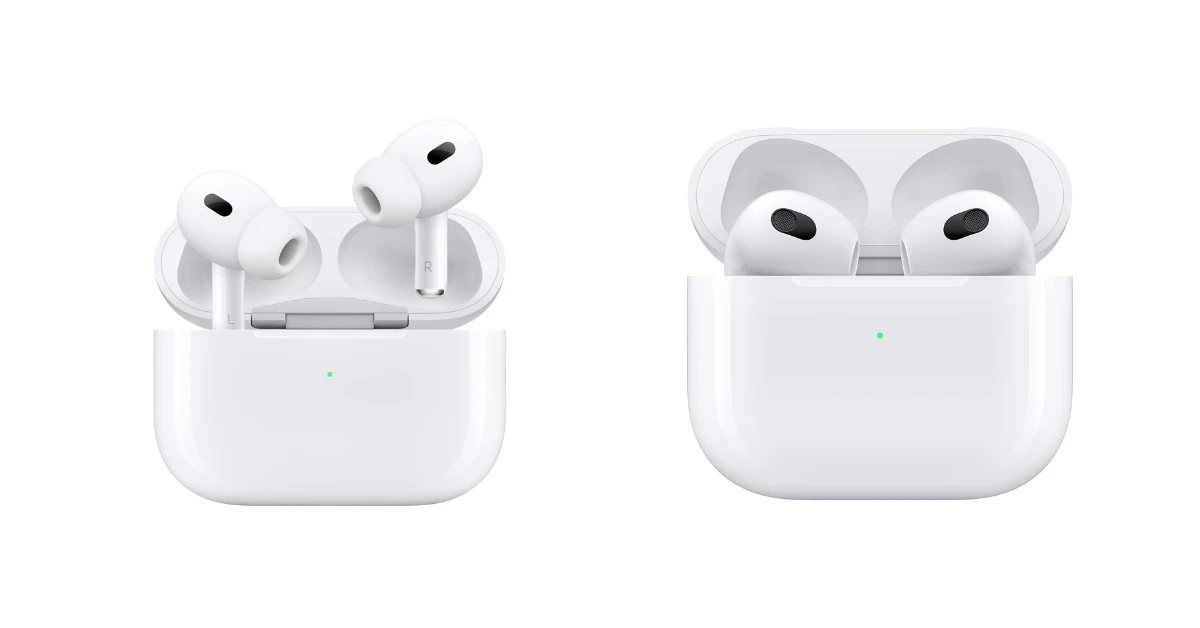
True wireless earbuds (TWS) have become increasingly popular. These earbuds are small and often have a mesh covering the speaker driver. The cleaning process is similar to in-ear earbuds. However, the charging case can also accumulate dirt and debris, so be sure to clean the case as well. Use a soft-bristled brush or cotton swab to clean the charging contacts inside the case.
Sports Earbuds
Sports earbuds are designed to withstand sweat and moisture. The cleaning process is similar to other earbuds, but you may need to clean them more frequently. Be sure to wipe down the earbuds after each workout to remove sweat and debris. Check for any moisture in the charging case before placing the earbuds inside.
Preventative Measures for Keeping Your Earbud Mesh Clean
Preventative measures can significantly reduce the frequency with which you need to clean your earbud mesh. Here are some tips:
- Use Earbud Covers or Filters: Earbud covers or filters can act as a barrier against earwax and debris, preventing them from reaching the mesh. These are often made of foam or silicone and can be easily replaced.
- Clean Your Ears Regularly: Cleaning your ears regularly can help reduce the amount of earwax produced.
- Store Your Earbuds Properly: Store your earbuds in a clean and dry place when not in use. This can prevent dust and debris from accumulating. Consider using a protective case.
- Avoid Sharing Earbuds: Sharing earbuds can spread earwax and bacteria.
- Wipe Down Your Earbuds After Use: After each use, wipe down your earbuds with a microfiber cloth to remove any sweat or debris.
- Avoid Using Earbuds in Dirty Environments: Avoid using your earbuds in environments with a lot of dust or debris.
- Consider a Protective Case: A protective case can help keep your earbuds clean and safe from damage.
Troubleshooting Common Earbud Mesh Problems
Even with regular cleaning, you may encounter some common problems with your earbud mesh. Here’s how to troubleshoot them:
- Muffled Sound: If you experience muffled sound, the mesh may be clogged. Clean the mesh as described in the cleaning guide.
- Reduced Volume: Reduced volume can also be caused by a clogged mesh. Try cleaning the mesh and see if the volume improves.
- Distorted Audio: Distorted audio can be caused by debris inside the earbud. Clean the mesh and, if the problem persists, consider professional repair.
- One Earbud Not Working: If one earbud is not working, the mesh may be completely blocked. Clean the mesh thoroughly. If the problem persists, the earbud may need repair or replacement.
- Earbud Sounds Different: If one earbud sounds different from the other, the mesh on the quieter earbud may be more clogged. Compare and clean the mesh of both earbuds.
When to Seek Professional Help
While most earbud mesh cleaning can be done at home, there are situations where professional help is needed:
- Severe Clogging: If the mesh is severely clogged and you can’t remove the debris with home cleaning methods, seek professional help.
- Internal Damage: If you suspect internal damage to the speaker drivers or other components, take your earbuds to a professional for repair.
- Water Damage: If your earbuds have been exposed to water, take them to a professional for inspection and repair.
- Unsure About Cleaning: If you’re unsure about how to clean your earbuds or if you’re uncomfortable doing it yourself, seek professional help.
Comparing Cleaning Methods: A Quick Reference
Here’s a table summarizing the different cleaning methods and their suitability:
| Cleaning Method | Pros | Cons | Best For |
|---|---|---|---|
| Soft-Bristled Brush | Gentle, effective for surface debris | May not remove stubborn debris | Regular cleaning, removing loose particles |
| Microfiber Cloth | Gentle, removes residue | Not effective for removing hard debris | Wiping down surfaces, final cleaning |
| Cotton Swabs | Accesses hard-to-reach areas | Risk of pushing debris further in | Cleaning around the mesh, removing small particles |
| Isopropyl Alcohol | Disinfects, dissolves earwax | Can damage earbuds if misused | Removing earwax, disinfecting |
| Toothpicks/Wooden Skewers | Removes stubborn debris | Risk of damaging mesh | Removing stuck particles, use with caution |
| Compressed Air | Removes loose debris | Can damage earbuds if used incorrectly | Removing loose particles |
| Cleaning Putty | Picks up small particles | Can be messy, not suitable for all areas | Removing small particles |
Verdict
Maintaining clean earbud mesh is essential for optimal sound quality and the longevity of your audio devices. By following the simple steps outlined in this guide, you can effectively remove earwax, dust, and debris, ensuring a crisp and clear listening experience. Remember to use the right tools, be gentle, and take preventative measures to keep your earbuds in top condition. Regular cleaning is a small investment that will pay off in the long run, preserving the sound quality and extending the life of your earbuds.
By incorporating these cleaning practices into your routine, you can enjoy your favorite music, podcasts, and calls with the best possible sound quality. Don’t let clogged mesh ruin your audio experience – take the time to clean your earbuds, and you’ll be rewarded with clear, immersive sound for years to come.
Recommended Products