How to Choose Bluetooth Earbuds: A Comprehensive Guide
So, you’re ready to cut the cord and experience the freedom of wireless audio? Excellent choice! Bluetooth earbuds have exploded in popularity, and for good reason. They offer incredible convenience, portability, and sound quality, all packed into a tiny package. But with so many options available, choosing the right pair can feel overwhelming. Don’t worry, though. I’m here to walk you through the process, step by step.
This guide will cover everything you need to know, from understanding different earbud types to figuring out which features are essential for your lifestyle. We’ll explore sound quality, battery life, comfort, and much more. By the end, you’ll be equipped with the knowledge to make an informed decision and find the perfect Bluetooth earbuds to match your needs and budget. Let’s get started!
Understanding the Different Types of Bluetooth Earbuds
Before diving into features, it’s helpful to understand the different styles of Bluetooth earbuds available. Each type has its own strengths and weaknesses, so choosing the right one depends on your priorities.
True Wireless Earbuds
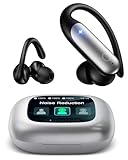
True wireless earbuds are the most popular type. They consist of two completely separate earbuds that connect to your device via Bluetooth, and to each other. They’re incredibly portable and convenient, as there are no wires whatsoever. They usually come with a charging case, which extends battery life. They are great for everyday use, workouts, and travel.
- Pros: Completely wireless, very portable, often feature-rich.
- Cons: Can be easily lost, battery life can be limited depending on the model, potential for connection issues.
Wireless Neckband Earbuds
Neckband earbuds have a wire that connects the two earbuds, which rests around your neck. This design offers a secure fit and often includes physical buttons for controlling music and calls. They are a good option for those who want a more secure fit, as the neckband helps prevent the earbuds from falling out. Battery life is typically better than true wireless earbuds.
- Pros: More secure fit, longer battery life than true wireless, often have physical controls.
- Cons: Bulky neckband, wire can get tangled, less portable than true wireless.
Over-Ear Bluetooth Headphones (included for Context)
While not technically earbuds, over-ear Bluetooth headphones provide a completely different listening experience. They cover your entire ear, offering superior sound isolation and often better sound quality, especially for bass-heavy music. They are ideal for use at home, in the office, or when traveling. They are less portable than earbuds.
- Pros: Excellent sound quality, superior noise isolation, comfortable for long listening sessions.
- Cons: Bulky, less portable, can get hot in warm weather.
Key Features to Consider
Now that you know the different types, let’s explore the key features to consider when choosing Bluetooth earbuds. These features significantly impact the overall listening experience.
Sound Quality
Sound quality is arguably the most crucial factor. Consider these aspects:
- Drivers: The drivers are the components that produce sound. Larger drivers generally offer better sound quality, particularly in the low-frequency range (bass). Look for earbuds with drivers of at least 6mm, with 8mm or larger being preferable for a more immersive sound.
- Frequency Response: This measures the range of frequencies the earbuds can reproduce. A wider frequency response (e.g., 20Hz – 20kHz) indicates a more accurate sound reproduction.
- Codecs: Bluetooth codecs determine how audio is transmitted. SBC is the standard, but AAC (often used by Apple devices) and aptX (for Android) can offer better sound quality. Some high-end earbuds support aptX Adaptive or LDAC for even higher-fidelity audio. Check your device’s compatibility with these codecs.
- Sound Signature: Different earbuds have different sound signatures. Some emphasize bass (bass-heavy), others prioritize clear mids and highs (balanced), while some are more neutral. Consider your preferred music genres and choose accordingly.
Tip: Read reviews and watch videos to get a sense of the sound quality before purchasing. If possible, try them out in a store.
Noise Cancellation
Noise cancellation (NC) is a valuable feature, especially if you listen in noisy environments. There are two main types:
- Active Noise Cancellation (ANC): Uses microphones to detect and neutralize ambient noise, creating a more immersive listening experience. ANC is very effective at blocking out consistent sounds like airplane engines or office chatter.
- Passive Noise Isolation: Relies on the physical design of the earbuds to block out external noise. This is achieved by a snug fit, often with silicone or foam ear tips. While not as effective as ANC, it still helps reduce distractions.
Important: ANC can affect sound quality, so consider this when making your decision. Also, some people find the pressure from ANC uncomfortable.
Battery Life
Battery life is crucial for uninterrupted listening. Consider these factors:
- Earbud Battery Life: How long the earbuds last on a single charge. Look for at least 5-6 hours of playback time.
- Charging Case Battery Life: The charging case extends the overall battery life by providing extra charges. A case that can provide multiple additional charges is ideal.
- Charging Time: How long it takes to fully charge the earbuds and the charging case.
- Fast Charging: Some earbuds offer fast charging, providing several hours of playback time with just a few minutes of charging.
Tip: Check the advertised battery life and compare it to real-world reviews, as battery life can vary depending on usage.
Comfort and Fit
Comfort is paramount, especially if you plan to wear the earbuds for extended periods. Consider these factors:
- Ear Tip Material and Design: Silicone ear tips are the most common, but foam ear tips can provide a more secure fit and better noise isolation. Experiment with different sizes and materials to find the best fit.
- Earbud Design: Some earbuds are designed to fit snugly in the ear canal, while others rest in the outer ear. Consider your ear shape and preferences.
- Weight: Lighter earbuds are generally more comfortable.
- Secure Fit: If you plan to use the earbuds for workouts, ensure they have a secure fit to prevent them from falling out. Look for features like ear fins or hooks.
Tip: Try on different earbuds before purchasing if possible. Consider the size and shape of your ears.
Microphone Quality for Calls
If you plan to use your earbuds for calls, microphone quality is important. Look for these features:
- Multiple Microphones: More microphones can help reduce background noise and improve voice clarity.
- Environmental Noise Cancellation (ENC): Reduces background noise during calls.
- Beamforming Technology: Focuses the microphone on your voice, further improving call quality.
Tip: Read reviews to assess microphone quality, especially if you take a lot of calls.
Water and Sweat Resistance
If you plan to use your earbuds for workouts or in humid environments, water and sweat resistance are essential. Look for an IPX rating:
- IPX4: Splash-proof.
- IPX5: Water-resistant.
- IPX7: Waterproof (can be submerged in water).
- IPX8: Waterproof (can be submerged deeper and for longer).
Tip: Choose an IPX rating that matches your usage. For workouts, IPX4 or higher is recommended.
Bluetooth Version and Connectivity
The Bluetooth version affects connectivity and power efficiency. The latest versions are always preferred:
- Bluetooth 5.0 and later: Offer improved range, faster pairing, and better power efficiency.
- Multipoint Pairing: The ability to connect to two devices simultaneously.
Tip: Ensure your device supports the latest Bluetooth version for optimal performance.
Controls and Features
Consider the controls and additional features offered by the earbuds:
- Physical Buttons vs. Touch Controls: Physical buttons offer tactile feedback, while touch controls can be more streamlined. Consider your preference.
- Voice Assistant Integration: Integration with Siri, Google Assistant, or Alexa.
- App Support: Some earbuds have companion apps that allow you to customize settings, update firmware, and access other features.
- Transparency Mode: Allows you to hear your surroundings without removing the earbuds.
- Wireless Charging: Some charging cases support wireless charging.
Price
Bluetooth earbuds range in price from budget-friendly to high-end. Set a budget before you start shopping and consider the features you need. Don’t overspend on features you won’t use. Consider the value for money.
Comparison Table of Key Features
Here’s a table summarizing the key features to consider when choosing Bluetooth earbuds:
| Feature | Considerations | Importance |
|---|---|---|
| Sound Quality | Drivers, Codecs (AAC, aptX, LDAC), Sound Signature | High |
| Noise Cancellation (ANC) | ANC vs. Passive Noise Isolation | High (if needed) |
| Battery Life | Earbud and Case Battery Life, Fast Charging | High |
| Comfort and Fit | Ear Tip Material and Design, Earbud Design, Weight | High |
| Microphone Quality | Multiple Microphones, ENC, Beamforming | Medium (if taking calls) |
| Water/Sweat Resistance | IPX Rating | Medium (for workouts) |
| Bluetooth Version | Bluetooth 5.0 or later | Medium |
| Controls and Features | Physical Buttons vs. Touch, Voice Assistant, App Support | Medium |
| Price | Budget and Value | High |
Top Brands and Models
Several brands consistently produce high-quality Bluetooth earbuds. Here are some of the top brands and some popular models to get you started:
Apple
Apple’s AirPods are a popular choice, especially for iPhone users. They offer seamless integration with Apple devices. The AirPods Pro with ANC are a great choice.
Samsung
Samsung’s Galaxy Buds series provides excellent sound quality and features, often at a competitive price point. The Galaxy Buds Pro are a strong contender.
Sony
Sony is known for its excellent audio quality and noise cancellation. The Sony WF-1000XM series are highly rated.
Bose
Bose is another top brand with excellent noise cancellation and sound quality. The Bose QuietComfort Earbuds are a great option.
Jabra
Jabra earbuds are known for their comfort and call quality. The Jabra Elite series is popular.
Sennheiser
Sennheiser offers high-fidelity audio and impressive sound quality. Sennheiser Momentum True Wireless earbuds are highly regarded.
Other Brands
Don’t overlook other brands like 1More, Anker (Soundcore), and Audio-Technica. They often offer great value for the price.
Tips for Buying Bluetooth Earbuds
Here are some additional tips to help you make the best purchase:
- Read Reviews: Read reviews from multiple sources to get a well-rounded perspective on the product.
- Watch Video Reviews: Video reviews can often provide a more in-depth look at the earbuds’ features and performance.
- Consider Your Usage: Think about how you’ll primarily use the earbuds (e.g., workouts, calls, travel).
- Set a Budget: Determine how much you’re willing to spend.
- Try Them On: If possible, try on the earbuds before purchasing to ensure a comfortable fit.
- Check the Return Policy: Make sure you can return the earbuds if you’re not satisfied.
- Compare Prices: Shop around to find the best deals.
Troubleshooting Common Bluetooth Earbud Issues
Even the best earbuds can occasionally have issues. Here are some common problems and how to troubleshoot them:
- Pairing Issues: Ensure the earbuds are in pairing mode (check the manual). Delete the device from your Bluetooth settings and try pairing again. Restart both your device and the earbuds.
- Sound Issues: Check the volume levels on both the earbuds and your device. Make sure the earbuds are properly seated in your ears. Try resetting the earbuds to factory settings.
- Connectivity Issues: Make sure the earbuds are within range of your device. Minimize interference (e.g., other Bluetooth devices).
- Battery Issues: Ensure the earbuds and charging case are fully charged. Check the battery life in your device’s Bluetooth settings.
- Microphone Issues: Make sure the microphone isn’t blocked. Try using the earbuds in a different environment to see if the issue persists.
Verdict
Choosing the right Bluetooth earbuds can significantly enhance your listening experience. By considering the factors outlined in this guide – sound quality, noise cancellation, battery life, comfort, and features – you can find the perfect pair to suit your needs and lifestyle. Remember to research different brands and models, read reviews, and compare prices. With careful consideration, you’ll be enjoying your favorite music, podcasts, and calls wirelessly in no time!
Recommended Products