How to Charge Raycon Fitness Earbuds: A Complete Guide
So, you’ve snagged yourself a pair of Raycon fitness earbuds, and you’re ready to hit the gym, pound the pavement, or just enjoy your favorite tunes while you work. Awesome! But before you get lost in the music, let’s make sure you know how to keep those earbuds powered up.
Charging your Raycon fitness earbuds is a simple process, but understanding the nuances can ensure you get the most out of your listening experience and prolong the lifespan of your device. We’ll cover everything from the initial charge to troubleshooting common issues, ensuring your earbuds are always ready when you are.
This guide will walk you through the essential steps, provide helpful tips, and answer frequently asked questions. Let’s get started and keep your music playing!
Understanding Your Raycon Fitness Earbuds
Before we jump into the charging process, let’s get acquainted with your Raycon fitness earbuds and their charging components. This understanding is crucial for ensuring you charge them correctly and maintain their battery health.
The Charging Case: Your Portable Powerhouse
The charging case is more than just a storage container; it’s a portable power bank for your earbuds. It protects your earbuds and provides multiple charges on the go. Most Raycon fitness earbuds come with a charging case that has a built-in battery. The case itself needs to be charged, and then it can be used to recharge your earbuds several times before needing to be plugged in again.
- Charging Indicator Lights: The charging case typically has LED indicator lights that show the battery level of the case. These lights will flash or change color to indicate the charging status and the remaining power.
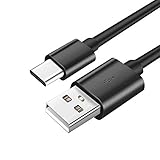
- USB-C Port: Almost all modern Raycon fitness earbuds use a USB-C port for charging the case. This port is located on the bottom or back of the case.
- Magnetic Connection: The earbuds snap into the case magnetically, ensuring a secure connection for charging.
The Earbuds: Your Source of Sound
The earbuds themselves also have batteries. These batteries are smaller than the case’s battery and provide hours of listening time. The earbuds will have their own indicator lights, which will show their individual charging status.
- Earbud Indicator Lights: The earbuds typically have LED lights that indicate their charging status. These lights will flash or change color when they’re charging or fully charged.
- Charging Contacts: The earbuds have small metal contacts that connect to the charging pins inside the case. These contacts are how the earbuds receive power.
Step-by-Step Guide: How to Charge Your Raycon Fitness Earbuds
Charging your Raycon fitness earbuds is straightforward. Following these steps will ensure your earbuds are always ready to go.
Step 1: Charging the Charging Case
Before you can charge your earbuds, you need to make sure the charging case has power. Here’s how:
- Locate the USB-C Charging Port: Find the USB-C port on the bottom or back of the charging case.
- Connect the USB-C Cable: Plug the USB-C cable into the charging case and the other end into a power source. You can use a wall adapter, a computer, or a power bank. Raycon typically provides a USB-C cable in the box.
- Observe the Charging Indicators: The LED indicator lights on the charging case will start to flash or change color, indicating that the case is charging. The lights will typically stop flashing or turn solid when the case is fully charged.
- Charging Time: The charging case usually takes about 1-2 hours to fully charge from empty.
Step 2: Charging the Earbuds in the Case
Once the charging case has power, you can charge your earbuds. Here’s how:
- Place the Earbuds in the Case: Open the charging case and place the earbuds into their respective slots. The earbuds should snap into place magnetically, ensuring a secure connection.
- Close the Case: Close the charging case. The earbuds will automatically start charging when they are in the case and the case has power.
- Observe the Earbud and Case Indicators: The LED lights on the earbuds and the charging case will indicate the charging status. The earbuds will typically have a specific color or flashing pattern to show they are charging.
- Charging Time: The earbuds typically take about 1-1.5 hours to fully charge from empty when placed in a charged case.
Important Tip: You can charge the earbuds even when the case is not fully charged. However, the case needs some power to charge the earbuds.
Understanding the Charging Indicators
Your Raycon fitness earbuds and their charging case use LED indicator lights to communicate their charging status. Knowing what these lights mean can help you understand when your devices are charging, fully charged, or experiencing issues.
Charging Case Indicator Lights
The charging case usually has a series of LED lights to show its battery level. The exact number and behavior of the lights can vary depending on the specific Raycon model, but here are some common examples:
- Solid Light: Indicates the case is fully charged.
- Flashing Light: Indicates the case is charging. The number of flashing lights might indicate the charging progress (e.g., one light flashing means 25% charged, two lights flashing means 50% charged, etc.).
- Low Battery Indicator: A specific light or color (e.g., red) might indicate that the case battery is low and needs to be charged.
Earbud Indicator Lights
The earbuds themselves also have indicator lights. These lights show the charging status of the individual earbuds.
- Solid Light (e.g., Red or Blue): Indicates the earbud is charging. The color can vary based on the model.
- Flashing Light: Indicates the earbud is charging. The flashing pattern might change as the earbud charges.
- Solid Light (e.g., Green or Blue): Indicates the earbud is fully charged.
- No Light/Light Off: Indicates the earbud is not charging or is fully charged.
Note: Always refer to your specific Raycon fitness earbuds’ user manual for the most accurate information on the charging indicator lights.
Troubleshooting Common Charging Issues
Sometimes, you might encounter issues when charging your Raycon fitness earbuds. Here are some common problems and how to solve them.
The Charging Case Isn’t Charging
If your charging case isn’t charging, consider these troubleshooting steps:
- Check the Power Source: Make sure the power source (wall adapter, computer, power bank) is working correctly. Try a different power outlet or USB port.
- Inspect the USB-C Cable: Ensure the USB-C cable is not damaged and is properly connected to both the charging case and the power source. Try a different USB-C cable to rule out a cable issue.
- Clean the Charging Port: Sometimes, dust or debris can accumulate in the USB-C charging port. Use a soft brush or compressed air to clean the port carefully.
- Check the Charging Case’s Battery: If the case hasn’t been used for a long time, the battery might be completely depleted. Leave the case plugged in for an extended period (e.g., several hours) to see if it starts charging.
The Earbuds Aren’t Charging in the Case
If your earbuds aren’t charging when placed in the case, try these solutions:
- Ensure Proper Placement: Make sure the earbuds are correctly positioned in the charging case and are making a secure connection with the charging pins. The earbuds should snap into place magnetically.
- Clean the Charging Contacts: The charging contacts on both the earbuds and inside the charging case can accumulate dirt and debris. Use a soft, dry cloth or cotton swab to clean these contacts carefully.
- Check the Charging Case’s Battery: The charging case needs to have some charge to charge the earbuds. Ensure the case has sufficient battery power.
- Reset the Earbuds: Some Raycon models have a reset function. Consult your user manual for instructions on how to reset your specific earbuds. This can sometimes resolve charging issues.
- Try a Different Case (If Possible): If you have access to another Raycon charging case (e.g., a friend’s), try placing your earbuds in that case to see if they charge. This will help determine if the issue is with the earbuds or the original charging case.
One Earbud Isn’t Charging
If only one earbud is charging, try these steps:
- Check Earbud Placement: Make sure the earbud that isn’t charging is correctly placed in the charging case. Sometimes, a slight misalignment can prevent charging.
- Clean the Contacts: Clean the charging contacts on both the non-charging earbud and the corresponding charging pin in the case.
- Test the Earbud: Try using the non-charging earbud to see if it functions. If it doesn’t, the earbud itself might be faulty.
- Contact Support: If one earbud consistently fails to charge, contact Raycon customer support for assistance or potential warranty replacement.
Maximizing Battery Life and Earbud Longevity
Proper charging habits can significantly extend the lifespan of your Raycon fitness earbuds and ensure you enjoy them for years to come.
Charging Best Practices
- Avoid Overcharging: Once the earbuds and charging case are fully charged, disconnect them from the power source. Leaving them plugged in for extended periods can potentially degrade the battery over time.
- Avoid Extreme Temperatures: Do not charge your earbuds in extreme temperatures (very hot or very cold). This can negatively affect the battery’s performance and lifespan.
- Use the Correct Charger: Use the USB-C cable and adapter that came with your Raycon earbuds or a compatible charger. Using a charger with an incorrect voltage or amperage can damage the battery.
- Regular Use: Regularly using your earbuds and charging them when needed is better than letting them sit unused for long periods.
Battery Care Tips
- Partial Charging: It’s generally better to charge your earbuds more frequently for shorter periods than to let them drain completely and then fully charge them.
- Storage: If you plan to store your earbuds for an extended period (e.g., several months), charge them to about 50% before storing them. This helps maintain battery health.
- Monitor Battery Performance: Pay attention to how long your earbuds last on a single charge. If you notice a significant decrease in battery life, it might be time to replace the battery or consider a new pair.
Raycon Fitness Earbuds: A Quick Comparison
Raycon offers a variety of fitness earbuds, each with different features and battery life. Here’s a general comparison to give you an idea of what to expect.
| Feature | Example Model 1 | Example Model 2 |
|---|---|---|
| Battery Life (Earbuds) | Up to 9 hours | Up to 11 hours |
| Battery Life (with Case) | Up to 36 hours | Up to 44 hours |
| Charging Time (Earbuds) | Approx. 1 hour | Approx. 1.5 hours |
| Charging Time (Case) | Approx. 1.5 hours | Approx. 2 hours |
| Charging Port | USB-C | USB-C |
| Water Resistance | IPX7 | IPX7 |
Note: The specifications can vary depending on the specific Raycon model. Always refer to the product specifications for your particular earbuds.
Here are some frequently asked questions about charging Raycon fitness earbuds.
How Long Does It Take to Fully Charge Raycon Earbuds?
The earbuds typically take about 1 to 1.5 hours to fully charge from empty when placed in a charged charging case. The charging case itself usually takes about 1 to 2 hours to fully charge from empty.
Can I Charge My Raycon Earbuds with Any USB-C Cable?
Yes, you can generally use any USB-C cable to charge your Raycon earbuds. However, it’s always best to use the cable that came with your earbuds or a high-quality USB-C cable to ensure optimal charging performance.
What Should I Do If My Raycon Earbuds Won’t Charge?
If your earbuds won’t charge, first ensure the charging case is charged. Then, check the placement of the earbuds in the case, clean the charging contacts, and try resetting the earbuds. If the problem persists, consult the troubleshooting steps outlined above and consider contacting Raycon customer support.
Can I Charge the Earbuds and the Case Simultaneously?
Yes, you can charge the charging case and the earbuds inside the case at the same time. Simply plug the USB-C cable into the charging case, and both the case and the earbuds will charge simultaneously.
How Do I Know When My Raycon Earbuds Are Fully Charged?
The LED indicator lights on both the earbuds and the charging case will indicate the charging status. The earbuds typically have a solid light (e.g., green or blue) when fully charged. The charging case will also have a solid light to indicate it’s fully charged.
Is It Safe to Leave My Raycon Earbuds Charging Overnight?
Yes, it’s generally safe to leave your Raycon earbuds charging overnight, as the charging case has built-in protection to prevent overcharging. However, it’s still a good practice to unplug them once they are fully charged to maximize the battery’s lifespan.
Conclusion
Charging your Raycon fitness earbuds is a simple process, but paying attention to the details can significantly impact your listening experience and the longevity of your device. By following the steps outlined in this guide, you can ensure your earbuds are always ready to power your workouts and daily activities. Remember to monitor the charging indicators, practice good charging habits, and troubleshoot any issues promptly. With proper care, your Raycon fitness earbuds will provide you with years of enjoyable listening.
Keeping your Raycon fitness earbuds charged is essential for enjoying your music and maximizing their lifespan. We’ve covered the charging process, troubleshooting common issues, and providing best practices to keep your earbuds in top shape.
By understanding the charging case, the earbuds, and the indicator lights, you can ensure a seamless charging experience. Remember to check the power source, clean contacts, and follow proper charging habits to get the most out of your Raycon fitness earbuds.
With these tips, you’re well-equipped to keep your earbuds powered and ready for your next workout or listening session. Enjoy your music!
Recommended Products