How to Charge Raycon Earbuds: A Simple Guide
So, you’ve got yourself a pair of Raycon earbuds – awesome! They’re a fantastic way to enjoy your music, podcasts, and calls on the go. But like any wireless gadget, they need power. Knowing how to keep your Raycons juiced up is key to a seamless listening experience. Don’t worry, it’s pretty straightforward, but there are a few nuances to be aware of.
We’ll walk you through the entire process, from understanding the charging case to troubleshooting common issues. This guide will cover everything you need to know to ensure your Raycon earbuds are always ready when you are. We’ll also cover some tips and tricks to maximize battery life and keep your earbuds in top condition. Let’s get started!
Understanding Your Raycon Earbuds and Charging Case
Before diving into the charging process, let’s get familiar with your Raycon earbuds and their charging case. The charging case is more than just a storage container; it’s also a portable power bank that significantly extends your listening time. The design and features can vary slightly depending on the Raycon model you own, but the fundamental principles remain the same.
The Charging Case: Your Portable Power Station
The charging case houses the earbuds and provides multiple charges before needing to be recharged itself. Most Raycon cases have a built-in battery indicator, often in the form of LED lights. These lights show you the case’s current battery level. The case also protects the earbuds from dust, moisture, and potential damage when not in use.
Key features of the charging case include:
- Charging Contacts: These are small metallic points inside the case that connect with the charging contacts on the earbuds.
- USB Charging Port: Typically a USB-C or Micro-USB port, used to recharge the case itself.
- Battery Indicator Lights: LED lights or a digital display showing the case’s battery level.
- Magnetic Closure: Ensures the earbuds stay securely inside the case.
The Earbuds: Your Wireless Audio Companions
The earbuds themselves have their own battery, and their design allows them to charge when placed inside the case. The earbuds’ battery life varies depending on the model, but generally, they provide several hours of listening time on a single charge. The earbuds usually have their own LED indicators to show their charging status.
Key features of the earbuds include:
- Charging Contacts: These are small metallic points on the earbuds that connect with the charging contacts inside the case.
- LED Indicators: Show the charging and pairing status of the earbuds.
- Microphones: Used for calls and voice assistant commands.
- Touch Controls: Allow you to control music playback, answer calls, and adjust volume.
Step-by-Step Guide: How to Charge Your Raycon Earbuds
Charging your Raycon earbuds is a simple process. Follow these steps to ensure your earbuds are always ready to go:
Step 1: Placing the Earbuds in the Charging Case
The first step is to place your Raycon earbuds into the charging case. Make sure each earbud is correctly positioned in its designated slot. You should feel a magnetic click as the earbuds settle into place. This confirms that the charging contacts are making a proper connection.
Tips for proper placement:
- Check the L and R markings: Ensure the left (L) and right (R) earbuds are placed in the correct slots.
- Listen for the click: A magnetic click usually indicates a secure connection.
- Observe the LED indicators: The earbuds’ LED lights should illuminate, indicating that they are charging.
Step 2: Closing the Charging Case
Once you’ve placed the earbuds in the case, close the lid securely. This activates the charging process, and the case will begin to charge the earbuds. The charging case’s LED indicators will usually display the charging status of both the case and the earbuds.
Step 3: Charging the Charging Case (if Necessary)
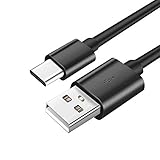
If the charging case’s battery is low, you’ll need to recharge it. Locate the charging port on the case, usually a USB-C or Micro-USB port. Connect the provided charging cable (or a compatible one) to the port and plug the other end into a power source. This can be a wall adapter, a laptop, or another USB power source.
Charging case tips:
- Use the correct cable: Always use the cable that came with your Raycon earbuds or a compatible one.
- Check the power source: Ensure the power source is functioning correctly.
- Monitor the charging indicator: Observe the charging case’s LED lights to monitor the charging progress.
Step 4: Monitoring the Charging Status
Both the earbuds and the charging case have LED indicators that provide information about the charging status. Understanding these indicators will help you know when your earbuds are fully charged.
Earbud LED indicators:
- Charging: The earbuds’ LED lights will usually be red or another color when charging.
- Fully charged: The LED lights will typically turn green or change to a different color to indicate a full charge.
Charging case LED indicators:
- Battery level: The case’s LED lights will display the battery level of the case itself.
- Charging: When the case is plugged in and charging, the LED lights will often blink or pulse.
- Fully charged: The LED lights will typically remain solid when the case is fully charged.
Note: The exact color and behavior of the LED indicators may vary slightly depending on the Raycon model you own. Consult your user manual for specific details.
Understanding Charging Times and Battery Life
Knowing the charging times and battery life of your Raycon earbuds is crucial for planning your usage and ensuring you’re never caught without power.
Charging Times
The charging time for your Raycon earbuds and charging case can vary based on the model and the power source you’re using. Generally, a full charge for the earbuds takes approximately 1 to 2 hours. The charging case itself usually takes around 1 to 2 hours to fully charge, depending on the power source.
Factors affecting charging time:
- Power source: Using a wall adapter with a higher wattage will typically charge the case faster than charging from a laptop.
- Charging cable: Using a high-quality charging cable can also improve charging times.
- Case battery level: If the case is completely drained, it will take longer to recharge.
Battery Life
Raycon earbuds typically offer several hours of listening time on a single charge. The exact battery life varies depending on the model and usage. For example, some models offer up to 8-11 hours of playtime on a single charge, while others might provide slightly less. The charging case usually provides multiple additional charges for the earbuds, extending your total listening time significantly.
Factors affecting battery life:
- Volume level: Higher volumes consume more power.
- Usage of features: Using features like noise cancellation or transparency mode can reduce battery life.
- Environmental conditions: Extreme temperatures can affect battery performance.
Tips and Tricks to Maximize Battery Life
Here are some tips to help you get the most out of your Raycon earbuds’ battery life:
1. Optimize Volume Levels
Listening at lower volumes will conserve battery power. Try to find a comfortable listening level without maxing out the volume.
2. Manage Features
If your earbuds have features like active noise cancellation (ANC) or transparency mode, consider using them only when needed, as these features consume more power.
3. Store Earbuds Properly
Always store your earbuds in the charging case when not in use. This protects them from damage and ensures they are always charged and ready to go.
4. Avoid Extreme Temperatures
Extreme temperatures (both hot and cold) can affect battery performance. Avoid leaving your earbuds in direct sunlight or in freezing conditions for extended periods.
5. Regularly Clean the Charging Contacts
Dust and debris can interfere with the charging process. Regularly clean the charging contacts on both the earbuds and the case with a dry, soft cloth.
6. Update Firmware
Check for firmware updates for your Raycon earbuds. Firmware updates often include battery optimization improvements.
7. Use the Correct Charging Cable and Adapter
Always use the charging cable and adapter that came with your Raycon earbuds, or a compatible one. Using a lower-quality cable or adapter can affect charging times and potentially damage the battery.
8. Charge Regularly
Don’t wait until your earbuds are completely dead before recharging them. Charging them regularly, even if they still have some battery life, can help maintain battery health.
Troubleshooting Common Charging Issues
Sometimes, you might encounter issues with charging your Raycon earbuds. Here’s how to troubleshoot some common problems:
Earbuds Not Charging
If your earbuds aren’t charging, here are some things to check:
- Placement: Ensure the earbuds are correctly placed in the charging case and making proper contact.
- Charging Case Battery: Check the charging case’s battery level and charge the case if necessary.
- Charging Contacts: Clean the charging contacts on the earbuds and the case with a dry, soft cloth.
- Charging Cable: Try a different charging cable and power source to rule out a faulty cable or adapter.
- Reset: Try resetting your earbuds and the charging case (refer to your user manual for instructions).
Charging Case Not Charging
If the charging case isn’t charging, try these steps:
- Charging Cable: Check the charging cable and ensure it’s securely connected to both the case and the power source. Try a different cable.
- Power Source: Test the power source by plugging in another device to ensure it’s working.
- Charging Port: Inspect the charging port on the case for any damage or debris.
- Reset: Some charging cases have a reset button. Consult your user manual for instructions on how to reset the case.
One Earbud Not Charging
If only one earbud is charging, try these troubleshooting steps:
- Placement: Ensure the non-charging earbud is correctly placed in the case and making proper contact.
- Charging Contacts: Clean the charging contacts on the earbud and the case.
- Earbud Reset: Try resetting the non-charging earbud (refer to the user manual).
- Earbud Damage: If the issue persists, the earbud may have a hardware issue and might need repair or replacement.
Battery Drain Issues
If your earbuds are draining quickly, consider these factors:
- Volume Level: High volume levels consume more power.
- Features: Using features like ANC or transparency mode drains the battery faster.
- Firmware: Ensure your earbuds have the latest firmware updates.
- Usage: The more you use the earbuds, the faster the battery will drain.
- Ambient Temperature: Extreme temperatures can affect battery performance.
Connectivity Problems While Charging
Sometimes, you might experience connectivity issues while the earbuds are charging. Here’s what to do:
- Bluetooth Interference: Move away from other devices that might cause interference, such as microwaves or Wi-Fi routers.
- Earbud Placement: Ensure the earbuds are properly placed in the charging case.
- Pairing: Re-pair the earbuds to your device.
- Firmware: Check for any available firmware updates.
Maintaining Your Raycon Earbuds
Proper maintenance is crucial to prolonging the life and performance of your Raycon earbuds. Regular cleaning and care will keep them functioning optimally.
Cleaning Your Earbuds
Regularly clean your earbuds to remove earwax, dust, and debris. Use a dry, soft cloth to wipe down the earbuds and the charging contacts. Avoid using liquids or harsh cleaning agents, as they can damage the earbuds. Use a cotton swab to clean hard-to-reach areas.
Cleaning the Charging Case
Clean the charging case regularly. Use a dry, soft cloth to wipe down the exterior and interior of the case. Pay attention to the charging contacts and ensure they are free of debris. Avoid using liquids or harsh cleaning agents.
Storage
When not in use, always store your earbuds in the charging case. This protects them from dust, moisture, and potential damage. Store the charging case in a cool, dry place away from direct sunlight and extreme temperatures.
Protecting From Moisture
Raycon earbuds are often designed to resist sweat and light moisture, but they are not fully waterproof. Avoid exposing your earbuds to excessive moisture or submerging them in water. If your earbuds get wet, wipe them down immediately and allow them to dry completely before placing them in the charging case.
Protecting From Extreme Temperatures
Avoid exposing your earbuds to extreme temperatures. Extreme heat or cold can affect battery performance and potentially damage the earbuds. Store your earbuds in a moderate temperature environment.
Warranty and Support
If you encounter any issues with your Raycon earbuds that you cannot resolve yourself, or if you suspect a hardware defect, refer to your warranty information. Contact Raycon customer support for assistance. They can provide guidance, troubleshooting steps, and arrange for repairs or replacements if necessary.
Understanding the LED Indicators: A Quick Reference
Here’s a quick summary of what the LED indicators mean:
Earbuds:
- Charging: Usually red or another color.
- Fully Charged: Usually green or changes color.
- Pairing Mode: Blinking blue or another color.
- Connected: Solid blue or another color.
Charging Case:
- Charging: Blinking or pulsing lights.
- Fully Charged: Solid lights.
- Battery Level: Number of lights indicates the battery level.
Conclusion
Charging your Raycon earbuds is a simple process, but understanding the steps and potential troubleshooting tips ensures you always have a reliable listening experience. By following the guidelines in this guide, you can keep your earbuds powered up and ready for your daily activities. Remember to place the earbuds correctly, monitor the charging status, and take care of the charging case. With a little care and attention, your Raycon earbuds will provide you with hours of listening enjoyment.
Enjoy your music!
Recommended Products