How Long Does It Take to Charge Raycon Earbuds?
So, you’ve snagged yourself a pair of Raycon earbuds – excellent choice! You’re probably eager to crank up the tunes or take those calls, but before you do, there’s the inevitable waiting game of charging. We’ve all been there, itching to use our new gadgets, but held back by those little blinking lights. Knowing how long your Raycons take to charge is crucial for maximizing your listening pleasure and minimizing downtime.
This guide will break down everything you need to know about charging your Raycon earbuds. We’ll cover the typical charge times for different models, explain the charging process, and offer some handy tips to keep your earbuds powered up and ready to go. You’ll learn how to get the most out of your Raycons, ensuring you’re always prepared for that next workout, commute, or relaxing evening at home. Let’s get started!
Understanding Raycon Earbud Charging
Raycon earbuds are designed for convenience and portability, and that includes their charging capabilities. The charging process is generally straightforward, but understanding the details can help you optimize your experience and avoid any surprises. Let’s look at the core aspects of how Raycon earbuds charge.
Charging Case: The Power Hub
The charging case is the heart of the Raycon charging system. Not only does it protect your earbuds, but it also provides a convenient way to recharge them on the go. The case typically holds several full charges, extending your total listening time significantly. Most Raycon cases use a USB-C port for charging, making it compatible with a wide range of chargers and cables. Some newer models might also support wireless charging for added convenience. The case itself charges from an external power source, and then it transfers that power to the earbuds when they’re placed inside. The case’s battery capacity varies depending on the model, but it’s usually designed to provide multiple full charges for the earbuds.
Earbud Battery Life
The battery life of the earbuds themselves is a critical factor in your overall listening experience. Raycon earbuds are designed to provide a decent amount of playtime on a single charge. However, the exact battery life can vary depending on the model and how you use the earbuds. Factors like volume levels, the use of active noise cancellation (ANC), and the type of audio you’re listening to can all affect battery consumption. Higher volumes and the use of ANC tend to drain the battery faster. Most Raycon earbuds offer a few hours of playtime on a single charge. The charging case extends this playtime by providing additional charges.
Charging Indicators
Raycon earbuds and their charging cases come equipped with various indicators to let you know their charging status. These indicators usually consist of LED lights that change color or blink to signal different stages of the charging process. For instance, a solid red light might indicate that the case or earbuds are charging, while a green light might mean they are fully charged. The specific indicators can vary slightly depending on the model, so it’s always a good idea to consult the user manual for your particular Raycons to understand the meaning of each light pattern.
Charging Methods
There are typically two main ways to charge your Raycon earbuds: using the charging case and using an external charger for the case. The most common method involves placing the earbuds inside the charging case. The case then charges the earbuds automatically. To charge the case itself, you typically connect it to a power source using a USB-C cable (or wirelessly, if supported). Some models might also support fast charging, which can significantly reduce the time it takes to recharge both the earbuds and the case.
Typical Charge Times for Raycon Earbuds
The time it takes to charge your Raycon earbuds can vary depending on the model, the battery capacity, and the charging method. However, you can expect some general guidelines. Here’s a breakdown of the typical charge times for Raycon earbuds, covering both the earbuds themselves and the charging case.
Earbud Charge Time
The earbuds themselves usually charge relatively quickly. From empty, it generally takes around 1 to 2 hours to fully charge the earbuds when placed inside the charging case. This is a common range, but it can depend on the specific model. If your earbuds have fast-charging capabilities, you might get a significant amount of playtime from a short charging session. For example, a 15-minute charge might provide an hour or two of listening time. Always refer to your user manual for the most accurate information regarding your specific model’s charge time.
Charging Case Charge Time
The charging case takes a bit longer to charge, as it has a larger battery capacity. The charge time for the case typically ranges from 1.5 to 3 hours, depending on the case’s battery size and the charging method. Using a faster charger can reduce this time. Some cases support fast charging via USB-C, which can significantly speed up the charging process. If your case supports wireless charging, the charge time might be slightly longer compared to wired charging.
Combined Charging Time
When considering the total charging time, remember that you’re charging both the earbuds and the case. If both are completely drained, you’ll need to factor in the time to charge the earbuds (1-2 hours) and the case (1.5-3 hours). This means that from empty to fully charged, it could take anywhere from 2.5 to 5 hours, depending on your model. However, since the case provides multiple charges for the earbuds, you’ll often only need to charge the case every few days, depending on your usage.
Factors Affecting Charge Time
Several factors can influence how long it takes to charge your Raycon earbuds. Understanding these factors can help you optimize your charging habits and get the most out of your devices. Here are some of the key elements that can affect charge times.
Model Variation
Different Raycon earbud models have varying battery capacities and charging technologies. Newer models often incorporate faster charging capabilities and larger battery capacities. This means that the charge time can vary significantly from one model to another. Always check the specifications for your specific model to get the most accurate information on charge times. For example, the Raycon E25 might have different charging characteristics compared to the Raycon The Fitness Earbuds.
Charging Method
The method you use to charge your earbuds and case can impact the charging time. Using a USB-C cable and a wall adapter is generally the fastest way to charge the case. If your case supports wireless charging, the charge time might be slightly longer. Also, the power output of your charging source can affect the charging speed. Using a higher-wattage charger (within safe limits) can sometimes reduce the charging time, especially if your device supports fast charging. Charging the earbuds directly through the charging case is typically the standard and most efficient method.
Charging Source
The power source you use to charge your case can affect the charging speed. A wall adapter connected to a power outlet is usually the fastest option. Charging from a computer’s USB port might be slower due to the lower power output. Always use a reliable power source to ensure efficient and safe charging. Avoid using damaged or low-quality chargers, as they can potentially damage your device or extend the charging time. If your case supports fast charging, using a compatible charger is essential to take advantage of this feature.
Environmental Conditions
Extreme temperatures can sometimes affect charging performance. Charging your earbuds in very hot or very cold environments might slow down the charging process. The ideal temperature range for charging is typically between 15°C and 35°C (59°F and 95°F). Avoid exposing your devices to direct sunlight or extreme temperatures, as this can also affect the battery’s lifespan. Keeping your charging environment at a moderate temperature ensures optimal charging performance.
Battery Health
Over time, the battery in your Raycon earbuds and charging case will degrade. This natural process can affect the charging speed and the overall battery life. As the battery ages, it might take longer to charge and might not hold a charge as long as it did when it was new. Proper care and maintenance, such as avoiding overcharging and extreme temperatures, can help prolong the battery’s lifespan. If you notice a significant decrease in battery life or charging speed, it might be time to consider replacing your earbuds or case.
Step-by-Step Guide to Charging Raycon Earbuds
Charging your Raycon earbuds is usually a simple process. Here’s a step-by-step guide to ensure you’re charging them correctly and efficiently. Following these steps will help you maximize the lifespan of your earbuds and keep them ready for use.
Step 1: Place Earbuds in the Case
The first step is to place your Raycon earbuds inside the charging case. Make sure the earbuds are properly seated in their designated slots. The earbuds should fit snugly, and the charging contacts should align correctly. Most cases have magnets that help to secure the earbuds in place. Ensure that the earbuds are making contact with the charging pins in the case. This is crucial for the charging process to begin.
Step 2: Close the Case
Once the earbuds are in place, close the charging case. Closing the case often activates the charging process. The case’s internal circuitry will then begin charging the earbuds. You should see an indicator light on the case or the earbuds themselves, indicating that charging has started. This light might be red, blue, or another color, depending on the model. Ensure the case is securely closed to maintain the connection and begin charging.
Step 3: Connect the Case to a Power Source
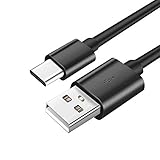
Next, connect the charging case to a power source. Use the USB-C cable (or the appropriate cable for your model) and plug it into the case. Then, plug the other end of the cable into a wall adapter, a computer’s USB port, or another power source. Make sure the power source is working and providing power to the case. If your case supports wireless charging, place the case on a compatible wireless charging pad.
Step 4: Monitor the Charging Indicator
Keep an eye on the charging indicator lights on the case or earbuds. These lights will show the charging status. A solid light often indicates that the device is charging, while a blinking light might indicate a low battery or an error. When the earbuds are fully charged, the indicator light will usually change color (e.g., from red to green) or turn off. The charging case also has an indicator to show its charging status.
Step 5: Disconnect and Enjoy
Once the earbuds and case are fully charged, disconnect the case from the power source. You can then remove the earbuds from the case and start using them. The earbuds should be ready to provide several hours of listening time. Remember to store the earbuds in the case when not in use to keep them protected and charged.
Tips for Optimal Charging and Battery Life
To get the most out of your Raycon earbuds, it’s essential to follow some best practices for charging and battery care. These tips will help you prolong the lifespan of your earbuds and ensure they’re always ready when you need them.
Use the Correct Charger
Always use the charging cable that came with your Raycon earbuds or a compatible USB-C cable. Using the wrong charger could potentially damage your device or charge it inefficiently. If you need to replace the cable, make sure to get a high-quality, certified cable. Avoid using generic or low-quality chargers, as they might not provide the correct power output and could pose a safety risk. Check your user manual for recommended charger specifications.
Avoid Overcharging
While modern batteries are more resilient, it’s still best to avoid overcharging your Raycon earbuds. Leaving them plugged in for extended periods after they’re fully charged might reduce the battery’s lifespan over time. Once the earbuds and case are fully charged, disconnect them from the power source. Modern charging cases often have overcharge protection, but it’s still a good habit to unplug them when full.
Store in a Cool, Dry Place
When not in use, store your Raycon earbuds and charging case in a cool, dry place away from direct sunlight and extreme temperatures. Extreme temperatures can negatively affect the battery’s performance and lifespan. Avoid storing the devices in places like cars on hot days or in damp environments. Keeping them in a controlled environment helps maintain the battery’s health.
Clean the Charging Contacts Regularly
Clean the charging contacts on the earbuds and the charging case regularly. Dust, debris, or earwax can accumulate on the contacts and interfere with the charging process. Use a soft, dry cloth or a cotton swab to gently clean the contacts. Avoid using liquids or abrasive cleaners. Regular cleaning ensures good contact and efficient charging.
Update Firmware
Keep your Raycon earbuds’ firmware up to date. Firmware updates often include performance improvements, bug fixes, and battery optimization. Check the Raycon website or app for available updates. Following the update instructions will ensure your earbuds have the latest features and the best battery management. Keeping your firmware updated can also improve charging efficiency.
Don’t Fully Drain the Battery
Avoid completely draining the battery on your Raycon earbuds regularly. Deep discharges can put stress on the battery and reduce its lifespan. Try to recharge the earbuds when they reach around 20% battery remaining. This practice helps maintain the battery’s health over time. Occasional full discharges are fine, but avoid making it a regular habit.
Monitor Battery Health
Pay attention to your earbuds’ battery performance. If you notice a significant decrease in battery life or charging speed, it might indicate that the battery is nearing the end of its lifespan. If your device is still under warranty, contact Raycon support for assistance. If not, consider replacing the earbuds or case. Monitoring the battery health helps you anticipate when replacements might be needed.
Use the Charging Case
Always store your earbuds in the charging case when not in use. The case not only protects the earbuds but also provides a convenient way to recharge them. Keeping the earbuds in the case ensures they’re always ready to go. The case also prevents the earbuds from being exposed to dust and debris. This practice extends the lifespan and keeps them in optimal condition.
Consider a Power Bank
If you’re often on the go and need to recharge your earbuds, consider carrying a portable power bank. A power bank can provide extra charges for your charging case, ensuring you always have power available. Choose a power bank that’s compatible with your charging case’s USB-C port (or the appropriate port). This is particularly useful for travel or long days away from power outlets.
Troubleshooting Charging Issues
Sometimes, you might encounter issues with charging your Raycon earbuds. Here’s a troubleshooting guide to help you resolve common problems. Following these steps can often fix issues and get your earbuds charging properly again.
Earbuds Not Charging in the Case
If your earbuds are not charging when placed in the case, first, ensure that they are properly seated in the charging slots. The earbuds should fit snugly, and the charging contacts should align correctly. Clean the charging contacts on the earbuds and the case using a soft, dry cloth or cotton swab. Make sure the case has power. Check the charging indicator on the case to see if it’s charging. Try a different USB-C cable and wall adapter to rule out any issues with the charger. If the problem persists, contact Raycon support.
Case Not Charging
If the charging case isn’t charging, check the USB-C cable and the wall adapter. Try a different cable and adapter to see if that resolves the issue. Ensure the power outlet is working correctly. Check the charging port on the case for any damage or debris. If the case still doesn’t charge, it might be a problem with the case’s internal components, and you might need to contact Raycon support.
Slow Charging
Slow charging can be caused by various factors. Make sure you’re using a compatible charger and cable. Charging from a computer’s USB port might be slower than using a wall adapter. Ensure the charging contacts are clean. Check the power outlet. If your device supports fast charging, make sure you’re using a compatible charger. If the problem persists, the battery might be degrading, or there could be a problem with the charging circuitry.
Intermittent Charging
Intermittent charging can be caused by a loose connection or dirty charging contacts. Ensure the earbuds are properly seated in the case. Clean the charging contacts on both the earbuds and the case. Try a different USB-C cable. If the problem persists, the charging port or the charging case might have an internal issue, and you might need to contact Raycon support.
Charging Indicator Issues
If the charging indicator lights are not functioning correctly, it might indicate a problem with the charging case or the earbuds. Check your user manual to understand the meaning of the indicator lights. Make sure the charging case has power. Try resetting the earbuds (refer to your user manual for instructions). If the lights still don’t work, contact Raycon support for assistance.
Earbuds Not Holding a Charge
If your earbuds are not holding a charge for long, the battery might be nearing the end of its lifespan. Make sure you’re following the best practices for charging and battery care. If the earbuds are still under warranty, contact Raycon support for assistance. If not, consider replacing the earbuds or the batteries. Check the listening volume and features like ANC, as they can drain the battery faster.
Resetting Your Earbuds
Sometimes, a simple reset can resolve charging issues. Refer to your user manual for instructions on how to reset your Raycon earbuds. Resetting can clear any software glitches that might be affecting the charging process. After resetting, try charging the earbuds again. If the issue persists, move on to other troubleshooting steps.
Contacting Raycon Support
If you’ve tried all the troubleshooting steps and are still experiencing problems, it’s time to contact Raycon support. They can provide additional assistance and guide you through the next steps. Have your product information and proof of purchase ready when you contact them. Raycon support can offer solutions, including repairs or replacements, depending on your warranty and the nature of the issue. Use their official website or contact information to get in touch with them.
Final Verdict
Charging your Raycon earbuds is a straightforward process, but understanding the details ensures you get the most out of your listening experience. Knowing how long it takes to charge your earbuds, along with the best charging practices, will keep your music, podcasts, and calls flowing seamlessly. By following the tips and troubleshooting steps in this guide, you can keep your Raycon earbuds powered up and ready for whatever your day brings.
You should now have a comprehensive understanding of how long it takes to charge Raycon earbuds. From the charging case to the earbuds themselves, knowing the typical charge times and the factors that influence them will help you manage your battery life effectively. Remember to always store your earbuds in the charging case when not in use and to follow the recommended charging practices to extend their lifespan.
By using the correct chargers, avoiding overcharging, and keeping your charging contacts clean, you can ensure your Raycon earbuds are always ready when you need them. Should you encounter any charging issues, the troubleshooting steps provided in this guide will help you resolve them quickly. Enjoy your music and your Raycons!
Recommended Products