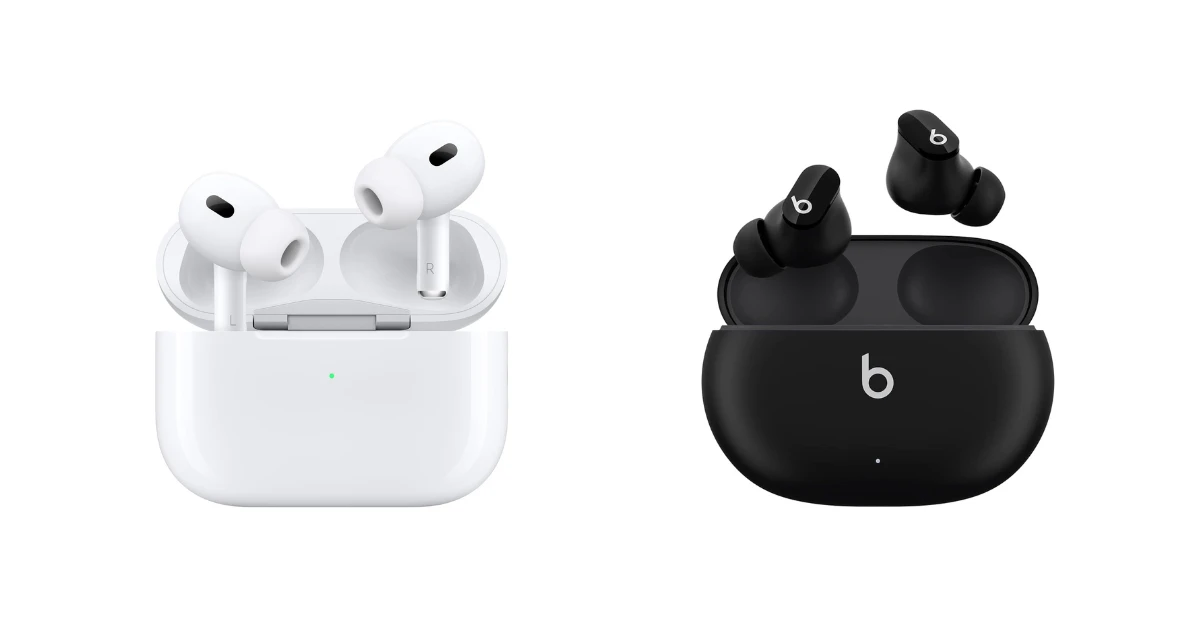
How Long Does It Take Earbuds to Charge? A Complete Guide
Ever find yourself reaching for your earbuds, only to be met with the dreaded low battery warning? We’ve all been there! The convenience of wireless earbuds is undeniable, but the need to charge them regularly can be a bit of a hassle. Understanding how long it takes your earbuds to charge is crucial for maximizing their usability and ensuring you’re never caught without your favorite tunes or podcasts.
This comprehensive guide will break down everything you need to know about earbud charging times. We’ll explore the factors that influence charging speed, compare charging times across different earbud types, and offer tips to optimize your charging experience. Whether you’re a seasoned audiophile or new to the world of wireless audio, this article will equip you with the knowledge to keep your earbuds powered up and ready to go. Let’s get started!
Understanding Earbud Charging: The Basics
Before diving into specific charging times, let’s cover some fundamental concepts. Earbuds, like most modern electronics, rely on lithium-ion batteries. These batteries are rechargeable, but they have limitations in how quickly they can charge and how long they can hold a charge. The charging process involves sending an electrical current into the battery, which allows it to store energy. The rate at which this current flows determines the charging speed.
Key Components Affecting Charging Speed
- Battery Capacity: The larger the battery capacity (measured in milliampere-hours or mAh), the longer it generally takes to charge. Higher-end earbuds with more features often have larger batteries.
- Charging Case: The charging case plays a vital role. It typically houses a larger battery that provides multiple charges for your earbuds on the go. The case’s battery capacity and charging capabilities influence how quickly it can recharge the earbuds.
- Charging Cable and Adapter: The type of cable (USB-A to USB-C, for example) and the power adapter (the brick you plug into the wall) also impact charging speed. Using a faster charging adapter can reduce the overall charging time.
- Charging Technology: Some earbuds support fast charging, which allows them to gain a significant amount of charge in a short period. This technology uses higher voltage and amperage to deliver power more quickly.
Typical Earbud Charging Times: A General Overview
While specific charging times vary depending on the factors mentioned above, here’s a general idea of what to expect:
- Earbuds in the Case: Typically, it takes around 1 to 2 hours to fully charge the earbuds when placed inside their charging case.
- Charging Case: The charging case itself usually takes 1.5 to 3 hours to fully charge, depending on its battery capacity and the power adapter used.
- Fast Charging: Many earbuds offer fast charging capabilities. With this, you might get an hour or more of playback time from just 15 minutes of charging.
Factors Influencing Earbud Charging Time
Several factors can significantly influence how long it takes your earbuds to charge. Understanding these factors will help you manage your charging expectations and optimize your charging routine.
Earbud Type
Different types of earbuds have different battery capacities and charging characteristics.
- True Wireless Earbuds: These are the most common type, offering complete freedom from wires. They generally have smaller batteries, resulting in faster charging times.
- Neckband Earbuds: These earbuds have a wire connecting the two earpieces, with a module that rests around your neck. The module often houses a larger battery, which might lead to slightly longer charging times for the entire unit.
- Over-Ear Headphones: While not technically earbuds, over-ear headphones also use rechargeable batteries. These headphones typically have much larger batteries, leading to longer charging times, sometimes several hours.
Battery Capacity
As mentioned earlier, the battery capacity is a crucial factor. The larger the battery, the longer it takes to charge. Earbud manufacturers are constantly trying to balance battery life with size and weight. Higher-end earbuds often have larger batteries to support features like active noise cancellation (ANC) and extended playback times, which, in turn, can affect charging times.
Charging Case Capabilities
The charging case is more than just a storage container; it’s a portable power bank. The case’s battery capacity determines how many times it can recharge your earbuds before needing to be recharged itself. The case’s charging speed also affects the overall charging time. A case with fast-charging capabilities will recharge your earbuds more quickly.
Charging Cable and Power Adapter
The charging cable and power adapter you use play a significant role. Using a high-quality cable and a power adapter that supports the earbud’s charging specifications (voltage and amperage) is essential. Using a lower-powered adapter might result in slower charging times. Always check the manufacturer’s recommendations for the correct power adapter to use.
Charging Port and Technology
Most modern earbuds use a USB-C charging port, which supports faster charging speeds than older USB-A ports. Some earbuds also support wireless charging, which, while convenient, can sometimes be slower than wired charging. Fast-charging technology allows earbuds to gain a significant charge in a short period, often providing several hours of playback time after just a few minutes of charging.
Comparing Charging Times: A Detailed Look
Let’s compare the typical charging times for different earbud types and brands. Please note that these are estimates, and actual charging times may vary based on the factors discussed above.
True Wireless Earbuds
Here’s a comparison of estimated charging times for some popular true wireless earbud models:
| Earbud Model | Earbud Charging Time (in case) | Charging Case Time | Fast Charging (Example) |
|---|---|---|---|
| Apple AirPods (3rd Gen) | ~1 hour | ~1 hour | 5 minutes charge = 1 hour playback |
| Apple AirPods Pro (2nd Gen) | ~1 hour | ~1 hour | 5 minutes charge = 1 hour playback |
| Samsung Galaxy Buds 2 Pro | ~1 hour | ~1.5 hours | 5 minutes charge = 1 hour playback |
| Sony WF-1000XM5 | ~1.5 hours | ~2 hours | 3 minutes charge = 1 hour playback |
| Google Pixel Buds Pro | ~1 hour | ~2 hours | 5 minutes charge = 1 hour playback |
Key Observations:
- Charging times for earbuds within the case are generally around 1 hour.
- Charging case times vary, depending on the case’s battery capacity.
- Fast charging is a common feature, providing a significant boost in playback time with a short charge.
Neckband Earbuds
Neckband earbuds often have larger batteries in the neckband module. This usually results in slightly longer charging times.
| Earbud Model | Charging Time | Notes |
|---|---|---|
| Sony WI-1000XM2 | ~3.5 hours | Charging the neckband module |
| JBL Endurance Peak III | ~2 hours | Charging the neckband module |
Key Observations:
- Charging times are longer due to the larger battery in the neckband.
- The entire unit needs to be charged, including the earbuds and the neckband module.
Over-Ear Headphones
While not earbuds, over-ear headphones deserve a mention, as they also use rechargeable batteries. These headphones typically have the largest batteries and, therefore, the longest charging times.
| Headphone Model | Charging Time | Notes |
|---|---|---|
| Sony WH-1000XM5 | ~3.5 hours | Fast charging available |
| Bose QuietComfort 45 | ~2.5 hours | Fast charging available |
Key Observations:
- Charging times can be several hours due to large battery capacities.
- Fast charging is often included, providing a substantial amount of playback time with a brief charge.
Tips to Optimize Earbud Charging
Here are some tips to ensure your earbuds charge efficiently and maintain their battery health:
Use the Correct Charging Accessories
Always use the charging cable and power adapter recommended by the earbud manufacturer. Using a lower-powered adapter might slow down charging, while using a higher-powered adapter than recommended could potentially damage the battery over time. Check the specifications listed in your earbuds’ manual or on the manufacturer’s website.
Avoid Extreme Temperatures
Extreme temperatures can negatively affect battery performance and charging times. Avoid charging your earbuds in direct sunlight, in a hot car, or in extremely cold environments. The ideal charging temperature is generally between 15°C and 25°C (59°F and 77°F).
Charge Regularly
Don’t wait until your earbuds are completely dead to charge them. Lithium-ion batteries perform best when they are charged regularly. Aim to top up your earbuds whenever possible, rather than letting them drain completely. This can help extend the battery’s lifespan.
Clean the Charging Contacts
Over time, dust, debris, and earwax can accumulate on the charging contacts of your earbuds and the charging case. This can interfere with the charging process. Regularly clean the charging contacts with a dry, soft cloth or a cotton swab to ensure a good connection. Be gentle to avoid damaging the contacts.
Consider Wireless Charging (if Applicable)
If your earbuds support wireless charging, it can be a convenient option. However, wireless charging is generally slower than wired charging. If you need a quick charge, a wired connection might be preferable. Wireless charging is best used for overnight charging or when convenience is a priority.
Monitor Battery Health
Some earbud apps or connected devices may provide information about the battery health of your earbuds. This can help you identify any issues, such as a battery that is not holding a charge as well as it used to. If you notice a significant decline in battery life, it might be time to consider replacing your earbuds.
Understand Charging Indicators
Familiarize yourself with the charging indicators on your earbuds and charging case. These indicators typically use LED lights to show the charging status (e.g., charging, fully charged, low battery). Refer to your earbuds’ manual for a detailed explanation of the different light patterns and what they mean.
Troubleshooting Charging Issues
Sometimes, you might encounter issues with your earbuds not charging properly. Here’s how to troubleshoot common problems:
Earbuds Not Charging in the Case
If your earbuds are not charging when placed in the case, try these steps:
- Clean the charging contacts: Ensure both the contacts on the earbuds and the case are clean.
- Check the case’s battery: Make sure the charging case itself is charged.
- Ensure proper placement: Confirm that the earbuds are correctly seated in the case. The LED indicators on the case should confirm that the earbuds are charging.
- Reset the earbuds: Consult your earbud’s manual for instructions on how to reset them. This can sometimes resolve charging issues.
- Contact Support: If the issue persists, contact the manufacturer’s customer support for assistance.
Charging Case Not Charging
If your charging case is not charging, try these troubleshooting steps:
- Check the power source: Ensure the power outlet is working and that the charging cable is properly connected. Try a different power outlet.
- Use a different cable and adapter: Test with a different USB cable and power adapter to rule out any issues with those components.
- Inspect the charging port: Check the charging port on the case for any damage or debris.
- Reset the case: Some charging cases have a reset button. Consult the manual for instructions.
- Contact Support: If the case still won’t charge, contact the manufacturer’s customer support.
Slow Charging Times
If your earbuds are charging very slowly, consider these factors:
- Use the correct adapter: Ensure you’re using the recommended power adapter.
- Check the cable: Use a high-quality USB cable.
- Avoid extreme temperatures: Charge in a moderate temperature environment.
- Update the firmware: Check if there are any firmware updates available for your earbuds. These updates can sometimes improve charging performance.
The Future of Earbud Charging
The technology behind earbud charging is constantly evolving. Here are some trends to watch for:
- Faster Charging: Manufacturers are continuously working on improving fast-charging capabilities, allowing for even quicker top-ups.
- Extended Battery Life: Research into more energy-efficient components and battery technologies is leading to longer playback times.
- Wireless Charging Improvements: Wireless charging is becoming more efficient and widespread, offering greater convenience.
- Battery Health Management: More advanced battery management systems are being implemented to optimize battery health and lifespan.
- Sustainable Practices: There is a growing focus on using sustainable materials and reducing the environmental impact of earbud production and disposal.
Conclusion
Understanding how long your earbuds take to charge is essential for enjoying an uninterrupted listening experience. By considering factors like earbud type, battery capacity, and charging accessories, you can manage your charging expectations and ensure your earbuds are always ready to go. Remember to use the correct accessories, avoid extreme temperatures, and follow the manufacturer’s guidelines for optimal charging. With this knowledge, you can keep your earbuds powered up and enjoy your favorite music, podcasts, and audiobooks without interruption.
As technology continues to advance, we can expect even faster charging times, longer battery life, and more convenient charging methods in the future. By staying informed and adopting good charging habits, you can maximize the lifespan and usability of your wireless earbuds. Now you’re equipped to keep those tunes flowing!
Recommended Products