How Do You Wear Bluetooth Earbuds? A Complete Guide
Bluetooth earbuds have become a staple in our daily lives, offering a seamless and wireless audio experience. From commuting on the train to hitting the gym, these tiny marvels provide convenience and freedom. But if you’re new to the world of Bluetooth earbuds, you might be wondering: how do you wear them properly? It’s not always as simple as it looks. There’s a knack to getting a comfortable and secure fit, which is crucial for both sound quality and preventing them from falling out.
This comprehensive guide will walk you through everything you need to know about wearing Bluetooth earbuds. We’ll cover different earbud types, the best techniques for inserting them, troubleshooting common issues, and even some tips for maximizing your comfort and audio enjoyment. Let’s get started and ensure you’re getting the most out of your wireless audio experience.
Understanding Different Types of Bluetooth Earbuds
Before diving into how to wear Bluetooth earbuds, it’s important to understand the different types available. Each type has its unique design and fit, influencing how you wear them.
In-Ear Earbuds (earbuds with Tips)
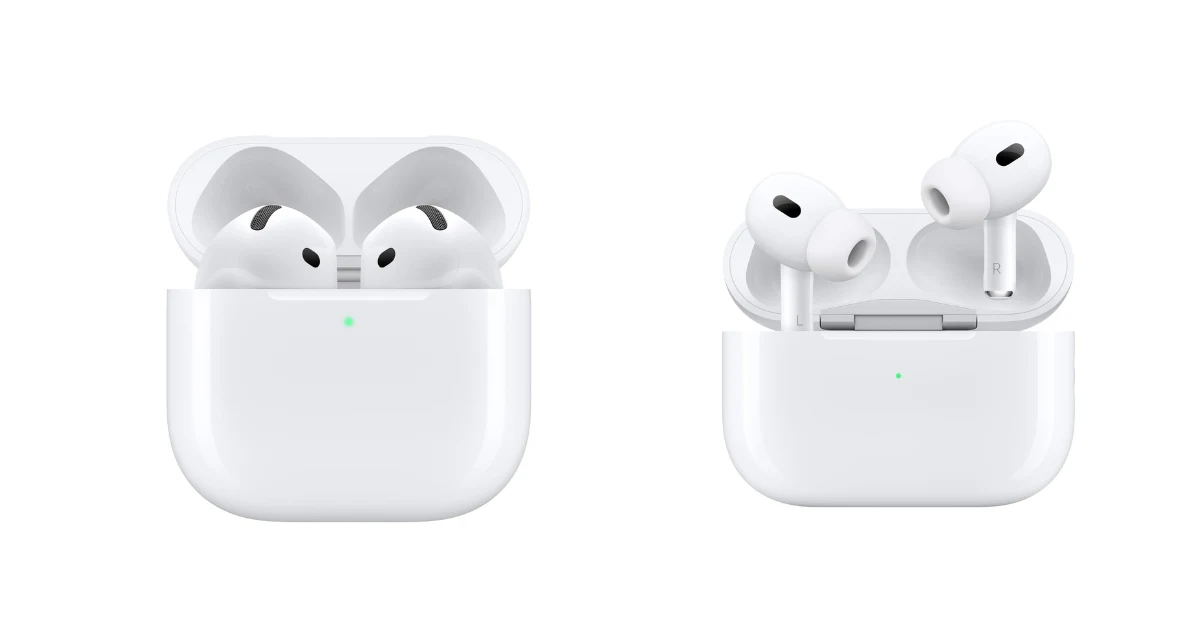
These are the most common type. They feature a main body that sits in the outer ear, with a silicone or foam tip that inserts into the ear canal. The tips come in various sizes to accommodate different ear shapes and sizes. The goal is to create a snug seal within your ear canal for optimal sound quality and noise isolation.
In-Ear Earbuds (earbuds Without Tips – ‘hard Plastic’ or ‘earbud-Style’)
These earbuds lack the silicone or foam tips. Instead, they have a hard plastic design that rests in the outer ear. They often have a more universal fit. These are typically less effective at noise isolation compared to in-ear earbuds with tips, and the sound quality can vary depending on the fit.
Over-Ear Earbuds (true Wireless or with Cable)
While not strictly ‘earbuds’, it’s worth mentioning over-ear headphones. These cover the entire ear, offering superior noise isolation and often better sound quality due to their larger drivers. Some are wireless with a cable connecting the two earcups (around-the-neck). Others are true wireless, connecting via Bluetooth to your audio source.
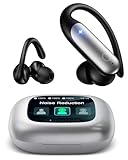
Earbuds with Ear Hooks/wings
Designed for active lifestyles, these earbuds feature ear hooks or wings that secure them to the ear. The hooks wrap around the outer ear, or the wings tuck into the concha (the small bowl-shaped area of your ear), providing a more secure fit during workouts or other activities. These are designed to prevent the earbuds from falling out.
The Proper Way to Insert in-Ear Earbuds with Tips
This is the most common type, so let’s focus on the best method for wearing them.
- Choose the Right Tip Size: This is the most crucial step. Most earbuds come with multiple sizes of silicone or foam tips. Experiment to find the size that creates the best seal in your ear canal. A good seal means you’ll hear more bass and less external noise.
- Identify Left and Right: Most earbuds are marked with an ‘L’ (left) and ‘R’ (right). Make sure you’re inserting the correct earbud into the corresponding ear.
- Gently Insert: Hold the earbud by the body and gently insert the tip into your ear canal. You might need to rotate the earbud slightly or angle it to find the best fit.
- Create a Seal: Once inserted, the tip should create a seal. You should feel a slight pressure or fullness in your ear. If you don’t, try a different size tip. Some people find it helpful to gently pull the top of their ear upwards and outwards while inserting the earbud.
- Test the Seal: Play some music or a podcast. If you hear a good amount of bass and the sound is clear, the seal is likely good. If the sound is tinny or you hear a lot of outside noise, adjust the fit or try a different tip size.
How to Wear Hard Plastic Earbuds
These earbuds often have a more universal fit, but they still require proper insertion for optimal sound and comfort.
- Identify Left and Right: Just like with tipped earbuds, check for the ‘L’ and ‘R’ markings.
- Position in the Ear: Place the earbud in your ear, with the speaker facing towards your ear canal. The body of the earbud should rest comfortably in the outer ear.
- Adjust for Comfort: Gently rotate and adjust the earbud until it feels secure and comfortable. The goal is to have the speaker aligned with your ear canal.
- Consider the Earbud’s Angle: The angle at which the earbud sits in your ear can affect sound quality. Try adjusting the angle slightly to see if it improves the sound.
Wearing Earbuds with Ear Hooks/wings
These are designed for a more secure fit, particularly during physical activity.
- Identify Left and Right: As always, check the ‘L’ and ‘R’ markings.
- Position the Earbud: Insert the earbud into your ear, similar to in-ear earbuds with tips, but don’t worry about getting a perfect seal in the ear canal.
- Secure the Hook/Wing: The ear hook or wing should then wrap around the outer ear or tuck into the concha.
- Adjust for Stability: Adjust the ear hook or wing until the earbud feels secure and stable. You may need to experiment with different angles to find the most comfortable and secure fit.
Troubleshooting Common Earbud Issues
Even with proper insertion, you might encounter some issues. Here’s how to address them.
- Earbuds Keep Falling Out: This is a common problem. Try a different size tip (for in-ear earbuds) or adjust the position of the earbud. Ear hooks or wings can be particularly helpful for this issue. You might also have a unique ear shape; consider earbuds specifically designed for smaller or larger ears.
- Poor Sound Quality: This could be due to a poor seal (for in-ear earbuds), an incorrect fit, or the wrong tip size. Ensure the earbuds are properly inserted and that you’ve selected the correct tip size. Make sure the earbuds are clean; earwax can block the sound. Check your audio source settings.
- Uncomfortable Fit: If your earbuds are causing discomfort, try a different tip size or style. Some people find that foam tips are more comfortable than silicone tips. Take breaks.
- One Earbud Not Working: Check the earbud’s battery level. Make sure both earbuds are paired correctly. Restart the earbuds and your audio source. Clean the earbuds and the charging case.
- Bluetooth Connection Issues: Make sure Bluetooth is enabled on your device. Ensure the earbuds are within range. Try forgetting and re-pairing the earbuds to your device.
Tips for Maximizing Comfort and Sound Quality
- Experiment with Different Tip Sizes: Don’t settle for the default tips. Try all the sizes included with your earbuds to find the best fit.
- Consider Foam Tips: Foam tips can mold to the shape of your ear canal, providing a more comfortable and secure fit. They also offer excellent noise isolation.
- Clean Your Earbuds Regularly: Earwax buildup can affect sound quality and hygiene. Use a soft, dry cloth to clean your earbuds regularly. Avoid getting moisture inside the earbuds.
- Take Breaks: If you’re wearing earbuds for extended periods, take breaks to give your ears a rest.
- Adjust the Volume: Avoid listening at excessively high volumes, which can damage your hearing.
- Consider Custom-Molded Ear Tips: If you have persistent fit issues, custom-molded ear tips can provide the most comfortable and secure fit.
Comparing Earbud Features
When selecting earbuds, consider these features:
| Feature | Description | Why It Matters |
|---|---|---|
| Noise Cancellation | Actively reduces ambient noise using microphones and processing. | Improves audio quality in noisy environments. |
| Ambient Sound Mode | Allows you to hear your surroundings without removing your earbuds. | Enhances situational awareness. |
| Water Resistance | Protects against sweat and rain. | Important for workouts and outdoor use. |
| Battery Life | How long the earbuds last on a single charge. | Affects how often you need to charge them. |
| Bluetooth Version | Determines the connection stability and range. | Newer versions (e.g., Bluetooth 5.0 or later) offer better performance. |
| Codec Support | The audio codec used for transmission (e.g., SBC, AAC, aptX). | Affects sound quality. |
| Comfort | Design and fit. | Ensures prolonged wearability. |
| Microphone Quality | For calls and voice assistants. | Ensures clear voice transmission. |
Maximizing Earbud Lifespan
Taking care of your earbuds can extend their lifespan.
- Store Properly: Store your earbuds in their case when not in use.
- Clean Regularly: Clean your earbuds regularly to remove earwax and debris.
- Avoid Extreme Temperatures and Moisture: Protect your earbuds from extreme temperatures and moisture.
- Charge Correctly: Follow the manufacturer’s instructions for charging.
- Handle Gently: Avoid dropping or damaging your earbuds.
Choosing the Right Earbuds for You
The best earbuds for you depend on your needs and preferences. Consider these factors:
- Your Primary Use Case: Are you using them for workouts, commuting, or listening at home?
- Your Budget: Earbuds range in price from budget-friendly to premium.
- Your Ear Shape: Some earbuds fit better than others.
- Desired Features: Noise cancellation, water resistance, and battery life are important considerations.
The Future of Earbuds
The earbud market is constantly evolving, with new technologies and features emerging. Expect to see improvements in noise cancellation, battery life, and sound quality. More emphasis is being placed on health and fitness tracking, and integration with voice assistants. The integration of augmented reality features within earbuds is also on the horizon.
Verdict
Wearing Bluetooth earbuds might seem simple, but achieving a comfortable and secure fit is crucial for optimal audio quality and enjoyment. By understanding the different types of earbuds, following the proper insertion techniques, and troubleshooting common issues, you can ensure a great listening experience. Remember to experiment with different tip sizes, clean your earbuds regularly, and consider features like noise cancellation if you need them. With a little practice and attention to detail, you’ll be able to wear your Bluetooth earbuds with confidence and enjoy your favorite music, podcasts, and calls.
Ultimately, the key to a good fit is finding what works best for your ears. Don’t be afraid to experiment with different earbud types and tips until you find the perfect combination of comfort and sound. Proper care and maintenance will also extend the lifespan of your earbuds, allowing you to enjoy your wireless audio experience for years to come.
Recommended Products