How Do Wireless Earbuds Charge? A Complete Guide
Wireless earbuds have become ubiquitous, offering unparalleled convenience for music lovers, podcast enthusiasts, and anyone seeking hands-free audio. But have you ever stopped to consider the magic behind keeping these tiny marvels powered up? The question of how do wireless earbuds charge is more complex than you might initially think. It involves a fascinating interplay of technology, from the earbuds themselves to the charging case and the power source you use.
This guide will demystify the charging process, breaking down the various methods, technologies, and best practices to ensure your earbuds are always ready to go. We’ll explore the different components, the underlying principles, and the common troubleshooting tips to keep your audio experience seamless. Whether you’re a seasoned user or new to the world of wireless audio, understanding the charging process is crucial for maximizing the lifespan and enjoyment of your earbuds.
Get ready to unravel the secrets of keeping your wireless audio companions powered up and ready for action. Let’s delve into the details of how do wireless earbuds charge, ensuring you get the most out of your listening experience.
The Anatomy of Wireless Earbud Charging
Before diving into the charging methods, let’s examine the key components involved. Understanding these elements is essential to grasp the overall charging process.
The Earbuds: Tiny Powerhouses
Each earbud houses a small, rechargeable battery. These batteries are typically lithium-ion or lithium-polymer batteries, known for their high energy density and relatively long lifespan. The size of the battery dictates the playback time; larger batteries offer longer listening sessions. Within each earbud, you’ll also find the charging contacts, often gold-plated, which facilitate the transfer of power from the charging case.
The Charging Case: Your Portable Power Bank
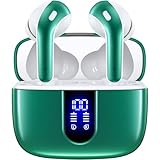
The charging case is arguably the most critical component. It serves as a protective storage unit and a portable power bank. The case contains a larger battery than the earbuds themselves, allowing for multiple charges on the go. The case also houses the charging circuitry, which regulates the power flow and prevents overcharging. Many cases also feature LED indicators to show the charging status of both the case and the earbuds.
The Charging Cable: The Conduit of Power
Most wireless earbuds use a USB-C or Micro-USB cable to recharge the charging case. This cable connects the case to a power source, such as a wall adapter, a computer, or a power bank. The cable transfers electrical current to replenish the case’s battery.
The Power Source: Where the Energy Begins
The power source is the origin of the electrical energy. This can range from a standard wall adapter to a USB port on a laptop or a dedicated charging station. The power source provides the necessary voltage and current to charge the charging case, which, in turn, charges the earbuds.
Charging Methods: A Detailed Breakdown
There are several ways wireless earbuds charge, each with its own advantages and considerations.
Wired Charging: The Traditional Approach
Wired charging is the most common method. The charging case connects to a power source via a USB cable. Here’s how it works:
- Connect the cable: Plug one end of the USB cable into the charging case and the other end into a power source (wall adapter, computer, etc.).
- Charging begins: Once connected, the charging case’s internal circuitry starts drawing power from the source.
- LED indicators: The case’s LED lights often indicate the charging status. For example, a flashing light might indicate charging, while a solid light suggests a full charge.
- Earbud charging: When the earbuds are placed inside the case, they begin charging simultaneously.
Advantages:
- Fast charging: Wired charging is typically faster than wireless charging.
- Universal compatibility: USB cables are widely available and compatible with various power sources.
- Reliable: Wired charging is generally more reliable, with fewer potential issues.
Disadvantages:
- Requires a cable: You need to carry a cable, which can be inconvenient.
- Less convenient: You have to manually connect and disconnect the cable.
Wireless Charging: The Modern Convenience
Wireless charging, also known as inductive charging, is becoming increasingly popular. It eliminates the need for cables, offering a seamless charging experience. Here’s how it works:
- Qi-compatible case: The charging case must support Qi wireless charging.
- Charging pad: Place the charging case on a Qi-compatible charging pad.
- Magnetic induction: The charging pad generates a magnetic field, which induces an electric current in the case’s charging coil.
- Charging begins: The charging case receives power and charges the internal battery and, in turn, the earbuds.
- LED indicators: The charging pad and/or case’s LED lights indicate the charging status.
Advantages:
- Convenience: No cables are needed; just place the case on the charging pad.
- Aesthetic appeal: Wireless charging setups often look cleaner and more modern.
- Ease of use: Simple and intuitive to use.
Disadvantages:
- Slower charging: Wireless charging is generally slower than wired charging.
- Requires a charging pad: You need to purchase a separate wireless charging pad.
- Potential for heat: Wireless charging can generate more heat than wired charging.
Combination Charging: The Best of Both Worlds
Some wireless earbuds offer a combination of wired and wireless charging. This provides flexibility and caters to different user preferences. You can charge the case wirelessly or use a USB cable, depending on the situation.
Advantages:
- Versatility: Offers both wired and wireless charging options.
- Flexibility: Choose the method that best suits your needs.
- Convenience: Provides a backup charging method in case one fails.
Disadvantages:
- Higher cost: Earbuds with combination charging may be more expensive.
- Potential for confusion: Users might need to keep track of both charging methods.
Charging Technologies: Inside the Case
Several technologies work behind the scenes to make charging wireless earbuds efficient and safe.
Lithium-Ion and Lithium-Polymer Batteries
Most wireless earbuds use lithium-ion or lithium-polymer batteries. These batteries are known for their high energy density, allowing for a compact design. They are also relatively lightweight, which is crucial for earbud comfort. However, they have a limited lifespan and degrade over time.
Charging Circuitry
The charging case incorporates sophisticated charging circuitry. This circuitry regulates the current and voltage to prevent overcharging, overheating, and damage to the batteries. It also manages the charging process and provides status indicators.
Fast Charging
Fast charging allows for quicker charging times. It delivers a higher current to the battery for a shorter duration. This technology is particularly useful for users who need a quick power boost before a workout or commute. Fast charging is often implemented in the charging case and the earbuds themselves.
Overcharge Protection
Overcharge protection is a critical safety feature. The charging circuitry automatically stops charging when the battery reaches 100% capacity, preventing damage to the battery and extending its lifespan. This feature ensures that the earbuds remain safe and reliable over time.
Temperature Management
Temperature management is another essential aspect of charging. Excessive heat can damage the battery and reduce its lifespan. Charging cases often include sensors and circuitry to monitor and regulate the temperature during charging. This helps prevent overheating and ensures the safety of the charging process.
Optimizing Charging: Best Practices
To maximize the lifespan and performance of your wireless earbuds, follow these best practices:
Use the Right Charger
Use the charging cable and adapter provided with your earbuds. These are designed to deliver the correct voltage and current for optimal charging. Using a charger with the wrong specifications can damage the earbuds or slow down the charging process.
Avoid Extreme Temperatures
Avoid charging your earbuds in extreme temperatures. Heat and cold can negatively impact battery performance and lifespan. Store and charge your earbuds in a moderate temperature environment.
Don’t Overcharge
While overcharge protection is built-in, avoid leaving your earbuds charging for extended periods after they reach 100%. Unplug them or remove them from the charging pad once fully charged.
Keep the Contacts Clean
Clean the charging contacts on both the earbuds and the charging case regularly. Use a soft, dry cloth or a cotton swab to remove any dust, debris, or earwax. This ensures a good connection and efficient charging.
Store Properly
Store your earbuds in the charging case when not in use. This protects them from damage and keeps them charged. Also, consider storing the charging case in a cool, dry place.
Charge Regularly
Charge your earbuds regularly, even if you don’t use them often. This helps maintain the battery’s health and prevents it from completely discharging, which can damage the battery.
Consider a Wireless Charging Pad
If your earbuds support it, consider investing in a wireless charging pad. It is a convenient and cable-free charging experience that can simplify your charging routine.
Troubleshooting Common Charging Issues
Even with the best practices, you may encounter charging issues. Here are some common problems and their solutions:
Earbuds Not Charging
If your earbuds aren’t charging, try these steps:
- Check the charging case: Ensure the case itself is charged.
- Clean the contacts: Clean the charging contacts on both the earbuds and the case.
- Try a different cable: Use a different USB cable to eliminate cable issues.
- Try a different power source: Test with a different wall adapter or USB port.
- Reset the earbuds: Consult your earbuds’ manual for reset instructions.
- Contact support: If the problem persists, contact the manufacturer’s support.
Charging Case Not Charging
If the charging case isn’t charging, try these steps:
- Check the cable and adapter: Ensure the cable and adapter are working correctly.
- Try a different outlet: Test with a different power outlet.
- Inspect the charging port: Check for any damage or debris in the charging port.
- Clean the charging port: Use a soft brush or compressed air to clean the port.
- Contact support: If the case still doesn’t charge, contact the manufacturer’s support.
Slow Charging
If the earbuds are charging slowly, consider these factors:
- Use the correct charger: Ensure you are using the original charger or a compatible one.
- Check the power source: A low-power USB port might charge slowly.
- Avoid extreme temperatures: Charge in a moderate temperature environment.
- Check for software updates: Some earbuds have software updates that can improve charging efficiency.
Earbuds Not Pairing After Charging
If the earbuds don’t pair after charging, try these steps:
- Ensure earbuds are charged: Make sure the earbuds have enough battery power.
- Reset the earbuds: Reset the earbuds to factory settings.
- Forget and re-pair: Forget the earbuds from your device’s Bluetooth settings and re-pair them.
- Check for interference: Move away from other Bluetooth devices or Wi-Fi routers.
- Check the device’s Bluetooth: Make sure your device’s Bluetooth is enabled and working.
- Contact support: If the problem continues, contact the manufacturer’s support.
Comparing Charging Methods: A Quick Overview
Here’s a table summarizing the pros and cons of different charging methods:
| Charging Method | Advantages | Disadvantages |
|---|---|---|
| Wired Charging | Fast charging, Universal compatibility, Reliable | Requires a cable, Less convenient |
| Wireless Charging | Convenient, Aesthetic appeal, Ease of use | Slower charging, Requires a charging pad, Potential for heat |
| Combination Charging | Versatile, Flexible, Convenient | Higher cost, Potential for confusion |
The Future of Wireless Earbud Charging
The evolution of wireless earbud charging is ongoing, with several exciting developments on the horizon.
Faster Charging Speeds
Faster charging speeds are a key focus. Manufacturers are constantly working on improving battery technology and charging circuitry to reduce charging times. Expect quicker top-ups in the future.
Improved Battery Life
Improved battery life is another area of innovation. Research is underway to develop more energy-dense batteries that can provide longer listening sessions. This will reduce the frequency of charging and enhance the user experience.
Wireless Power Transfer Advancements
Wireless power transfer is also evolving. Technologies like magnetic resonance charging could allow for greater charging distances and efficiencies, eliminating the need to precisely align the charging case with the pad.
Integration with Smart Home Ecosystems
Integration with smart home ecosystems is becoming more common. Expect wireless earbuds to seamlessly integrate with smart charging stations and management systems.
Sustainable Charging Practices
Sustainable charging practices are gaining importance. Manufacturers are focusing on energy-efficient charging technologies and the use of eco-friendly materials to reduce the environmental impact.
Final Thoughts
Understanding how do wireless earbuds charge provides essential knowledge for anyone using these convenient devices. Whether you opt for wired, wireless, or a combination of both, the process involves a careful interplay of components and technologies. By following the best practices, such as using the correct charger, avoiding extreme temperatures, and keeping the contacts clean, you can ensure your earbuds are always ready to deliver your favorite audio. From the charging case to the power source, each part plays a vital role in keeping your wireless audio experience seamless. As technology continues to advance, we can anticipate even faster charging speeds, longer battery life, and more convenient charging solutions. By staying informed about these developments, you can make the most of your wireless earbuds and enjoy your music, podcasts, and calls without interruption.
Recommended Products