How Do I Know If My Raycon Earbuds Are Charging?
So, you’ve got your shiny new Raycon earbuds, ready to pump some tunes or take calls on the go. But there’s one crucial question that pops up: how do you know if your Raycon earbuds are charging? It’s a simple question, but the answer determines whether you’re about to enjoy crystal-clear audio or face the dreaded silence of a dead battery.
Don’t worry, I’m here to walk you through everything. We’ll cover the visual cues, the charging case indicators, and some troubleshooting tips to ensure your Raycons are always ready to rock. We’ll also look at the different Raycon models, as their charging indicators can vary slightly. Let’s get started and make sure you’re never caught off guard by a low battery again.
This guide will equip you with the knowledge to keep your Raycon earbuds powered up and ready to go, and it’ll help you avoid common charging pitfalls. Let’s dive in and keep those tunes playing!
Understanding the Basics of Charging Raycon Earbuds
Before we get into the specifics, let’s cover the fundamental charging process for your Raycon earbuds. Generally, Raycon earbuds charge within their charging case, which then charges via a USB cable. The process is relatively straightforward, but understanding the basics is key to ensuring a successful charge.
The Charging Case: Your Earbuds’ Power Station
The charging case is the heart of the charging system. It not only protects your earbuds but also houses a battery that provides multiple charges on the go. When you place your earbuds inside the case, they automatically begin charging, provided the case itself has power. The case’s battery life is usually indicated by LED lights, providing a visual cue of how much charge remains. The case charges via a USB cable connected to a power source, like a wall adapter or a computer.
The Earbuds: Where the Magic Happens
Your Raycon earbuds have their own internal batteries. When inserted into the charging case, these batteries draw power from the case. The earbuds often have their own LED indicators to show their charging status. These indicators can display different colors or flash patterns to represent the charging process.
The USB Cable: The Lifeline
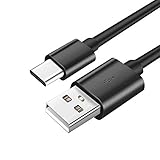
The USB cable is the vital link between your charging case and a power source. Raycon earbuds typically use a USB-C cable for charging, though some older models may use Micro-USB. Make sure you use the correct cable and a compatible power source to ensure a safe and efficient charge. Using the wrong cable or a faulty power source could damage the case or the earbuds.
Visual Indicators: Deciphering the Lights
The key to knowing if your Raycon earbuds are charging lies in understanding the visual indicators. These are usually LED lights located on both the charging case and the earbuds themselves. Let’s break down what these lights typically mean.
Charging Case Indicators
The charging case usually has LED lights that provide information about its battery level and the charging status of the earbuds. The number and color of these lights can vary depending on the model.
- Solid Light: A solid light often indicates that the case is fully charged or that the earbuds are charging inside. The color can signify the battery level. For instance, a green light often means fully charged, while amber or yellow might indicate a medium charge, and red could mean low battery.
- Flashing Light: A flashing light usually means the case is charging. The flash rate might indicate the charging progress. For example, a slow flash could indicate a low charge, while a faster flash means the case is closer to full.
- No Light: If there are no lights, it could mean the case is either empty of power or that the case is not connected to a power source.
Earbud Indicators
The earbuds themselves also have LED indicators. These usually show the charging status of the individual earbuds.
- Solid Light: A solid light on the earbuds typically means that the earbud is fully charged.
- Flashing Light: A flashing light often indicates that the earbud is charging. The color and flash rate can vary.
- No Light: If there’s no light, it could mean the earbud is not properly seated in the charging case, or it is fully charged.
Step-by-Step Guide: Charging Your Raycon Earbuds
Now, let’s go through the steps of charging your Raycon earbuds, ensuring you get the most out of your audio experience.
- Place Earbuds in Case: Open the charging case and carefully place your Raycon earbuds inside. Ensure they are correctly seated in their respective slots. You should feel a slight click or see the lights on the earbuds turn on, indicating they’re making contact with the charging pins.
- Close the Case: Close the charging case. This activates the charging process, assuming the case has power.
- Connect the Case: Connect the charging case to a power source using the appropriate USB cable. This could be a wall adapter, a computer, or a power bank.
- Observe the Indicators: Pay attention to the LED lights on both the charging case and the earbuds. The lights will provide information about the charging status.
- Wait for Full Charge: Allow the earbuds and the charging case to charge fully. The time it takes to charge will vary depending on the model and the power source. When fully charged, the lights will typically indicate the charging is complete (e.g., solid green light).
- Disconnect and Enjoy: Once fully charged, disconnect the charging case from the power source. Remove the earbuds from the case, and you’re ready to enjoy your music or calls.
Troubleshooting Common Charging Issues
Sometimes, you might encounter issues when charging your Raycon earbuds. Here’s a troubleshooting guide to help you resolve common problems.
Earbuds Not Charging
If your earbuds are not charging, try these steps:
- Check Earbud Placement: Make sure the earbuds are correctly seated in the charging case. Ensure they make proper contact with the charging pins.
- Inspect Charging Case: Ensure the charging case has power. If the case is dead, charge it first.
- Check the Cable and Power Source: Try a different USB cable and power source to rule out any issues with the cable or adapter.
- Clean the Contacts: Sometimes, dirt or debris can prevent a good connection. Clean the charging contacts on both the earbuds and the case with a dry, soft cloth.
- Reset the Earbuds: Refer to your Raycon manual for instructions on how to reset your earbuds. This can sometimes resolve charging issues.
Charging Case Not Charging
If your charging case is not charging, try these steps:
- Check the Cable and Power Source: Ensure you’re using a working USB cable and a reliable power source. Try a different cable or adapter.
- Inspect the Charging Port: Check the charging port on the case for any damage or debris.
- Clean the Port: Carefully clean the charging port using a soft brush or compressed air.
- Check the Case’s Battery: If the case is very old, the battery might be failing. Consider contacting Raycon support.
One Earbud Not Charging
If only one earbud is charging, try these steps:
- Swap Earbuds: Place the earbud that isn’t charging in the other earbud’s slot in the case. If it charges in the other slot, the issue might be with the original slot or the charging case.
- Clean the Contacts: Clean the charging contacts on both the earbuds and the case.
- Reset the Earbuds: Try resetting the earbuds according to the manufacturer’s instructions.
- Contact Support: If the problem persists, contact Raycon support for assistance.
Raycon Model-Specific Charging Information
Raycon offers a variety of earbud models, and the charging indicators and charging times can vary slightly between them. Here’s a general overview, but always refer to your specific model’s manual for precise details.
Raycon E25 Series
The E25 series often features a charging case with LED lights that indicate the battery level of the case itself. The earbuds usually have their own LED indicators to show their charging status. Fully charged earbuds typically display a solid light, while charging earbuds usually flash.
Raycon the Fitness Earbuds
These earbuds are designed for active lifestyles and may have robust charging cases with clear LED indicators. Pay attention to the color of the lights to understand the charging status. Refer to the manual for specific light meanings, as they can differ from the E25 series.
Raycon Everyday Earbuds
The Everyday Earbuds often have a charging case with a simple LED system. The case’s lights will indicate the battery level, and the earbuds will have their own lights to show charging status. Check the manual for the specific meanings of the colors and flashes.
Raycon Performer Series
The Performer series may have more advanced charging indicators, possibly including a display on the case. Always consult the user manual for the most accurate information on charging status.
General Tips for All Models
Regardless of your model, here are some general tips to ensure optimal charging:
- Use the Correct Cable: Always use the USB cable that came with your Raycon earbuds or a compatible replacement.
- Avoid Extreme Temperatures: Do not charge your earbuds in extreme heat or cold, as this can damage the battery.
- Charge Regularly: Charge your earbuds and charging case regularly to prevent the battery from fully depleting.
- Store Properly: When not in use, store your earbuds in the charging case to protect them and conserve battery life.
- Check for Updates: Keep an eye out for firmware updates for your earbuds, as these can sometimes improve battery performance and charging behavior.
How Long Does It Take to Charge Raycon Earbuds?
The charging time for Raycon earbuds can vary depending on the model and the power source. However, here’s a general idea:
- Earbuds: Generally, it takes about 1 to 2 hours to fully charge the earbuds in the charging case.
- Charging Case: The charging case itself usually takes about 1 to 2 hours to charge fully.
- Fast Charging: Some Raycon models may have fast charging capabilities. This can provide a significant amount of playtime with just a short charging period (e.g., 10-15 minutes of charging might give you an hour or two of listening time).
Note: These times are estimates. Always consult your Raycon model’s manual for accurate charging times and specifications.
Maximizing Your Raycon Earbuds’ Battery Life
To get the most out of your Raycon earbuds, you’ll want to extend their battery life. Here’s how:
- Charge Regularly: Don’t let your earbuds run completely flat. Charge them regularly, even if you only use them for short periods.
- Store in the Case: Always store your earbuds in the charging case when not in use. This protects them and prevents them from draining the battery.
- Adjust Volume: Higher volumes consume more battery power. Lower the volume when possible to extend battery life.
- Turn Off Features: If your earbuds have features like noise cancellation or transparency mode, turning them off when you don’t need them can save battery.
- Avoid Extreme Temperatures: Avoid exposing your earbuds to extreme temperatures, which can affect battery performance.
- Update Firmware: Keep your earbuds’ firmware updated. Manufacturers often release updates that improve battery efficiency.
- Use a Quality Power Source: Use a reliable power source and the correct USB cable to ensure efficient charging.
When to Contact Raycon Support
If you’ve tried all the troubleshooting steps and your Raycon earbuds still aren’t charging correctly, it might be time to contact Raycon support. Here are some situations where contacting support is recommended:
- Persistent Charging Issues: If your earbuds consistently fail to charge, even after trying different cables, power sources, and cleaning the contacts.
- Damaged Charging Case: If the charging case is physically damaged or if its charging port is broken.
- Battery Issues: If the earbuds or charging case seem to be draining very quickly, even when not in use.
- Warranty Concerns: If your earbuds are still under warranty, and you suspect a manufacturing defect.
When contacting Raycon support, be prepared to provide the following information:
- Model Number: This helps them identify your specific earbuds.
- Purchase Date: This helps verify your warranty status.
- Detailed Description of the Problem: Explain the charging issue in detail, including what you’ve already tried.
- Photos or Videos: If possible, provide photos or videos showing the issue.
Caring for Your Raycon Earbuds
Proper care and maintenance can significantly extend the lifespan of your Raycon earbuds and their charging case. Here are some tips:
- Cleaning: Regularly clean your earbuds and charging case with a soft, dry cloth. Avoid using liquids or harsh chemicals.
- Storage: Store your earbuds in a cool, dry place when not in use. Avoid direct sunlight or extreme temperatures.
- Protection: Use a protective case for the charging case to prevent scratches and damage.
- Avoid Moisture: Protect your earbuds from moisture. While some models are water-resistant, they are not usually waterproof.
- Handle with Care: Avoid dropping or mishandling your earbuds or charging case.
- Follow Instructions: Always follow the manufacturer’s instructions for charging and maintenance.
Verdict
Knowing how to tell if your Raycon earbuds are charging is essential for a seamless audio experience. By understanding the visual indicators on the charging case and the earbuds, you can easily determine the charging status and avoid the frustration of a dead battery. Remember to regularly check the lights, use the correct USB cable, and follow the troubleshooting steps if you encounter any issues.
By following these guidelines and taking care of your Raycon earbuds, you can enjoy your music, podcasts, and calls without interruption. Keeping your earbuds charged ensures you’re always ready to enjoy your audio on the go. Now you’re equipped to keep those tunes playing!
Recommended Products