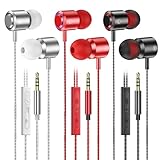
How Do I Increase the Volume on My Earbuds? Simple Steps
Ever find yourself straining to hear your favorite tunes or podcasts through your earbuds? You’re not alone! It’s a frustrating experience, especially when you’re in a noisy environment or simply want to crank up the volume. Luckily, there are several things you can do to boost the audio output and get the most out of your listening experience.
From adjusting settings on your device to checking the physical components of your earbuds, we’ll explore various solutions to help you achieve the desired volume. This guide will walk you through the troubleshooting process, ensuring you can enjoy your audio content at its best. Let’s get started and get those earbuds blasting!
Understanding the Volume Controls
Before we jump into solutions, it’s essential to understand the different volume controls at your disposal. You typically have several points where the volume can be adjusted, and each plays a role in the overall audio output. Knowing these controls helps you pinpoint where the problem might lie.
Device Volume
This is the primary volume control, usually found on your smartphone, tablet, computer, or music player. It’s often controlled by physical buttons on the device or a slider in the operating system. The device volume affects the signal sent to your earbuds.
App Volume
Many apps, such as music streaming services or video players, also have their own volume controls. These controls are independent of your device’s volume and can further modify the audio output. Sometimes, the app volume might be set low, even if your device volume is high.
Earbud Volume (if Applicable)
Some high-end earbuds, particularly those with active noise cancellation (ANC), might have their own volume controls, either through physical buttons on the earbuds themselves or via a companion app. These controls provide an additional layer of volume adjustment.
Source Volume
The volume of the original audio file or stream also impacts the perceived loudness. A poorly mastered track or a low-volume video will sound quieter, even if all other volume controls are maxed out.
Troubleshooting Volume Issues: Step-by-Step Guide
Now, let’s get into the practical steps you can take to troubleshoot and increase the volume on your earbuds. We’ll go through the most common issues and how to resolve them.
Step 1: Check the Obvious – Volume Controls
This might seem basic, but it’s often the root cause. First, ensure that the volume on your device is turned up. Use the physical volume buttons or the on-screen slider to increase the volume. Then, check the app’s volume control. Make sure it isn’t set too low. If your earbuds have their own volume controls, check those as well.
Key Takeaway: Always start by verifying that all volume controls are appropriately set.
Step 2: Inspect the Earbud Connection
If you’re using wired earbuds, check the connection to your device. Sometimes, a loose or partially inserted plug can result in low volume or distorted sound. Unplug the earbuds and plug them back in firmly. Also, examine the headphone jack for any debris or damage.
For Bluetooth earbuds, make sure they are properly paired and connected to your device. Go to your device’s Bluetooth settings and ensure the earbuds are connected. Consider unpairing and re-pairing the earbuds to refresh the connection.
Key Takeaway: A secure and clean connection is crucial for optimal audio performance.
Step 3: Examine the Audio Source
The quality of the audio source significantly impacts the volume. A low-quality audio file or a poorly mixed track will sound quieter than a high-quality one. Try playing different audio files or streaming from various sources to see if the volume improves.
Key Takeaway: Experiment with different audio sources to rule out source-related volume limitations.
Step 4: Check the Earbud Tips
The fit of your earbuds plays a significant role in how well you perceive the volume and the quality of the sound. If the earbud tips don’t create a good seal in your ear canal, you’ll lose bass and overall volume. Ensure you’re using the correct size ear tips for your ears.
Key Takeaway: A proper seal is essential for both volume and sound quality.
Step 5: Adjust Device Settings
Most devices have audio settings that can affect the volume. Here’s what to check:
- Equalizer Settings: Some devices have built-in equalizers that let you adjust the sound frequencies. Experiment with different equalizer presets or create a custom setting. Sometimes, boosting the higher frequencies can make the audio sound louder, even if the overall volume remains the same.
- Volume Limiter: Some devices have volume limiters to protect your hearing. If the volume is consistently low, check if a volume limiter is enabled and disable it if necessary.
- Mono Audio: If you’re only hearing sound from one earbud, check your device settings to make sure mono audio is turned off.
- Audio Enhancements: Some devices have audio enhancements or processing features, such as Dolby Atmos or spatial audio. Experiment with these settings, as they can sometimes affect the volume.
Key Takeaway: Explore your device’s audio settings to optimize the sound output.
Step 6: Update Drivers and Software
Outdated drivers or software can sometimes cause audio issues. Make sure your device’s operating system, drivers, and the firmware of your earbuds are up to date. Check for updates in your device’s settings or through the manufacturer’s website.
Key Takeaway: Keeping your software and drivers current can resolve many audio-related problems.
Step 7: Clean Your Earbuds
Over time, earwax and debris can accumulate in your earbuds, blocking the sound and reducing the volume. Carefully clean your earbuds using a soft, dry cloth or a cotton swab. Avoid using excessive force or liquids, as this can damage the earbuds.
Key Takeaway: Regular cleaning ensures optimal audio performance.
Step 8: Test with Different Earbuds
If you’ve tried all the above steps and the volume is still low, the problem might be with the earbuds themselves. Test your device with a different pair of earbuds to determine if the issue is with your original earbuds or your device. If the other earbuds sound fine, then your original earbuds might be faulty.
Key Takeaway: Testing with different earbuds can help isolate the problem.
Step 9: Check the Earbud Hardware
If you’ve identified that the issue lies with your earbuds, inspect them for any physical damage. Check the wires (for wired earbuds) for any breaks or kinks. For Bluetooth earbuds, check the charging case and the earbuds themselves for any signs of damage. Sometimes, a damaged component can affect the volume.
Key Takeaway: Physical damage can impact the audio output.
Step 10: Consider External Amplification
If none of the above steps work, you could consider using an external headphone amplifier. These devices connect between your device and your earbuds and boost the audio signal. This can significantly increase the volume, especially if your device has a low audio output.
Key Takeaway: An external amplifier can provide a substantial volume boost.
Detailed Instructions and Tips
Let’s delve deeper into some of the steps mentioned above, providing more detailed instructions and tips to help you troubleshoot your earbud volume issues effectively.
Detailed Instructions: Checking Device Volume Settings
The process for checking and adjusting device volume settings varies slightly depending on the operating system of your device (Android, iOS, Windows, macOS). Here’s a breakdown:
- Android:
- Use the physical volume buttons on your device to adjust the volume.
- Go to Settings > Sound > Volume to adjust the media volume, ringtone volume, etc.
- Check the volume level within the app you’re using (e.g., Spotify, YouTube).
- Check for a volume limiter in Settings > Sound.
- iOS (iPhone/iPad):
- Use the physical volume buttons on your device.
- Access the Control Center (swipe down from the top-right corner on newer iPhones or swipe up from the bottom on older iPhones) and adjust the volume slider.
- Check the volume level within the app you’re using.
- Go to Settings > Sounds & Haptics and ensure the “Reduce Loud Sounds” option is disabled.
- Windows:
- Click the speaker icon in the system tray (bottom-right corner) and adjust the volume slider.
- Right-click the speaker icon and select “Open Volume Mixer” to adjust the volume for individual apps.
- Go to Settings > System > Sound and adjust the output volume.
- Check the audio enhancements in Sound Control Panel (search for “Sound Settings” in the Windows search bar).
- macOS:
- Use the volume keys on your keyboard or the touch bar (if applicable) to adjust the volume.
- Click the speaker icon in the menu bar and adjust the volume slider.
- Go to System Preferences > Sound and adjust the output volume.
- Check the volume level within the app you’re using.
Tips:
- Restart your device: Sometimes, a simple restart can fix temporary software glitches that affect the volume.
- Update your operating system: Ensure your device’s operating system is up to date, as updates often include bug fixes and performance improvements.
- Check for Bluetooth interference: If you’re using Bluetooth earbuds, move away from potential sources of interference, such as other Bluetooth devices, Wi-Fi routers, or microwave ovens.
Detailed Instructions: Cleaning Your Earbuds
Properly cleaning your earbuds is crucial for maintaining their sound quality and volume. Here’s a step-by-step guide:
- Gather your supplies: You’ll need a soft, dry cloth, cotton swabs, and optionally, a small brush (like a toothbrush with soft bristles).
- Wipe down the exterior: Use the soft cloth to gently wipe the exterior surfaces of your earbuds, removing any visible dirt or debris.
- Clean the ear tips: Remove the ear tips from the earbuds (if detachable). Wipe them with the soft cloth. You can also wash them with mild soap and water, but make sure they are completely dry before reattaching them.
- Clean the speaker mesh: Use a cotton swab to gently clean the speaker mesh (the small screen where the sound comes out). Avoid pushing the cotton swab too far into the mesh, as this could damage the internal components. You can also use the small brush to gently remove any debris.
- Dry thoroughly: Ensure all components of your earbuds are completely dry before using them.
Tips:
- Avoid liquids: Never submerge your earbuds in water or use excessive amounts of liquid to clean them.
- Use a gentle touch: Be careful not to apply too much pressure when cleaning your earbuds, as this could damage them.
- Clean regularly: Clean your earbuds regularly (e.g., once a week) to prevent the build-up of earwax and debris.
Detailed Instructions: Testing with Different Earbuds
Testing with a different pair of earbuds is a straightforward process, but it can provide valuable information about the source of the problem. Here’s how to do it:
- Gather a different pair of earbuds: Make sure the other pair of earbuds are compatible with your device.
- Connect the other earbuds: Plug the wired earbuds into your device’s headphone jack, or connect the Bluetooth earbuds to your device.
- Play audio: Play the same audio file or stream from the same source that you used when testing your original earbuds.
- Compare the volume: Compare the volume levels. If the volume is louder and clearer with the other earbuds, the problem is likely with your original earbuds. If the volume is still low, the problem is more likely with your device or the audio source.
- Test with multiple devices: To further isolate the problem, try testing your original earbuds on a different device (e.g., another smartphone, tablet, or computer). If the earbuds sound fine on the other device, the problem is likely with your original device.
Tips:
- Use a reliable source: Use a high-quality audio source for your test to ensure accurate results.
- Compare the sound quality: Pay attention to the sound quality, not just the volume. If the other earbuds sound clearer and more balanced, this further indicates a problem with your original earbuds.
- Document your findings: Keep track of your tests and results to help you pinpoint the source of the problem.
Detailed Instructions: Using an External Headphone Amplifier
An external headphone amplifier can significantly boost the volume of your earbuds. Here’s how to use one:
- Obtain a headphone amplifier: Choose a headphone amplifier that’s compatible with your earbuds and device. Consider the amplifier’s power output, battery life (if portable), and connectivity options (e.g., USB, Bluetooth).
- Connect the amplifier to your device: Connect the amplifier to your device using the appropriate cable (e.g., USB, 3.5mm audio cable).
- Connect your earbuds to the amplifier: Plug your earbuds into the headphone jack on the amplifier.
- Adjust the volume: Adjust the volume on both your device and the amplifier. Start with low volume levels and gradually increase them to avoid damaging your hearing.
Tips:
- Consider a portable amplifier: If you listen to music on the go, a portable headphone amplifier is a convenient option.
- Read reviews: Before purchasing an amplifier, read reviews to ensure it meets your needs and provides the desired volume boost.
- Be cautious: Start with low volume levels and gradually increase them to protect your hearing.
Common Mistakes and Pitfalls
Here are some common mistakes to avoid when trying to increase the volume on your earbuds:
- Ignoring the basics: Skipping the simple steps, such as checking the volume controls on your device and the app, is a common mistake. Always start with the fundamentals.
- Using incorrect ear tips: Using the wrong size ear tips can significantly reduce the perceived volume and sound quality. Make sure you’re using the correct size for your ears.
- Overlooking the audio source: Assuming the problem is always with your device or earbuds, without considering the audio source, is a mistake. Always test different audio sources.
- Using excessive volume: Turning the volume up too high can damage your hearing. Always listen at a safe volume level.
- Not cleaning your earbuds regularly: Ignoring the importance of cleaning your earbuds can lead to a build-up of earwax and debris, reducing the volume.
- Not updating drivers and software: Failing to update drivers and software can sometimes cause audio issues.
- Assuming a quick fix: Not all volume issues have a simple solution. Be prepared to try multiple troubleshooting steps.
Key Takeaway: Avoid these common mistakes to effectively troubleshoot your earbud volume issues.
Advanced Troubleshooting
If you’ve exhausted the basic troubleshooting steps and are still experiencing low volume, you might need to explore some more advanced options.
Checking the Earbud Impedance
Impedance is a measure of the electrical resistance of the earbuds. Mismatched impedance between your earbuds and your device can sometimes result in low volume. Most modern smartphones and devices are designed to work well with a range of impedances.
Action: Research the impedance of your earbuds and your device. If there’s a significant mismatch, you might need to use an external amplifier or consider different earbuds with a compatible impedance.
Factory Resetting Your Device
A factory reset restores your device to its original settings. This can eliminate software conflicts that might be affecting the audio output.
Action: Back up your data before performing a factory reset. Follow the instructions for your specific device to perform the reset. Note that this is a drastic step, so try other solutions first.
Contacting Customer Support
If you’ve tried everything and are still having issues, it might be time to contact the customer support of your device manufacturer or earbud manufacturer. They might be able to offer additional troubleshooting steps or determine if there is a hardware defect.
Action: Gather your device information and warranty details before contacting support.
Considering a Replacement
If your earbuds are old, damaged, or consistently fail to produce sufficient volume, it might be time to consider a replacement.
Action: Research new earbud models that meet your needs and budget. Consider factors such as sound quality, noise cancellation, and battery life.
Preventative Measures
Preventing volume issues is just as important as troubleshooting them. Here are some preventative measures you can take:
- Use a safe listening volume: Avoid listening to audio at excessively high volumes to protect your hearing.
- Clean your earbuds regularly: Regularly clean your earbuds to prevent the build-up of earwax and debris.
- Store your earbuds properly: Store your earbuds in a clean, dry place when not in use.
- Use the correct ear tips: Ensure you’re using the correct size ear tips for your ears to create a good seal.
- Update your device and software: Keep your device’s operating system and software updated to ensure optimal performance.
- Handle your earbuds with care: Avoid dropping or damaging your earbuds.
Key Takeaway: Proactive measures can help prevent future volume issues.
Comparing Earbud Types and Volume
Different types of earbuds have different characteristics that impact their volume and sound quality.
| Earbud Type | Pros | Cons | Volume Considerations |
|---|---|---|---|
| In-Ear Earbuds | Good noise isolation, compact, comfortable fit with the right tips | Can feel intrusive, can cause ear fatigue | Often have good volume due to the seal. Fit is crucial. |
| Over-Ear Headphones | Excellent sound quality, comfortable for long listening sessions, good noise cancellation | Bulky, less portable, can be hot | Generally provide higher volume levels and better sound quality. |
| On-Ear Headphones | More portable than over-ear, comfortable fit | Can leak sound, less noise isolation | Volume can be good, but noise leakage can reduce the perceived volume. |
| True Wireless Earbuds | Wireless, compact, convenient | Battery life can be limited, can be expensive | Volume can be good, but may be affected by Bluetooth connection. |
| Wired Earbuds | Reliable connection, no need to charge, generally cheaper | Can be cumbersome due to the wires | Generally good volume, but the quality depends on the device and the earbuds. |
Key Takeaway: The type of earbud can influence volume and overall sound quality.
Final Thoughts
Increasing the volume on your earbuds can often be achieved through a series of simple steps. By thoroughly checking volume controls, connections, audio sources, and device settings, you can often resolve the issue. Remember to consider the fit of your earbuds and the type of audio you are listening to. If these steps don’t work, more advanced solutions like using an external amplifier or contacting customer support may be necessary.
Regular cleaning, proper storage, and using the correct ear tips are essential for maintaining optimal volume and sound quality. Remember to prioritize your hearing health by listening at safe volume levels. With a little troubleshooting and care, you can ensure an enjoyable and immersive listening experience with your earbuds.
Recommended Products