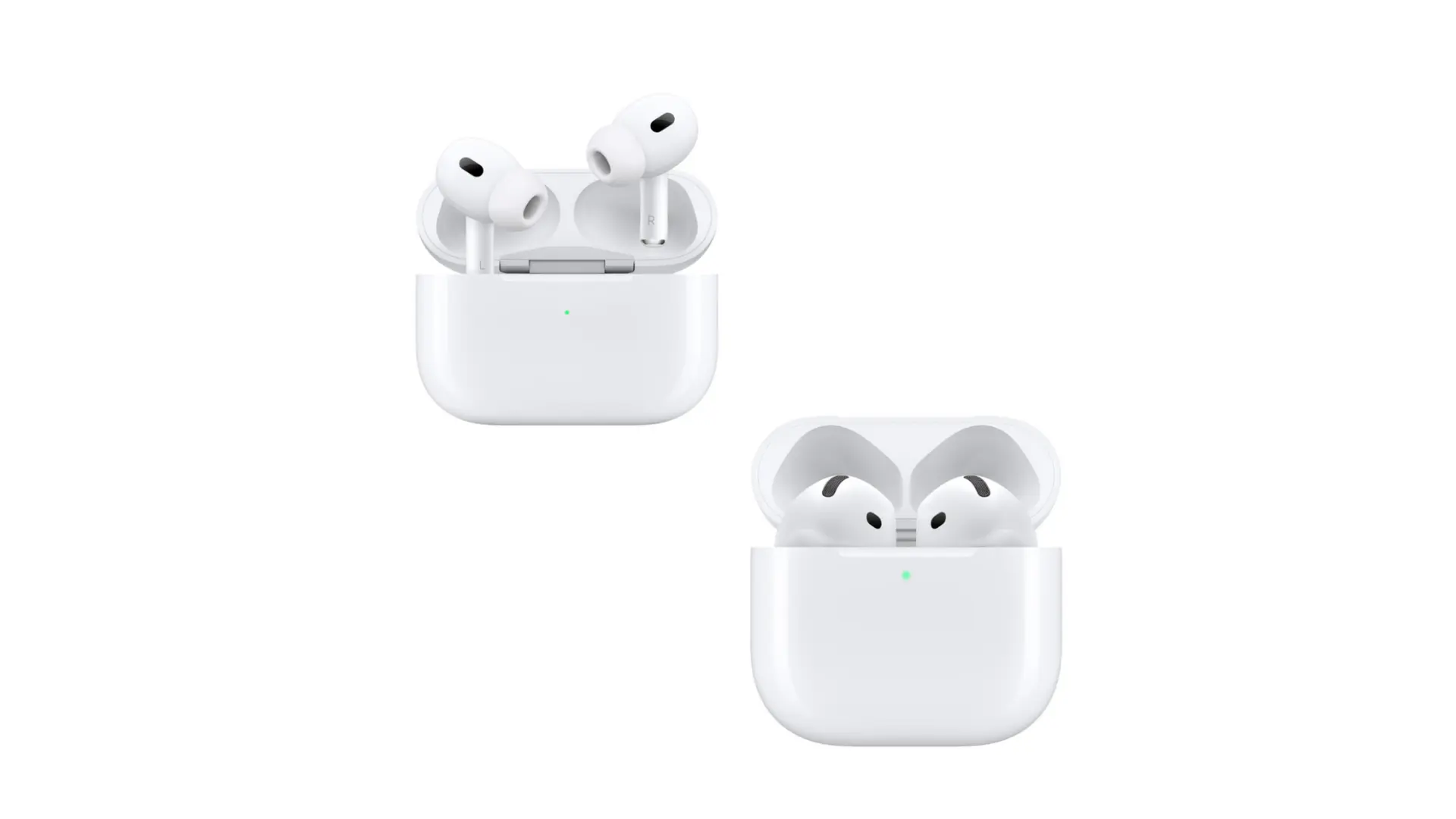
How Do Apple Earbuds Work as Hearing Aids? A Detailed Guide
Ever wondered if your trusty Apple earbuds could do more than just play your favorite tunes? Well, you might be surprised to learn that they can, in certain situations, function as a rudimentary hearing aid. The technology packed into these little devices is quite impressive, and while they aren’t a direct replacement for professional hearing aids, they can offer some assistance to those with mild hearing loss or specific hearing needs.
The idea of using everyday technology to address hearing challenges is gaining traction. Apple earbuds, with their built-in microphones and sophisticated audio processing capabilities, provide a glimpse into the future of accessible hearing solutions. This article will delve into the mechanics of how Apple earbuds can be used, their limitations, and what you need to know before relying on them.
We’ll explore the technical aspects, compare them to traditional hearing aids, and discuss the practical applications. Whether you’re curious about the technology or exploring options for hearing assistance, this guide will provide a comprehensive understanding of how Apple earbuds can, in a way, work as hearing aids.
The Technology Behind Apple Earbuds
To understand how Apple earbuds can function as hearing aids, you first need to grasp the underlying technology. These devices are packed with features that enable them to capture, process, and output sound in ways that can be beneficial for individuals with hearing difficulties.
Microphones: The Ears of Your Earbuds
Apple earbuds, including AirPods and AirPods Pro, are equipped with built-in microphones. These microphones are designed to capture sound from the environment. The quality of these microphones is surprisingly good, capable of picking up a wide range of frequencies and sound levels. This is the first crucial step in the process of using them as hearing aids. The microphones collect the sounds around you, which are then processed by the internal components of the earbuds.
Audio Processing: The Brains of the Operation
Once the sound is captured, it goes through a sophisticated audio processing system. This is where the magic happens. The processing chip within the earbuds can analyze the incoming sound and make adjustments to enhance certain frequencies or reduce background noise. This audio processing is what makes it possible to amplify sounds and tailor the audio output to the user’s needs. The specific algorithms used are designed to optimize the listening experience. The level of processing varies depending on the model of the earbuds and the features enabled.
Amplification and Customization
Apple earbuds offer several features that allow for amplification and customization of the audio output. Through the iPhone or iPad settings, users can adjust the balance, and customize the sound to their personal hearing needs. The ability to fine-tune these settings is essential for making the earbuds function effectively as a hearing aid.
Transparency Mode and Live Listen: Key Features
Two key features contribute to the hearing aid functionality: Transparency mode and Live Listen.
- Transparency Mode: This mode uses the microphones to capture external sounds and pass them through to the user’s ears. The sound is processed to reduce background noise and amplify important sounds, such as speech. This is like having a pair of “super ears” that filter and enhance the sounds around you.
- Live Listen: This feature turns your iPhone or iPad into a remote microphone. You can place your device near a sound source and use your earbuds to listen to the audio. This can be especially helpful in noisy environments or when trying to hear someone speaking from a distance. The Live Listen feature allows you to focus on the desired sound.
How Apple Earbuds Can Assist with Hearing
While Apple earbuds are not a medical device, they offer several ways to assist with hearing. Their functionality, combined with the accessibility of iPhones and iPads, makes them a practical option for some individuals.
Mild Hearing Loss
For individuals with mild hearing loss, Apple earbuds can provide a noticeable improvement in their ability to hear. The amplification features can boost the volume of sounds, making it easier to understand conversations and hear environmental noises. The customized settings allow users to adjust the audio to their specific hearing needs, compensating for certain frequencies that may be more difficult to hear. For example, if someone struggles with high-frequency sounds, they can adjust the equalizer settings to amplify those frequencies.
Situational Hearing Assistance
Apple earbuds are particularly useful in specific situations. They can be helpful in noisy environments, such as restaurants or crowded public spaces, where it’s difficult to hear conversations. The Transparency mode can reduce background noise while amplifying speech, making it easier to focus on the conversation. Live Listen is also useful in these situations, allowing you to place your phone closer to the person speaking. In quiet environments, the earbuds can provide clear and amplified audio, improving overall listening comprehension. Situational hearing assistance is a benefit over the need to always wear hearing aids.
Enhancing Speech Clarity
One of the primary benefits of using Apple earbuds is the enhancement of speech clarity. The audio processing algorithms are designed to improve the intelligibility of speech. By reducing background noise and amplifying the frequencies most important for speech, the earbuds can help users understand conversations more clearly. This is particularly helpful for those who have difficulty distinguishing between speech sounds or who struggle to follow conversations in group settings. The combination of noise reduction and speech enhancement can significantly improve the listening experience.
Comparing Apple Earbuds to Traditional Hearing Aids
It’s important to understand the differences between Apple earbuds and traditional hearing aids. While both devices aim to improve hearing, they have different capabilities, features, and costs. Here’s a comparison:
| Feature | Apple Earbuds | Traditional Hearing Aids |
|---|---|---|
| Purpose | Assist with hearing, not a medical device | Medical device to treat hearing loss |
| Customization | Limited, adjustable through iPhone/iPad settings | Highly customizable by audiologist based on hearing test results |
| Amplification | Provides amplification, but not as precise | Precise amplification tailored to specific hearing loss |
| Cost | Lower cost, readily available | Higher cost, requires professional fitting |
| Medical Grade | Not a medical device, no medical certifications | Medical device, FDA-regulated |
| Professional Fitting | No professional fitting required | Requires professional fitting and adjustments |
| Hearing Tests | No hearing tests required | Requires a comprehensive hearing test |
| Warranty and Support | Apple warranty, limited support | Warranty and ongoing support from audiologist |
Key Differences
The primary difference lies in their purpose and design. Traditional hearing aids are medical devices specifically designed and fitted to treat hearing loss. They undergo rigorous testing and are customized by audiologists to meet the individual’s specific hearing needs. Apple earbuds, on the other hand, are consumer electronics. While they can provide some hearing assistance, they are not a substitute for professional medical care.
Advantages of Apple Earbuds
- Cost: Apple earbuds are significantly less expensive than hearing aids.
- Accessibility: They are readily available and easy to purchase.
- Convenience: They integrate seamlessly with other Apple devices.
- Discreet: They look like regular earbuds, so they may be preferred by those who don’t want to use hearing aids.
Advantages of Traditional Hearing Aids
- Precision: They are precisely calibrated to your hearing loss.
- Customization: They are fitted and adjusted by an audiologist.
- Medical Grade: Designed as medical devices.
- Support: You get ongoing support from an audiologist.
How to Use Apple Earbuds for Hearing Assistance
If you’re interested in using Apple earbuds to assist with your hearing, here’s how to get started:
1. Check Your Iphone/ipad Settings
The first step is to ensure your iPhone or iPad is running the latest version of iOS or iPadOS. Go to Settings > General > Software Update to check for updates. This ensures you have the latest features and improvements.
2. Access Hearing Settings
Go to Settings > Accessibility > Audio/Visual. Here, you’ll find the hearing-related settings. This is where you can enable and adjust features like Headphone Accommodations and Live Listen.
3. Enable Headphone Accommodations
Turn on Headphone Accommodations. This feature allows you to customize the audio output based on your hearing needs. You can choose from pre-set options or customize the settings to your preference. Test different settings to find what works best for you.
4. Customize Audio Settings
Within Headphone Accommodations, you can adjust the following settings:
- Custom Audio Setup: This lets you create a custom audio profile based on your hearing test results.
- Tone Balance: Adjust the balance between different frequencies.
- Transparency Mode: Use this mode to enhance environmental sounds.
5. Use Live Listen
To use Live Listen, connect your earbuds to your iPhone or iPad. Then, open Control Center and tap the ear icon. Select “Live Listen.” Place your device near the sound source you want to hear. Adjust the volume as needed.
6. Experiment and Adjust
It may take some time to find the optimal settings. Experiment with different settings and adjust them as needed. The best settings will depend on your individual hearing needs and the environment you are in.
7. Regular Maintenance
Keep your earbuds clean and well-maintained. Clean the ear tips regularly to ensure optimal sound quality. Check for software updates and update your devices to ensure the latest features and improvements.
Limitations and Considerations
While Apple earbuds can offer some hearing assistance, it’s essential to be aware of their limitations. They are not a replacement for professional hearing aids, and they may not be suitable for all types of hearing loss.
Not a Medical Device
Apple earbuds are not a medical device and are not regulated as such. They do not undergo the same rigorous testing and quality control processes as hearing aids. While they can provide some assistance, they may not be as effective or reliable as a professionally fitted hearing aid.
Limited Customization
The customization options are limited compared to traditional hearing aids. You can adjust the settings, but you cannot fine-tune the audio output to the same degree as with a hearing aid. The settings are designed for general use, not for specific hearing loss profiles.
No Hearing Test
Apple earbuds do not require a hearing test. Hearing aids are prescribed based on the results of a comprehensive hearing test performed by an audiologist. Without this, it’s difficult to know the exact nature of your hearing loss and how to best address it. Relying solely on the settings in Apple earbuds may not address your specific needs.
Potential for Over-Amplification
There is a risk of over-amplification with Apple earbuds. If you amplify sounds too much, you could damage your hearing or experience discomfort. Always start with low volume levels and increase them gradually.
Not Suitable for Severe Hearing Loss
Apple earbuds are not suitable for individuals with moderate to severe hearing loss. The amplification provided by the earbuds may not be sufficient to compensate for this degree of hearing loss. For those with more significant hearing challenges, professional hearing aids are the better option.
Battery Life
The battery life of your earbuds may be a concern, especially if you use them for extended periods. Make sure to keep your earbuds charged so that they are ready for use whenever you need them.
When to Consult a Professional
If you suspect you have hearing loss, it’s crucial to consult a hearing health professional. Here are some situations where you should seek professional help:
Difficulty Understanding Speech
If you have trouble understanding speech, especially in noisy environments, it’s a sign of potential hearing loss. A professional can assess your hearing and recommend the appropriate treatment.
Ringing or Buzzing in Your Ears
Tinnitus, or ringing in the ears, can be a symptom of hearing loss. A professional can help identify the cause and suggest ways to manage it.
Difficulty Hearing in Specific Situations
If you struggle to hear in certain situations, such as conversations in a restaurant or listening to music, it could indicate hearing loss. A professional can evaluate your hearing in these specific environments.
Family History of Hearing Loss
If you have a family history of hearing loss, you may be at higher risk. Regular hearing screenings are important to detect any changes in your hearing early on.
Age-Related Hearing Loss
Hearing loss is common with age. If you’re over the age of 50, you should have your hearing checked regularly.
Symptoms That Impact Daily Life
If hearing loss is affecting your daily life, such as your ability to communicate with others, your social activities, or your work, it’s essential to consult a professional. Hearing loss can have a significant impact on your quality of life.
The Future of Hearing Technology
The use of technology like Apple earbuds for hearing assistance is just the beginning. We can expect to see further advancements in hearing technology in the coming years.
Integration with Smart Devices
The integration of hearing technology with smart devices will continue to evolve. We can expect to see more sophisticated features and seamless integration with other devices. This includes better noise cancellation, advanced audio processing, and improved customization options.
Ai and Machine Learning
AI and machine learning will play a larger role in hearing technology. These technologies can be used to personalize the audio experience and optimize the performance of hearing devices. AI can also be used to automatically adjust settings based on the listening environment.
Over-the-Counter Hearing Aids
The FDA has approved over-the-counter (OTC) hearing aids, which will make hearing assistance more accessible. These devices are designed for individuals with mild to moderate hearing loss and can be purchased without a prescription. This will increase the options available for those seeking hearing assistance.
Telehealth and Remote Adjustments
Telehealth and remote adjustments will become more common. Audiologists can remotely adjust hearing aids and provide support. This will make it easier for people to access hearing healthcare. Remote support means that you can get assistance from the convenience of your own home.
Conclusion
While Apple earbuds can provide a degree of hearing assistance, they are not a replacement for professional hearing aids. They offer a convenient and accessible option for those with mild hearing loss or in specific situations. The features like Transparency mode and Live Listen can improve the listening experience. However, it’s essential to understand their limitations, especially when compared to medical-grade hearing aids.
If you’re experiencing hearing difficulties, the best course of action is to consult a hearing health professional for a comprehensive evaluation and personalized recommendations. They can assess your specific needs and guide you toward the most appropriate solution. The future of hearing technology is exciting, and we can expect to see continued advancements that will improve accessibility and improve the quality of life for those with hearing loss.
Ultimately, Apple earbuds can be a helpful tool for some, but a professional assessment is crucial for accurate diagnosis and effective treatment. Making informed decisions is key to managing your hearing health.
Recommended Products