Does Earbuds Work with iPhone? Compatibility & Guide
So, you’ve got a shiny new iPhone, and you’re wondering about earbuds. Maybe you’re upgrading from an older model, or perhaps you’re finally ditching those wired headphones. Either way, the question is: does earbuds work with iPhone? The short answer is: yes, absolutely! But like most tech questions, the full picture is a little more nuanced.
We’ll explore everything from the different types of earbuds available to how they connect and the features you can expect. We’ll also cover troubleshooting, compatibility, and the best earbuds for iPhone users. Whether you’re a music lover, a podcast enthusiast, or someone who just wants to make calls hands-free, this guide has you covered.
Get ready to discover the world of iPhone-compatible earbuds and find the perfect pair for your needs. We’ll clarify any confusion and help you make an informed decision. Let’s get started!
Understanding Earbud Compatibility with Iphones
The core concept of earbud compatibility with iPhones is straightforward: most earbuds are designed to work seamlessly with Apple’s devices. However, understanding the specifics, like the different connection types and features, will help you choose the right pair and maximize your experience.
Connection Types Explained
The primary ways earbuds connect to your iPhone are through Bluetooth and the Lightning port. Each method has its pros and cons:
- Bluetooth: This is the most common and versatile connection method. Bluetooth earbuds connect wirelessly to your iPhone, offering freedom of movement.
- Lightning: Some earbuds connect directly to the Lightning port on your iPhone. These offer a direct digital audio connection.
Bluetooth Earbuds: The Wireless World
Bluetooth earbuds have become increasingly popular for their convenience. They offer the ability to listen to music, podcasts, or take calls without being tethered to your phone. Here’s a deeper look:
- Pairing: Pairing Bluetooth earbuds with your iPhone is generally a simple process. You typically put the earbuds into pairing mode (usually by holding down a button on the earbuds), then go to your iPhone’s Settings app, tap on Bluetooth, and select your earbuds from the list of available devices.
- Range: Bluetooth range varies depending on the earbud model, but generally, you can expect a range of around 30-50 feet. This allows you to move around your home or office without losing connection.
- Battery Life: Bluetooth earbuds run on battery power, so battery life is a crucial consideration. Most models offer several hours of playback on a single charge. Many come with a charging case that provides additional battery life.
- Features: Bluetooth earbuds often include features such as touch controls (to control music playback, answer calls, and adjust volume), noise cancellation, and water resistance.
Lightning Earbuds: A Direct Connection
Lightning earbuds connect directly to the Lightning port on your iPhone. While less common than Bluetooth, they have their advantages:
- Simplicity: No pairing is required. You simply plug them in, and they’re ready to go.
- Digital Audio: Lightning earbuds can deliver a direct digital audio signal, potentially offering higher sound quality.
- Power: Lightning earbuds draw power from your iPhone, so you don’t need to worry about charging them separately.
Compatibility with Different iPhone Models
Compatibility is usually not an issue. The iPhone models that support the Lightning port (iPhone 5 and later) will work with Lightning earbuds. All iPhones support Bluetooth, so any Bluetooth earbuds should work.
Important Note: If you have an iPhone without a headphone jack (iPhone 7 and later), you’ll need either Bluetooth earbuds or Lightning earbuds to listen to audio.
Choosing the Right Earbuds for Your iPhone
With so many options, choosing the right earbuds can feel overwhelming. Consider these factors to find the perfect fit:
Sound Quality
Sound quality is paramount for many users. Look for earbuds with:
- Clear Audio: Crisp highs, balanced mids, and a rich bass response.
- Codec Support: Bluetooth codecs like AAC (Advanced Audio Coding) and aptX can improve sound quality. iPhones primarily support AAC.
- Driver Size: Larger drivers (the internal components that produce sound) often deliver a fuller sound.
Comfort and Fit
Earbud comfort is essential, especially for extended listening sessions. Consider:
- Ear Tip Design: Choose ear tips (usually silicone or foam) that fit snugly in your ears. Most earbuds come with multiple sizes.
- Ergonomics: Look for earbuds designed to fit comfortably and securely.
- Weight: Lightweight earbuds are generally more comfortable.
Features
Consider the features that are important to you:
- Noise Cancellation (ANC): ANC blocks out external noise, ideal for noisy environments.
- Transparency Mode: Allows you to hear your surroundings while listening to audio.
- Water Resistance: Essential if you plan to use your earbuds during workouts or in wet conditions. Look for an IPX rating (e.g., IPX4).
- Touch Controls: Allow you to control music playback, answer calls, and adjust volume with taps or swipes.
- Built-in Microphone: For calls and voice assistants.
- Wireless Charging: For convenience.
Battery Life
Battery life is a critical factor, especially for wireless earbuds. Consider:
- Playback Time: How long the earbuds last on a single charge.
- Charging Case: Provides additional battery life and protects your earbuds.
- Fast Charging: Allows you to quickly charge your earbuds.
Budget
Earbud prices vary widely. Determine your budget before you start shopping.
Tip: Read reviews to get an idea of the sound quality, comfort, and reliability of different models.
Top Earbud Recommendations for iPhone Users
Based on performance, features, and popularity, here are some top earbud recommendations for iPhone users:
Apple Airpods (3rd Generation)
Why they’re great: Offers excellent sound quality, spatial audio, and easy pairing with iPhones. The open-ear design provides a comfortable fit for many users.
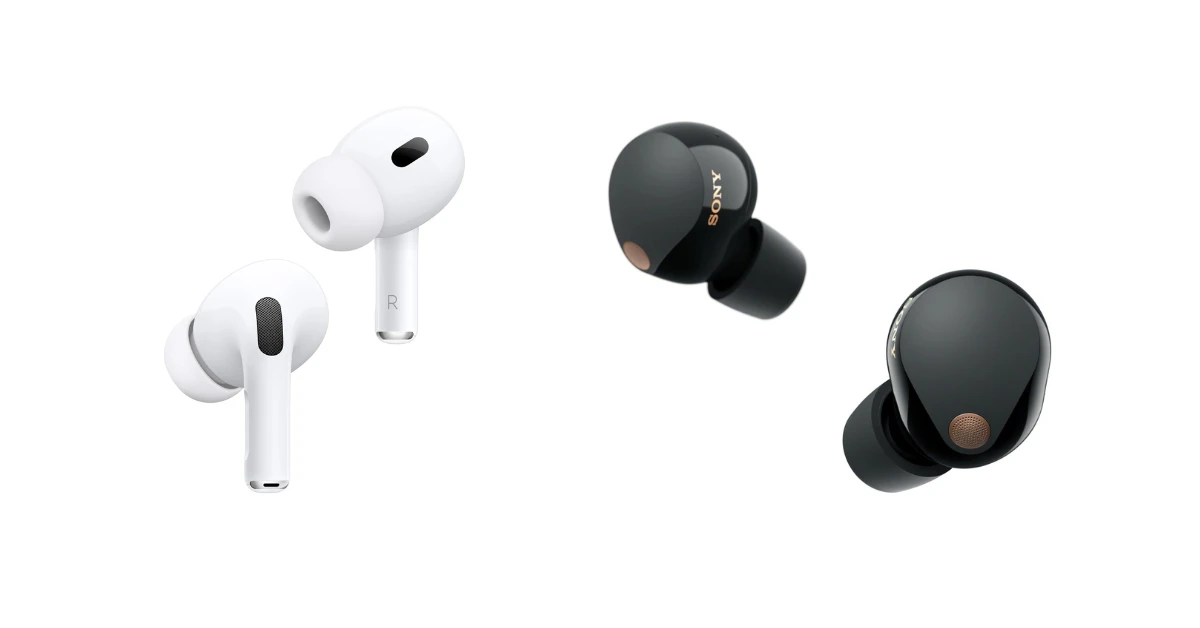
Apple Airpods Pro (2nd Generation)
Why they’re great: Features active noise cancellation, transparency mode, and a more customizable fit. The best option if noise cancellation is a priority.
Sony Wf-1000xm5
Why they’re great: Provides exceptional sound quality, industry-leading noise cancellation, and a comfortable fit. A great choice for audiophiles.
Samsung Galaxy Buds2 Pro
Why they’re great: Offers excellent sound, active noise cancellation, and a comfortable fit. They have easy pairing with iPhones and are a solid alternative to AirPods.
Jbl Tune 760nc
Why they’re great: Delivers great sound quality, active noise cancellation, and a comfortable fit. These are a great value option.
Beats Studio Buds +
Why they’re great: Offers great sound quality, active noise cancellation, and a comfortable fit. They have easy pairing with iPhones and are a stylish option.
Earfun Air Pro 3
Why they’re great: They provide great sound, ANC, and a long battery life at a budget-friendly price.
Troubleshooting Common Earbud Issues with Iphones
Even with the best earbuds, you might encounter some issues. Here’s how to troubleshoot common problems:
Earbuds Won’t Connect
If your earbuds won’t connect to your iPhone:
- Check Bluetooth: Make sure Bluetooth is enabled in your iPhone’s Settings.
- Restart: Restart your iPhone and your earbuds.
- Forget and Re-pair: In your iPhone’s Bluetooth settings, forget the earbuds, then re-pair them.
- Check for Interference: Move away from other Bluetooth devices or sources of interference (e.g., microwaves).
- Update Firmware: Ensure your earbuds have the latest firmware updates.
Sound Issues
If you experience sound problems:
- Check Volume: Make sure the volume is turned up on both your iPhone and your earbuds.
- Clean Earbuds: Clean the ear tips to remove any debris that may be blocking the sound.
- Check Audio Source: Test with different audio sources (music, podcasts, calls) to see if the issue is specific to one source.
- Reset Earbuds: Consult your earbud’s manual for instructions on how to reset them to factory settings.
Microphone Issues
If the microphone isn’t working:
- Check Microphone Access: Ensure the app you’re using has access to the microphone in your iPhone’s settings.
- Clean Microphone: Clean the microphone opening on your earbuds.
- Test in Different Apps: Test the microphone in multiple apps (e.g., phone calls, voice memos) to see if the problem is app-specific.
- Check for Obstructions: Ensure the microphone isn’t blocked by anything.
Battery Issues
If you have battery problems:
- Charge Completely: Make sure you are fully charging your earbuds and charging case.
- Check Usage: Consider how you use your earbuds. Features like noise cancellation drain the battery faster.
- Consider Battery Age: Over time, the battery capacity of your earbuds may degrade.
- Update Firmware: Ensure your earbuds have the latest firmware updates, which can improve battery performance.
Using Earbuds with iPhone: Advanced Tips and Tricks
Beyond the basics, here are some advanced tips and tricks to enhance your earbud experience with your iPhone:
Customizing Controls
Many earbuds allow you to customize the controls, such as the actions performed by double-tapping or long-pressing. Check the companion app (if available) for your earbuds to customize the controls to your preferences. You might be able to change the functions for play/pause, next track, previous track, volume control, and activating voice assistants.
Using Siri with Your Earbuds
Most earbuds with a built-in microphone are compatible with Siri. You can typically activate Siri by double-tapping or long-pressing on one of your earbuds (the specific action depends on your earbud model). Once Siri is activated, you can give voice commands to control music playback, make calls, send messages, set reminders, and much more.
Spatial Audio
If you own a pair of AirPods (3rd generation or later) or AirPods Pro (1st or 2nd generation), you can take advantage of spatial audio. Spatial audio creates a more immersive listening experience by simulating the effect of sound coming from different directions. When you listen to music or watch videos with spatial audio enabled, the sound appears to come from the space around you, making it feel more realistic.
Audio Sharing
With an iPhone, you can share audio with two pairs of AirPods, AirPods Pro, AirPods Max, or compatible Beats headphones. This is a great way to watch a movie or listen to music with a friend. Simply connect both pairs of headphones to your iPhone, and then select the option to share audio in the Control Center.
Using Earbuds for Calls
Earbuds with a built-in microphone are excellent for making calls. The microphone picks up your voice clearly, and the earbuds provide a private listening experience. To answer a call, simply tap the appropriate button on your earbuds. During a call, you can often adjust the volume, mute the microphone, or end the call using the earbud controls.
Optimizing Sound Settings
Your iPhone offers a range of audio settings that can enhance your listening experience. Go to Settings > Accessibility > Audio/Visual to adjust settings such as:
- Headphone Accommodations: Customize the audio for your specific hearing needs.
- Mono Audio: If you have hearing loss in one ear, you can enable mono audio to play the same sound in both ears.
- Balance: Adjust the balance between the left and right channels.
Keeping Your Earbuds Clean
Regular cleaning can help to maintain the sound quality and longevity of your earbuds. Use a soft, lint-free cloth to wipe the earbuds and ear tips. For more thorough cleaning, you can use a cotton swab dampened with isopropyl alcohol. Avoid getting any moisture into the earbud’s internal components.
The Future of Earbuds and Iphones
The earbud market is constantly evolving, with new technologies and features emerging regularly. We can expect to see further improvements in sound quality, noise cancellation, and battery life. Wireless charging and integration with other Apple devices will likely become more seamless. The continued development of spatial audio and other immersive audio technologies will also drive innovation.
As iPhones continue to innovate, earbuds will adapt and integrate further, offering an even richer and more personalized audio experience. The future is bright for iPhone users and their earbuds.
Conclusion
So, does earbuds work with iPhone? Absolutely! Whether you choose Bluetooth or Lightning earbuds, you’ll find a wide range of options to enhance your audio experience. From listening to music and podcasts to taking calls, earbuds are a versatile accessory for any iPhone user.
By understanding the different types of earbuds, the features they offer, and how to troubleshoot any issues, you can choose the perfect pair and make the most of your iPhone. Consider your budget, sound quality preferences, and desired features to find the best earbuds for your needs.
With the right earbuds, you can enjoy your favorite content with exceptional sound quality, comfort, and convenience. Enjoy your listening experience!
Recommended Products