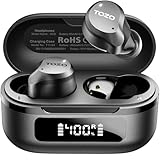
Do Tozo Earbuds Work with iPhone? Compatibility Guide
So, you’ve got your shiny new iPhone and you’re thinking about grabbing a pair of TOZO earbuds. Smart move! Wireless earbuds are practically a necessity these days, offering convenience and freedom. But the big question is: do TOZO earbuds actually play nice with your iPhone? The short answer is yes, but let’s get into the details to ensure you get the best possible experience.
We’ll explore the compatibility, features you can expect, and even some troubleshooting tips. I’ll walk you through everything, so you can make an informed decision and enjoy your music, podcasts, and calls without a hitch. Let’s get started!
Tozo Earbuds and iPhone Compatibility: The Basics
The good news is that TOZO earbuds are designed to work seamlessly with iPhones. They use Bluetooth technology, which is a universal standard for wireless audio. This means that as long as your iPhone has Bluetooth, which it most certainly does, you’re good to go.
Bluetooth Compatibility: iPhones and TOZO earbuds communicate via Bluetooth. Bluetooth versions evolve, but the core principle remains the same: a wireless connection for audio streaming. Newer Bluetooth versions (like 5.0, 5.2, or even 5.3) offer improved stability, range, and energy efficiency, which translates to a better listening experience. While older iPhones might have older Bluetooth versions, they still support the necessary profiles for connecting to TOZO earbuds.
How it Works: The connection process is straightforward. You put your TOZO earbuds into pairing mode, go into your iPhone’s Bluetooth settings, and select your TOZO earbuds from the list of available devices. Once connected, your iPhone will send audio to the earbuds, and you can control playback (play, pause, skip tracks, adjust volume) directly from the earbuds or your iPhone.
iOS Version Matters (But Not Much): While TOZO earbuds are generally compatible with all iPhones, the iOS version on your iPhone can have a slight impact. Older iOS versions might not support the latest Bluetooth features or have some minor compatibility quirks. However, even older iPhones running older iOS versions will still be able to connect and play audio from TOZO earbuds. Keeping your iPhone’s iOS updated is always a good idea for security, performance, and the best possible experience with accessories.
In summary: TOZO earbuds are designed to be compatible with iPhones. The connection is made over Bluetooth. The process is easy, and you should not run into major problems.
Pairing Your Tozo Earbuds with Your iPhone: A Step-by-Step Guide
Pairing your TOZO earbuds with your iPhone is a breeze. Here’s a step-by-step guide to get you up and running in minutes:
- Charge Your Earbuds: Make sure your TOZO earbuds are fully charged before pairing. This ensures you have enough power for the initial setup and testing.
- Put Your Earbuds in Pairing Mode: The process varies slightly depending on the TOZO earbud model, but generally, you’ll need to do one of the following:
- For Earbuds with a Charging Case: Open the charging case. Some cases have a button you need to press and hold to initiate pairing mode. Others might automatically go into pairing mode when the case is opened. Check the user manual that came with your TOZO earbuds for specific instructions.
- For Earbuds Without a Charging Case (Less Common): You might need to press and hold a button on each earbud simultaneously or individually until the LED lights start flashing, indicating pairing mode.
- Open Bluetooth Settings on Your iPhone: On your iPhone, go to Settings > Bluetooth. Make sure Bluetooth is turned on (the switch should be green).
- Select Your TOZO Earbuds: Your iPhone will scan for available Bluetooth devices. Look for your TOZO earbuds in the list. They might be listed as “TOZO T10,” “TOZO NC9,” or a similar model name. Tap on the name to connect.
- Confirm the Connection: Your iPhone will display a message indicating that the earbuds are connected. You might also see a battery indicator showing the remaining charge of your earbuds.
- Test the Connection: Play some music, a podcast, or make a phone call to ensure the audio is playing through your TOZO earbuds.
Troubleshooting Pairing Issues: If you’re having trouble pairing your TOZO earbuds, here are a few things to try:
- Restart Your iPhone: A simple restart can often resolve minor Bluetooth glitches.
- Forget and Re-Pair: In your iPhone’s Bluetooth settings, tap the “i” icon next to your TOZO earbuds and select “Forget This Device.” Then, go through the pairing process again.
- Check for Interference: Bluetooth signals can be affected by other devices, such as Wi-Fi routers or other Bluetooth devices. Try moving to a different location to minimize interference.
- Reset Your TOZO Earbuds: Some TOZO earbud models have a reset function. Consult your user manual for instructions on how to reset your specific model.
- Update Your iOS: Ensure your iPhone is running the latest version of iOS.
Important Note: If you’ve previously paired your TOZO earbuds with another device (like an Android phone or a computer), make sure that device’s Bluetooth is turned off or that the earbuds are disconnected from it before attempting to pair them with your iPhone.
Key Features and Functionality When Using Tozo Earbuds with iPhone
When you use TOZO earbuds with your iPhone, you can expect a range of features that enhance your listening experience. Here’s a breakdown:
- Audio Playback: You can play, pause, skip tracks, and control the volume using the touch controls on the earbuds or the controls on your iPhone.
- Phone Calls: TOZO earbuds typically have built-in microphones, allowing you to make and receive phone calls. You can answer, end, and mute calls directly from the earbuds. The microphone quality varies depending on the model, but generally, it’s good enough for clear conversations.
- Siri Integration: Most TOZO earbuds are compatible with Siri. You can activate Siri by pressing and holding a button on the earbuds or using a voice command (depending on your settings). This allows you to control your iPhone with voice commands, such as playing music, making calls, sending texts, and setting reminders.
- Active Noise Cancellation (ANC): Some higher-end TOZO earbud models feature active noise cancellation (ANC). This technology uses microphones to detect ambient noise and then generates opposing sound waves to cancel it out, providing a more immersive listening experience. ANC effectiveness varies depending on the model and the environment.
- Transparency Mode: Many TOZO earbuds also offer a transparency mode, which allows you to hear the sounds of your surroundings without removing the earbuds. This is useful for staying aware of your environment, such as when crossing the street or having a conversation.
- Water Resistance: Many TOZO earbuds are designed to be water-resistant (e.g., IPX5, IPX7). This means they can withstand splashes, sweat, and light rain. However, they are not typically designed for swimming or submersion in water.
- Battery Life: The battery life of TOZO earbuds varies depending on the model and usage. Generally, you can expect several hours of playtime on a single charge. The charging case extends the battery life by providing additional charges on the go.
- Customization: Some TOZO earbud models have companion apps that allow you to customize the sound profile, adjust the touch controls, and update the firmware.
Comparing Tozo Earbud Models: Finding the Right Fit for Your iPhone
TOZO offers a variety of earbud models, each with its own set of features and price point. Here’s a comparison to help you choose the best TOZO earbuds for your iPhone:
| Feature | TOZO T10 | TOZO NC9 | TOZO T6 | TOZO A1 |
|---|---|---|---|---|
| Price (Approx.) | $25-$35 | $40-$55 | $25-$35 | $20-$30 |
| Bluetooth Version | 5.3 | 5.3 | 5.3 | 5.3 |
| Water Resistance | IPX8 | IPX6 | IPX8 | IPX5 |
| Active Noise Cancellation (ANC) | No | Yes | No | No |
| Transparency Mode | No | Yes | No | No |
| Battery Life (Earbuds) | 6-8 hours | 8 hours | 6-8 hours | 6 hours |
| Battery Life (with Case) | 30-38 hours | 32 hours | 30-36 hours | 24 hours |
| Wireless Charging | Yes | Yes | Yes | No |
| Microphone Quality | Good | Excellent | Good | Good |
| Best For | Budget-friendly, everyday use | ANC, calls, premium feel | Budget-friendly, sports | Ultra-lightweight, calls |
Key Considerations When Choosing a Model:
- Budget: TOZO earbuds are available at different price points. Determine your budget before you start shopping.
- Noise Cancellation: If you want to block out background noise, the NC9 is the best choice.
- Water Resistance: If you plan to use your earbuds during workouts or in wet conditions, make sure to choose a model with a high IPX rating.
- Battery Life: Consider how long you need your earbuds to last on a single charge and with the charging case.
- Features: Decide which features are most important to you, such as wireless charging, transparency mode, and Siri integration.
- Reviews: Read online reviews to get insights from other users.
Recommendation: The TOZO T10 and T6 offer an excellent value for the money, providing a balance of features, performance, and affordability. If noise cancellation is important, the TOZO NC9 is a great option. For a lightweight and comfortable experience, the TOZO A1 is worth considering.
Optimizing Your Tozo Earbuds Experience on iPhone: Tips and Tricks
Here are some tips and tricks to get the most out of your TOZO earbuds with your iPhone:
- Update Your iOS: Keeping your iPhone’s iOS updated ensures you have the latest Bluetooth features and bug fixes, which can improve the performance of your TOZO earbuds.
- Adjust Audio Settings: In your iPhone’s settings, you can adjust audio settings to optimize the sound quality of your TOZO earbuds. Go to Settings > Music > EQ and select a preset or customize your own equalizer settings. You can also enable “Reduce Loud Sounds” in Settings > Sounds & Haptics to protect your hearing.
- Control Audio with Siri: Use Siri to control your music playback, adjust the volume, and make calls. You can activate Siri by pressing and holding a button on your earbuds or using a voice command (e.g., “Hey Siri, play my playlist”).
- Customize Touch Controls: If your TOZO earbuds have customizable touch controls, use the companion app to configure them to your preferences. For example, you can assign different functions to single taps, double taps, and triple taps.
- Clean Your Earbuds: Regularly clean your TOZO earbuds to remove earwax and debris, which can affect sound quality and performance. Use a soft, dry cloth or a cotton swab to clean the earbuds and the charging case. Avoid using water or cleaning solutions.
- Proper Storage: When you’re not using your TOZO earbuds, store them in the charging case to protect them from damage and keep them charged.
- Troubleshoot Bluetooth Issues: If you experience Bluetooth connection issues, try restarting your iPhone, forgetting and re-pairing your earbuds, or checking for interference from other devices.
- Explore the Companion App: If your TOZO earbuds have a companion app, download it and explore its features. The app may allow you to customize sound profiles, update the firmware, and access other useful settings.
Troubleshooting Common Problems with Tozo Earbuds and iPhone
Even though TOZO earbuds are generally compatible with iPhones, you might encounter some issues. Here’s how to troubleshoot some common problems:
- Earbuds Not Connecting:
- Solution: Make sure your earbuds are charged and in pairing mode. Check that Bluetooth is enabled on your iPhone. Restart your iPhone and try re-pairing the earbuds. Forget the device and reconnect.
- One Earbud Not Working:
- Solution: Make sure both earbuds are charged. Try resetting your earbuds and re-pairing them. Check the balance settings in your iPhone’s accessibility settings.
- Poor Sound Quality:
- Solution: Ensure the earbuds are properly seated in your ears. Clean the earbuds to remove earwax and debris. Adjust the equalizer settings in your iPhone’s music settings. Make sure the volume is turned up on both your iPhone and the earbuds.
- Microphone Issues:
- Solution: Make sure the microphone is not blocked. Try resetting your earbuds. Ensure the earbuds are properly connected to your iPhone.
- Battery Drain Issues:
- Solution: Check the battery life of your earbuds and charging case. Ensure the earbuds are properly charging in the case. Close any unnecessary apps running in the background on your iPhone. Reduce the volume to conserve battery.
- Siri Not Working:
- Solution: Make sure Siri is enabled on your iPhone. Check that the earbuds are properly connected to your iPhone. Restart your iPhone.
- Interference or Dropouts:
- Solution: Move away from potential sources of interference, such as Wi-Fi routers or other Bluetooth devices. Ensure your iPhone and earbuds are within the recommended Bluetooth range.
If you’ve tried these troubleshooting steps and are still experiencing problems, consult the TOZO user manual or contact TOZO customer support for assistance.
The Future of Tozo and iPhone Compatibility
The future looks bright for TOZO earbuds and iPhone compatibility. As technology evolves, we can expect even better integration and more advanced features. Here’s what we might see:
- Improved Bluetooth Technology: The ongoing development of Bluetooth will bring even greater stability, longer battery life, and enhanced audio quality.
- Advanced Noise Cancellation: We can anticipate even more sophisticated noise cancellation technology in future TOZO earbud models, providing a more immersive listening experience.
- Enhanced Siri Integration: Siri integration will continue to improve, with more seamless voice control and integration with other iPhone features.
- Health and Fitness Tracking: Future TOZO earbuds might incorporate health and fitness tracking features, such as heart rate monitoring and activity tracking, which could be integrated with the iPhone’s Health app.
- Software Updates: TOZO will likely continue to release software updates for its earbuds to address bugs, improve performance, and add new features.
The relationship between TOZO and iPhone is expected to remain strong, with both companies striving to provide a seamless and enjoyable user experience. As new technologies emerge, we can anticipate exciting innovations that will enhance the way we listen to music, make calls, and interact with our iPhones.
Conclusion
So, the answer is a resounding yes: TOZO earbuds work with iPhones. You can easily pair them via Bluetooth and enjoy your music, podcasts, and calls. With a variety of models available, you can find a pair that fits your budget and needs. Remember to keep your iPhone’s iOS updated, follow the pairing steps, and troubleshoot any issues. With a little care, you’ll be enjoying your TOZO earbuds with your iPhone for a long time.
Recommended Products