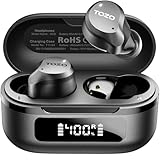
Do Tozo Earbuds Have Tracking? A Comprehensive Guide
Ever misplaced your earbuds? It’s a frustrating experience, right? You’re rushing out the door, ready to enjoy your favorite music or podcast, and suddenly, they’re nowhere to be found. You frantically search your bag, your pockets, under the couch – the panic sets in. In today’s world of advanced technology, you might wonder if your earbuds have a built-in tracking feature to help you locate them. Specifically, if you own a pair of TOZO earbuds, you might be asking yourself, ‘do tozo earbuds have tracking?’
This is a common question, and the answer isn’t always straightforward. We’ll explore the tracking capabilities of TOZO earbuds in detail. We’ll also discuss the different technologies used in tracking devices and examine whether TOZO integrates any of these features into their products. Further, we’ll cover potential solutions and third-party apps that might help you locate your missing earbuds. I will provide you with a comprehensive overview, helping you understand the options available and how to best protect your investment.
So, let’s get started. Let’s delve into the world of TOZO earbuds and find out if they can be tracked.
Understanding Tozo Earbuds and Their Features
TOZO is a well-known brand in the affordable earbud market, popular for its balance of price and features. Their earbuds often include Bluetooth connectivity, long battery life, and sometimes, noise cancellation. Understanding what features TOZO earbuds typically offer is the first step in determining whether they have tracking capabilities.
Key Features of Tozo Earbuds
- Bluetooth Connectivity: This is a standard feature, allowing connection to smartphones, tablets, and other devices.
- Battery Life: Many TOZO earbuds boast impressive battery life, both for the earbuds themselves and the charging case.
- Sound Quality: TOZO aims to provide a decent audio experience, focusing on clear sound and reasonable bass.
- Design and Comfort: TOZO offers various designs to cater to different preferences, with a focus on comfortable fit.
- Water Resistance: Many models are water-resistant, making them suitable for workouts and outdoor activities.
These features are common in many earbud brands, and while they are important, they don’t directly relate to tracking. The presence of these features doesn’t inherently mean the earbuds can be tracked. The ability to track relies on specific technologies, which we’ll explore next.
Tracking Technologies: How Earbud Tracking Works
To understand whether TOZO earbuds can be tracked, it’s essential to understand the different technologies used in tracking devices. These technologies allow you to locate your earbuds if they are lost or misplaced. Several methods are commonly used, each with its own advantages and limitations.
Gps (global Positioning System)
GPS is a satellite-based navigation system that provides location information. However, GPS is typically used in larger devices like smartphones, smartwatches, or dedicated GPS trackers because it requires a significant amount of power and space for the receiver and antenna. The size constraints of earbuds often make it impractical to include a full GPS module.
How GPS Works:
- Satellites: GPS relies on a network of satellites orbiting the Earth.
- Signals: The satellites transmit signals containing their location and the current time.
- Triangulation: The GPS receiver in a device calculates its position by measuring the time it takes to receive signals from multiple satellites.
- Accuracy: GPS can provide highly accurate location data, often within a few meters.
Limitations for Earbuds:
- Size and Power: GPS modules are relatively large and consume a lot of power, which is a challenge for small devices like earbuds.
- Indoor Use: GPS signals can be blocked or weakened indoors, making it difficult to track earbuds inside buildings.
Bluetooth Low Energy (ble) and Proximity Tracking
Bluetooth Low Energy (BLE) is a version of Bluetooth designed for low power consumption. This makes it suitable for small devices like earbuds. BLE is often used for proximity tracking, which means it helps you find your earbuds when they are within a certain range of your smartphone or another device. This is the most common tracking method used in earbuds.
How BLE Proximity Tracking Works:
- Bluetooth Connection: The earbuds constantly broadcast a Bluetooth signal.
- Scanning: Your smartphone or another device scans for these Bluetooth signals.
- Proximity Detection: When your device detects the earbud’s signal, it can estimate the distance between the device and the earbuds.
- App Integration: Apps can use this information to show you the last known location of your earbuds or help you locate them within range (e.g., by making the earbuds emit a sound).
Advantages:
- Low Power Consumption: BLE consumes minimal power, making it ideal for battery-powered devices.
- Small Size: BLE modules are small enough to fit within earbuds.
- Ease of Integration: BLE is relatively easy to integrate into existing devices.
Limitations:
- Range: The tracking range is limited to the Bluetooth range, typically around 10-30 meters (33-98 feet), depending on the environment.
- Location Accuracy: Proximity tracking provides an approximate location rather than precise coordinates.
- Requires Connected Device: The earbuds need to be connected to a device that is actively scanning for the Bluetooth signal.
Other Tracking Technologies
While GPS and BLE are the most common tracking technologies, other options are sometimes used or considered.
- Wi-Fi: Some devices might use Wi-Fi to determine their location, but this is less common in earbuds due to the power requirements and size constraints.
- Ultra-Wideband (UWB): UWB offers more precise location tracking than BLE but requires specialized hardware, which is not yet widely used in earbuds.
Do Tozo Earbuds Use Tracking Technology?
Now, let’s address the central question: do TOZO earbuds have tracking? The answer isn’t a simple yes or no, as it depends on the specific model. TOZO, like many brands, often uses BLE for proximity tracking. However, they don’t typically include GPS or other advanced tracking technologies due to the size and power limitations. Therefore, the tracking capabilities of TOZO earbuds are usually limited to proximity tracking via Bluetooth, which means you can locate them within the Bluetooth range of your connected device.
Checking Your Tozo Earbud Model
The best way to determine if your specific TOZO earbud model has tracking capabilities is to check the product specifications and features. Here’s how:
- Product Documentation: Refer to the user manual or product guide that came with your earbuds. This information often includes details about Bluetooth features and any associated tracking capabilities.
- TOZO Website: Visit the official TOZO website and search for your specific earbud model. The product page should list all the features, including any tracking-related functionality.
- Retail Listings: Check the product listings on online retailers like Amazon. The product description should mention any tracking features.
Proximity Tracking via Bluetooth in Tozo Earbuds
If your TOZO earbuds use Bluetooth for tracking, here’s what you can expect:
- Last Known Location: The companion app (if available) may show the last known location of your earbuds when they were connected to your device.
- Proximity Alerts: Some apps allow you to set up proximity alerts, so you are notified if your earbuds move out of range of your device.
- Find My Earbuds Feature: The app might include a ‘find my earbuds’ feature that allows you to make the earbuds emit a sound to help you locate them.
It’s important to note that the effectiveness of Bluetooth tracking depends on several factors, including the Bluetooth range, the presence of obstacles, and the battery life of both the earbuds and your connected device.
Using Apps and Third-Party Solutions for Tozo Earbud Tracking
Even if your TOZO earbuds don’t have built-in tracking features, there are potential workarounds using apps and third-party solutions. These methods can increase your chances of finding your lost earbuds.
Using the Tozo App
TOZO often provides a companion app for their earbuds. This app can offer various features, including:
- Connection Management: Managing the Bluetooth connection between your earbuds and your device.
- Customization: Adjusting audio settings, such as equalizer settings.
- Firmware Updates: Updating the firmware of your earbuds to improve performance.
- Find My Earbuds: Some TOZO apps have a ‘find my earbuds’ feature that can help you locate the earbuds.
Check the app store (Google Play Store or Apple App Store) to see if there is an official TOZO app for your specific earbud model. If there is, it is always a good idea to install it to take advantage of its features.
Third-Party Apps for Earbud Tracking
Several third-party apps can help you track your earbuds, even if they don’t have built-in tracking features. These apps use Bluetooth proximity detection to help you find your lost earbuds.
- Tile: Tile is a popular tracking app and device. You can attach a Tile tracker to your charging case, or if your TOZO earbuds are compatible, the Tile app can help you find them.
- Find My Device (Android) / Find My (iOS): If your earbuds connect to your phone and the app is set up, these built-in phone features can help you locate them. However, this is more likely to work if your earbuds have some degree of integration with the phone’s operating system.
- Bluetooth Finder Apps: Several apps specialize in finding Bluetooth devices. These apps scan for Bluetooth signals and provide an estimated distance to the device.
How to Use Third-Party Apps:
- Install the App: Download and install a compatible app on your smartphone or tablet.
- Pair Your Earbuds: Connect your TOZO earbuds to the app.
- Use the Tracking Features: Follow the app’s instructions to locate your earbuds. This typically involves scanning for Bluetooth signals and using proximity detection features.
Tips for Using Tracking Apps Effectively
- Keep the App Updated: Ensure that the app is updated to the latest version to take advantage of the latest features and bug fixes.
- Enable Location Services: The app needs access to your device’s location services to track your earbuds. Make sure location services are enabled in your device settings.
- Keep Bluetooth Enabled: Bluetooth must be enabled on your device for the app to detect your earbuds.
- Check Battery Life: Ensure that both your earbuds and your device have sufficient battery life for the tracking app to function properly.
- Understand Limitations: Remember that proximity tracking has limitations, such as range and accuracy.
Preventative Measures: Protecting Your Tozo Earbuds
While tracking features can help you find lost earbuds, taking preventative measures is the best way to avoid losing them in the first place.
Proper Storage and Handling
- Use the Charging Case: Always store your earbuds in their charging case when they are not in use. This protects them from damage and makes them easier to keep track of.
- Designated Spot: Keep a designated spot for your charging case, such as a desk drawer or a specific pocket in your bag.
- Avoid Clutter: Keep your surroundings tidy to minimize the chances of misplacing your earbuds.
Regular Maintenance and Care
- Clean Regularly: Clean your earbuds regularly to remove any dirt or debris.
- Check for Damage: Inspect your earbuds for any signs of damage, such as cracks or loose components.
- Handle with Care: Avoid dropping or exposing your earbuds to extreme temperatures or moisture.
Using Accessories
- Earbud Straps or Tethers: Consider using earbud straps or tethers to keep your earbuds connected, especially during physical activities.
- Protective Cases: Use a protective case for your charging case to prevent scratches and other damage.
Setting Up Alerts and Notifications
- Proximity Alerts: Set up proximity alerts in the TOZO app or a third-party app to be notified if your earbuds move out of range of your device.
- Bluetooth Connection Alerts: Enable Bluetooth connection alerts to be notified when your earbuds connect to or disconnect from your device.
Troubleshooting Common Tracking Issues
Even with tracking features and apps, you might encounter issues when trying to locate your TOZO earbuds. Here are some common problems and how to troubleshoot them.
Earbuds Not Showing Up in the App
- Bluetooth Not Enabled: Ensure that Bluetooth is enabled on your device.
- Earbuds Not Paired: Make sure your earbuds are properly paired with the app.
- App Permissions: Check that the app has the necessary permissions to access your device’s location and Bluetooth.
- Earbud Battery Life: Low battery life on the earbuds can prevent them from being detected.
- App Compatibility: Ensure that the app is compatible with your earbud model.
Inaccurate Location Information
- Bluetooth Range Limitations: Remember that Bluetooth range is limited, and the location information is only accurate within that range.
- Obstacles: Walls, furniture, and other obstacles can interfere with the Bluetooth signal and affect location accuracy.
- Interference: Other electronic devices can cause interference and affect Bluetooth performance.
Earbuds Not Emitting Sound
- Earbud Battery Life: The earbuds might not be able to emit a sound if they have low battery life.
- Volume Settings: Check the volume settings on your device and in the app to make sure the earbuds are set to emit sound at a reasonable volume.
- App Issues: There might be an issue with the app itself. Try restarting the app or reinstalling it.
General Troubleshooting Tips
- Restart Your Device: Restarting your smartphone or tablet can often resolve connectivity issues.
- Update Firmware: Ensure that both your device’s operating system and the app are up to date. Also, check for firmware updates for your earbuds.
- Contact Support: If you are still experiencing issues, contact TOZO customer support or the support for the third-party app you are using.
Conclusion
So, do tozo earbuds have tracking? The answer is generally, it depends on the specific model. While TOZO earbuds often don’t include built-in GPS tracking, many models utilize Bluetooth for proximity tracking. This means you can typically locate your earbuds within Bluetooth range using the TOZO app or third-party apps like Tile or Find My Device. It’s essential to check the product specifications for your specific model to confirm its tracking capabilities. Proactive measures, such as proper storage and the use of accessories, can significantly reduce the likelihood of losing your earbuds. Remember to troubleshoot any issues and utilize the available resources, like the TOZO app or customer support, to maximize your chances of finding lost earbuds.
Recommended Products