Do Earbuds Set Off Metal Detectors? Your Ultimate Guide
Ever walked through a security checkpoint, heart pounding, wondering if your earbuds were about to trigger the alarm? It’s a common concern, and a valid one. We rely on earbuds for everything these days, from calls to music, podcasts to audiobooks. But with the prevalence of metal detectors in airports, schools, and other public spaces, the question of whether or not your earbuds can set them off is a pertinent one.
This guide aims to provide a comprehensive answer. We’ll explore the components of earbuds, the technology behind metal detectors, and the likelihood of a false positive. We’ll also cover best practices for navigating security checks with your favorite audio companions. Get ready to gain a clear understanding of the relationship between your earbuds and metal detectors, so you can travel with confidence and avoid any unnecessary security hiccups.
Understanding Metal Detectors
Before diving into the specifics of earbuds, let’s establish a solid understanding of how metal detectors work. These devices are designed to detect the presence of metal objects, and they do so using electromagnetic fields. There are two primary types of metal detectors you’ll encounter:
Walk-Through Metal Detectors
These are the archway-shaped detectors commonly found at airports, courthouses, and other security checkpoints. They work by emitting an electromagnetic field. When a metal object passes through this field, it disrupts the field, triggering an alarm. The sensitivity of these detectors can be adjusted to detect a wide range of metals, from small keys to larger weapons.
Handheld Metal Detectors
These are used by security personnel to scan individuals or objects more closely. They operate on the same principle as walk-through detectors but are more portable and can pinpoint the location of metal objects with greater precision. They’re often used after a walk-through detector alarm to identify the specific item that triggered it.
Earbud Components and Metal Content
To determine if earbuds can set off metal detectors, we need to examine their internal components. Modern earbuds, whether wired or wireless, typically consist of the following:
- Drivers: These are the core components that convert electrical signals into sound waves. They usually contain magnets, which are essential for their function.
- Housing: This is the outer shell of the earbud, which can be made from a variety of materials, including plastic, metal, and composite materials.
- Wires (for wired earbuds): These contain copper, which conducts the electrical signal from the audio source to the drivers.
- Connectors (for wired earbuds): These are typically made of metal and are used to connect the earbuds to the audio source.
- Battery (for wireless earbuds): Wireless earbuds contain a lithium-ion battery.
- Circuitry: Wireless earbuds also contain small circuit boards with various electronic components.
The presence of metal in these components is the key factor in determining whether earbuds will trigger a metal detector. Specifically, the magnets in the drivers, the metal connectors, and any metal used in the housing or internal circuitry are the primary areas of concern.
Factors Influencing Metal Detector Sensitivity
The likelihood of your earbuds setting off a metal detector is also influenced by several factors:
- Metal Detector Sensitivity: Metal detectors have adjustable sensitivity settings. A highly sensitive detector is more likely to pick up small amounts of metal, while a less sensitive detector may not. Security personnel often adjust the sensitivity based on the specific security needs of the location.
- Type of Metal Detector: Different types of metal detectors may have varying levels of sensitivity. Walk-through detectors and handheld detectors can be set to different sensitivity levels.
- Metal Content in Earbuds: The amount and type of metal in your earbuds will affect the likelihood of detection. Earbuds with more metal components or larger metal parts are more likely to trigger the alarm.
- Earbud Placement: Where you are carrying your earbuds can influence detection. If they’re in a pocket or bag near a metal object, the combined metal mass may increase the chances of triggering the detector.
Wired vs. Wireless Earbuds and Metal Detectors
The design of your earbuds, specifically whether they are wired or wireless, can also influence whether they trigger a metal detector. Here’s a breakdown:
Wired Earbuds
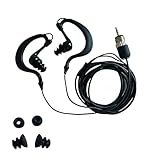
Wired earbuds typically contain more metal components than wireless earbuds. They have metal connectors, copper wires, and magnets in the drivers. Therefore, wired earbuds are slightly more likely to trigger a metal detector.
Wireless Earbuds
Wireless earbuds, such as those from Apple (AirPods), Samsung (Galaxy Buds), and Sony, still contain metal components (magnets, and usually some metal in the housing and charging case), but often less than their wired counterparts. The charging case can also contain metal, and this can be a factor. While wireless earbuds are generally less likely to trigger a metal detector, it’s still possible.
Specific Earbud Models and Metal Detector Interactions
The specific model of your earbuds can also affect their interaction with metal detectors. Some models are designed with more metal components, while others use more plastic or composite materials. The design and materials used in the earbuds’ construction play a significant role. Here are some examples of popular earbud brands and what to expect:
- Apple AirPods: Original AirPods and newer generations contain magnets, and potentially some metal in the charging case. These may trigger a metal detector, especially if the case is also present.
- Samsung Galaxy Buds: Similar to AirPods, Galaxy Buds have magnets and potentially metal in the charging case.
- Sony WF-1000XM Series: These premium earbuds have magnets and may have metal in their build.
- JBL Earbuds: JBL offers a wide range of earbuds, and the metal content can vary depending on the model.
- Bose Earbuds: Bose earbuds, like other brands, contain magnets and other metal components.
It’s important to note that even if your specific earbud model has triggered a metal detector in the past, it doesn’t mean it will always do so. Sensitivity settings and the specific detector being used play a role.
Here are some practical tips to minimize the chances of your earbuds triggering a metal detector and to streamline the security process:
- Remove Earbuds and Case: The safest approach is to remove your earbuds and their charging case from your pockets or bag before going through the metal detector. Place them in the tray with your other belongings.
- Place Earbuds in a Separate Tray: If you’re concerned about your earbuds triggering the alarm, place them in their own separate tray, away from other metal objects like keys or phones.
- Be Prepared for Inspection: If the alarm sounds, be ready for a secondary inspection. Security personnel may ask you to remove your earbuds from your bag or person and scan them with a handheld detector.
- Communicate with Security: If you are wearing your earbuds, inform security personnel that you have them. This can help prevent any misunderstandings and speed up the process.
- Know the Rules: Familiarize yourself with the specific security regulations of the location you are visiting. Some locations may have different rules regarding electronics.
- Consider the Case: The charging case can be a source of metal detection. If you’re concerned, it’s best to remove the case and place it in the tray.
- Use a Clear Case (Optional): If you want to keep your earbuds visible, consider using a clear charging case.
What to Do If Your Earbuds Trigger the Alarm
If your earbuds do trigger the metal detector alarm, stay calm and follow these steps:
- Cooperate with Security: Follow the instructions of the security personnel. They are trained to handle these situations.
- Explain the Situation: Politely inform the security officer that you have earbuds and that they may have triggered the alarm.
- Allow Inspection: Be prepared for a secondary inspection. This may involve the officer using a handheld metal detector to scan your earbuds and your belongings.
- Answer Questions: Answer any questions the security officer may have honestly and truthfully.
- Avoid Arguing: Arguing with security personnel will only prolong the process. Remain calm and cooperative.
- Be Patient: Security checks can sometimes take time. Be patient and understanding.
Other Potential Causes of Metal Detector Alarms
It’s important to remember that if your earbuds trigger the alarm, they may not be the only cause. Here are some other common items that can set off a metal detector:
- Keys: Keys are a very common cause.
- Coins: Loose change in your pockets or bag.
- Belt Buckles: Metal belt buckles are a frequent culprit.
- Jewelry: Rings, necklaces, bracelets, and other jewelry.
- Metal Zippers and Buttons: On clothing or bags.
- Electronic Devices: Smartphones, tablets, and laptops.
- Medical Devices: Some medical devices, such as insulin pumps, may trigger the alarm.
The Future of Earbuds and Metal Detection
As technology evolves, so will the design of earbuds and metal detectors. We can expect to see several trends:
- More Non-Metallic Materials: Manufacturers may increasingly use non-metallic materials in earbud construction to reduce the likelihood of triggering metal detectors.
- Advanced Metal Detector Technology: Metal detector technology may become more sophisticated, allowing for better discrimination between different types of metal and reducing false positives.
- Integration with Security Systems: Earbuds, and other devices, might eventually be designed to integrate with security systems, potentially including specific profiles or modes to minimize security issues.
- Focus on Security Protocols: Security protocols will continue to adapt to the changing landscape of technology.
Conclusion
So, do earbuds set off metal detectors? The answer is: it depends. While not a certainty, earbuds, especially wired ones and those with metal components in the housing or charging case, can trigger alarms. Wireless earbuds, though containing less metal, are still capable of detection. By understanding the technology, the components of your earbuds, and following some simple tips, you can navigate security checkpoints with ease. Removing your earbuds and case before the scan, or placing them in a separate tray, is the best proactive step. Staying informed and cooperative during the security process will help to ensure a smooth journey. Remember to remain calm, be prepared for secondary inspection, and follow the instructions of security personnel. With a little preparation, you can keep your music playing without any security headaches.
Recommended Products