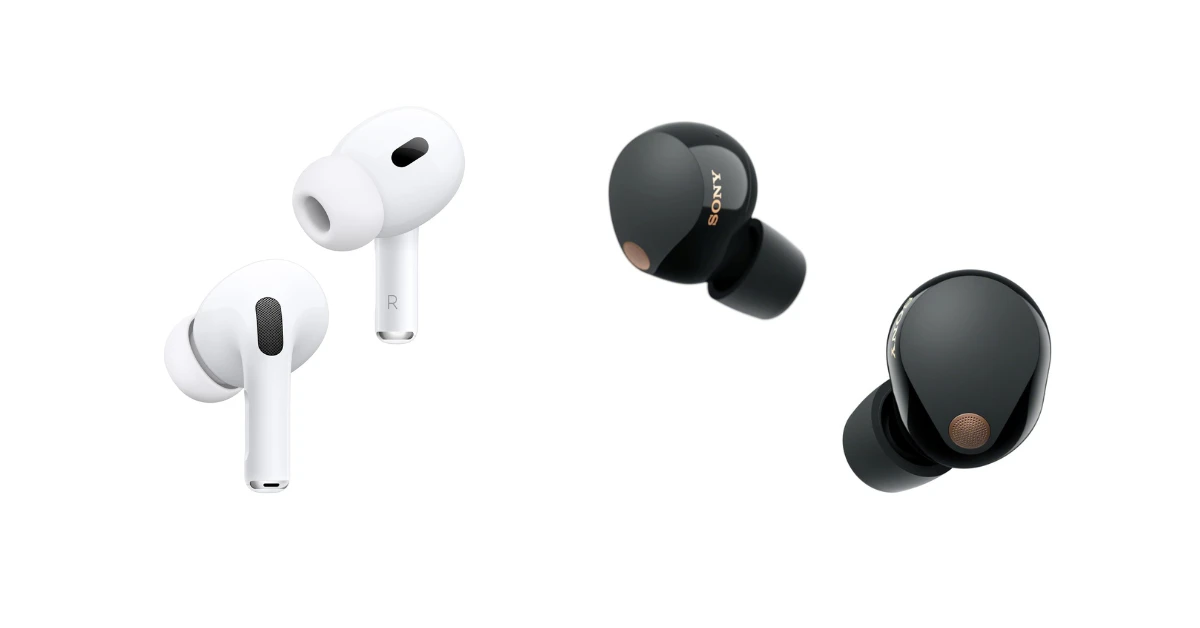
Are Samsung Galaxy Earbuds Compatible with iPhone? Here’s the
So, you’re an iPhone user, and you’ve got your eye on a pair of Samsung Galaxy earbuds. Maybe you’ve heard great things about their sound quality, comfort, or features. But a crucial question pops up: will they even work with your iPhone? The world of tech can sometimes feel like a walled garden, with different ecosystems not always playing nicely together.
Don’t worry, you’re not alone in wondering about compatibility. It’s a common question, and the answer is more nuanced than a simple yes or no. We’ll break down everything you need to know about using Samsung Galaxy earbuds with an iPhone, from the basics of Bluetooth connectivity to the features that might work (or not). We’ll explore the setup process, potential limitations, and whether the experience is worth it. Get ready to find out if these earbuds are a good match for your Apple device!
The Short Answer: Yes, but…
The good news is, yes, Samsung Galaxy earbuds are generally compatible with iPhones. They connect via Bluetooth, which is a universal standard. This means you can pair them with your iPhone just like you would with any other Bluetooth device, such as a speaker or another pair of headphones. However, the ‘but’ is important. While the basic functionality of playing audio and taking calls will work, you might miss out on some advanced features and seamless integration that Samsung users enjoy.
Understanding Bluetooth Compatibility
Bluetooth is a wireless technology that allows devices to communicate with each other over short distances. It’s the backbone of how your Galaxy earbuds will connect to your iPhone. The process is straightforward:
- Pairing: You’ll put your Galaxy earbuds into pairing mode (usually by opening the charging case near your iPhone or pressing a button on the earbuds). Then, you’ll go into your iPhone’s Bluetooth settings and select your earbuds from the list of available devices.
- Connection: Once paired, your iPhone will remember the earbuds, and they will automatically connect whenever they’re within range and powered on.
- Basic Functionality: Once connected, you can listen to music, podcasts, audiobooks, and other audio content from your iPhone through the earbuds. You can also use the earbuds for phone calls.
Important Note: Bluetooth versions matter. While most modern devices are backward compatible, ensure both your iPhone and the Galaxy earbuds support a relatively recent Bluetooth version (like 5.0 or higher) for the best performance, battery life, and range.
Features That Work on iPhone
Even with an iPhone, you’ll still get a lot of value from Samsung Galaxy earbuds. Here’s a rundown of what you can expect to work:
- Audio Playback: This is the core function. You can listen to music, podcasts, audiobooks, and any other audio your iPhone plays.
- Call Functionality: You can use the earbuds to make and receive phone calls. The built-in microphones in the earbuds will pick up your voice.
- Volume Control: You’ll be able to adjust the volume using the touch controls on the earbuds (if they have them) or through your iPhone’s volume buttons and control center.
- Pause/Play: Most Galaxy earbuds have touch controls that allow you to pause and resume audio playback.
- Skip Tracks: You can usually skip to the next or previous track using the earbud controls.
- Voice Assistant (Siri): You can typically activate Siri by double-tapping or long-pressing a touch control on the earbuds (if supported).
Here’s where the differences between using Galaxy earbuds with a Samsung phone and an iPhone become apparent. Some features rely on Samsung’s ecosystem and may not work as intended or at all:
- Companion App: Samsung provides a companion app (usually called the Galaxy Wearable app) that offers advanced settings and customizations. This app is primarily designed for Android devices and is often not fully compatible with iPhones. You might be able to find a limited version or a workaround, but it won’t offer the full range of features.
- Customization: Without the companion app, you might have limited control over features like:
- Equalizer Settings: Fine-tuning the audio to your preferences.
- Touch Controls Customization: Changing what the touch controls on the earbuds do (e.g., changing the function of a double-tap).
- Noise Cancellation Modes: Switching between different levels of noise cancellation.
- Ambient Sound Mode: Adjusting how much environmental noise you hear.
- Seamless Switching: Samsung phones often allow for seamless switching between devices (e.g., quickly switching from your phone to your tablet). This feature is unlikely to work with an iPhone.
- Battery Status: You might not always see the exact battery percentage of each earbud and the charging case within your iPhone’s interface.
- Codec Support: While Bluetooth supports various audio codecs, some advanced codecs (like Samsung’s proprietary ones) might not be fully utilized on an iPhone, potentially affecting audio quality.
Setting Up Samsung Galaxy Earbuds with Your iPhone
The setup process is simple, but here’s a step-by-step guide to ensure a smooth experience:
- Charge the Earbuds: Make sure your Galaxy earbuds are fully charged before you start.
- Put Earbuds in Pairing Mode: Open the charging case. If the earbuds don’t automatically go into pairing mode, you might need to press and hold a button on the case or the earbuds themselves. Consult your earbuds’ manual for specific instructions.
- Open Bluetooth Settings on Your iPhone: Go to Settings > Bluetooth on your iPhone.
- Enable Bluetooth: Make sure the Bluetooth toggle is turned on.
- Select Your Earbuds: Your iPhone should scan for available Bluetooth devices. Look for your Galaxy earbuds in the list (they might be labeled something like ‘Galaxy Buds’ or ‘Galaxy Buds Pro’) and tap on them to connect.
- Follow On-Screen Prompts: Your iPhone might ask you to confirm the pairing or enter a code. Follow the on-screen instructions.
- Test the Connection: Once connected, play some music or make a phone call to ensure the audio is working correctly.
- Optional: Install a Third-Party App (If Available): Some third-party apps claim to offer limited control over Samsung earbuds on iPhones. However, their functionality can be hit-or-miss. Research these apps and read reviews before installing.
Troubleshooting Common Issues
Even though the setup is generally easy, you might encounter some issues. Here’s how to troubleshoot them:
- Earbuds Not Showing Up:
- Make sure the earbuds are in pairing mode.
- Ensure Bluetooth is enabled on your iPhone.
- Move the earbuds closer to your iPhone.
- Restart both your iPhone and the earbuds.
- Check the earbuds’ battery level.
- Earbuds Not Connecting:
- Forget the earbuds in your iPhone’s Bluetooth settings and try pairing them again.
- Reset the earbuds to their factory settings (refer to the earbuds’ manual).
- Make sure there are no other devices interfering with the Bluetooth signal.
- Audio Quality Issues:
- Ensure your iPhone and the earbuds are relatively close to each other.
- Try resetting the earbuds.
- Check for interference from other devices.
- If possible, test the earbuds with another Bluetooth device to see if the problem persists.
- One Earbud Not Working:
- Make sure both earbuds are charged.
- Check the balance settings in your iPhone’s accessibility settings (Settings > Accessibility > Audio/Visual).
- Reset the earbuds.
Comparing Samsung Galaxy Earbuds to Airpods on iPhone
Since you’re an iPhone user, it’s natural to compare Samsung Galaxy earbuds to Apple’s AirPods. Here’s a brief comparison:
| Feature | Samsung Galaxy Earbuds (on iPhone) | Apple AirPods |
|---|---|---|
| Compatibility | Works via Bluetooth | Designed for seamless integration with iOS |
| Setup | Easy, standard Bluetooth pairing | Simple one-tap setup (with a compatible iPhone) |
| Features | Audio playback, calls, volume control, pause/play, skip tracks, Siri | All Galaxy features, plus: automatic device switching, spatial audio, personalized volume, etc. |
| Companion App | Limited or no access to the Galaxy Wearable app | Full integration with iOS settings |
| Customization | Limited | Full control over settings and features |
| Audio Quality | Generally good, may vary depending on codec support | Excellent, optimized for Apple devices |
| Price | Varies; often more affordable than AirPods | Varies; price depends on the model |
| Integration | Basic Bluetooth connection | Seamless integration with the Apple ecosystem |
Key Takeaway: While Samsung Galaxy earbuds work with an iPhone, the experience isn’t as seamless or feature-rich as using AirPods. AirPods are designed to work flawlessly with iPhones, offering instant pairing, easy device switching, and full access to all features. However, Samsung Galaxy earbuds often offer a great value, and if you prioritize sound quality, comfort, or specific features, they can still be a good choice.
Alternatives to Samsung Galaxy Earbuds for iPhone Users
If you’re not completely sold on Samsung Galaxy earbuds for your iPhone, here are some alternatives to consider:
- Apple AirPods: The most obvious choice, offering the best integration with the iPhone.
- Other Bluetooth Earbuds: Many other brands offer excellent Bluetooth earbuds that are compatible with both Android and iOS devices. Look for brands known for good audio quality and features like noise cancellation.
- Earbuds with Multipoint Pairing: Some earbuds can connect to multiple devices simultaneously. This can be useful if you switch between your iPhone and other devices (like a laptop) frequently.
- Wired Earbuds: If you prioritize simplicity and don’t mind a wired connection, consider a pair of wired earbuds. They’re often more affordable and don’t require charging.
Making Your Decision: Are They Right for You?
Ultimately, the decision of whether to use Samsung Galaxy earbuds with your iPhone depends on your priorities. Consider these factors:
- Do you value seamless integration? If yes, AirPods are the better choice.
- Do you prioritize sound quality and features? Research the specific Galaxy earbuds model you’re considering and compare them to other options.
- Are you willing to compromise on some features? You’ll likely miss out on some of the advanced customizations and ecosystem-specific features.
- What’s your budget? Samsung Galaxy earbuds are often more affordable than AirPods, but prices vary.
By weighing these factors, you can make an informed decision that’s right for you. Remember that even with limitations, Samsung Galaxy earbuds can still provide a great listening experience on your iPhone.
Final Thoughts
Using Samsung Galaxy earbuds with an iPhone is entirely possible, thanks to Bluetooth technology. You’ll be able to enjoy your music, take calls, and use basic controls. However, be aware that you might not get the full range of features and customizations that Samsung users enjoy because of the lack of full integration with the Galaxy Wearable app on iOS.
Consider your priorities. If seamless integration and all the bells and whistles are essential, AirPods are a natural fit. If you are prioritizing sound quality, comfort, or value, Samsung Galaxy earbuds can still be a solid choice. Carefully evaluate the specific features of the Galaxy earbuds model you’re interested in, compare them to other options, and decide if the compromises are worth it for your needs. Happy listening!
Recommended Products