Apple Pencil Pro vs Apple Pencil USB C – Which Should You Buy?
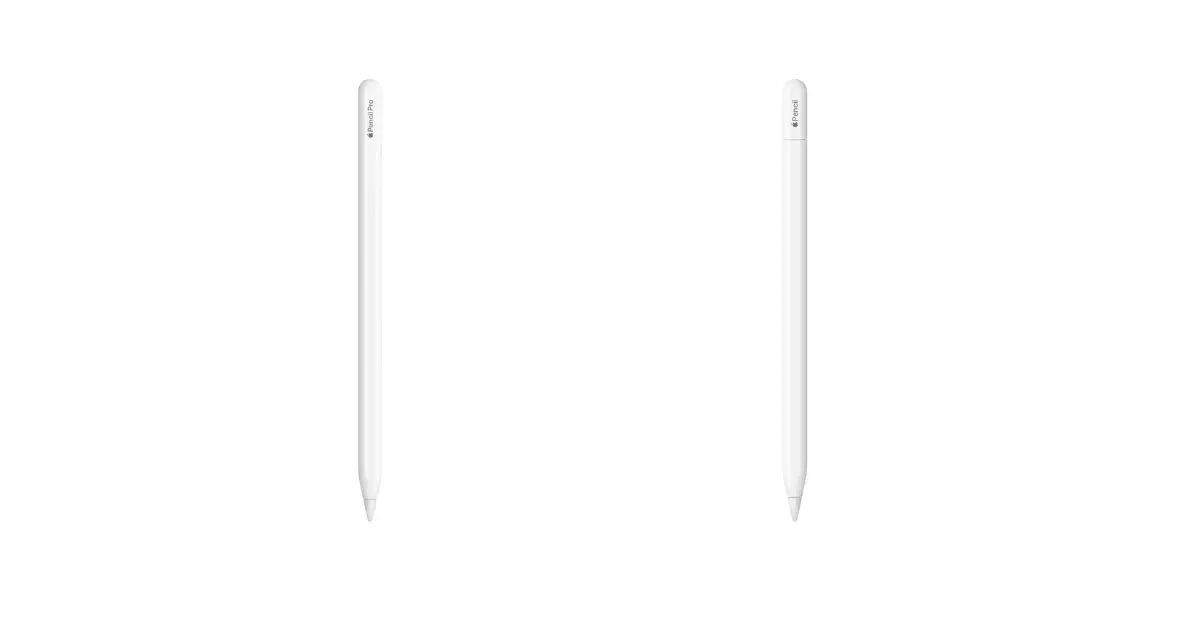
Choosing between the Apple Pencil Pro and the Apple Pencil USB C matters because both serve different types of iPad users. The Apple Pencil Pro is the newer and more advanced model, offering enhanced precision controls and features that support professional workflows. It focuses on creative power with expanded gesture support and refined responsiveness.
The Apple Pencil USB C is more affordable and aims to provide a simple and reliable input tool for everyday note taking, casual drawing, and general navigation. It keeps the experience clean and practical without advanced sensors or premium features. The Apple Pencil USB C appeals to students, light creators, and users who want a capable stylus without extra cost.
This comparison will help you understand the key differences in design, features, and performance so you can choose the model that fits your needs and your budget.
Feature-by-Feature Breakdown
Design and Comfort:
The Apple Pencil Pro features a balanced cylindrical design for providing a steady grip during detailed creative tasks.
The Apple Pencil USB C has a similar shape but focuses on a lighter feel for simple everyday input.
Winner: Apple Pencil Pro
Pressure Sensitivity:
The Apple Pencil Pro features advanced pressure sensitivity for allowing creators to produce natural line variation and detailed shading.
The Apple Pencil USB C does not include pressure sensitivity.
Winner: Apple Pencil Pro
Tilt Support:
The Apple Pencil Pro includes precise tilt recognition for enabling smooth shading and angle based strokes.
The Apple Pencil USB C features basic tilt support.
Winner: Apple Pencil Pro
Hover Function:
The Apple Pencil Pro supports hover for letting users preview strokes before they touch the display.
The Apple Pencil USB C has hover support.
Winner: Apple Pencil Pro
Barrel Roll:
The Apple Pencil Pro features a rotation sensor for allowing artists to change brush orientation by twisting the pencil.
The Apple Pencil USB C does not include barrel roll capability.
Winner: Apple Pencil Pro
Squeeze Gesture:
The Apple Pencil Pro includes a squeeze gesture for giving quick access to tools or shortcuts.
The Apple Pencil USB C does not include gesture controls.
Winner: Apple Pencil Pro
Haptics:
The Apple Pencil Pro features subtle haptic feedback for confirming actions and improving precision.
The Apple Pencil USB C does not include haptic feedback.
Winner: Apple Pencil Pro
Charging Method:
The Apple Pencil Pro comes with magnetic charging for keeping the stylus attached and charged on the side of compatible iPads.
The Apple Pencil USB C uses a USB C port for wired charging.
Winner: Apple Pencil Pro
Precision and Latency:
The Apple Pencil Pro has lower latency for providing smoother strokes and a more natural drawing experience.
The Apple Pencil USB C offers standard latency performance.
Winner: Apple Pencil Pro
Tracking and Finding:
The Apple Pencil Pro includes Find My support for locating the stylus when misplaced.
The Apple Pencil USB C does not include tracking support.
Winner: Apple Pencil Pro
Specs at a Glance
| Feature | Apple Pencil Pro | Apple Pencil USB C |
|---|---|---|
| Pressure sensitivity | Yes | No |
| Hover support | Yes | Yes |
| Squeeze gesture | Yes | No |
| Barrel roll | Yes | No |
| Tilt sensitivity | Yes | Yes |
| Magnetic charging | Yes | Yes |
| USB C charging | No | Yes |
| Find My support | Yes | No |
| Haptic feedback | Yes | No |
| Weight | Slightly heavier | Lighter |
| Latency | Lower | Standard |
Who Should Buy What?Buy the Apple Pencil Pro if you:
Check Apple Pencil Pro Best Price Buy the Apple Pencil USB C if you:
|
Winner by Category
| Category | Winner |
|---|---|
| Design and Comfort | Apple Pencil Pro |
| Pressure Sensitivity | Apple Pencil Pro |
| Tilt Support | Apple Pencil Pro |
| Hover Function | Apple Pencil Pro |
| Barrel Roll | Apple Pencil Pro |
| Squeeze Gesture | Apple Pencil Pro |
| Haptics | Apple Pencil Pro |
| Charging Method | Apple Pencil Pro |
| Precision and Latency | Apple Pencil Pro |
| Tracking and Finding | Apple Pencil Pro |
What They Have in Common
- Tilt Support: Both models support tilt input. This helps users create angled strokes and shading without switching tools manually.
- Hover Support: Both offer hover detection. This allows users to preview brush placement before touching the screen, improving accuracy.
- Magnetic Attachment: Both attach magnetically to compatible iPads. This gives you a convenient storage position and keeps the stylus accessible.
- Low Latency: Both offer low lag performance. This results in smooth lines and natural motion for note taking and drawing.
- Palm Rejection: Both include palm rejection. This lets users rest their hand on the screen without accidental marks.
- iPadOS Integration: Both work seamlessly with iPadOS. This ensures broad app compatibility and consistent performance across the system.
- Shading: Both support shading through tilt input. This is helpful for sketching and creating basic artistic effects.
FAQ (Quick Answers)
Is the Apple Pencil Pro worth the extra cost?
The Apple Pencil Pro is worth it if you want professional features such as pressure sensitivity, barrel roll, squeeze gestures, and haptic feedback. These capabilities make it a better fit for artists and designers who rely on precision tools. Casual users may not notice the difference.
Does the Apple Pencil USB C work with older iPads?
The Apple Pencil USB C works with newer USB C iPads only. It does not work with older Lightning based iPads. Compatibility depends on the specific model, so it is important to check your iPad version before buying.
Do both models support hover?
Both the Apple Pencil Pro and the Apple Pencil USB C support hover on compatible iPads. This allows users to preview strokes and improves placement accuracy before touching the screen.
Can I use the Apple Pencil Pro features in all apps?
Most creative apps support advanced features like pressure sensitivity and tilt. Some features such as barrel roll or squeeze shortcuts may require app specific updates. The core functions work across many popular drawing and note apps.
Which pencil is better for students?
The Apple Pencil USB C is often a better choice for students due to its lower price and essential tools. It handles notes, diagrams, and simple sketches well. Students who take art classes may prefer the Apple Pencil Pro.
Does the Apple Pencil USB C charge magnetically?
The Apple Pencil USB C can attach magnetically to some iPads for storage but it does not charge magnetically. It charges through a USB C port, so you will need a cable.
Can the Apple Pencil Pro help with professional illustration?
The Apple Pencil Pro is designed for advanced artwork. It offers pressure control, haptics, squeeze gestures, and a rotation sensor, making it suitable for professional illustration and design workflows.
Is there any difference in durability?
Both models are built with similar materials and offer strong durability. The Apple Pencil Pro may feel slightly more solid due to added sensors but both hold up well with normal use.
Which pencil has better battery life?
Battery life is similar for both models during regular use. The difference is mostly in how they charge, with the Apple Pencil Pro using magnetic charging and the Apple Pencil USB C using a cable.
Can I lose the Apple Pencil Pro less easily?
The Apple Pencil Pro includes Find My support. This helps locate the pencil if it is misplaced. The Apple Pencil USB C does not include tracking features, so it can be easier to lose.