How to Bluetooth Earbuds: A Comprehensive Guide
Ever wondered how to get those tiny, wireless wonders – your Bluetooth earbuds – up and running? It’s easier than you might think. We’ve all been there, staring at a blinking light, wondering why our favorite tunes aren’t playing. Don’t worry, I’ll walk you through everything, from the initial pairing process to troubleshooting common issues.
This guide is designed for everyone, whether you’re a tech novice or a seasoned audiophile. We’ll cover different types of earbuds, the essential steps for connecting to your devices, and some handy tips and tricks to maximize your listening experience. So, grab your earbuds, your phone, and let’s get started!
We’ll cover everything from the basics of pairing to more advanced techniques like managing multiple connections and optimizing sound quality. By the end, you’ll be a Bluetooth earbud pro, ready to enjoy your music, podcasts, and calls with ease.
Understanding Bluetooth Earbuds: A Quick Overview
Bluetooth earbuds have become incredibly popular, and for good reason. They offer convenience, portability, and freedom from wires. But how do they actually work? Let’s break it down.
What Is Bluetooth?
Bluetooth is a wireless technology that allows devices to communicate over short distances. Think of it as a radio signal specifically designed for connecting gadgets like your phone, tablet, and earbuds. It uses radio waves to transmit audio data.
Types of Bluetooth Earbuds
There are several types of Bluetooth earbuds available, each with its own advantages:
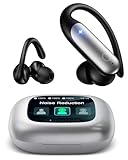
- True Wireless Earbuds (TWS): These are the most popular type. They have no wires connecting the earbuds to each other or to your device. They come with a charging case for portability and storage.
- Neckband Earbuds: These earbuds are connected by a wire that rests around your neck. They often have longer battery life and may include extra features like vibration alerts for calls.
- Sports Earbuds: Designed for workouts, these earbuds are typically sweat-resistant and offer a secure fit. They might include features like wingtips or ear hooks to keep them in place during exercise.
- Over-Ear Headphones with Bluetooth: While not strictly earbuds, these Bluetooth headphones offer a larger soundstage and typically provide better sound quality and noise cancellation.
How to Pair Your Bluetooth Earbuds: Step-by-Step Guide
Pairing your Bluetooth earbuds is the first step to enjoying your audio. The process is generally the same across different devices, but let’s look at the specifics.
Pairing with Your Smartphone (android & Ios)
- Charge Your Earbuds: Make sure your earbuds are sufficiently charged. Most earbuds come with a charging case that you can use to charge them.
- Put Your Earbuds in Pairing Mode: This is usually done by pressing and holding a button on the earbuds or the charging case. Refer to your earbud’s manual for the exact method, but you’ll often see a flashing light indicating that they’re in pairing mode.
- Enable Bluetooth on Your Phone: Go to your phone’s settings. On Android, it’s typically under “Connections” or “Bluetooth.” On iOS, it’s in the “Bluetooth” section of the Settings app. Turn Bluetooth on.
- Scan for Devices: Your phone will start searching for nearby Bluetooth devices.
- Select Your Earbuds: Once your earbuds appear in the list of available devices, tap on their name to connect. You might be prompted to confirm the pairing or enter a PIN (usually “0000” or “1234”).
- Test the Connection: Play some music or make a call to ensure the earbuds are working properly.
Pairing with Your Laptop or Computer
- Charge Your Earbuds: Ensure they are charged.
- Put Your Earbuds in Pairing Mode: Refer to your earbud’s manual.
- Access Bluetooth Settings: On Windows, go to “Settings” > “Devices” > “Bluetooth & other devices.” On macOS, go to “System Preferences” > “Bluetooth.”
- Turn on Bluetooth: Make sure Bluetooth is enabled on your computer.
- Add a Device: Click “Add Bluetooth or other device” (Windows) or click the “+ ” button (macOS) and select “Bluetooth.”
- Select Your Earbuds: Choose your earbuds from the list of available devices. You might need to enter a PIN.
- Test the Connection: Play some audio to confirm the connection. You might need to select your earbuds as the audio output device in your computer’s sound settings.
Pairing with Other Devices (tablets, Tvs, Etc.)
The process is similar to pairing with a smartphone or computer. The key is to access the Bluetooth settings on your device, put your earbuds in pairing mode, and select them from the list of available devices. Consult your device’s manual if you’re unsure how to access the Bluetooth settings.
Troubleshooting Common Bluetooth Earbud Issues
Sometimes, things don’t go as planned. Here are some common issues and how to fix them:
Earbuds Won’t Pair
- Check Battery: Make sure your earbuds are charged. Low battery can prevent pairing.
- Restart Devices: Try restarting both your earbuds and the device you’re trying to connect to.
- Check Pairing Mode: Ensure your earbuds are in pairing mode. The indicator light should be flashing.
- Forget and Re-pair: On your device, “forget” the earbuds in the Bluetooth settings and then try pairing them again.
- Distance: Make sure the earbuds and the device are close to each other, ideally within a few feet.
- Interference: Move away from other Bluetooth devices or sources of interference (microwaves, Wi-Fi routers).
- Update Firmware: Some earbuds have firmware updates that can fix pairing issues. Check the manufacturer’s website or app.
One Earbud Isn’t Working
- Check Battery: Make sure both earbuds are charged.
- Re-pair the Earbuds: Sometimes, a simple re-pairing can fix the issue. Put both earbuds back in the charging case, close the lid, and then take them out again to initiate pairing.
- Reset the Earbuds: Many earbuds have a reset function. Consult your manual for instructions. This usually involves holding a button for a specific amount of time.
- Check Balance Settings: On your device, check the audio balance settings. It’s possible the balance is skewed to one side.
- Clean the Earbuds: Sometimes, debris can block the sound. Gently clean the earbud’s speaker with a soft, dry cloth.
Sound Quality Issues
- Check Distance: Bluetooth has a limited range. Move closer to your device.
- Reduce Interference: Move away from other Bluetooth devices or sources of interference.
- Check Volume: Make sure the volume is turned up on both your earbuds and your device.
- Equalizer Settings: Experiment with the equalizer settings on your device or in your music app to find a sound profile you like.
- Codec Support: Some earbuds support higher-quality audio codecs (like aptX or AAC). Check your device’s settings to ensure it’s using the best codec available.
- Clean the Earbuds: Debris can affect sound quality. Gently clean the earbud’s speaker with a soft, dry cloth.
Earbuds Disconnecting Frequently
- Check Distance: Stay within the Bluetooth range.
- Reduce Interference: Minimize interference from other devices.
- Check Battery: Low battery can cause disconnections.
- Update Firmware: Keep your earbuds’ firmware updated.
- Reset Network Settings (on your phone): This can sometimes resolve Bluetooth connectivity problems. Be aware that this will reset your Wi-Fi passwords, so you’ll need to re-enter them.
Advanced Tips and Tricks for Bluetooth Earbuds
Once you’ve mastered the basics, here are some tips to enhance your experience:
Managing Multiple Device Connections
Many modern earbuds can connect to multiple devices simultaneously or switch between them seamlessly. This is a huge convenience. Here’s how to manage it:
- Multipoint Pairing: Check if your earbuds support multipoint pairing. This allows you to connect to two devices at once (e.g., your phone and your laptop).
- Device Switching: Some earbuds allow you to easily switch between connected devices. This is usually done through the earbud’s controls or a companion app.
- Prioritize Devices: You may be able to prioritize which device the earbuds connect to automatically.
Optimizing Sound Quality
- Choose the Right Eartips: Proper fit is crucial for sound quality. Experiment with different sizes of eartips to find the best seal.
- Equalizer Settings: Use the equalizer settings on your device or in your music app to customize the sound.
- Codec Support: Check which audio codecs your earbuds and device support. Higher-quality codecs (like aptX or AAC) can provide better sound.
- Volume Levels: Avoid listening at excessively high volumes, which can damage your hearing.
Using Earbud Controls
Most Bluetooth earbuds have touch or button controls for managing music playback, calls, and voice assistants. Here’s a general guide:
- Play/Pause: Usually a single tap on either earbud.
- Next Track: Double-tap the right earbud.
- Previous Track: Double-tap the left earbud.
- Answer/End Call: Single tap.
- Reject Call: Press and hold for a few seconds.
- Volume Control: Often, you can adjust the volume by swiping or tapping on the earbuds. Refer to your manual.
- Voice Assistant: Press and hold to activate Siri, Google Assistant, or your preferred voice assistant.
Extending Battery Life
- Charge Regularly: Keep your earbuds and charging case charged.
- Disable Unused Features: Turn off features you don’t need, such as active noise cancellation (ANC), if it’s available.
- Adjust Volume: Listening at lower volumes can conserve battery.
- Store in the Case: When not in use, store your earbuds in the charging case.
- Update Firmware: Firmware updates can sometimes improve battery efficiency.
Cleaning and Maintenance
Regular cleaning can keep your earbuds working their best:
- Clean Regularly: Wipe down your earbuds with a soft, dry cloth after each use.
- Clean Eartips: Remove and clean the eartips periodically. Use warm water and mild soap if necessary. Ensure they are completely dry before reattaching them.
- Clean Charging Case: Clean the charging case with a soft, dry cloth. Avoid getting moisture inside.
- Avoid Harsh Chemicals: Do not use harsh chemicals or abrasive cleaners.
Bluetooth Earbud Features: A Deeper Dive
Beyond the basics, Bluetooth earbuds offer a range of features that enhance their functionality and usability:
Active Noise Cancellation (anc)
ANC is a feature that reduces background noise, allowing you to focus on your audio. It uses microphones to detect ambient noise and then generates opposing sound waves to cancel it out. This is particularly useful in noisy environments like airplanes or busy streets. Look for earbuds with adjustable ANC levels.
Transparency Mode
Transparency mode allows you to hear your surroundings while still listening to audio. It uses the microphones to amplify external sounds, making it easier to have conversations or stay aware of your environment. This is useful for situations where you need to be aware of what’s going on around you, such as crossing the street or working in an office.
Water and Sweat Resistance
Many earbuds are designed to withstand water and sweat. Look for an IPX rating to determine the level of protection. IPX4 offers splash resistance, while IPX7 can withstand immersion in water. This is especially important for sports and workouts.
Voice Assistant Integration
Most modern earbuds have voice assistant integration. You can activate Siri, Google Assistant, or other voice assistants with a tap or voice command. This allows you to control your music, make calls, get information, and more without taking your phone out of your pocket.
Wireless Charging
Some earbuds come with a charging case that supports wireless charging. This allows you to charge the case by placing it on a wireless charging pad, adding to the convenience.
Bluetooth Version
The Bluetooth version (e.g., Bluetooth 5.0, 5.2, 5.3) impacts connectivity, range, and power efficiency. Later versions offer improvements in these areas. While older versions still work, newer versions provide a more stable and efficient experience.
Choosing the Right Bluetooth Earbuds for You
With so many options available, choosing the right Bluetooth earbuds can be overwhelming. Here’s a guide to help you make the right choice:
Consider Your Needs
- Use Case: Consider how you’ll primarily use the earbuds. For workouts, prioritize sweat resistance and a secure fit. For travel, consider ANC. For everyday use, consider comfort and battery life.
- Sound Quality: If sound quality is a priority, research the earbuds’ sound profile, codec support, and reviews.
- Features: Determine which features are essential to you, such as ANC, transparency mode, or voice assistant integration.
Research and Read Reviews
Before making a purchase, read reviews from trusted sources. This will give you insights into the earbuds’ performance, sound quality, comfort, and reliability. Compare different models and brands.
Set a Budget
Bluetooth earbuds range in price from budget-friendly to premium. Determine your budget and stick to it. You can find excellent earbuds at all price points. Consider the value you get for the features and performance.
Try Before You Buy (if Possible)
If possible, try out the earbuds before you buy them. This will allow you to assess the fit, comfort, and sound quality. Many retailers offer demo units for this purpose.
The Future of Bluetooth Earbuds
The technology behind Bluetooth earbuds is constantly evolving. Here are some trends to watch:
- Improved Sound Quality: Manufacturers are constantly working to improve sound quality, with better drivers, codecs, and noise cancellation technologies.
- Enhanced Features: Expect to see more advanced features, such as personalized sound profiles, health tracking, and augmented reality integration.
- Longer Battery Life: Battery life is always a key consideration, and we can expect to see continued improvements in this area.
- Smarter Integration: Earbuds are becoming more integrated with our digital lives, with seamless integration with voice assistants and other devices.
Conclusion
You’ve now got the knowledge to confidently connect and enjoy your Bluetooth earbuds. From the initial pairing process to troubleshooting common issues and exploring advanced features, you’re well-equipped to make the most of your wireless audio experience. Remember to keep your earbuds charged, clean, and within range for optimal performance.
Explore the different features your earbuds offer, experiment with the sound settings, and customize them to your preferences. With a little practice, you’ll be enjoying your favorite music, podcasts, and calls with ease and convenience. Enjoy your listening experience!
Recommended Products