How to Adjust Volume on Wired Earbuds: A Complete Guide
Hey there! Ever been jamming to your favorite tunes, only to realize the volume is either blasting your eardrums or barely audible? We’ve all been there. Wired earbuds, though seemingly simple, offer a surprising range of volume control options. Understanding these methods is key to getting the perfect listening experience.
This guide will walk you through everything you need to know about adjusting the volume on your wired earbuds. From the basics of in-line controls to troubleshooting common problems, we’ll cover it all. Whether you’re a seasoned audiophile or just starting out with wired headphones, this will help you get the most out of your listening sessions. Let’s get started!
Understanding Wired Earbud Volume Control: The Basics
Before we jump into the nitty-gritty, let’s establish the fundamental ways you can control the volume on your wired earbuds. The beauty of wired earbuds lies in their simplicity, but that doesn’t mean the volume control options are limited. You’ll find a few common methods, and understanding them is the first step.
In-Line Controls: Your Primary Hub
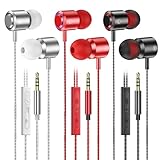
Most wired earbuds come equipped with an in-line control module. This small plastic piece, located on the cable, is your primary point of interaction. It typically features buttons for volume up, volume down, and often, a central multi-function button. This is the most direct way to adjust volume.
- Volume Up/Down Buttons: These are usually the easiest to identify, often marked with a ‘+’ and ‘-‘ symbol, or simply with raised or indented buttons. Pressing these buttons directly increases or decreases the volume.
- Multi-Function Button: This button usually handles more than just volume. It can pause/play music, answer/end calls, and sometimes even skip tracks. The functions vary depending on your device and the earbud design.
Device-Level Volume Control: The Second Layer
Even with in-line controls, your device (smartphone, tablet, computer, etc.) plays a crucial role. The volume controls on your device are the master controls. The in-line controls usually adjust the volume relative to the device’s current volume setting.
- Smartphone/Tablet: Use the physical volume buttons on your device or the on-screen volume slider.
- Computer: Utilize the volume mixer in your operating system (Windows, macOS, etc.) or the volume controls in the media player you are using.
Compatibility Considerations
Not all in-line controls are universally compatible. Some controls might work seamlessly with iOS devices but have limited functionality with Android, and vice-versa. Always check the earbud’s specifications to understand its compatibility with your device.
Troubleshooting Common Volume Issues
Sometimes, things don’t go as planned. Here are some common volume issues and how to resolve them:
Volume Too Low, Even at Max Settings
If the volume seems consistently low, even when both the in-line controls and your device’s volume are maxed out, consider these possibilities:
- Check the Earbud Connection: Ensure the earbud’s 3.5mm jack (or other connector type) is securely plugged into your device. A loose connection can significantly reduce volume. Try unplugging and re-plugging the jack.
- Examine the Earbud’s Internal Wiring: While rare, a damaged internal wire can impact sound quality and volume. If you suspect this, try a different pair of earbuds to determine if the problem lies with the earbuds themselves.
- Clean the Jack and Port: Dust or debris in the headphone jack or your device’s port can interfere with the connection. Use a cotton swab or compressed air to gently clean both.
- Software Interference: Certain apps or system settings can affect volume. Check your device’s audio settings to ensure no volume limiters or equalizer settings are inadvertently enabled.
Volume Suddenly Drops or Fluctuates
If the volume randomly drops or fluctuates, it’s often due to a loose connection or a problem with the cable:
- Cable Issues: The cable is the most vulnerable part of wired earbuds. Inspect the cable for any kinks, bends, or damage. If the cable is damaged, the volume will likely cut out or fluctuate.
- Loose Connection: Wiggle the earbud jack gently to see if the volume changes. If it does, the connection may be loose. Try cleaning the jack and port.
- Device Problems: Rarely, the problem might be with your device’s headphone jack. Test the earbuds on a different device to rule this out.
One Earbud Louder Than the Other
An imbalance in volume between the left and right earbuds can be annoying. Here’s how to fix it:
- Balance Settings: Check your device’s audio settings for a ‘balance’ or ‘stereo balance’ option. You may have accidentally adjusted the balance, causing one earbud to be louder.
- Cable Integrity: A damaged cable can sometimes cause this issue. Inspect the cable carefully for any damage.
- Earbud Obstruction: Ensure that the earbud tips are clean and unobstructed. Debris in the earbud can sometimes muffle the sound.
- Device Issue: If the problem persists across multiple devices, the earbuds might be faulty.
In-Line Controls Not Working
If the in-line controls aren’t responding, try these steps:
- Compatibility: Confirm the earbuds are compatible with your device. Some controls are device-specific.
- Physical Inspection: Ensure the buttons are not stuck or damaged.
- Device Restart: Sometimes, a simple restart of your device can resolve software glitches that interfere with the controls.
- Update Drivers: If you’re using wired earbuds with a computer, check for updated audio drivers.
Advanced Volume Control Techniques
Beyond the basics, you can use additional techniques to refine your volume experience:
Equalizer Settings: Fine-Tuning Your Sound
Equalizers allow you to adjust the frequency balance of your audio. This can affect the perceived volume and sound quality.
- Device Equalizer: Most smartphones and computers have built-in equalizers. Experiment with the pre-set options (e.g., ‘Rock,’ ‘Pop,’ ‘Jazz’) or customize the settings to your liking.
- App Equalizers: Many music streaming apps (Spotify, Apple Music, etc.) also offer equalizer settings. This gives you finer control over the sound.
Volume Limiter: Protect Your Hearing
Protect your ears by setting a volume limiter. This prevents the volume from exceeding a safe level.
- Device Settings: Most devices have volume limiter settings. Find these settings in your device’s audio or sound settings.
Using Audio Enhancement Software
Some software can enhance the audio experience with features like virtual surround sound or bass boost. Be careful, as excessive use can distort the sound.
- Experiment: Explore the features of different audio enhancement applications.
Comparing Wired Earbud Volume Control to Wireless Earbuds
While wired earbuds offer simplicity, wireless earbuds have evolved with their own unique volume control methods. Let’s compare the two.
| Feature | Wired Earbuds | Wireless Earbuds |
|---|---|---|
| Volume Control | In-line controls, device volume | Touch controls, physical buttons, device volume, voice assistants |
| Control Placement | On the cable | On the earbuds or charging case |
| Battery Dependency | None | Dependent on battery life |
| Connectivity | Wired connection | Bluetooth |
| Latency | Virtually none | Potential for slight latency |
| Compatibility | Generally universal (with 3.5mm jack or adapter) | Bluetooth compatibility required |
| Ease of Use | Simple, direct | Can be more complex, depending on the model |
Tips for Optimal Volume Adjustment and Earbud Care
To maximize your listening experience and prolong the life of your wired earbuds, keep these tips in mind:
Adjusting Volume Safely
- Start Low: Always begin with the volume at a low level and gradually increase it until you reach a comfortable listening level.
- Avoid Prolonged High Volumes: Listening to loud volumes for extended periods can lead to hearing damage.
- Take Breaks: Give your ears a break by taking short pauses during long listening sessions.
Earbud Care
- Clean Regularly: Clean your earbuds regularly to remove wax and debris. Use a soft, dry cloth.
- Store Properly: When not in use, store your earbuds in a case or pouch to protect them from damage.
- Handle with Care: Avoid pulling or yanking the cable, which can damage the internal wiring.
- Prevent Moisture: Keep your earbuds away from moisture.
Choosing the Right Earbud Tips
The earbud tips make a big difference in sound quality and volume perception.
- Experiment with Sizes: Try different sizes of ear tips to find the best fit for your ears.
- Consider Materials: Silicone tips are common, but foam tips can provide a better seal and improve bass response.
Final Thoughts
Adjusting the volume on your wired earbuds is a straightforward process, but understanding the different methods and potential troubleshooting steps can significantly enhance your listening experience. From the simple in-line controls to the device’s volume settings, you have multiple ways to fine-tune your audio. Remember to prioritize safe listening practices, and take care of your earbuds to ensure they last for a long time. Now, go forth and enjoy your music!
By following the steps outlined in this guide, you can be sure to adjust your wired earbuds’ volume correctly. If you’re encountering any issues, remember the troubleshooting tips provided. Enjoy your music!
Recommended Products