How Long to Charge Raycon Earbuds? A Complete Guide
So, you’ve got yourself a pair of Raycon earbuds – fantastic! Whether you’re hitting the gym, commuting to work, or simply relaxing at home, these little audio companions are designed to deliver a premium listening experience. But like any modern gadget, they need power. Knowing how long it takes to charge your Raycon earbuds is crucial for uninterrupted enjoyment. Nobody wants to be caught with dead batteries mid-workout or during an important call.
This comprehensive guide will break down everything you need to know about charging your Raycon earbuds, from understanding the different models and their charging times to troubleshooting common issues and maximizing battery life. I’ll cover the charging case, the earbuds themselves, and provide tips to get the most out of your Raycon experience. Let’s get started and make sure you’re always ready to listen!
Understanding Raycon Earbud Models and Charging Times
Raycon offers a diverse range of earbuds, each with its own specifications, including charging times. These times can vary based on the model and the charging method. It’s essential to consult the user manual that came with your specific Raycon earbuds for the most accurate information. However, I can provide general guidelines based on common Raycon models.
The Charging Case: Your Earbuds’ Best Friend
The charging case is a critical component of your Raycon experience. Not only does it protect your earbuds, but it also provides a convenient way to recharge them on the go. The charging case itself needs to be charged periodically. The charging time for the case can vary, but generally, it takes a few hours to fully charge. The case usually has an indicator light that shows the charging status.
Typical Charging Times for Earbuds
Here’s a general overview of charging times for Raycon earbuds. Remember, these are estimates, and the actual time may vary based on the specific model and the power source used.
- Earbuds: Typically, Raycon earbuds take around 1 to 2 hours to fully charge from 0% to 100% when placed in the charging case.
- Charging Case: The charging case usually takes about 2 to 3 hours to fully charge when connected to a power source via a USB cable.
Factors Affecting Charging Time
Several factors can influence how long it takes to charge your Raycon earbuds:
- Power Source: Using a wall adapter will generally charge your earbuds faster than connecting them to a computer’s USB port.
- Battery Level: Charging from a completely depleted battery will take longer than charging from a partially depleted one.
- Charging Cable: Using the original charging cable (or a high-quality replacement) is recommended for optimal charging speed.
- Temperature: Extreme temperatures (very hot or very cold) can affect charging times and battery performance. Try to charge your earbuds in a moderate temperature environment.
Step-by-Step Guide to Charging Your Raycon Earbuds
Charging your Raycon earbuds is a straightforward process. Here’s a step-by-step guide to ensure you’re doing it correctly:
- Locate the Charging Case: Find the charging case that came with your Raycon earbuds.
- Open the Charging Case: Open the charging case. You should see slots or compartments for your earbuds.
- Place the Earbuds in the Case: Carefully place your Raycon earbuds into their designated slots within the charging case. Ensure they are seated properly and making contact with the charging pins.
- Close the Charging Case: Close the lid of the charging case. This starts the charging process for the earbuds.
- Check the Case’s Battery Level: Most Raycon charging cases have an indicator light or a display that shows the case’s battery level. You can check this to see how much charge the case has.
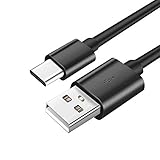
- Connect the Charging Case to a Power Source: Using the provided USB cable, connect the charging case to a power source. This could be a wall adapter, a computer’s USB port, or a portable power bank.
- Monitor the Charging Indicator: The charging case will have an indicator light that signals the charging status. This might be a solid color (e.g., red, blue, or green) or a blinking pattern. Consult your user manual for the specific meaning of each indicator.
- Wait for the Earbuds to Charge: Allow the earbuds to charge fully. This typically takes 1 to 2 hours.
- Disconnect the Charging Case: Once the charging case is fully charged, disconnect it from the power source.
- Remove the Earbuds: Open the charging case and remove your fully charged Raycon earbuds. They are now ready to use!
Troubleshooting Common Charging Issues
Sometimes, you might encounter issues when charging your Raycon earbuds. Here are some common problems and how to solve them:
Earbuds Not Charging
- Check the Connection: Ensure the earbuds are properly seated in the charging case and making contact with the charging pins.
- Check the Charging Case Battery: Make sure the charging case itself has sufficient battery power. If the case is dead, the earbuds won’t charge.
- Try a Different Power Source: Try charging the case using a different wall adapter or USB port to rule out a power source issue.
- Clean the Charging Contacts: Sometimes, dust or debris can prevent a good connection. Gently clean the charging contacts on both the earbuds and the charging case with a soft, dry cloth.
- Check the Cable: Try a different USB cable to see if the original cable is faulty.
- Reset the Earbuds: Consult your user manual for instructions on how to reset your specific Raycon earbud model. This can sometimes resolve charging issues.
Charging Case Not Charging
- Check the Power Source: Ensure the wall outlet or USB port is working correctly.
- Check the Cable: Try a different USB cable to see if the original cable is faulty.
- Inspect the Charging Port: Check the charging port on the case for any damage or debris.
- Allow for Sufficient Time: Make sure you’re allowing enough time for the case to charge.
- Contact Support: If the case still won’t charge, it may be defective. Contact Raycon customer support for assistance.
Slow Charging
- Use a Wall Adapter: Charging via a wall adapter is generally faster than using a computer’s USB port.
- Avoid Using While Charging: Refrain from using the earbuds while they are charging, as this can slow down the charging process.
- Check the Temperature: Extreme temperatures can affect charging speed. Charge the earbuds in a moderate temperature environment.
Maximizing Battery Life and Charging Efficiency
Here are some tips to help you get the most out of your Raycon earbuds’ battery life and ensure efficient charging:
- Charge Regularly: Don’t wait until your earbuds are completely dead before charging them. Charging them more frequently can help prolong their lifespan.
- Avoid Overcharging: Once the earbuds are fully charged, disconnect them from the power source. Leaving them plugged in for extended periods can potentially degrade the battery over time (though most modern devices have overcharge protection).
- Store Properly: Store your earbuds in their charging case when not in use. This protects them and helps maintain their charge.
- Clean Regularly: Keep the charging contacts clean to ensure a good connection and efficient charging.
- Use the Correct Adapter: Use the charging cable and adapter that came with your Raycon earbuds, or a high-quality replacement.
- Update Firmware: Check for and install any firmware updates for your earbuds. These updates often include battery optimization improvements.
- Control Volume: Listening at high volumes can drain the battery faster. Consider adjusting the volume to conserve battery life.
- Disable Unused Features: If your earbuds have features like active noise cancellation (ANC), consider disabling them when you don’t need them, as these features consume battery power.
Comparing Charging Times Across Raycon Models
While specific charging times can vary, here’s a general comparison of charging times for some common Raycon earbud models. Remember to always consult your user manual for precise information.
| Model | Earbud Charging Time (Approx.) | Case Charging Time (Approx.) | Notes |
|---|---|---|---|
| Raycon E25 | 1 hour | 2 hours | Popular model with a focus on value. |
| Raycon E50 | 1.5 hours | 2.5 hours | Offers a balance of features and performance. |
| Raycon The Fitness Earbuds | 1 hour | 2 hours | Designed for active lifestyles, with a focus on durability. |
| Raycon Everyday Earbuds | 1 hour | 2 hours | Designed for everyday use, with a focus on comfort and ease of use. |
Disclaimer: Charging times are approximate and may vary based on usage and environmental conditions. Always refer to the user manual provided with your specific Raycon model for the most accurate information.
Extending the Lifespan of Your Raycon Earbuds
Taking care of your Raycon earbuds can significantly extend their lifespan and ensure you get the most value from your investment. Here are some tips for long-term care:
- Protect from Moisture: While many Raycon earbuds are water-resistant, they are not necessarily waterproof. Avoid exposing them to excessive moisture or submerging them in water.
- Clean Regularly: Wipe down your earbuds and charging case regularly with a soft, dry cloth to remove dirt, sweat, and debris.
- Store Properly: When not in use, store your earbuds in their charging case to protect them from damage and dust.
- Avoid Extreme Temperatures: Do not expose your earbuds to extreme temperatures (hot or cold), as this can damage the battery and other components.
- Handle with Care: Avoid dropping or subjecting your earbuds to impact, as this can cause physical damage.
- Update Firmware: Keep your earbuds’ firmware updated to ensure optimal performance and address any potential bug fixes.
- Follow Charging Guidelines: Adhere to the charging guidelines provided in your user manual to avoid overcharging or damaging the battery.
- Consider a Protective Case: If you travel frequently or are prone to dropping things, consider investing in a protective case for your charging case.
- Contact Support if Needed: If you experience any issues with your earbuds, contact Raycon customer support for assistance. Do not attempt to repair the earbuds yourself, as this can void the warranty.
The Importance of Proper Charging
Proper charging is crucial for several reasons:
- Maximizing Battery Life: Correct charging practices help to preserve the battery’s lifespan, ensuring that your earbuds can hold a charge for as long as possible.
- Optimal Performance: Fully charged earbuds deliver the best audio quality and performance.
- Preventing Damage: Incorrect charging methods can potentially damage the battery or other components of your earbuds.
- Ensuring Longevity: Proper charging contributes to the overall longevity of your Raycon earbuds, allowing you to enjoy them for years to come.
- Convenience: Knowing how to charge your earbuds efficiently ensures that you’re always ready to listen, without being caught with dead batteries.
Final Thoughts
Understanding the charging process for your Raycon earbuds is essential for a seamless listening experience. By following the guidelines and tips outlined in this guide, you can ensure that your earbuds are always ready to go, and you can maximize their battery life and overall lifespan.
Knowing how long to charge your Raycon earbuds is a key part of enjoying them to their full potential. From understanding the charging times for your specific model to troubleshooting common issues, this guide has provided you with the necessary information to keep your Raycons powered up and ready to deliver your favorite audio. Remember to consult your user manual for the most accurate details, and always prioritize proper charging practices to ensure the longevity and performance of your earbuds. Happy listening!
Recommended Products