How Long Does It Take Raycon Earbuds to Charge? A Guide
So, you’ve got yourself a shiny new pair of Raycon earbuds, ready to immerse yourself in your favorite tunes or podcasts. But before you can get lost in the sound, there’s one crucial question: How long do these little guys take to juice up? The charging time can significantly impact your listening experience. Imagine wanting to head out for a run, only to find your earbuds are dead. Or, picture yourself on a long flight, eager to enjoy some music, and realizing you’re stuck with silence.
Knowing the charging specifics of your Raycon earbuds is essential. It helps you plan ahead, ensuring your earbuds are always ready to go. This guide will break down everything you need to know about charging your Raycon earbuds, from the initial charge to the ongoing maintenance. We’ll cover the different models, charging case specifics, and some handy tips to maximize your listening time. Let’s get started!
Understanding Raycon Earbud Charging: A Comprehensive Overview
Raycon earbuds have gained popularity for their sleek designs, comfortable fit, and decent sound quality. However, to fully enjoy these features, understanding their charging mechanisms is key. The charging time can vary slightly depending on the specific Raycon model you own. We’ll delve into the general charging times and some model-specific nuances.
General Charging Times
In general, Raycon earbuds are designed for relatively fast charging. This means you won’t be tethered to a power outlet for hours. Here’s what you can typically expect:
- Earbuds: Charging the earbuds themselves usually takes between 1 to 1.5 hours.
- Charging Case: The charging case, which also acts as a power bank, typically takes around 1 to 2 hours to fully charge.
- Combined Charge: Charging both the earbuds and the case simultaneously will depend on the status of each. If both are completely drained, expect a total charging time of approximately 2 to 2.5 hours.
These times can be influenced by factors such as the age of the battery, the type of charging cable used, and the power source. We’ll discuss these factors in more detail later.
Charging Case Functionality
The charging case is a critical component of the Raycon earbud experience. It not only protects your earbuds but also provides additional battery life. The case’s internal battery allows you to recharge your earbuds multiple times before needing to plug in the case itself. The number of recharges you get depends on the case’s capacity and the specific Raycon model.
Here’s why the charging case is important:
- Portability: The case is compact and portable, making it easy to carry your earbuds wherever you go.
- Protection: It safeguards your earbuds from dust, scratches, and other potential damage.
- Extended Battery Life: The case extends your listening time significantly, allowing for multiple charges on the go.
Charging Indicators
Raycon earbuds and their charging cases come equipped with indicators to keep you informed about the charging status. These indicators can vary slightly depending on the model, but the general principles remain the same.
- Earbuds: Typically, the earbuds will have an LED light that indicates the charging status. This light might be red while charging and turn green when fully charged. Some models may have different color patterns.
- Charging Case: The charging case usually has an LED indicator as well, often showing the battery level of the case itself. This indicator might display different colors or flash in various patterns to represent the remaining charge.
- Checking the Case Battery: Many Raycon cases have a button or a mechanism that allows you to check the case’s battery level. Pressing the button often activates the LED indicators to display the remaining charge.
Always refer to your specific Raycon model’s user manual for detailed information on the charging indicators.
Detailed Charging Procedures
Now, let’s look at the step-by-step process of charging your Raycon earbuds and their case. Following these steps will ensure optimal charging and longevity of your devices.
Charging the Earbuds
- Place the Earbuds in the Case: Open the charging case and carefully place your Raycon earbuds into their designated slots. Make sure the earbuds are properly seated and making contact with the charging pins.
- Close the Case: Close the charging case. The earbuds should begin charging automatically. The LED indicators on the earbuds and the case will likely illuminate to show the charging status.
- Monitor the Indicators: Observe the LED indicators on both the earbuds and the case. The lights will change as the earbuds charge. Once the earbuds are fully charged, the indicator lights will change to a different color (often green) or turn off.
Charging the Charging Case
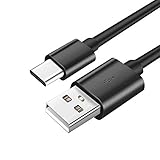
- Connect the Charging Cable: Locate the charging port on your charging case. This is usually a USB-C or Micro-USB port. Connect the appropriate charging cable (provided with the earbuds) to the port.
- Connect to a Power Source: Plug the other end of the charging cable into a power source. This can be a wall adapter, a computer, or a power bank.
- Monitor the Indicators: Observe the LED indicator on the charging case. The light will indicate the charging status. The case will be fully charged when the indicator light changes to a different color or turns off completely.
Charging Both Simultaneously
You can charge both the earbuds and the case at the same time. Simply place the earbuds in the case and connect the case to a power source. Both the earbuds and the case will charge simultaneously. This is the most efficient way to ensure your earbuds are always ready to use.
Factors Affecting Charging Time
Several factors can influence the charging time of your Raycon earbuds. Understanding these factors can help you optimize your charging process and ensure your earbuds are always ready when you need them.
Charging Cable and Adapter
The type of charging cable and adapter you use can significantly impact charging speed. Always use the charging cable that came with your Raycon earbuds. Using a different cable might lead to slower charging or even damage your device.
- Cable Quality: The quality of the charging cable matters. A high-quality cable will allow for faster and more efficient charging.
- Adapter Power: The power output of the charging adapter also plays a role. Using a higher-wattage adapter (e.g., a fast-charging adapter) can potentially charge the case and earbuds faster, as long as the case and earbuds support that charging rate. However, avoid using adapters with excessive power, as they could potentially damage the devices.
Power Source
The power source you use can also affect charging time. Connecting your charging case to different power sources can yield varying charging speeds.
- Wall Adapter: A wall adapter is generally the fastest and most reliable way to charge your Raycon earbuds.
- Computer USB Port: Charging through a computer’s USB port is slower than using a wall adapter, as the power output of a USB port is typically lower.
- Power Bank: A power bank can be a convenient way to charge your earbuds on the go. However, the charging speed will depend on the power bank’s output.
Battery Age and Health
The age and health of the battery in your Raycon earbuds and charging case can also affect charging time. Over time, batteries degrade, which means they might take longer to charge and hold less charge.
- Battery Degradation: As batteries age, their capacity decreases. This means they will take longer to charge to full capacity.
- Battery Health: The overall health of the battery is important. Avoid extreme temperatures and overcharging, as these can accelerate battery degradation.
Environmental Conditions
Extreme temperatures can affect the charging process. Avoid charging your Raycon earbuds in very hot or very cold environments.
- Temperature: Extreme heat or cold can affect battery performance and charging times.
- Humidity: High humidity might also affect charging efficiency.
Troubleshooting Common Charging Issues
Even with the best care, you might encounter charging issues with your Raycon earbuds. Here’s a guide to troubleshooting some common problems:
Earbuds Not Charging
- Check the Connection: Make sure the earbuds are properly seated in the charging case and making contact with the charging pins.
- Clean the Contacts: Sometimes, dust or debris can accumulate on the charging pins, preventing a good connection. Gently clean the charging pins on both the earbuds and the case with a soft, dry cloth.
- Try a Different Cable and Adapter: Test with a different charging cable and adapter to rule out any issues with the original components.
- Check the Case Battery: Ensure the charging case has sufficient power. If the case is dead, the earbuds won’t charge.
- Restart the Earbuds: In some cases, resetting the earbuds by putting them back in the case and closing the lid might resolve the issue.
Charging Case Not Charging
- Check the Cable and Adapter: Make sure the charging cable is securely connected to the charging case and the power source. Try a different cable and adapter to eliminate any potential issues.
- Check the Power Source: Ensure the power outlet or USB port is working correctly. Try plugging the charging cable into a different power outlet or computer USB port.
- Clean the Charging Port: Inspect the charging port on the case for any debris or obstructions. Gently clean the port with a soft, dry cloth.
- Check for Physical Damage: Inspect the charging case for any visible damage, such as cracks or dents. If there is physical damage, the case may not charge properly.
Charging Indicator Issues
- Refer to the User Manual: Consult the user manual for your specific Raycon model to understand the meaning of the charging indicator lights.
- Check for Firmware Updates: Some charging indicator issues can be resolved with firmware updates. Check the Raycon website or app for available updates.
- Contact Raycon Support: If the charging indicator issues persist, contact Raycon customer support for assistance.
Maximizing Battery Life and Charging Efficiency
To get the most out of your Raycon earbuds, follow these tips to maximize battery life and charging efficiency.
Charging Best Practices
- Charge Regularly: Charge your earbuds and charging case regularly, even if you don’t use them every day. This helps maintain the battery health.
- Avoid Extreme Temperatures: Do not expose your earbuds or charging case to extreme temperatures (hot or cold).
- Use the Correct Cable and Adapter: Always use the charging cable and adapter that came with your Raycon earbuds.
- Don’t Overcharge: While modern batteries are designed to prevent overcharging, it’s still best practice to unplug your earbuds and charging case once they are fully charged.
Extending Battery Life
- Lower the Volume: Listening at a lower volume can help conserve battery life.
- Disable Features: Turn off features like noise cancellation or transparency mode when you don’t need them, as they consume extra power.
- Store Properly: Store your earbuds in the charging case when not in use. This protects them and keeps them charged.
- Update Firmware: Keep your earbuds’ firmware updated to the latest version. Firmware updates can improve battery performance.
Maintaining Battery Health
- Avoid Deep Discharges: Try not to let your earbuds drain completely before recharging them.
- Avoid Prolonged Storage at Low Battery: If you plan to store your earbuds for an extended period, charge them to around 50% before storing them.
- Clean Regularly: Clean your earbuds and charging case regularly to remove dust and debris that can affect charging.
Raycon Earbud Model Variations
Raycon offers a range of earbud models, each with slightly different features and charging specifications. While the general charging principles remain the same, there might be some model-specific nuances.
The Everyday Earbuds
Raycon’s Everyday Earbuds are designed for daily use and offer a balance of features and affordability. They typically offer a charging time of around 1-1.5 hours for the earbuds and 1-2 hours for the case.
The Fitness Earbuds
Raycon’s Fitness Earbuds are built for active lifestyles. They often have longer battery life and a more secure fit. Charging times are usually similar to the Everyday Earbuds.
The Performer Earbuds
The Performer Earbuds are designed for music enthusiasts and offer enhanced sound quality. These models often have slightly larger charging cases and might have a slightly longer charging time for the case.
Model-Specific Information
Always refer to the user manual for your specific Raycon model for the most accurate charging information. The user manual will provide detailed specifications on charging times, charging indicators, and other model-specific features.
Comparison Table of Raycon Earbud Charging Times
Here’s a simplified comparison table to give you a quick overview of charging times for different Raycon earbud components:
| Component | Typical Charging Time | Notes |
|---|---|---|
| Earbuds | 1-1.5 hours | Varies slightly by model |
| Charging Case | 1-2 hours | Varies by model and case capacity |
| Combined (Earbuds & Case) | 2-2.5 hours | Depends on the initial charge levels |
Note: These are general estimates. Actual charging times may vary based on the factors discussed earlier.
Conclusion
Knowing how long your Raycon earbuds take to charge is essential for seamless listening. Charging times are generally quick, allowing you to get back to enjoying your music or podcasts without significant downtime. Remember to use the correct charging cable and adapter, avoid extreme temperatures, and follow the charging best practices to maximize battery life and efficiency. Refer to your specific Raycon model’s user manual for detailed information, as charging times can vary slightly across different models.
Always check the LED indicators to monitor the charging status, and troubleshoot any issues promptly. By understanding these charging aspects, you can ensure your Raycon earbuds are always ready to deliver a premium audio experience. Enjoy your music!
Recommended Products