How Long Do Samsung Earbuds Last? Battery Life Guide
Hey there! If you’re anything like me, you live and breathe music, podcasts, and audiobooks. And if you’re a Samsung Galaxy earbuds user, you’ve probably wondered at some point: How long do Samsung earbuds last on a single charge? It’s a crucial question, right? Nobody wants their favorite tunes to cut out mid-workout or during that crucial phone call.
The battery life of your earbuds can significantly impact your daily routine. It affects your ability to stay connected, entertained, and productive. I’ve spent considerable time researching, testing, and comparing the battery performance of various Samsung earbuds models. I’ll break down the factors that influence battery life and provide practical tips to maximize your listening time.
This guide will equip you with the knowledge to get the most out of your Samsung earbuds. We’ll explore the specifics of different models, the impact of usage habits, and how to keep your earbuds powered up for longer. Let’s get started!
Understanding Samsung Earbud Battery Life
Let’s start with the basics. Samsung earbuds, like most wireless earbuds, rely on rechargeable lithium-ion batteries. The size and quality of these batteries, along with the efficiency of the earbuds’ internal components, determine how long they can play audio on a single charge. Battery life is typically measured in hours of continuous playback or talk time.
Samsung provides official battery life estimates for each of its earbud models. However, these figures often represent ideal conditions, such as playing music at a moderate volume with active noise cancellation (ANC) turned off. In the real world, factors like volume levels, ANC usage, and ambient temperature can all affect how long your earbuds last. Understanding these factors is key to managing your expectations and getting the most out of your earbuds.
Factors Affecting Battery Life
Several factors can significantly impact the battery life of your Samsung earbuds. Recognizing these elements will help you optimize your usage and extend your listening time.
- Volume Level: This is a big one. The louder you listen, the more power your earbuds consume. Listening at maximum volume will drain the battery much faster than listening at a moderate level.
- Active Noise Cancellation (ANC): ANC is a power-hungry feature. When ANC is enabled, the earbuds use additional processing power to analyze and cancel out background noise. This will noticeably reduce battery life.
- Ambient Sound Mode: Similar to ANC, using the ambient sound mode, which lets you hear your surroundings, also consumes extra power.
- Bluetooth Connection: A stable and strong Bluetooth connection is essential for good battery performance. Frequent disconnections and reconnections can lead to increased battery drain.
- Codec Used: The audio codec used (e.g., SBC, AAC, or Samsung’s Scalable Codec) can impact battery life. Some codecs are more power-efficient than others.
- Age of the Battery: Over time, the lithium-ion batteries in your earbuds will degrade, leading to a reduction in their capacity and overall battery life.
- Temperature: Extreme temperatures (both hot and cold) can negatively affect battery performance. Cold weather, in particular, can cause batteries to drain more quickly.
Common Samsung Earbud Models and Their Battery Life
Let’s take a look at the battery life specifications for some of the most popular Samsung earbud models. These numbers are based on official manufacturer claims, but remember that actual performance may vary based on usage conditions.
| Earbud Model | Playback Time (Earbuds) | Playback Time (with Case) | ANC |
|---|---|---|---|
| Galaxy Buds Pro | Up to 5 hours | Up to 18 hours | Yes |
| Galaxy Buds 2 Pro | Up to 5 hours | Up to 20 hours | Yes |
| Galaxy Buds 2 | Up to 5 hours | Up to 20 hours | Yes |
| Galaxy Buds Live | Up to 6 hours | Up to 21 hours | Yes |
| Galaxy Buds+ | Up to 11 hours | Up to 22 hours | No |
Note: These figures are approximate and can vary based on the factors listed above.
Detailed Look at Specific Models
Let’s dive deeper into some of the models and their battery performance:
- Samsung Galaxy Buds Pro: These earbuds offer a great balance of features and battery life. With ANC enabled, you can expect around 5 hours of playback from the earbuds themselves. The charging case provides an additional 13 hours of battery life, for a total of 18 hours. Turning off ANC can extend the earbuds’ playback time to around 8 hours.
- Samsung Galaxy Buds 2 Pro: The Buds 2 Pro offer improvements over the original Buds Pro, including enhanced sound quality and slightly better battery life. With ANC on, you can anticipate about 5 hours of listening time. The charging case adds about 15 hours, totaling 20 hours. Disabling ANC can extend the listening time to around 8 hours.
- Samsung Galaxy Buds 2: These are a great mid-range option. With ANC on, expect around 5 hours of playback from the earbuds. The case provides an additional 15 hours, for a total of 20 hours. Turning off ANC will extend the battery life to approximately 7.5 hours.
- Samsung Galaxy Buds Live: These unique bean-shaped earbuds offer a different design and a slightly different battery profile. With ANC on, you can anticipate around 6 hours of listening time. The charging case extends this to a total of 21 hours. With ANC off, you can expect closer to 8 hours from the earbuds.
- Samsung Galaxy Buds+: These earbuds, though older, still offer impressive battery life. Without ANC, you can expect up to 11 hours of playback from the earbuds themselves, and the charging case provides an additional 11 hours, for a total of 22 hours.
Charging Case: Your Earbuds’ Best Friend
The charging case is a critical component of your Samsung earbuds setup. Not only does it protect your earbuds, but it also provides additional battery life. The case recharges the earbuds when they’re not in use, effectively extending your listening time throughout the day.
The charging case typically charges via a USB-C cable or, in some cases, wirelessly. The case itself needs to be charged regularly, so keeping it topped up is just as important as keeping your earbuds charged. The LED indicator on the case will usually show you the charging status.
Tips for Maximizing Battery Life
Here are some practical tips to help you get the most out of your Samsung earbuds’ battery life:
- Adjust the Volume: Keep the volume at a moderate level. The louder you listen, the faster the battery drains.
- Use ANC Wisely: ANC is great for blocking out noise, but it consumes more power. Only enable it when you need it. Consider turning it off in quieter environments.
- Disable Features: Turn off features you’re not using, such as ambient sound mode.
- Optimize Bluetooth: Ensure a stable Bluetooth connection. Minimize the distance between your earbuds and your connected device. Turn off Bluetooth when you’re not using your earbuds.
- Update Firmware: Keep your earbuds’ firmware updated. Samsung often releases updates that improve battery efficiency and overall performance.
- Store Properly: Avoid storing your earbuds in extreme temperatures. Heat and cold can damage the battery.
- Clean Regularly: Keep the charging contacts on your earbuds and the charging case clean. Dirty contacts can hinder charging.
- Consider a Power Bank: If you’re going to be away from a power source for an extended period, consider bringing a power bank to charge your charging case.
Troubleshooting Battery Issues
Sometimes, even with the best care, you might encounter battery issues. Here are some troubleshooting tips:
- Check the Charging Case: Make sure the charging case is fully charged.
- Clean the Charging Contacts: Use a soft, dry cloth to clean the charging contacts on both the earbuds and the case.
- Reset Your Earbuds: Resetting your earbuds to their factory settings can sometimes resolve battery-related issues. Consult your earbuds’ user manual for instructions on how to reset them.
- Update the Software: Ensure that both the earbuds and the connected device have the latest software updates.
- Contact Samsung Support: If the problem persists, contact Samsung customer support for assistance. You may need to have your earbuds serviced or replaced.
Battery Health and Longevity
Like any rechargeable battery, the batteries in your Samsung earbuds have a limited lifespan. Over time, their capacity will degrade, and they will hold less charge. Here’s what you should know:
- Battery Degradation: Lithium-ion batteries degrade with each charge cycle. This means that the more you charge and discharge your earbuds, the faster their battery capacity will diminish.
- Charging Habits: Avoid extreme charging practices, such as constantly charging the earbuds to 100% or letting them drain completely before recharging. A more moderate charging routine can help extend battery life.
- Lifespan: The lifespan of your Samsung earbuds’ batteries will vary based on usage, charging habits, and environmental conditions. Generally, you can expect the batteries to last for several years with proper care.
- Replacement: Unfortunately, the batteries in most Samsung earbuds are not user-replaceable. If the battery life degrades significantly, you may need to replace the earbuds.
Comparing Samsung Earbuds to the Competition
When considering battery life, it’s helpful to compare Samsung earbuds to their competitors. Apple’s AirPods, for example, have become a standard. Other brands like Sony, Jabra, and Bose offer compelling options.
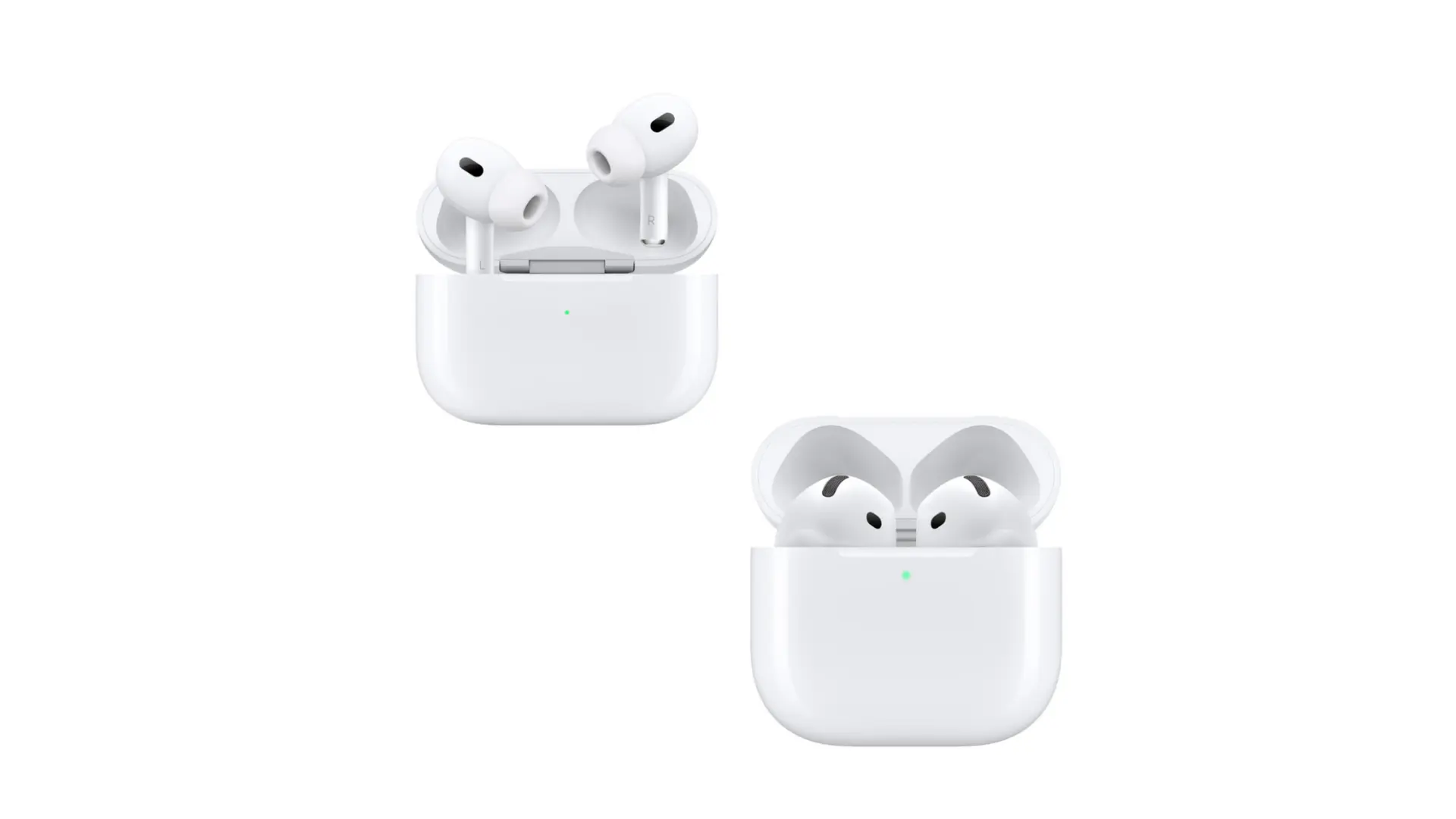
- Apple AirPods: Battery life varies by generation. Generally, you can expect around 5-6 hours of listening time from the earbuds, with the charging case providing additional hours.
- Sony WF-1000XM5: Sony’s premium earbuds are known for their excellent sound quality and impressive battery life. You can expect around 8 hours of playback with ANC enabled and up to 12 hours with ANC off. The charging case adds more hours.
- Jabra Elite Series: Jabra offers a range of earbuds with good battery life. Many models offer around 7-8 hours of playback, with the charging case providing additional hours.
- Bose QuietComfort Earbuds: Bose’s earbuds are known for their effective noise cancellation and good battery life. You can typically expect around 6 hours of listening time from the earbuds, with the charging case providing additional hours.
Note: These are general estimates and the actual battery life will vary based on usage and conditions.
When comparing different brands, consider factors beyond just battery life. Sound quality, comfort, features, and price are all important considerations. Researching reviews and comparing specifications will help you make an informed decision.
Future Trends in Earbud Battery Technology
The field of earbud battery technology is constantly evolving. Here are some trends to watch:
- Increased Battery Capacity: Manufacturers are working on ways to pack more battery capacity into the small form factor of earbuds.
- More Efficient Components: Improvements in Bluetooth chips, audio drivers, and other internal components will lead to greater power efficiency.
- Fast Charging: Fast-charging technology is becoming more common, allowing you to quickly top up your earbuds’ battery.
- Wireless Charging: Wireless charging is becoming increasingly popular for earbud charging cases, offering greater convenience.
- Sustainable Materials: Manufacturers are exploring the use of more sustainable materials in their earbuds and batteries to reduce environmental impact.
As technology advances, we can expect to see even longer battery life, faster charging times, and more innovative features in future Samsung earbuds and other brands.
Final Verdict
So, how long do Samsung earbuds last? The answer depends on your specific model and how you use them. However, by understanding the factors that affect battery life and following the tips outlined in this guide, you can significantly extend your listening time and get the most out of your Samsung earbuds.
Remember to adjust your volume, use ANC judiciously, and keep your earbuds and charging case clean. By taking these simple steps, you can enjoy your favorite audio content for longer periods. Keep an eye on the latest technological advancements to enjoy even better battery performance in the future.
Ultimately, the longevity of your Samsung earbuds’ battery is in your hands. With a little care and attention, you can ensure that your listening experience remains uninterrupted, whether you’re commuting, working out, or simply relaxing at home.
Recommended Products


![Samsung Galaxy Buds FE True Wireless Bluetooth Earbuds, Comfort and Secure in Ear Fit, Auto Switch Audio, Touch Control, Built-in Voice Assistant, Graphite [US Version, 1Yr Manufacturer Warranty]](https://m.media-amazon.com/images/I/31erKeCTbCL._SL160_._SL160_.jpg "How Long Do Samsung Earbuds Last? Battery Life Guide 3")