How Do You Turn Earbuds Off? A Complete Guide
Earbuds have become an indispensable part of our daily lives, from commuting on the train to focusing at work, and enjoying music during a workout. But, as convenient as they are, there’s a common question that pops up: how do you turn earbuds off? It seems simple, right? Well, the answer varies depending on the type of earbuds you have. This guide will walk you through the various methods to power down your earbuds, ensuring you get the most out of your listening experience.
We’ll cover everything from the simplest button presses to more advanced techniques. We’ll examine how to turn off your earbuds, whether they’re the classic wired variety, the ubiquitous Bluetooth models, or even the newer, more sophisticated true wireless earbuds. We will look at what can go wrong, and how to fix it.
So, let’s explore the ins and outs of powering down your earbuds, so you can preserve battery life, and ensure your device is ready for the next time you want to listen. Let’s get started!
Understanding the Basics: Why Turn Off Earbuds?
Before we jump into the ‘how,’ let’s quickly touch on the ‘why.’ Turning off your earbuds isn’t just about saving battery life (though that’s a big one). It’s also about preventing accidental audio playback, avoiding unwanted calls, and generally extending the lifespan of your device. Think of it like turning off the lights when you leave a room – it’s a simple habit that makes a difference.
Battery Preservation: This is perhaps the most obvious reason. Leaving earbuds on, especially Bluetooth models, can drain the battery quickly. Even when not actively playing audio, they might still be searching for a connection, consuming power.
Preventing Accidental Playback: Ever had your music start blasting at the most inconvenient moment? Turning off your earbuds avoids this. It’s a lifesaver in meetings, quiet libraries, or during phone calls.
Extending Lifespan: Constantly running your earbuds, even at low volumes, can put unnecessary strain on the components. Turning them off when not in use helps to prolong their lifespan.
How to Turn Off Wired Earbuds
Wired earbuds are refreshingly straightforward. There’s no fancy Bluetooth connectivity or battery concerns. Turning them off is typically a matter of unplugging them. However, there are a few nuances to be aware of.
Unplugging From the Source
The primary method is simple: unplug the earbuds from your device. Whether you’re connected to a smartphone, a laptop, a tablet, or a dedicated music player, removing the 3.5mm jack or the USB-C/Lightning connector immediately cuts the power and audio signal. This is the equivalent of turning them off.
Volume Control Considerations
Some wired earbuds have inline volume controls. These controls adjust the audio level but don’t actually turn the earbuds off. They simply modify the signal sent to the drivers. To truly ‘turn off’ wired earbuds, you must disconnect them.
Potential Issues and Solutions
Issue: Earbuds still play sound even when unplugged. This is highly unlikely with standard wired earbuds but could happen if the device’s audio output is malfunctioning or if there’s a software glitch. In this case, try:
- Restarting the device
- Checking the device’s audio settings
- Testing with a different pair of earbuds
- Contacting the device manufacturer for support
How to Turn Off Bluetooth Earbuds
Bluetooth earbuds introduce a few more steps, as they rely on a wireless connection and a battery. The methods for turning them off vary depending on the model, but here’s a general overview.
Turning Off via the Earbud Controls
Most Bluetooth earbuds have physical buttons or touch controls. The most common method to turn them off is by pressing and holding a button on the earbud itself. The exact button and the duration of the press vary by manufacturer, but it’s usually the power button (often the same button used for pairing and playing/pausing music).
Common Button Actions:
- Press and Hold: This is the most prevalent method. Press and hold the power button (usually for 3-5 seconds) until you see an indicator light or hear a confirmation sound.
- Double-Tap/Triple-Tap: Some models use a combination of taps. Check your user manual.
Turning Off via the Connected Device
You can also turn off your Bluetooth earbuds from the device they’re connected to (smartphone, tablet, laptop, etc.). This is generally the method for disconnecting the Bluetooth connection, effectively ‘turning off’ the earbuds in terms of audio output and power consumption.
Steps (General):
- Go to your device’s Bluetooth settings. This is usually found in the Settings app.
- Find your earbuds in the list of connected devices. They will likely be listed by name.
- Tap the ‘Disconnect’ or ‘Forget’ option. ‘Disconnect’ will simply stop the connection, while ‘Forget’ will remove the earbuds from the list of paired devices.
Turning Off via the Charging Case (true Wireless Earbuds)
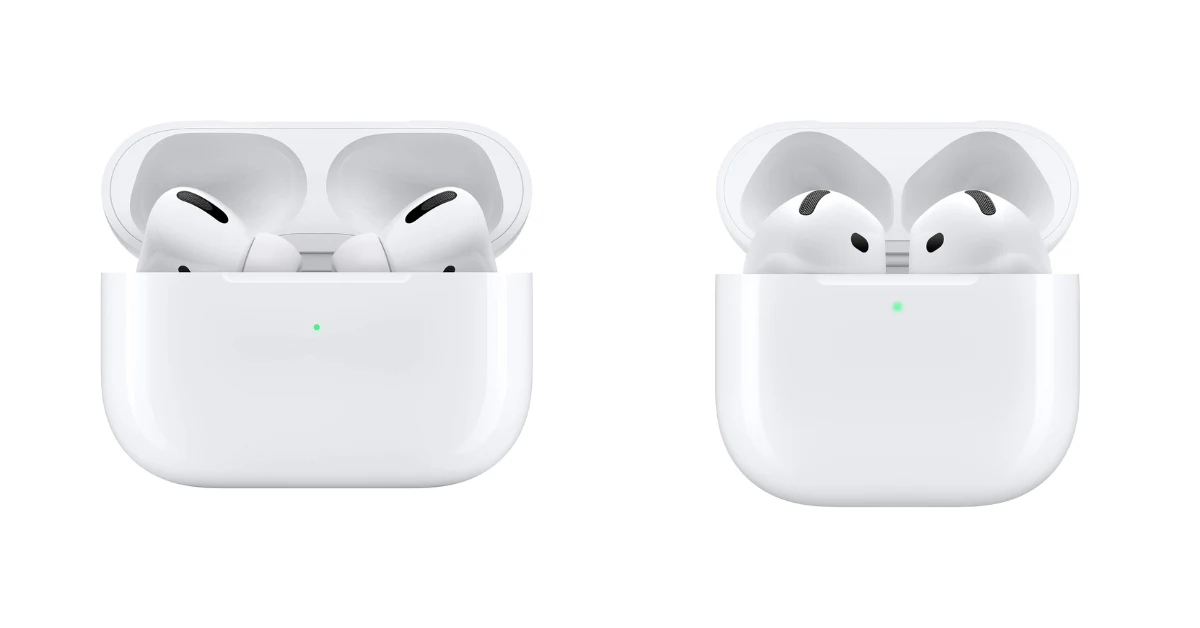
True wireless earbuds often have a charging case that plays a role in turning them off. When you place the earbuds back in the case, they typically disconnect from the device and power down automatically. This is the most common method for these types of earbuds.
How it works:
- Earbuds in Case: The act of placing the earbuds in the charging case usually triggers the power-off sequence. The earbuds will disconnect from your device and go into a low-power state.
- Case Lid: Some cases have a lid sensor that further confirms the power-off state when the lid is closed.
Troubleshooting Bluetooth Earbud Issues
Earbuds Won’t Turn Off:
- Check the Battery: If the earbuds are very low on battery, they may not respond to power-off commands. Charge them first.
- Button Malfunction: The power button may be faulty. Try a different button or contact the manufacturer.
- Software Glitch: Restart the earbuds (put them back in the case and take them out) and/or the connected device.
- Factory Reset: If all else fails, consider a factory reset (consult your user manual for the specific steps).
Earbuds Won’t Disconnect from Device:
- Bluetooth Interference: Move away from other Bluetooth devices that might be interfering.
- Device Glitch: Restart the device or try turning Bluetooth off and on again.
- Compatibility Issues: Ensure your earbuds are compatible with your device’s Bluetooth version.
Specific Earbud Types and Their Power-Off Methods
Let’s look at how to turn off some common types and brands of earbuds.
True Wireless Earbuds
True wireless earbuds are battery-powered and rely heavily on their charging case.
General Method:
- Place Earbuds in Case: The most common method. Putting the earbuds back in their case usually initiates the power-off sequence.
- Close the Lid: Closing the case lid is often a final step to confirm the power-down.
- Button Press: Some models have a power button on the earbuds themselves (or the case) that can be pressed and held to turn them off.
Specific Brands (Examples):
- Apple AirPods: Placing them in the charging case is the primary method.
- Samsung Galaxy Buds: Similar to AirPods, placing them in the case is the main method.
- Sony WF Series: Putting them in the charging case is the standard method, and some models have a button on the earbud.
Over-Ear Headphones (bluetooth)
Over-ear headphones have larger batteries and controls, but the power-off process is usually straightforward.
General Method:
- Power Button: Locate the power button (often labeled with a power symbol). Press and hold it for a few seconds until you see an indicator light or hear a confirmation sound.
- Device Disconnection: You can also disconnect via your device’s Bluetooth settings (like with earbuds).
Specific Brands (Examples):
- Sony WH Series: Long-press the power button.
- Bose QuietComfort Series: Long-press the power button.
- Apple AirPods Max: Press the noise control button, or put them in their case.
Sports Earbuds
Sports earbuds are designed to be water-resistant and often have secure fits. The power-off methods are similar to other Bluetooth earbuds.
General Method:
- Power Button: Press and hold the power button (usually on the earbud itself).
- Device Disconnection: Disconnect via your device’s Bluetooth settings.
- Charging Case: Some sport earbuds come with a charging case that turns them off when placed inside.
Key Considerations:
- Water Resistance: Ensure the earbuds are dry before attempting to charge them.
- Secure Fit: Check the fit of the earbuds to ensure a good seal.
Tips and Best Practices
Here are some additional tips to help you manage your earbuds effectively:
Regular Charging
Keep your earbuds charged. This prevents unexpected shutdowns and extends battery life. Charge them regularly, even if you don’t use them every day.
Proper Storage
Store your earbuds in their charging case (if they have one) or in a safe place to protect them from damage and dust. This also helps with battery longevity.
Pairing and Unpairing
Familiarize yourself with the pairing process for your earbuds, and also learn how to unpair them from devices. Unpairing can be useful if you’re experiencing connectivity issues or want to use them with a different device.
Software Updates
Keep the firmware of your earbuds updated. Updates often include bug fixes and performance improvements that can affect the power-off behavior.
User Manual
Always refer to the user manual that came with your earbuds. It contains specific instructions for your model, including how to turn them off, troubleshoot issues, and more.
Troubleshooting Common Problems
Here’s a quick guide to some common problems and solutions:
Earbuds won’t connect:
- Ensure Bluetooth is enabled on your device.
- Make sure the earbuds are powered on and in pairing mode.
- Check that the earbuds are within range of your device.
- Try forgetting the earbuds and pairing them again.
Earbuds sound muffled:
- Clean the ear tips to remove any wax buildup.
- Ensure the earbuds are properly seated in your ears.
- Check the volume level on both the earbuds and your device.
One earbud isn’t working:
- Check the balance settings on your device.
- Ensure both earbuds are charged.
- Try resetting the earbuds.
Earbud Technology Evolution
The evolution of earbud technology has brought us from simple wired connections to complex wireless systems. Let’s look at how the technology has changed.
Wired Earbuds
Early Days: Wired earbuds were the first widely adopted type. They offered simplicity, reliability, and no need for charging. The audio quality was dependent on the device and the quality of the earbuds. They were easy to turn off – just unplug them.
Advancements: Inline controls added volume adjustment, and noise isolation became more common. Materials improved, making them more durable and comfortable.
Bluetooth Earbuds
Wireless Revolution: Bluetooth introduced freedom of movement. Pairing became the new normal, and they were powered by rechargeable batteries. Turning them off often involved pressing and holding a button.
Advancements: Bluetooth versions improved, enhancing range, battery life, and audio quality. Noise cancellation and water resistance became standard features.
True Wireless Earbuds
Cutting the Cord Completely: True wireless earbuds (TWS) eliminated any wires between the earbuds themselves. Charging cases were essential, and the power-off process became tied to the case.
Advancements: Smaller designs, improved battery life, advanced noise cancellation, and added features like touch controls and voice assistants. Bluetooth versions have become more advanced, along with audio codecs.
Future Trends:
- AI Integration: AI-powered audio processing and personalized sound profiles.
- Health Tracking: Sensors for monitoring heart rate and other health metrics.
- Enhanced Noise Cancellation: More effective noise cancellation and ambient sound modes.
Earbud Features and Their Impact
The features of your earbuds can affect how you turn them off. Let’s look at a few of the most important ones.
Noise Cancellation
Noise cancellation (ANC) uses microphones to detect and cancel out external noise. Earbuds with ANC often have a dedicated button or touch control to toggle this feature on and off. Turning off ANC can help save battery life, but it won’t necessarily turn off the earbuds themselves. You’ll still need to use the power-off method specific to your model.
Touch Controls
Touch controls allow you to control playback, volume, and other functions with taps and swipes on the earbuds. Some models may have touch controls that also include power-off functionality. Consult the user manual to see if this is the case for your earbuds.
Voice Assistants
Some earbuds have built-in voice assistants (like Siri or Google Assistant). These assistants often require the earbuds to be powered on to function. Turning off the earbuds will typically disable the voice assistant, but it won’t necessarily be the primary method for turning off the power. Again, refer to your user manual.
Water Resistance
Water-resistant earbuds are designed to withstand sweat and splashes. However, they may still have electronic components that can be damaged by water. It’s a good idea to dry them off before storing them, and always use the power-off method to ensure they’re completely shut down.
Battery Life
The battery life of your earbuds will determine how long you can use them before needing to recharge. Turning them off when not in use is critical for maximizing battery life. The charging case is the best way to do this for most wireless earbuds.
Choosing the Right Earbuds
The type of earbuds you choose will influence how you turn them off. Consider these factors when making your selection:
Wired vs. Wireless: Wired earbuds are simple to turn off (unplug), but wireless earbuds offer greater freedom of movement. Wireless earbuds need to be charged.
Battery Life: Choose earbuds with sufficient battery life for your needs. Consider the use of a charging case.
Features: Consider features like noise cancellation, touch controls, and water resistance. Make sure you understand how these features affect the power-off process.
Comfort and Fit: Choose earbuds that fit comfortably in your ears. Poor fit can affect audio quality and can also be less effective in blocking out external noise.
Price: Set a budget and compare options within your price range.
Brand Reputation: Research different brands to see which ones are known for quality and reliability.
Final Verdict
Turning off your earbuds is a simple but essential task. It preserves battery life, prevents accidental audio playback, and extends the lifespan of your device. Whether you’re dealing with wired, Bluetooth, or true wireless earbuds, understanding the specific power-off methods for your model is key. Remember to always consult your user manual for model-specific instructions. By following these guidelines, you can ensure your earbuds are always ready when you are, and you’ll get the most out of your listening experience.
Recommended Products