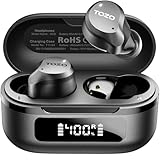
How Do Tozo Earbuds Work? A Deep Dive Into the Technology
Ever wondered what makes your TOZO earbuds tick? Those tiny marvels that deliver your favorite tunes, podcasts, and audiobooks with impressive clarity? You’re not alone! The world of wireless audio can seem a bit mysterious, filled with jargon like Bluetooth, codecs, and drivers. But don’t worry, we’re going to break down exactly how TOZO earbuds work, from the moment you pair them with your phone to the second you hit play.
We’ll explore the key components, the technologies at play, and how they all come together to create that immersive listening experience you love. I’ll explain the science behind the sound, the convenience of wireless connectivity, and the features that make TOZO earbuds stand out. Prepare to become an audio expert – at least when it comes to your TOZO earbuds!
The Core Components: What Makes Tozo Earbuds Tick?
At the heart of every TOZO earbud lies a collection of sophisticated components working in perfect harmony. Understanding these elements is key to grasping how they function.
The Driver: Your Personal Speaker
The driver is the most crucial part of the earbud, acting as the miniature speaker that converts electrical signals into sound waves. Think of it as a tiny, highly efficient speaker designed to fit comfortably in your ear. TOZO earbuds typically employ dynamic drivers, which are the most common type. These drivers work by using a voice coil attached to a diaphragm. When an electrical current flows through the voice coil, it interacts with a magnet, causing the diaphragm to vibrate and produce sound. The size and quality of the driver significantly impact the sound quality, affecting the bass response, clarity, and overall audio fidelity. Larger drivers often provide a richer, more powerful sound, while high-quality materials ensure accurate sound reproduction.
The Bluetooth Chip: The Wireless Connector
The Bluetooth chip is the brain of the wireless operation. It’s responsible for receiving audio signals from your smartphone, tablet, or other Bluetooth-enabled devices. This chip manages the Bluetooth connection, ensuring a stable and reliable wireless link. It also handles the encoding and decoding of audio data, converting the digital audio stream into an analog signal that the driver can understand. The Bluetooth version supported by the earbuds (e.g., Bluetooth 5.0, 5.2, or later) determines the range, speed, and energy efficiency of the connection. Newer versions offer improved stability, faster pairing, and better power management, resulting in a more seamless and extended listening experience.
The Battery: Powering Your Music
The battery is the lifeline of your wireless earbuds. It provides the power needed to operate the driver, Bluetooth chip, and other internal components. TOZO earbuds utilize rechargeable lithium-ion batteries, which are known for their high energy density and relatively long lifespan. The battery capacity determines how long you can listen to music before needing to recharge. The charging case, which comes with most TOZO earbuds, also houses a battery, allowing you to recharge your earbuds multiple times on the go. The charging case itself can be charged via a USB-C cable or, in some models, wirelessly.
The Microphone: For Calls and Voice Assistants
Most TOZO earbuds include a built-in microphone, enabling you to make and receive phone calls and use voice assistants like Siri or Google Assistant. The microphone captures your voice and transmits it to your device. The quality of the microphone is essential for clear communication. TOZO earbuds often incorporate noise-canceling technology in their microphones, reducing background noise and ensuring that your voice is heard clearly, even in noisy environments. The placement and design of the microphone also play a role in its effectiveness, with some models featuring multiple microphones for improved noise cancellation and voice clarity.
The Earbud Housing: Design and Durability
The earbud housing, or casing, protects the internal components from the elements and physical damage. It also plays a role in the sound quality and comfort. TOZO earbuds are typically made from durable plastic materials that are lightweight and comfortable to wear. The design of the housing affects how the earbuds fit in your ear and how effectively they block out external noise. Some models are designed to be waterproof or water-resistant, making them suitable for use during workouts or in light rain. The housing also houses the touch controls or physical buttons, which allow you to control playback, answer calls, and adjust the volume.
Bluetooth Technology: The Wireless Connection Explained
Bluetooth is the magic behind the wireless functionality of your TOZO earbuds. It’s a short-range wireless communication technology that allows devices to connect and exchange data. Here’s a deeper look at how Bluetooth works in your earbuds.
How Bluetooth Transmits Audio
Bluetooth operates using radio waves in the 2.4 GHz ISM band. When you pair your TOZO earbuds with your smartphone, the devices establish a secure connection. Your phone then transmits the audio signal wirelessly to the earbuds via Bluetooth. The earbuds’ Bluetooth chip receives the signal and decodes it, sending the audio to the drivers, which then produce the sound you hear. This process happens seamlessly and almost instantaneously, providing a wireless listening experience.
Bluetooth Profiles: The Communication Protocols
Bluetooth profiles are essentially communication protocols that define how devices interact with each other. For audio streaming, the Advanced Audio Distribution Profile (A2DP) is the most important. A2DP allows your phone to send high-quality stereo audio to your earbuds. Other profiles, like the Hands-Free Profile (HFP) and the Headset Profile (HSP), are used for phone calls, enabling the use of the microphone and speaker in your earbuds.
Bluetooth Codecs: The Language of Audio
Codecs are crucial for compressing and decompressing audio data for transmission over Bluetooth. Different codecs offer varying levels of audio quality and efficiency. Common codecs used by TOZO earbuds include:
- SBC (Subband Codec): This is the standard Bluetooth codec, providing basic audio quality. It’s widely compatible but may not offer the best sound.
- AAC (Advanced Audio Coding): AAC generally offers better sound quality than SBC, especially on Apple devices. TOZO earbuds often support AAC.
- aptX: aptX is a higher-quality codec that provides improved audio fidelity and lower latency. Some TOZO earbuds might support aptX, offering a better listening experience if your device also supports it.
The codec used depends on both your earbuds and your source device. The earbuds will automatically select the highest-quality codec supported by both devices.
Bluetooth Versions: Improving the Connection
Bluetooth technology has evolved over the years, with each new version offering improvements in range, speed, and power efficiency. Here’s a look at some key Bluetooth versions:
- Bluetooth 4.0 and later: These versions introduced lower energy consumption, making earbuds last longer on a single charge.
- Bluetooth 5.0 and later: These versions offer improved range, faster transfer speeds, and better connection stability, resulting in a more reliable wireless experience. They also often support the latest codecs for better sound quality.
The Bluetooth version of your TOZO earbuds and your source device will determine the capabilities of the connection.
Sound Quality: The Science Behind What You Hear
The sound quality of your TOZO earbuds is determined by a combination of factors, from the driver to the codec used. Understanding these elements can help you appreciate the technology at play.
Driver Size and Type: Impacting Sound
As mentioned earlier, the driver is the heart of the sound. The size and type of the driver greatly influence the sound quality. Larger drivers generally produce a fuller, richer sound with a more pronounced bass response. Dynamic drivers, common in TOZO earbuds, are known for their versatility and ability to reproduce a wide range of frequencies. The materials used in the driver, such as the diaphragm, also affect the sound. High-quality materials and precise manufacturing lead to better clarity and accuracy.
Frequency Response: What You Can Hear
Frequency response refers to the range of frequencies that the earbuds can reproduce. Humans can typically hear frequencies between 20 Hz (low bass) and 20 kHz (high treble). Good earbuds will have a wide frequency response, reproducing all the frequencies in the audio signal accurately. The frequency response curve shows how the earbuds handle different frequencies. A flat response curve is generally desirable, meaning that the earbuds reproduce all frequencies at the same level, resulting in a balanced sound. However, some earbuds may have a slightly boosted bass or treble to cater to different listening preferences.
Audio Codecs and Their Influence
As discussed earlier, the codec used to transmit audio over Bluetooth significantly impacts sound quality. Higher-quality codecs, such as AAC and aptX, offer better audio fidelity and can reproduce more detail in the music. SBC, while widely compatible, often results in a more compressed sound. The choice of codec can affect the overall listening experience, especially when listening to high-resolution audio files. If your device and earbuds support it, using a higher-quality codec will lead to a more enjoyable listening session.
Noise Isolation and Cancellation: Blocking Out the World
Noise isolation and noise cancellation are features designed to reduce or eliminate background noise, allowing you to focus on your music or calls. Noise isolation is achieved through the physical design of the earbuds, such as the ear tips, which create a seal in your ear canal, blocking out external sounds. Noise cancellation, on the other hand, uses microphones to detect ambient noise and then generates opposing sound waves to cancel it out. Active Noise Cancellation (ANC) is a more advanced technology that actively reduces noise, providing a quieter listening experience. The effectiveness of noise isolation and cancellation can vary depending on the design of the earbuds and the technology used.
Features and Functionality: Going Beyond Basic Listening
TOZO earbuds often come packed with features designed to enhance your listening experience and make them more convenient to use.
Touch Controls: Controlling Your Music
Many TOZO earbuds feature touch controls on the earbuds themselves. These controls allow you to manage your music playback, answer calls, and adjust the volume with simple taps or gestures. Common touch controls include:
- Single tap: Play/pause music, answer/end calls.
- Double tap: Skip to the next track.
- Triple tap: Skip to the previous track.
- Long press: Adjust the volume or activate voice assistant.
The specific touch controls may vary depending on the model of the earbuds, but they generally provide a convenient and intuitive way to control your audio.
Water Resistance: For Active Lifestyles
Many TOZO earbuds are designed to be water-resistant, making them suitable for use during workouts or in light rain. The water resistance rating is usually indicated by an IP (Ingress Protection) code. For example, IPX7 means that the earbuds can withstand immersion in water up to 1 meter for 30 minutes. Be sure to check the IP rating of your earbuds to understand their level of water resistance. Water-resistant earbuds are an excellent choice for those who enjoy exercising or spending time outdoors.
Charging Case: Power on the Go
The charging case is a key component of the TOZO earbud experience. It not only protects your earbuds but also provides additional battery life. The case houses a built-in battery that can recharge your earbuds multiple times before needing to be recharged itself. The charging case often features a USB-C port for charging and may also support wireless charging. The battery capacity of the charging case varies depending on the model, but it typically provides several hours of additional listening time. The charging case is essential for keeping your earbuds powered up and ready to go throughout the day.
Voice Assistant Integration: Hands-Free Control
TOZO earbuds often integrate with voice assistants like Siri or Google Assistant. This allows you to control your music, make calls, get information, and more, all with your voice. To activate the voice assistant, you typically need to tap or long-press a button on the earbuds. Once activated, you can speak commands to control your phone. Voice assistant integration adds convenience and allows you to stay connected without taking your phone out of your pocket.
Pairing and Using Your Tozo Earbuds: A Step-by-Step Guide
Getting started with your TOZO earbuds is easy. Here’s how to pair them with your device and get the most out of them.
Pairing Process: Connecting to Your Device
1. Open the charging case: Take your TOZO earbuds out of the charging case. They should automatically enter pairing mode. If not, consult the manual for your specific model.
2. Enable Bluetooth: On your smartphone or other device, turn on Bluetooth.
3. Find your earbuds: In your device’s Bluetooth settings, look for your TOZO earbuds in the list of available devices. They may appear as “TOZO” followed by a model number.
4. Connect: Tap on your TOZO earbuds in the list to connect. You may be prompted to confirm the pairing.
5. Ready to go: Once paired, you can start playing music or making calls through your earbuds.
Initial Setup: Optimizing Your Experience
1. Charging: Make sure your earbuds and charging case are fully charged before your first use.
2. Ear tip selection: Choose the ear tips that fit comfortably and securely in your ears. Different sizes are usually included. A good fit is essential for both comfort and sound quality.
3. Testing: Play some music and test the touch controls to familiarize yourself with their functionality.
4. Volume: Adjust the volume to a comfortable level. Start low and gradually increase the volume to avoid damaging your hearing.
5. Customization: Some TOZO models offer companion apps that allow you to customize the sound settings, touch controls, and other features. Download and explore the app for your specific earbuds.
Troubleshooting Common Issues
Here are some solutions to common issues you might encounter:
- Earbuds not pairing: Make sure the earbuds are in pairing mode (usually indicated by a flashing light). Restart your device and the earbuds. Ensure that no other devices are trying to connect to the earbuds.
- One earbud not working: Place both earbuds back in the charging case and take them out again. Reset the earbuds to factory settings, following the instructions in the manual.
- Sound quality issues: Ensure that you have a secure fit with the ear tips. Try different ear tip sizes. Check the Bluetooth codec being used. Make sure your device’s equalizer settings aren’t affecting the sound.
- Bluetooth connection dropping: Move your device closer to the earbuds. Minimize interference from other devices. Ensure that both devices are fully charged.
- Microphone not working: Make sure the microphone isn’t blocked. Check the volume settings on your device. Test the microphone in a different app or on a phone call.
Maintenance and Care: Keeping Your Earbuds in Top Shape
Proper care and maintenance will help extend the life of your TOZO earbuds and ensure optimal performance.
Cleaning Your Earbuds
Regular cleaning is essential to remove earwax, dirt, and debris that can affect the sound quality and hygiene of your earbuds. Here’s how to clean your earbuds:
- Remove ear tips: Detach the ear tips from the earbuds.
- Clean the ear tips: Wash the ear tips with soap and water. Rinse them thoroughly and let them dry completely.
- Clean the earbuds: Use a soft, dry cloth to wipe the earbuds. You can also use a cotton swab to clean hard-to-reach areas. Avoid using excessive moisture or harsh cleaning agents.
- Reassemble: Once everything is dry, reattach the ear tips to the earbuds.
Charging and Storage
Follow these tips for proper charging and storage:
- Charging: Charge your earbuds and charging case regularly to prevent battery drain. Avoid overcharging the devices. Use the charging cable provided or a compatible one.
- Storage: Store your earbuds in the charging case when not in use. Keep the charging case in a cool, dry place away from direct sunlight and extreme temperatures.
Preventing Damage
Take these precautions to prevent damage to your earbuds:
- Water and moisture: While many TOZO earbuds are water-resistant, avoid exposing them to excessive moisture. Do not submerge them in water unless specifically designed for that purpose.
- Extreme temperatures: Avoid exposing your earbuds to extreme temperatures, as this can damage the batteries and other components.
- Physical damage: Handle your earbuds with care to prevent drops, impacts, and other physical damage.
- Chemicals: Avoid exposing your earbuds to chemicals, such as solvents and cleaning agents, as they can damage the materials.
Tozo Earbuds: A Summary of Benefits
TOZO earbuds offer a compelling combination of features and benefits, making them a popular choice for music lovers and everyday users. Here’s a summary of the advantages:
- Wireless Freedom: Enjoy the convenience of wireless listening, allowing you to move freely without being tethered to your device.
- Excellent Sound Quality: Experience clear, balanced audio with a wide frequency response and high-quality drivers.
- Comfortable Design: Benefit from a comfortable and secure fit, with various ear tip sizes to suit your ears.
- Long Battery Life: Listen for hours on a single charge and enjoy extended listening time with the charging case.
- Water Resistance: Use your earbuds during workouts or in light rain, thanks to their water-resistant design.
- Touch Controls: Easily control your music playback and answer calls with intuitive touch controls.
- Voice Assistant Integration: Access your voice assistant with a simple tap for hands-free control.
- Affordable Price: Get great value for your money with TOZO earbuds, offering a range of features at competitive prices.
TOZO earbuds provide a versatile and enjoyable listening experience for a wide range of users, from casual listeners to active individuals.
Final Thoughts
TOZO earbuds are a testament to the advancements in wireless audio technology. They seamlessly blend sophisticated components, efficient Bluetooth connectivity, and user-friendly features to deliver a superior listening experience. By understanding the inner workings of these earbuds – from the driver’s role in sound production to the convenience of touch controls – you can fully appreciate the technology and enjoy your music to the fullest. Whether you’re commuting, working out, or simply relaxing at home, TOZO earbuds offer a convenient, high-quality audio solution.
Recommended Products