How Do I Disconnect My Earbuds From My Phone?
Ever found yourself in a rush, grabbing your phone, and suddenly your music blasts through your earbuds, startling everyone around you? Or perhaps you’re trying to switch to your phone’s speakers but can’t quite figure out how to sever the digital connection? It’s a common scenario, and thankfully, the fix is usually straightforward.
Disconnecting your earbuds from your phone might seem simple, but the process can vary slightly depending on your phone’s operating system (OS) and the type of earbuds you have. Whether you’re using Bluetooth earbuds, wired earbuds, or even a combination, there’s a quick and easy way to regain control of your audio. This guide will walk you through the steps to disconnect your earbuds, ensuring a smooth transition back to your phone’s speakers or allowing you to share your music with others. We’ll cover the various methods, from the most basic to a few troubleshooting tips.
So, let’s get started. By the end of this article, you’ll be a pro at disconnecting your earbuds and managing your audio output with ease.
Understanding the Different Types of Earbuds and Connections
Before we dive into the disconnection methods, let’s briefly clarify the different types of earbuds and how they connect to your phone. This knowledge is crucial because the disconnection process varies slightly depending on the connection type.
Wired Earbuds
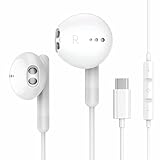
Wired earbuds are the simplest. They connect to your phone via a physical cable, typically using a 3.5mm headphone jack or, in the case of newer phones, a Lightning port (for iPhones) or USB-C port (for Android phones). The connection is direct and doesn’t involve any wireless technology.
Bluetooth Earbuds
Bluetooth earbuds connect wirelessly to your phone using Bluetooth technology. This means there’s no physical cable. Instead, the earbuds communicate with your phone via radio waves. This type includes true wireless earbuds (TWS), where each earbud is separate and independent, and also earbuds connected by a wire around the neck.
Hybrid Earbuds
Some earbuds offer both wired and wireless connectivity. These typically connect via Bluetooth but can also be plugged in using a cable. This gives you flexibility.
How to Disconnect Wired Earbuds
Disconnecting wired earbuds is, without a doubt, the easiest process. Here’s how:
- Locate the Earbud Connector: Find the connector (3.5mm jack, Lightning, or USB-C) that plugs into your phone.
- Gently Pull Out the Connector: Simply pull the connector out of the port on your phone. That’s it!
- Audio Output: Your phone will automatically switch to its built-in speakers, and the audio will now play through them.
Why It Works: The physical removal of the connector immediately severs the audio connection. Your phone recognizes that the external audio device (the earbuds) is no longer present and reverts to its default audio output.
Troubleshooting:
- No Sound After Disconnection: If you don’t hear sound after disconnecting, check your phone’s volume. It might be muted or set very low. Also, verify that the audio is not still routed to another connected device, such as a Bluetooth speaker.
- Connector Issues: If the connection is loose, the audio might cut in and out. If the port is damaged, you may need to have it repaired.
How to Disconnect Bluetooth Earbuds
Disconnecting Bluetooth earbuds requires a few more steps, as the connection is wireless. Here’s how you can do it:
Method 1: Using the Bluetooth Settings
This is the most common and reliable method.
- Access Bluetooth Settings: Open your phone’s settings menu. The exact location of the Bluetooth settings varies slightly depending on your phone’s OS, but it’s usually under
Final Verdict
Disconnecting your earbuds from your phone is a fundamental skill for any smartphone user, and the process is usually straightforward. Whether you’re using wired or wireless earbuds, understanding the different methods, from unplugging a cable to navigating Bluetooth settings, ensures you can seamlessly manage your audio output. By following the steps outlined in this guide, you can quickly switch between your earbuds and your phone’s speakers, preventing those awkward moments of unintended audio sharing and gaining control of your listening experience. Remember to troubleshoot any issues and explore the advanced tips to optimize your audio management. With the knowledge you’ve gained, you can now confidently disconnect your earbuds and enjoy your music, podcasts, or calls with ease.
Recommended Products