Does Nothing Earbuds Work with iPhone? Compatibility Explained
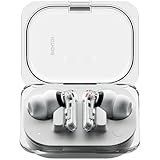
So, you’re eyeing a pair of Nothing Earbuds, intrigued by their sleek design and unique aesthetic, and you’re an iPhone user. A natural question pops up: will they actually work with your iPhone? The short answer is yes, but the longer answer involves understanding the nuances of compatibility, features, and how to get the most out of your listening experience.
I understand the hesitation. When you invest in new tech, you want it to seamlessly integrate with your existing setup. No one wants to deal with frustrating glitches or missing features. This article will provide a comprehensive guide, breaking down everything you need to know about using Nothing Earbuds with an iPhone, from initial setup to maximizing their potential.
We’ll cover Bluetooth connectivity, the functionality of specific features, potential limitations, and how to troubleshoot any issues that might arise. Get ready to explore whether these stylish earbuds are the right fit for your iPhone lifestyle.
Understanding the Basics: Bluetooth and Compatibility
At the heart of the matter is Bluetooth technology. Both Nothing Earbuds and iPhones rely on Bluetooth to establish a wireless connection. This means that, in principle, any Bluetooth-enabled earbuds should work with any Bluetooth-enabled iPhone. However, the devil is in the details, specifically in the Bluetooth profiles supported and the codecs used for audio transmission.
Bluetooth Profiles and Codecs: The Technical Jargon Explained
Bluetooth profiles define the types of data that can be exchanged between devices. For audio, the key profile is the Advanced Audio Distribution Profile (A2DP), which allows for the streaming of high-quality audio. iPhones support A2DP, so this is a fundamental requirement met. Codecs, on the other hand, are the methods used to compress and decompress audio data for transmission. Different codecs offer varying levels of audio quality and efficiency.
Apple’s iPhones primarily use the AAC (Advanced Audio Coding) codec for Bluetooth audio streaming. AAC is a good codec, offering a balance between audio quality and efficiency. Nothing Earbuds, like many modern earbuds, typically support AAC, ensuring compatibility with iPhones. The support for AAC codec ensures that the audio quality is maintained during transmission. However, some Nothing Earbuds models might also support other codecs like SBC (Subband Codec) and potentially aptX (depending on the specific model), but AAC is the most important one for iPhone users.
Pairing Your Nothing Earbuds with Your iPhone: A Step-by-Step Guide
Pairing your Nothing Earbuds with your iPhone is a straightforward process. Here’s a simple guide:
- Put your Nothing Earbuds into pairing mode: This usually involves pressing and holding a button on the charging case or the earbuds themselves until an LED light starts flashing. Check the specific instructions for your Nothing Earbuds model, as the method can vary.
- Open the Settings app on your iPhone: Navigate to the Bluetooth section.
- Enable Bluetooth: If Bluetooth is not already enabled, toggle the switch to the ‘on’ position.
- Find your Nothing Earbuds: Your iPhone should start scanning for available Bluetooth devices. Your Nothing Earbuds should appear in the list of available devices, usually labeled with the model name (e.g., “Nothing Ear (1)” or “Nothing Ear (stick)”).
- Tap on your Nothing Earbuds in the list: This will initiate the pairing process. Your iPhone will connect to the earbuds. You might be prompted to confirm the pairing.
- Confirmation: Once paired, your Nothing Earbuds will appear as “Connected” in the Bluetooth settings, and you should be able to hear audio through the earbuds.
If you encounter any issues during pairing, ensure that your earbuds are not already connected to another device, that they are charged, and that they are within range of your iPhone.
Troubleshooting Common Pairing Issues
Sometimes, pairing doesn’t go as smoothly as planned. Here are some common issues and how to resolve them:
- Earbuds not appearing in the list: Make sure your earbuds are in pairing mode. Check the battery level of both your earbuds and your iPhone. Restart both devices. Try resetting your earbuds (check the Nothing Earbuds manual for specific reset instructions).
- Connection dropping: Ensure that your iPhone and earbuds are within the recommended Bluetooth range (usually around 10 meters or 33 feet). Minimize interference from other electronic devices. Try forgetting the device in your iPhone’s Bluetooth settings and re-pairing.
- Sound quality issues: Check the audio codec being used (AAC is preferred). Ensure that your iPhone’s software is up to date. Try adjusting the volume on both your iPhone and your earbuds.
- One earbud not working: Ensure both earbuds are charged and properly seated in your ears. Try resetting the earbuds or re-pairing them. Check the balance settings in your iPhone’s accessibility settings.
Feature Compatibility: What Works and What Doesn’t
While the basic functionality of playing audio works seamlessly, the extent to which all features are supported can vary depending on the Nothing Earbuds model and the iPhone’s iOS version. Let’s delve into the specifics.
Audio Playback and Controls: The Essentials
The core functionality, which is playing audio, works perfectly with iPhones. You can:
- Listen to music, podcasts, and audiobooks: Any audio played on your iPhone will be streamed to the Nothing Earbuds.
- Control playback: Most Nothing Earbuds support basic playback controls, such as play/pause, skip forward, skip backward, and volume adjustment, directly from the earbuds themselves. The specific controls and their functions may vary slightly depending on the model.
- Use Siri: You can typically activate Siri by double-tapping or long-pressing a touch control on the earbuds. This allows you to use voice commands to control your iPhone, make calls, send messages, and more.
Active Noise Cancellation (anc): A Key Feature to Consider
If your Nothing Earbuds model features Active Noise Cancellation (ANC), you’ll be pleased to know that it generally works with iPhones. You can enable or disable ANC through the Nothing X app (more on this later) or, in some cases, directly from the earbuds. The effectiveness of ANC might depend on the specific implementation in the Nothing Earbuds and the surrounding environment, but the feature is fully functional with iPhones.
Transparency Mode: Staying Aware of Your Surroundings
Transparency mode, which allows you to hear the outside world while wearing your earbuds, is also typically supported on iPhones. This feature is useful for staying aware of your surroundings, such as when crossing the street or having a conversation. You can usually toggle between ANC and transparency mode through the Nothing X app or the earbud controls.
Customization and the Nothing X App
The Nothing X app is the companion app for Nothing Earbuds, available on both Android and iOS. It allows you to customize various settings and access additional features. While the app is available on the App Store, the degree of feature availability might vary slightly compared to the Android version. However, most of the core features work flawlessly on iPhones. You can use the Nothing X app to:
- Customize touch controls: Reassign the functions of the touch controls on your earbuds to suit your preferences.
- Adjust EQ settings: Fine-tune the sound profile of your earbuds to match your listening preferences.
- Update firmware: Keep your earbuds up to date with the latest software updates.
- Access other features: Depending on the model, you might be able to access features such as earbud fit tests, find my earbuds, and more.
Limitations and Potential Differences
While the overall experience is excellent, there might be some minor differences or limitations when using Nothing Earbuds with an iPhone compared to using them with an Android device.
- Codec Support: While AAC is the primary codec, Android phones can sometimes support other codecs like aptX, which is not available on iPhones. This difference is usually not very noticeable.
- App Feature Parity: Although the Nothing X app is available on iOS, some features might be rolled out on Android first. This is generally rare, but it’s worth noting.
- Integration with Ecosystem: iPhones are designed to work seamlessly within the Apple ecosystem. Some features, like fast pairing, might be slightly different compared to the experience on Android devices.
Comparing Nothing Earbuds Models with iPhone Compatibility
Different Nothing Earbuds models may offer varying features and levels of integration with iPhones. Here’s a quick comparison to help you choose the right model for your needs:
| Feature | Nothing Ear (1) | Nothing Ear (stick) | Nothing Ear (2) |
|---|---|---|---|
| ANC | Yes | No | Yes |
| Transparency Mode | Yes | Yes | Yes |
| Battery Life (with case) | Up to 34 hours | Up to 29 hours | Up to 36 hours |
| Water Resistance | IPX4 | IPX4 | IP54 |
| Wireless Charging | Yes | No | Yes |
| App Support | Yes | Yes | Yes |
| iPhone Compatibility | Excellent | Excellent | Excellent |
Note: The specifications and features of Nothing Earbuds models can change. Always refer to the official Nothing website for the most up-to-date information.
Choosing the Right Nothing Earbuds for Your iPhone
When selecting a pair of Nothing Earbuds for your iPhone, consider your priorities:
- ANC: If noise cancellation is important, choose a model with ANC, such as the Nothing Ear (1) or Nothing Ear (2).
- Battery Life: If you need long battery life, compare the battery specifications of each model.
- Design and Fit: Consider the design and fit of the earbuds. Nothing offers both in-ear and open-fit designs.
- Features: Assess the features that matter most to you, such as wireless charging or water resistance.
- Budget: Set a budget and compare the prices of the different models.
Maximizing Your Listening Experience with Nothing Earbuds on iPhone
Here are some tips to enhance your experience:
- Update your iPhone and Earbuds: Keep your iPhone’s iOS and your Nothing Earbuds’ firmware up to date for the best performance and compatibility.
- Use the Nothing X app: Download and use the Nothing X app to customize your settings, adjust the EQ, and update your earbuds’ firmware.
- Optimize for AAC: While AAC is the default codec, ensure that it’s being used for optimal audio quality. This is usually the case automatically.
- Experiment with EQ settings: Use the EQ settings in the Nothing X app to find the sound profile that best suits your preferences.
- Clean your earbuds regularly: Keep your earbuds clean to ensure optimal sound quality and comfort.
Conclusion
Using Nothing Earbuds with an iPhone is a smooth and enjoyable experience. The core functionalities, such as audio playback, call quality, and basic controls, work seamlessly. The Nothing X app provides a range of customization options, and features like ANC and transparency mode are fully supported. While there might be minor differences compared to using the earbuds with an Android device, the overall compatibility is excellent. If you appreciate the unique design and features of Nothing Earbuds and you’re an iPhone user, you can confidently integrate them into your daily life.
In short, if you’re an iPhone user drawn to the Nothing Earbuds’ aesthetic and features, you’re in luck. The earbuds are designed to work seamlessly with your Apple device, offering a solid listening experience. From easy pairing to effective noise cancellation and app customization, the Nothing Earbuds provide a compelling option for those seeking stylish and functional wireless audio solutions. You can enjoy your favorite music, podcasts, and calls without any significant compromises. The compatibility is robust, and the overall experience is well-integrated.
The key takeaway is that you can confidently purchase and use Nothing Earbuds with your iPhone, knowing that you’ll have access to most, if not all, of the features that the earbuds offer. The integration is smooth, the sound quality is good, and the overall user experience is positive. Don’t hesitate to give Nothing Earbuds a try if you’re looking for a fresh, design-focused approach to wireless audio.
Recommended Products