Do Wireless Earbuds Need to Be Charged? A Comprehensive Guide
Ah, the convenience of wireless earbuds! They’ve revolutionized how we listen to music, podcasts, and audiobooks. No more tangled wires, just pure, unadulterated sound. But with this freedom comes a necessary evil: charging. The simple question, ‘do wireless earbuds need to be charged?’ seems obvious, but the answer goes much deeper than a simple yes or no. We’ll explore the ins and outs of charging, from the basics to advanced tips.
You might be wondering about battery life, charging methods, and how to maximize the lifespan of your favorite earbuds. We’ll cover everything, addressing common misconceptions and providing practical advice to keep your audio experience seamless. Whether you’re a seasoned audiophile or a newcomer to the wireless world, this guide will equip you with the knowledge you need to stay connected to your sound.
The Fundamental Answer: Yes, They Absolutely Do!
Let’s get the obvious out of the way: yes, wireless earbuds need to be charged. They operate on batteries, and those batteries eventually deplete. Unlike wired earbuds, which draw power directly from your device, wireless earbuds rely on their internal power source. This is the trade-off for the freedom of movement and the lack of wires.
Think of them like your smartphone or laptop. They’re portable devices that require a power source. Without a charge, your earbuds are useless. The frequency and duration of charging depend on several factors, including the type of earbuds, the usage patterns, and the battery technology used.
Understanding the Battery
Most wireless earbuds use lithium-ion batteries. These are rechargeable batteries known for their relatively high energy density and lightweight design. Lithium-ion batteries provide a good balance between performance and size, making them ideal for the compact form factor of earbuds. However, they have a finite lifespan and degrade over time, which affects how often you need to charge them.
The capacity of the battery is measured in milliampere-hours (mAh). A higher mAh rating typically means longer battery life. However, other factors like the drivers used in the earbuds, the features (like active noise cancellation or ANC), and the volume level also influence how quickly the battery drains. Lower-end earbuds often have smaller batteries, leading to shorter listening times.
Factors Affecting Charging Frequency
Several variables determine how often you need to charge your wireless earbuds:
- Battery Capacity: As mentioned, larger batteries last longer.
- Usage: The more you listen, the more you charge.
- Volume Level: Listening at high volumes drains the battery faster.
- Features: Active Noise Cancellation (ANC) and transparency modes consume extra power.
- Bluetooth Connection: Maintaining a stable Bluetooth connection uses energy.
- Age of the Battery: Over time, the battery capacity diminishes, requiring more frequent charging.
Charging Methods: A Detailed Overview
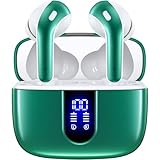
Wireless earbuds typically come with a charging case. The charging case serves multiple purposes:
- Charging: It provides a convenient way to recharge your earbuds.
- Protection: It protects your earbuds from damage when not in use.
- Storage: It’s a safe place to store your earbuds.
There are two main ways to charge the charging case itself:
- Wired Charging: This is the most common method. The charging case has a USB port (usually USB-C or Micro-USB). You connect the case to a power source (a wall adapter, a computer, or a power bank) using a USB cable.
- Wireless Charging: Some charging cases support wireless charging. You place the case on a wireless charging pad, and it charges without the need for a cable. This is a convenient feature, but it’s not available on all models.
Charging the Earbuds in the Case:
- Place the earbuds in the charging case.
- Close the lid.
- The case will automatically start charging the earbuds (if the case has sufficient charge).
- Many cases have LED indicators to show the charging status of both the earbuds and the case.
Charging Times: What to Expect
Charging times vary depending on the battery capacity and the charging method. Here’s a general guideline:
- Earbuds: Typically, earbuds charge in about 1-2 hours.
- Charging Case: The charging case can take 1-3 hours to charge fully.
- Wireless Charging: Wireless charging might be slightly slower than wired charging.
Quick Charging: Many modern earbuds support quick charging. This feature allows you to get several hours of listening time from a short charging session (e.g., 15 minutes of charging might give you 1-2 hours of playtime).
Battery Life: The Reality
Advertised battery life is often based on specific conditions, such as listening at a moderate volume without using features like ANC. In reality, you might experience shorter battery life. Here’s what to expect:
- Entry-Level Earbuds: 3-5 hours of playtime on a single charge.
- Mid-Range Earbuds: 5-8 hours of playtime.
- High-End Earbuds: 7-10+ hours of playtime.
- With Charging Case: The charging case typically provides multiple additional charges, extending the total playtime to 20-40 hours or more.
Example: If your earbuds have 6 hours of playtime and your charging case provides 3 additional charges, you can get up to 24 hours of total listening time.
How to Maximize Battery Life
You can take several steps to extend the battery life of your wireless earbuds:
- Moderate Volume: Listening at lower volumes consumes less power.
- Disable Features: Turn off features like ANC and transparency modes when you don’t need them.
- Bluetooth Optimization: Keep your earbuds within the recommended Bluetooth range to maintain a stable connection.
- Update Firmware: Manufacturers often release firmware updates that improve battery efficiency.
- Proper Storage: When not in use, store your earbuds in the charging case to prevent unnecessary battery drain.
- Avoid Extreme Temperatures: Extreme heat or cold can affect battery performance.
- Charge Regularly: Don’t let your earbuds completely drain before recharging.
Troubleshooting Common Charging Issues
Sometimes, you might encounter charging problems. Here’s how to troubleshoot them:
- Earbuds Not Charging:
- Make sure the earbuds are properly seated in the charging case.
- Clean the charging contacts on both the earbuds and the case.
- Try a different USB cable and power adapter.
- Check the charging case’s battery level.
- Reset the earbuds (refer to the manufacturer’s instructions).
- Charging Case Not Charging:
- Ensure the USB cable is securely connected.
- Try a different power outlet or USB port.
- Check the cable for damage.
- Charging Slowly:
- Use a different power adapter (a higher wattage adapter might charge faster).
- Check for any obstructions or debris in the charging port.
- Battery Drain Quickly:
- Check the usage of features like ANC.
- Update the firmware.
- Consider the age of the battery (it may be time for a replacement).
Comparing Charging Times and Battery Life: A Table
Here’s a table summarizing the battery life and charging times of various types of wireless earbuds:
| Earbud Type | Typical Playtime (Single Charge) | Charging Time (Earbuds) | Charging Time (Case) | Charging Case Provides |
|---|---|---|---|---|
| Entry-Level | 3-5 hours | 1-1.5 hours | 1-2 hours | 2-3 additional charges |
| Mid-Range | 5-8 hours | 1.5-2 hours | 2-3 hours | 3-4 additional charges |
| High-End | 7-10+ hours | 1.5-2 hours | 2-3 hours | 4+ additional charges |
| True Wireless with ANC | 4-7 hours (with ANC on) | 1-2 hours | 2-3 hours | 3-4 additional charges |
| Sports Earbuds | 6-8 hours | 1.5-2 hours | 2-3 hours | 2-3 additional charges |
Advanced Tips and Tricks
Here are some more advanced tips to enhance your charging experience:
- Use a Quality Charger: Use a reputable USB cable and power adapter to ensure safe and efficient charging.
- Avoid Overcharging: Although modern earbuds have protection circuits, it’s best not to leave them charging for extended periods after they’re fully charged.
- Consider a Power Bank: A power bank can be a lifesaver when you’re on the go and need to recharge your charging case.
- Check the LED Indicators: Pay attention to the LED indicators on your earbuds and charging case to monitor the charging status.
- Read the Manual: Refer to the user manual for specific information about your earbuds’ charging features and troubleshooting tips.
- Optimize Bluetooth Settings: In your device’s Bluetooth settings, make sure ‘Absolute Volume’ is enabled. This can help improve volume control and Bluetooth stability, which can indirectly affect battery life.
- Use a Wireless Charging Pad (If Applicable): For models with wireless charging, a wireless charging pad offers convenience. Make sure the charging pad is compatible with your charging case.
- Clean the Charging Contacts Regularly: Use a dry, soft cloth or cotton swab to clean the charging contacts on both the earbuds and the case. This helps ensure a good connection and efficient charging.
- Monitor Battery Health: Some apps or devices allow you to monitor the battery health of your earbuds. This can help you identify when the battery is starting to degrade.
The Future of Charging
The technology behind wireless earbud charging is constantly evolving. We can expect to see several advancements in the future:
- Faster Charging: Charging times will continue to decrease, allowing for quick top-ups.
- Improved Battery Technology: Battery capacity and lifespan will improve, extending listening times.
- More Efficient Power Management: Earbuds will become more energy-efficient.
- Wireless Charging Advancements: Wireless charging will become more widespread and efficient.
- Integration of Renewable Energy: Some manufacturers may explore using renewable energy sources for charging.
Addressing Common Concerns
Let’s address some frequently asked questions:
- Can I overcharge my wireless earbuds? Most modern earbuds have built-in protection to prevent overcharging. However, it’s still best practice to disconnect them once they’re fully charged.
- What happens if I don’t charge my earbuds for a long time? If you don’t use your earbuds for extended periods, the battery may slowly discharge. It’s recommended to charge them periodically to maintain battery health.
- Can I use any USB cable to charge my earbuds? While most USB cables will work, it’s best to use the cable that came with your earbuds or a high-quality replacement.
- How often should I replace my wireless earbuds? The lifespan of your earbuds depends on several factors, including usage, care, and battery health. Typically, you can expect them to last for 2-3 years, but this can vary.
The advent of wireless earbuds continues to reshape how we experience audio. By understanding the charging requirements and following the tips above, you can ensure your listening experience remains uninterrupted and enjoyable.
Verdict
The answer to ‘do wireless earbuds need to be charged?’ is a resounding yes. Charging is an integral part of owning wireless earbuds, just as it is with any other portable electronic device. The frequency of charging depends on various factors such as usage, battery capacity, and the features used. By following the best practices outlined in this guide, you can optimize your earbuds’ battery life, troubleshoot common charging issues, and enjoy a seamless audio experience. Understanding the nuances of charging will ensure your earbuds are always ready to provide the soundtrack to your life.
Recommended Products