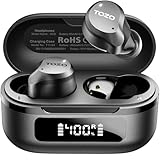
Are Tozo Earbuds Compatible with iPhone? Everything You Need to
So, you’re eyeing a pair of TOZO earbuds, perhaps attracted by their affordability and generally positive reviews. You’ve got an iPhone, and the big question pops into your head: are Tozo earbuds compatible with iPhone? It’s a valid concern! Nobody wants to buy a shiny new gadget only to find it doesn’t play nicely with their existing tech. The good news is, the answer is usually a resounding yes, but let’s delve deeper to ensure a smooth listening experience.
We’ll cover everything from the basic compatibility to advanced features, potential issues, and how to troubleshoot them. We’ll also look at specific TOZO models and their iPhone compatibility. My goal is to provide you with a comprehensive guide, so you can make an informed decision and enjoy your music, podcasts, and calls without a hitch. Let’s get started!
The Simple Answer: Yes, They Are!
In the vast majority of cases, TOZO earbuds are fully compatible with iPhones. This is because they use Bluetooth, a universal wireless technology. iPhones, like most smartphones, tablets, and computers, have built-in Bluetooth capabilities. This means that as long as your iPhone has Bluetooth, it can connect to TOZO earbuds.
Bluetooth works by establishing a wireless connection between two devices. Once paired, your iPhone will transmit audio to the earbuds, allowing you to listen to music, podcasts, or take calls. The connection process is generally straightforward and quick. We’ll outline the steps in detail later, but for now, rest assured that the fundamental compatibility is there.
Understanding Bluetooth Compatibility
To fully grasp the compatibility, it’s helpful to understand a bit about Bluetooth. Bluetooth technology has evolved over the years, with different versions offering improvements in speed, range, and power efficiency. However, all versions of Bluetooth are backward compatible. This means that a device with a newer version of Bluetooth can still connect to a device with an older version.
For example, if your iPhone has Bluetooth 5.0 and your TOZO earbuds have Bluetooth 5.2, they will still connect. The connection will operate at the highest common denominator, which in this case would likely be Bluetooth 5.0. This ensures that even if you have an older iPhone model, you should still be able to connect to the latest TOZO earbuds without any major issues.
Key Bluetooth considerations:
- Bluetooth Version: While backward compatibility is key, newer Bluetooth versions generally offer better performance.
- Bluetooth Profiles: Your iPhone and the TOZO earbuds need to support the same Bluetooth profiles (like A2DP for audio streaming and HFP/HSP for calls) for all features to work. Luckily, this is almost always the case.
- Range: Bluetooth has a limited range. Expect about 10-30 meters (33-100 feet) of unobstructed range, though walls and other obstacles can reduce this.
Pairing Your Tozo Earbuds with Your iPhone: A Step-by-Step Guide
Pairing your TOZO earbuds with your iPhone is a simple process. Here’s a detailed, step-by-step guide to get you up and running:
- Charge Your Earbuds: Before you start, make sure your TOZO earbuds are charged. Most models come with a charging case that provides multiple charges. Fully charging the earbuds will ensure a good listening experience.
- Put the Earbuds into Pairing Mode: This step varies slightly depending on the TOZO model. Usually, you’ll need to remove the earbuds from their charging case. Some models automatically enter pairing mode when removed. Others may require you to press and hold a button on the earbuds for a few seconds. Consult your TOZO earbuds’ manual for specific instructions. The manual will guide you on how to activate pairing mode.
- Enable Bluetooth on Your iPhone: Open the Settings app on your iPhone. Tap on “Bluetooth.” Toggle the Bluetooth switch to the on position (it will turn green).
- Find Your Earbuds in the Bluetooth Menu: Your iPhone will automatically start scanning for nearby Bluetooth devices. Your TOZO earbuds should appear in the list of available devices, typically with the model name (e.g., “TOZO T10”).
- Select Your Earbuds: Tap on the name of your TOZO earbuds in the list. Your iPhone will attempt to connect.
- Wait for Connection: Once connected, the name of your TOZO earbuds should change to “Connected” or show a Bluetooth symbol next to it in the Bluetooth menu. You might also hear a confirmation sound in your earbuds.
- Test the Connection: Play some music or a podcast on your iPhone to verify that audio is playing through your TOZO earbuds. Adjust the volume on your iPhone or the earbuds themselves.
Troubleshooting Pairing Issues:
- Make sure the earbuds are in pairing mode.
- Turn Bluetooth off and on again on your iPhone.
- Restart your iPhone.
- Forget the device in your iPhone’s Bluetooth settings and try pairing again. To do this, tap the “i” icon next to the earbuds’ name in the Bluetooth menu, then tap “Forget This Device.”
- Ensure there are no other Bluetooth devices interfering.
- Check for physical obstructions. Walls or other obstructions can hinder the Bluetooth signal. Try moving closer to your iPhone.
- Check the battery level. Low battery levels can sometimes cause connection problems.
- Check the TOZO earbuds’ manual for specific troubleshooting steps for your model.
Specific Tozo Earbud Models and iPhone Compatibility
TOZO offers a wide range of earbuds, and while all are generally compatible with iPhones, some models may have additional features or slightly different functionalities. Let’s look at some popular TOZO models:
Tozo T10
The TOZO T10 is one of TOZO’s most popular models. It’s known for its affordability, good sound quality, and IPX8 waterproof rating. The T10 is fully compatible with iPhones. You can easily pair them using the steps described above. They typically offer a good battery life and come with a charging case. The T10 provides a solid listening experience for music, podcasts, and calls.
Tozo T6
The TOZO T6 is another popular choice. It offers a comfortable fit and good sound quality. Like the T10, the T6 is also fully compatible with iPhones. You can pair it with your iPhone without any issues. The T6 often includes touch controls for managing music playback and calls. It’s a great option for everyday use.
Tozo Nc9
The TOZO NC9 features active noise cancellation (ANC). This is a great feature for blocking out external noise, making it ideal for use in noisy environments. The NC9 is fully compatible with iPhones, and you can enjoy the ANC feature seamlessly. Pairing is the same as with other models. The NC9 gives you a more immersive listening experience.
Tozo T12
The TOZO T12 are known for their enhanced sound quality and comfortable design. They are also fully compatible with iPhones. The T12 often includes improved features like enhanced bass and clearer audio. The pairing process remains the same, ensuring a hassle-free connection with your iPhone.
Tozo A1
The TOZO A1 is a budget-friendly option that still offers decent sound quality. It’s also fully compatible with iPhones. The A1 is a great choice if you’re looking for a simple and affordable pair of earbuds for everyday use. Pairing is as easy as any other model. They’re a good starter pair for iPhone users.
Note: While all TOZO models are compatible, always refer to the specific model’s manual for any model-specific pairing instructions or features.
Features and Functionality with iPhone
Once your TOZO earbuds are connected to your iPhone, you can expect a range of features to work seamlessly. These include:
- Audio Streaming: You can listen to music from your favorite music apps (Spotify, Apple Music, etc.), podcasts, audiobooks, and other audio content.
- Call Functionality: You can answer and make phone calls using the built-in microphone in the TOZO earbuds. The quality of the microphone may vary depending on the model.
- Volume Control: You can typically adjust the volume using the controls on the earbuds themselves (touch controls on some models) or through your iPhone.
- Playback Controls: Many TOZO earbuds offer touch controls for pausing/playing music, skipping tracks, and answering/ending calls.
- Siri Integration: Some models allow you to activate Siri with a double or triple tap on the earbuds. This lets you use voice commands to control your iPhone.
- Battery Status: Your iPhone may display the battery level of the TOZO earbuds in the Bluetooth settings or in the notification center.
Important Considerations for iPhone Users:
- Codec Support: iPhones primarily support the AAC (Advanced Audio Coding) and SBC (Subband Coding) codecs for Bluetooth audio. TOZO earbuds generally support these codecs. While some Android devices support higher-quality codecs like aptX, iPhones typically do not. AAC provides excellent audio quality for most users.
- Bluetooth Interference: Bluetooth signals can be affected by other wireless devices, such as Wi-Fi routers or other Bluetooth devices. If you experience dropouts or interference, try moving closer to your iPhone or minimizing the number of other wireless devices in the area.
- Software Updates: Make sure your iPhone’s software is up to date. Apple regularly releases updates that can improve Bluetooth performance. You can check for updates in Settings > General > Software Update.
Troubleshooting Common Issues
While TOZO earbuds generally work well with iPhones, you might encounter some issues. Here are some common problems and how to solve them:
1. Earbuds Won’t Connect
Solution:
- Ensure the earbuds are in pairing mode (refer to your manual).
- Turn Bluetooth off and on on your iPhone.
- Restart your iPhone.
- Forget the device in your iPhone’s Bluetooth settings and then re-pair.
- Make sure the earbuds are charged.
- Move closer to your iPhone to avoid distance issues.
2. Sound Quality Issues
Solution:
- Ensure a stable Bluetooth connection. Move closer to your iPhone or reduce interference from other devices.
- Check the volume levels on both your iPhone and the earbuds.
- Try different music apps to rule out app-specific issues.
- Clean the earbuds (especially the ear tips) to ensure clear sound.
- Make sure the ear tips are properly fitted to create a good seal.
3. Microphone Problems
Solution:
- Ensure the microphone is enabled (some earbuds have a mute function).
- Make sure the microphone isn’t blocked.
- Test the microphone in a quiet environment to minimize background noise.
- Check for software updates on your iPhone.
4. One Earbud Isn’t Working
Solution:
- Make sure both earbuds are charged.
- Try resetting the earbuds (refer to your manual).
- Forget the device in your iPhone’s Bluetooth settings and re-pair.
- Check for damage to either earbud.
5. Battery Drain
Solution:
- Ensure the earbuds are fully charged before use.
- Reduce the volume, as higher volumes consume more power.
- Turn off the earbuds when not in use.
- Check the battery life of your earbuds. Battery life degrades over time.
Comparing Tozo Earbuds to Apple Airpods
It’s natural to wonder how TOZO earbuds stack up against Apple’s AirPods. Here’s a brief comparison:
| Feature | TOZO Earbuds | Apple AirPods |
|---|---|---|
| Price | More Affordable | More Expensive |
| Compatibility | iPhone and Android | Best with Apple devices |
| Sound Quality | Good for the price | Generally better, especially AirPods Pro |
| Features | Varies by model, some with ANC | Seamless integration with Apple ecosystem, ANC, spatial audio |
| Design | Various designs, often in-ear | Various designs, including open-ear and in-ear |
| Battery Life | Generally good | Good, with charging case |
In summary: TOZO earbuds are a great budget-friendly option, while Apple AirPods offer a premium experience with seamless integration for Apple users. The best choice depends on your budget and priorities.
Tips for Maximizing Your Tozo Earbud Experience
Here are some tips to get the most out of your TOZO earbuds with your iPhone:
- Read the Manual: Always consult the user manual for your specific TOZO model. It contains detailed instructions on pairing, controls, and troubleshooting.
- Keep Your iPhone Updated: Regularly update your iPhone’s software to ensure the best Bluetooth performance.
- Clean Your Earbuds: Regularly clean the ear tips and charging contacts to maintain good sound quality and charging efficiency. Use a soft, dry cloth.
- Choose the Right Ear Tips: Experiment with different ear tip sizes to find the best fit for your ears. A proper fit ensures better sound isolation and comfort.
- Protect Your Earbuds: Store your earbuds in their charging case when not in use to protect them from damage and dust.
- Consider a Case: A protective case for the charging case can help prevent scratches and damage.
- Charge Regularly: Charge your earbuds and charging case regularly to avoid running out of power.
- Experiment with EQ: Adjust the equalizer settings in your music app or on your iPhone to customize the sound to your liking.
- Explore Touch Controls: Learn the touch controls for your specific model to easily manage music playback and calls.
Final Verdict
TOZO earbuds are overwhelmingly compatible with iPhones. The pairing process is straightforward, and you can expect all the essential features, such as audio streaming, call functionality, and playback controls, to work seamlessly. While the experience might not be as tightly integrated as with Apple’s AirPods, TOZO earbuds provide an excellent, budget-friendly option for iPhone users seeking wireless audio. Remember to follow the pairing steps, troubleshoot any issues promptly, and enjoy your music!
Recommended Products