Are Tagry Earbuds Compatible with iPhone? A Comprehensive Guide
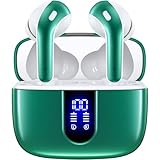
So, you’re eyeing a pair of Tagry earbuds and wondering if they’ll play nice with your trusty iPhone? You’re in the right place! It’s a common question, and the good news is, the answer is generally a resounding yes. But like any tech pairing, there are nuances to consider. This guide will walk you through everything you need to know, from the basic compatibility to advanced features and troubleshooting tips. We’ll cover the connection process, what to expect in terms of sound quality and features, and how to make the most of your Tagry earbuds with your iPhone.
Whether you’re a seasoned audiophile or just looking for a convenient way to listen to your favorite tunes, understanding the compatibility between your devices is crucial. I’ll break down the essentials, making sure you have all the information you need to make an informed decision and enjoy your music seamlessly. Let’s get started!
The Fundamentals: Compatibility Explained
At the heart of the matter is Bluetooth technology. Most modern electronic devices, including iPhones and Tagry earbuds, utilize Bluetooth for wireless communication. This standardized protocol allows devices to ‘talk’ to each other, transmitting audio signals without the need for wires. The beauty of Bluetooth is its widespread adoption, ensuring broad compatibility across various brands and operating systems.
The crucial factor here is the Bluetooth version. Both your iPhone and the Tagry earbuds need to support a compatible Bluetooth version. Thankfully, the vast majority of iPhones released in the last decade (and even older models) support Bluetooth 4.0 or higher. Tagry earbuds also typically feature Bluetooth 5.0 or later, which means they are backward compatible with older Bluetooth versions, including those found in older iPhones. This ensures a smooth and reliable connection.
Checking Your Iphone’s Bluetooth Version
It’s easy to verify your iPhone’s Bluetooth capabilities. Here’s how:
- Go to Settings: Open the Settings app on your iPhone.
- Tap ‘General’: Scroll down and tap on ‘General’.
- Tap ‘About’: Select ‘About’ from the General settings.
- Scroll down: Look for the ‘Model’ information. While this doesn’t explicitly state the Bluetooth version, it helps you determine the iPhone’s generation. You can then search online for the specific Bluetooth version supported by your iPhone model.
For example, if you have an iPhone 8 or later, you’re almost guaranteed to have Bluetooth 5.0 or higher. Older iPhones, like the iPhone 6 or 7, will likely have Bluetooth 4.2 or 4.0, which is still compatible with most Tagry earbuds.
Understanding Bluetooth Profiles
Bluetooth compatibility goes beyond just the version. It also involves Bluetooth profiles, which define how devices communicate. Some essential profiles for audio devices include:
- A2DP (Advanced Audio Distribution Profile): This profile is responsible for streaming high-quality stereo audio from your iPhone to the earbuds.
- HFP (Hands-Free Profile): This enables voice calls, allowing you to use your Tagry earbuds as a headset for phone calls.
- HSP (Headset Profile): Similar to HFP, this profile also supports voice calls but is often used by older devices.
- AVRCP (Audio/Video Remote Control Profile): This profile allows you to control the playback of your music, such as play/pause, skip tracks, and adjust the volume, directly from the earbuds.
Both your iPhone and the Tagry earbuds must support these profiles for seamless functionality. Fortunately, virtually all modern Bluetooth audio devices, including Tagry earbuds, support these profiles, ensuring a full range of features.
Pairing Your Tagry Earbuds with Your iPhone
The pairing process is straightforward and similar across most Bluetooth devices. Here’s a step-by-step guide:
- Charge Your Earbuds: Before you begin, make sure your Tagry earbuds are adequately charged. Most earbuds come with a charging case, which also serves as a storage unit.
- Put Your Earbuds into Pairing Mode: This step varies slightly depending on the Tagry earbud model. Typically, you’ll need to open the charging case and/or press and hold a button on the earbuds themselves. Consult the Tagry earbuds’ user manual for specific instructions. Usually, a small LED light on the earbuds will blink, indicating that they are in pairing mode.
- Enable Bluetooth on Your iPhone: On your iPhone, go to Settings and tap on ‘Bluetooth’. Toggle the Bluetooth switch to the ‘on’ position.
- Scan for Devices: Your iPhone will automatically scan for available Bluetooth devices.
- Select Your Earbuds: In the list of available devices, you should see your Tagry earbuds listed (e.g., ‘Tagry T30’, ‘Tagry T20’). Tap on the name of your earbuds to connect.
- Confirm the Connection (if necessary): Sometimes, you may be prompted to confirm the connection or enter a pairing code (usually ‘0000’ or ‘1234’). Follow the on-screen instructions.
- Connection Established: Once the connection is successful, your Tagry earbuds will be connected to your iPhone. You should see the earbuds listed as ‘Connected’ in the Bluetooth settings. The LED light on the earbuds may also change to indicate a successful connection.
Once paired, your iPhone will automatically connect to your Tagry earbuds whenever they are within range and powered on. You can easily manage connected devices in the Bluetooth settings on your iPhone.
Sound Quality and Performance: What to Expect
The sound quality of your Tagry earbuds on your iPhone depends on several factors, including the audio codecs supported by both devices, the design of the earbuds, and the quality of the audio source.
Audio Codecs: The Language of Sound
Audio codecs are essentially the methods used to compress and decompress audio data for transmission over Bluetooth. Different codecs offer varying levels of audio quality. Here’s a quick overview:
- SBC (Subband Codec): This is the standard codec supported by all Bluetooth devices. It offers decent audio quality but is not the best.
- AAC (Advanced Audio Coding): AAC is a higher-quality codec that is often used by Apple devices, including iPhones. It generally provides better sound quality than SBC.
- aptX: This is a higher-quality codec developed by Qualcomm. It can provide near-CD-quality audio. However, it’s not natively supported by iPhones (though some third-party apps might offer limited support).
- aptX HD: An even higher-quality version of aptX, offering even better audio fidelity. Like aptX, it’s not natively supported by iPhones.
When using Tagry earbuds with your iPhone, the connection will likely default to AAC. This means you should experience good sound quality, especially if you’re listening to music from Apple Music, Spotify, or other streaming services that support AAC. The specific audio codec used is determined by the capabilities of both the iPhone and the earbuds. In the absence of AAC support, the connection will fall back to SBC.
Earbud Design and Fit
The design of the Tagry earbuds also plays a crucial role in sound quality. Consider these factors:
- Driver Size: Larger drivers generally produce richer bass and a more immersive sound.
- Frequency Response: This specifies the range of frequencies the earbuds can reproduce. A wider frequency response means the earbuds can handle a broader range of sounds.
- Ear Tip Fit: A proper seal between the ear tips and your ear canal is essential for optimal sound quality. It prevents sound leakage and enhances bass response. Experiment with the different ear tip sizes that come with the earbuds to find the best fit.
Audio Source Quality
The quality of the audio source also affects the listening experience. If you’re listening to low-quality MP3 files, the sound will be limited regardless of the earbuds you use. Streaming services like Apple Music and Spotify offer high-quality audio options. Make sure your streaming settings are set to the highest available quality for the best sound.
Features and Functionality: Exploring the Possibilities
Tagry earbuds, like many modern Bluetooth earbuds, offer a range of features designed to enhance your listening experience. These features are generally compatible with iPhones, providing a seamless user experience.
Volume Control and Playback Controls
Most Tagry earbuds have touch controls or physical buttons on the earbuds themselves. These controls typically allow you to:
- Adjust the volume: Increase or decrease the volume.
- Play/Pause: Start or stop the music.
- Skip Tracks: Move to the next or previous track.
- Answer/End Calls: Manage phone calls.
- Activate Voice Assistant: Access Siri on your iPhone.
These controls usually work seamlessly with your iPhone. The specific controls available vary depending on the Tagry earbud model. Consult the user manual for details on the specific controls for your earbuds.
Built-in Microphones and Call Quality
Tagry earbuds often have built-in microphones for making phone calls and using voice assistants. The call quality depends on several factors, including the microphone quality, the environmental noise, and the placement of the microphone. Generally, Tagry earbuds provide decent call quality, allowing you to have clear conversations.
Battery Life and Charging
Battery life is an essential consideration for wireless earbuds. Tagry earbuds typically offer several hours of playback time on a single charge. The charging case extends the battery life further, providing multiple additional charges. The charging case is usually compatible with the iPhone’s charging cable, so you can easily charge the case using the same cable you use for your iPhone.
Water Resistance
Many Tagry earbuds are water-resistant, making them suitable for workouts and outdoor activities. Check the product specifications to determine the IP rating for water resistance. An IPX4 rating means the earbuds are splash-proof, while an IPX7 rating means they can withstand immersion in water for a short period.
Voice Assistant Integration (siri)
You can typically activate Siri on your iPhone using the touch controls or buttons on your Tagry earbuds. This allows you to control your music, make calls, send messages, and get information hands-free. The functionality is seamless, providing a convenient way to interact with your iPhone.
Troubleshooting Common Issues
While the pairing process is generally straightforward, you may encounter some issues. Here are some common problems and solutions:
Earbuds Not Connecting
If your Tagry earbuds are not connecting to your iPhone, try these steps:
- Ensure Bluetooth is Enabled: Double-check that Bluetooth is turned on in your iPhone’s settings.
- Restart Your Devices: Turn off Bluetooth on your iPhone and restart both your iPhone and your Tagry earbuds. Then, try pairing them again.
- Check Battery Levels: Make sure both your iPhone and the earbuds have sufficient battery power.
- Forget and Re-pair: In your iPhone’s Bluetooth settings, ‘forget’ the Tagry earbuds (tap the ‘i’ icon next to the earbuds’ name and select ‘Forget This Device’). Then, try pairing them again.
- Reset Your Earbuds: Some Tagry earbud models have a reset function. Consult the user manual for instructions on how to reset your earbuds.
- Check for Interference: Move away from other Bluetooth devices or sources of interference, such as Wi-Fi routers.
Sound Quality Issues
If the sound quality is poor, try these solutions:
- Check the Audio Source: Ensure you’re listening to high-quality audio files or streaming from a service that supports high-quality audio.
- Adjust the Volume: Make sure the volume is turned up on both your iPhone and the earbuds.
- Try Different Ear Tips: Ensure you have a good seal between the ear tips and your ear canal. Experiment with different ear tip sizes.
- Check the Codec: While you can’t manually select the codec on your iPhone, ensure that both devices support AAC.
- Clean the Earbuds: Clean the ear tips and the speaker grilles of the earbuds to remove any debris that may be affecting the sound quality.
One Earbud Not Working
If only one earbud is producing sound, try these solutions:
- Check the Balance: In your iPhone’s settings (Accessibility > Audio/Visual > Balance), make sure the audio balance is centered.
- Restart the Earbuds: Turn off and on both earbuds. Place them back in the charging case and take them out again.
- Reset the Earbuds: Follow the reset instructions in the user manual for your Tagry earbud model.
- Check for Firmware Updates: Some Tagry earbuds can be updated with new firmware. Check the Tagry website for any available updates for your specific model.
Call Quality Issues
If you’re experiencing poor call quality, try these solutions:
- Check the Microphone Placement: Ensure the microphone on the earbuds is not blocked or obstructed.
- Reduce Background Noise: Move to a quieter environment to reduce background noise.
- Adjust the Volume: Increase the volume on both your iPhone and the earbuds.
- Check the Connection: Ensure the Bluetooth connection is stable.
Maximizing Your Experience: Tips and Tricks
To get the most out of your Tagry earbuds with your iPhone, consider these tips:
- Keep Your Devices Updated: Regularly update your iPhone’s software and the firmware of your Tagry earbuds to ensure compatibility and access to the latest features.
- Customize Your Sound Settings: In your iPhone’s settings (Music > EQ), you can adjust the equalizer settings to optimize the sound for your preferences.
- Use a Secure Fit: Ensure the earbuds fit snugly in your ears to prevent them from falling out during activities. Consider using ear tips of different sizes to achieve a comfortable and secure fit.
- Manage Battery Life: To conserve battery life, turn off Bluetooth when you’re not using your earbuds.
- Familiarize Yourself with the Controls: Learn the touch controls or button functions of your Tagry earbuds to easily control your music and manage calls.
- Explore Third-Party Apps: Some third-party apps may offer additional features or customization options for your Tagry earbuds.
Final Thoughts
So, are Tagry earbuds compatible with iPhone? Absolutely, yes! The pairing process is generally seamless, and you can expect a good listening experience thanks to Bluetooth technology and AAC codec support. You can enjoy all the standard features, including volume control, playback controls, and Siri integration.
While the overall experience is positive, remember that sound quality is influenced by several factors, including the earbud design, audio source quality, and proper fit. Always refer to the user manual for specific instructions regarding your Tagry earbud model. By following the tips and troubleshooting advice provided, you can ensure a smooth and enjoyable experience using your Tagry earbuds with your iPhone. Happy listening!
Recommended Products