Are Samsung Wireless Earbuds Compatible with iPhone?
So, you’re an iPhone user eyeing those sleek Samsung Galaxy Buds? You’re not alone! Many people wonder if they can pair Samsung’s wireless earbuds with their Apple devices. The good news is, yes, you generally can! However, the experience isn’t always identical to using AirPods with an iPhone. We’ll explore the compatibility, features you’ll get, and those you might miss out on. Get ready to dive into the world of cross-platform audio!
This guide will break down everything you need to know. From the initial pairing process to understanding the differences in functionality, we’ll cover it all. Whether you’re considering a new pair of earbuds or just curious about how Samsung and Apple play together, you’re in the right place. Let’s get started and clear up any confusion about using Samsung earbuds with your iPhone.
The Basics: Pairing Samsung Earbuds with Your iPhone
The core functionality of pairing Samsung wireless earbuds with an iPhone is pretty straightforward. It relies on the universal Bluetooth standard, which both Samsung and Apple devices support. This means that, at a fundamental level, the earbuds can connect and play audio. However, the experience will differ compared to using Apple’s own AirPods.
Step-by-Step Pairing Guide
Here’s how to pair your Samsung earbuds with your iPhone:
- Put your Samsung earbuds into pairing mode. This usually involves opening the charging case while the earbuds are inside or pressing and holding a touch control on the earbuds themselves. The specific method varies depending on the earbud model, so refer to the user manual if you’re unsure. Look for a flashing light on the case or earbuds, which indicates pairing mode.
- Open the Settings app on your iPhone.
- Tap on ‘Bluetooth’.
- Make sure Bluetooth is turned on. If it’s not, toggle the switch to the green (on) position.
- Look for your Samsung earbuds in the list of available devices. The name will usually be something like “Galaxy Buds Pro” or “Galaxy Buds Live.”
- Tap on the name of your earbuds to connect. You may be prompted to confirm the pairing.
- Once connected, your earbuds should appear as ‘Connected’ in the Bluetooth settings. You should now be able to play audio from your iPhone through the earbuds.
Troubleshooting Common Pairing Issues
Sometimes, the pairing process isn’t seamless. Here are some common issues and how to resolve them:
- Earbuds not appearing in the Bluetooth list: Make sure your earbuds are in pairing mode and that they have sufficient battery life. Try closing and reopening the charging case.
- Connection dropping: This can be due to interference or the distance between your iPhone and the earbuds. Move closer to your iPhone and try again. Ensure that other Bluetooth devices aren’t interfering.
- Sound issues: If the sound is distorted or too quiet, check the volume levels on both your iPhone and the earbuds. Also, make sure the earbuds are properly seated in your ears.
- Pairing issues with the Wearable App: The Galaxy Wearable app is not supported on iOS, which may limit some advanced features.
Features You’ll Get (and What You Might Miss)
While Samsung earbuds can connect to an iPhone, the feature set isn’t always identical to using them with a Samsung phone. Let’s break down what works and what doesn’t.
Core Functionality: What Works Well
- Audio Playback: You can play music, podcasts, audiobooks, and other audio content from your iPhone without issue. This is the primary function, and it works flawlessly in most cases.
- Bluetooth Connectivity: The Bluetooth connection is generally stable, allowing for a reliable listening experience.
- Basic Controls: You can usually control playback (play/pause, skip tracks) and answer/end calls using the touch controls on the earbuds. The specific controls may vary depending on the earbud model.
- Voice Assistant (Siri): You can activate Siri using the touch controls on the earbuds, although the experience may not be as seamlessly integrated as with AirPods.
- Call Quality: You can make and receive calls, and the microphone quality is generally good, although it can vary depending on the environment and the specific earbud model.
Features You Might Miss
This is where the differences between using Samsung earbuds with Android and iOS become more apparent.
- Companion App (Galaxy Wearable App): The Galaxy Wearable app, which is crucial for customizing settings and accessing advanced features on Android, is not available on iOS. This means you won’t be able to adjust the equalizer, customize touch controls, update firmware, or access other advanced settings directly from your iPhone.
- Seamless Device Switching: Samsung earbuds often have a feature that allows them to seamlessly switch between Samsung devices. This feature is not available on iOS. You’ll need to manually reconnect the earbuds to your iPhone each time.
- Advanced Codecs: While Samsung earbuds support various Bluetooth codecs, including SBC and AAC (which work with iPhones), you might not be able to take full advantage of more advanced codecs like Samsung’s proprietary codecs, which may improve audio quality.
- Battery Information: While you can sometimes see the battery level of the earbuds in the Bluetooth settings, the display may not be as detailed or easily accessible as it would be with the Galaxy Wearable app.
- Customization Options: Without the Galaxy Wearable app, you’re limited in customizing touch controls and other settings. You’re stuck with the default settings or the limited options offered in your iPhone’s Bluetooth settings.
Specific Samsung Earbud Models and iPhone Compatibility
The compatibility of Samsung earbuds with iPhones is generally consistent across different models, but there can be subtle variations. Here’s a look at some popular Samsung earbud models and their compatibility:
Galaxy Buds Pro
These premium earbuds offer excellent sound quality, active noise cancellation (ANC), and other advanced features. They work well with iPhones, but you’ll miss out on some customization options due to the lack of the Galaxy Wearable app.
Galaxy Buds 2 Pro
The Galaxy Buds 2 Pro are an upgrade from the Buds Pro, offering even better sound quality and ANC. The iPhone experience is similar to the Buds Pro, with basic functionality working well but limited customization.
Galaxy Buds Live
These earbuds feature a unique bean-shaped design. They work with iPhones, providing good sound quality and a comfortable fit, but again, customization is limited.
Galaxy Buds 2
The Galaxy Buds 2 offer a balance of features and affordability. They are compatible with iPhones, providing a decent listening experience, although you’ll need to rely on the default settings without the Galaxy Wearable app.
Galaxy Buds+
These are still a great option for many. They offer good sound quality and battery life. They are compatible with iPhones, but you won’t get the same level of customization as with an Android device.
Compatibility Table
Here’s a quick comparison of features and compatibility for popular models:
| Earbud Model | iPhone Compatibility | Key Features (with iPhone) | Missing Features (with iPhone) |
|---|---|---|---|
| Galaxy Buds Pro | Yes | Audio playback, basic controls, Siri | Customization (EQ, touch controls), Firmware Updates |
| Galaxy Buds 2 Pro | Yes | Audio playback, basic controls, Siri | Customization (EQ, touch controls), Firmware Updates |
| Galaxy Buds Live | Yes | Audio playback, basic controls, Siri | Customization (EQ, touch controls), Firmware Updates |
| Galaxy Buds 2 | Yes | Audio playback, basic controls, Siri | Customization (EQ, touch controls), Firmware Updates |
| Galaxy Buds+ | Yes | Audio playback, basic controls, Siri | Customization (EQ, touch controls), Firmware Updates |
Maximizing Your Samsung Earbud Experience on iPhone
Even though you can’t access all the features of Samsung earbuds on an iPhone, there are still ways to optimize your experience.
Utilizing iPhone Settings
While you can’t use the Galaxy Wearable app, you can still control some aspects of your earbuds through your iPhone’s Bluetooth settings. Here’s how:
- Check Battery Levels: Sometimes, you can see the battery level of the earbuds in the Bluetooth settings.
- Rename Your Earbuds: You can change the name of your earbuds to something more memorable.
- Forget Device: If you need to reset the connection, you can “forget” the device and then re-pair it.
- Audio Settings: You can adjust the volume and choose the audio output device.
Third-Party Equalizer Apps
Since you can’t use the built-in equalizer in the Galaxy Wearable app, consider using a third-party equalizer app from the App Store. These apps allow you to customize the sound profile to your liking. Popular options include:
- Equalizer APO (with a computer): This allows more advanced control.
- Boom: A popular option with a variety of presets and customization options.
- EQ Audio Equalizer: A simple and easy-to-use equalizer.
Tips for Better Sound Quality
Even without the Galaxy Wearable app, you can improve the sound quality of your Samsung earbuds on your iPhone.
- Ensure a Good Fit: Make sure the earbuds fit snugly in your ears. A proper fit is crucial for good bass response and overall sound quality. Experiment with different ear tip sizes to find the best fit.
- Clean Your Earbuds: Regularly clean your earbuds to remove earwax and debris, which can affect sound quality.
- Adjust Volume Levels: Experiment with different volume levels on both your iPhone and the earbuds to find the optimal balance.
- Experiment with EQ: If you use a third-party equalizer app, experiment with different presets or create a custom EQ profile to enhance the sound.
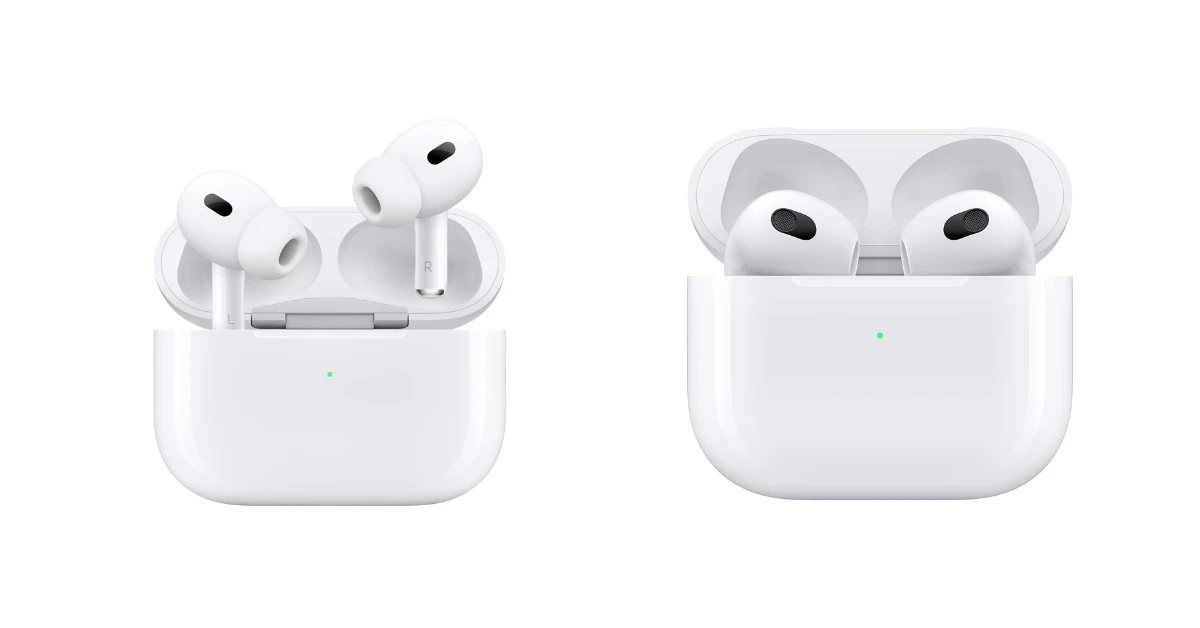
Comparing Samsung Earbuds to Airpods
If you’re an iPhone user, you might be wondering how Samsung earbuds compare to Apple’s AirPods. Here’s a quick comparison to help you decide which is right for you:
Airpods Advantages
- Seamless Integration: AirPods offer seamless integration with iPhones, including automatic pairing, device switching, and access to features like spatial audio.
- H1 or H2 Chip: AirPods feature Apple’s proprietary H1 or H2 chip, which enhances performance and connectivity.
- Find My: AirPods can be easily located using the Find My app.
- Ecosystem Benefits: AirPods work seamlessly with other Apple devices, such as the Apple Watch and MacBooks.
- Customization: Complete access to all features and customization options.
Samsung Earbuds Advantages
- Sound Quality: Samsung earbuds often offer superior sound quality, especially for bass-heavy music.
- Features: Samsung earbuds often have features like active noise cancellation (ANC) at various price points.
- Design: Samsung offers a wider variety of designs and fits, which can be more comfortable for some users.
- Price: Samsung earbuds can sometimes be a bit more affordable, especially on sale.
- Android Compatibility: If you use both Android and iOS devices, Samsung earbuds are a good choice because they work well with both systems.
The best choice depends on your priorities. If seamless integration and ecosystem benefits are important, AirPods are the obvious choice. If sound quality, design, and Android compatibility are more important, Samsung earbuds are a great option.
Final Thoughts
The answer is a resounding yes, with a few caveats. You can absolutely use Samsung wireless earbuds with your iPhone and enjoy a great listening experience. You’ll get the core functionality you need, including audio playback, basic controls, and the ability to take calls. However, you’ll miss out on some advanced features and customization options that are available when using Samsung earbuds with an Android device.
If you prioritize sound quality, design, and potentially a lower price point, Samsung earbuds are still a compelling choice. Just be aware that you won’t have access to the Galaxy Wearable app on your iPhone, which limits some of the customization options. If seamless integration and all the features are crucial, AirPods might be a better fit. Ultimately, the best decision depends on your personal preferences and listening habits.
While Samsung earbuds are compatible with iPhones, the experience is not identical to using AirPods. You’ll get the core functionality, but lose out on the Galaxy Wearable app’s advanced features. Consider your priorities: sound quality, design, and price might make Samsung earbuds a great choice. If seamless integration is key, AirPods might be better. Choose what suits your needs!
Recommended Products