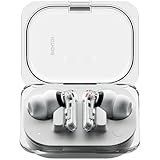
Are Nothing Earbuds Compatible with iPhone? Full Compatibility
So, you’re eyeing a pair of Nothing earbuds, those sleek, transparent wonders, and you’re an iPhone user? Excellent choice! The design is undeniably eye-catching, and the promise of a great audio experience is tempting. But a crucial question lingers: are Nothing earbuds compatible with iPhone? The answer, thankfully, is a resounding yes, but the story isn’t quite as straightforward as a simple ‘plug and play’.
We’re going to break down everything you need to know about using Nothing earbuds with your iPhone. From the initial pairing process to understanding the features that work seamlessly and those that might require a little extra effort, we’ll cover it all. I’ll guide you through the setup, explain the supported features, and address common questions you might have. Get ready to enjoy your music, calls, and more with your new Nothing earbuds and your iPhone!
This guide will equip you with all the knowledge you need to make an informed decision and get the most out of your Nothing earbuds experience on iOS.
The Compatibility Basics: Yes, They Work!
The core functionality of Nothing earbuds, regardless of the model (Ear (1), Ear (stick), Ear (2), Ear (a)), is built on Bluetooth technology. Bluetooth is a universally accepted standard for wireless communication, meaning that Nothing earbuds are designed to work with any device that supports Bluetooth, including your iPhone. This means you can listen to music, podcasts, audiobooks, and take calls without any issues. The fundamental audio experience – sound transmission – is guaranteed.
However, while the basic functionality is present across all models, the user experience can vary slightly depending on the specific features and the Nothing app support on iOS. Let’s delve into the specifics:
Pairing Your Nothing Earbuds with Your iPhone
The pairing process is incredibly straightforward. Here’s a step-by-step guide:
- Enable Bluetooth on Your iPhone: Open the Settings app and tap on ‘Bluetooth.’ Make sure the Bluetooth toggle is switched to the ‘on’ position.
- Prepare Your Nothing Earbuds for Pairing: Place your Nothing earbuds inside their charging case. Open the case. Some models (like the Ear (2)) may have a pairing button inside the case. Press and hold this button until the LED indicator on the case starts blinking white. For older models, the pairing mode usually activates automatically when the case is opened.
- Select Your Earbuds on Your iPhone: On your iPhone, under the Bluetooth settings, you should see your Nothing earbuds listed (e.g., ‘Nothing Ear (2)’). Tap on the name of your earbuds to connect.
- Confirm Pairing (If Necessary): Your iPhone may ask you to confirm the pairing. Tap ‘Pair’ or ‘Connect’ to finalize the process.
- You’re Connected!: Once paired, your iPhone will display ‘Connected’ next to the name of your Nothing earbuds in the Bluetooth settings. You’re now ready to enjoy your audio.
Troubleshooting Pairing Issues:
- Ensure the Earbuds are in Pairing Mode: Double-check that the LED indicator on the charging case is blinking, which signifies pairing mode.
- Move Closer: Make sure your earbuds and iPhone are close together during the pairing process.
- Restart Devices: If you’re having trouble, try restarting both your iPhone and your Nothing earbuds (by placing them back in the case and closing it, then opening it again).
- Forget and Re-pair: If all else fails, go to your iPhone’s Bluetooth settings, tap the ‘i’ icon next to your Nothing earbuds, and select ‘Forget This Device.’ Then, repeat the pairing steps.
- Check for Interference: Avoid areas with significant Bluetooth interference (e.g., near other Bluetooth devices or Wi-Fi routers).
Supported Features on iPhone
The good news is that most of the core features of Nothing earbuds work seamlessly with iPhones. Here’s what you can expect:
- Audio Playback: You can listen to music, podcasts, audiobooks, and any other audio content from your iPhone without any issues.
- Call Functionality: You can make and receive calls using the built-in microphones in your Nothing earbuds.
- Volume Control: You can adjust the volume directly from your iPhone or using the touch controls on the earbuds themselves (if supported by your specific model).
- Siri Integration: You can activate Siri by long-pressing on the earbud’s touch control (if supported) or through your iPhone’s voice commands.
- Battery Life Indication: You can see the battery level of your Nothing earbuds in the Bluetooth settings on your iPhone (though the accuracy might be less detailed compared to using the Nothing app).
Features That Might Differ on iOS
While the core functionality is excellent, there are some features that may have limitations or require workarounds when using Nothing earbuds with an iPhone, compared to using them with Android devices:
- Nothing X App: The Nothing X app is available on iOS. However, the feature set is often slightly reduced compared to the Android version. You may find fewer customization options or advanced settings.
- Customization Options: Some advanced customization features, like custom EQ settings or gesture controls, might have limited availability on iOS.
- Codec Support: While Nothing earbuds support various audio codecs, the iPhone natively uses AAC (Advanced Audio Coding) for Bluetooth audio. You may not be able to take advantage of higher-end codecs like LDAC, which are primarily supported on Android devices.
- Firmware Updates: Firmware updates for your Nothing earbuds are typically delivered through the Nothing X app. Ensure you keep the app updated to receive the latest features and bug fixes.
The Nothing X App on iOS: What to Expect
The Nothing X app is a critical component of the Nothing earbuds experience, even on iOS. It provides access to various features and settings that enhance your overall usage. Here’s a closer look at what the app offers on iOS:
- Device Management: The app allows you to connect and manage your Nothing earbuds.
- Customization: You can customize touch controls, adjust EQ settings (if available for your model), and personalize other settings.
- Firmware Updates: The app is the primary method for receiving firmware updates, which improve performance and add new features.
- Battery Information: You can view the battery status of your earbuds and charging case.
- Find My Earbuds: If you misplace your earbuds, the app can help you locate them.
- Noise Cancellation Controls: You can adjust the level of noise cancellation (if your earbuds have this feature) and transparency mode.
Downloading and Using the Nothing X App:
- Download from the App Store: Search for ‘Nothing X’ in the App Store and download the app.
- Create an Account or Log In: You may need to create a Nothing account or log in if you already have one.
- Connect Your Earbuds: Open the app, and it should automatically detect your connected Nothing earbuds. If not, follow the on-screen instructions to connect.
- Explore the Features: Once connected, explore the different settings and customization options available for your specific earbuds model.
Specific Nothing Earbud Models and iPhone Compatibility
Let’s look at the compatibility of specific Nothing earbud models with the iPhone:
Nothing Ear (1)
The original Nothing Ear (1) earbuds are fully compatible with iPhones. You can expect all the core features to work, including audio playback, call functionality, and Siri integration. The Nothing X app provides control over noise cancellation, transparency mode, and some customization options.
Nothing Ear (stick)
The Nothing Ear (stick) earbuds also offer full compatibility with iPhones. The core functions, including audio and call quality, operate as expected. Customization options via the Nothing X app are available, although they may vary slightly compared to Android. The unique design remains a key selling point.
Nothing Ear (2)
The Nothing Ear (2) earbuds are designed to provide a premium audio experience. They fully support iPhones, with all core features functioning flawlessly. The Nothing X app is essential for accessing the advanced features, including personalized sound profiles and custom EQ settings. The upgraded sound quality is noticeable on iOS devices.
Nothing Ear (a)
The Nothing Ear (a) earbuds are another excellent option for iPhone users. They offer a strong combination of features and value. They are fully compatible with the iPhone, delivering clear audio, effective noise cancellation, and seamless integration with the Nothing X app for personalized settings.
Comparing Nothing Earbuds to Airpods on iPhone
It’s natural to compare Nothing earbuds to Apple’s AirPods. Here’s a brief comparison to help you decide which is right for you:
| Feature | Nothing Earbuds | Apple AirPods |
|---|---|---|
| Compatibility | Works with all iPhones via Bluetooth. | Seamless integration with iPhone and other Apple devices. |
| Sound Quality | Generally very good, with customizable EQ options. | Excellent sound quality, often with spatial audio features. |
| Features | Active Noise Cancellation (ANC), Transparency Mode, customizable touch controls, Nothing X app. | Active Noise Cancellation (ANC), Transparency Mode, automatic device switching, spatial audio, Hey Siri. |
| Integration | Requires the Nothing X app for customization and updates. | Seamlessly integrates with the iPhone, with easy pairing and device switching. |
| Design | Unique, transparent design. | Classic Apple design. |
| Price | Often more affordable. | Generally more expensive. |
| Ecosystem | Works independently of the Apple ecosystem. | Best experience within the Apple ecosystem. |
Key Considerations:
- Ecosystem Lock-in: If you’re heavily invested in the Apple ecosystem (iPhone, iPad, Mac), AirPods offer tighter integration and a more seamless user experience.
- Price: Nothing earbuds are often more budget-friendly.
- Design Preference: Nothing earbuds have a distinctive, transparent design, while AirPods sport the classic Apple look.
- Sound Customization: Nothing earbuds often offer more sound customization options through the Nothing X app.
Maximizing Your Nothing Earbuds Experience on iPhone
Here are some tips to get the most out of your Nothing earbuds with your iPhone:
- Keep the Nothing X App Updated: Regularly update the Nothing X app to ensure you have the latest features, bug fixes, and performance improvements.
- Update Your Earbuds’ Firmware: Use the Nothing X app to check for and install firmware updates for your earbuds. This will often improve sound quality, noise cancellation, and overall performance.
- Experiment with EQ Settings: Within the Nothing X app, experiment with the EQ settings to find the sound profile that best suits your preferences.
- Customize Touch Controls: If your earbuds support customizable touch controls, configure them to match your usage habits (e.g., control volume, skip tracks, activate Siri).
- Explore Noise Cancellation and Transparency Modes: If your earbuds have these features, experiment with the different modes to find the optimal setting for your environment.
- Check Bluetooth Settings: In your iPhone’s Bluetooth settings, ensure your Nothing earbuds are connected and that you have enabled ‘Share System Audio’ to ensure the highest quality audio transmission.
- Clean Your Earbuds: Regularly clean your earbuds to maintain their performance and hygiene. Use a soft, dry cloth to wipe them down.
Troubleshooting Common Issues
Even though Nothing earbuds are generally compatible with iPhones, you might encounter occasional issues. Here are some troubleshooting tips for common problems:
- Sound Cutouts: If you experience sound cutouts or dropouts, try the following:
- Move closer to your iPhone.
- Ensure there are no obstructions between your earbuds and your iPhone.
- Turn off other Bluetooth devices that might be interfering.
- Restart your iPhone and your earbuds.
- Forget and re-pair your earbuds in Bluetooth settings.
- Microphone Issues: If your microphone isn’t working properly:
- Make sure the microphone isn’t blocked by anything.
- Ensure you’re within range of your iPhone.
- Check the microphone settings in your calling app.
- Restart both your iPhone and your earbuds.
- App Issues: If the Nothing X app isn’t working correctly:
- Make sure the app is updated to the latest version.
- Restart the app.
- Restart your iPhone.
- Uninstall and reinstall the app.
- Battery Drain: If your earbuds’ battery is draining quickly:
- Check the battery level in the Nothing X app.
- Ensure you are not using high volume levels.
- Turn off noise cancellation if you don’t need it.
- Update the earbuds’ firmware.
Future-Proofing Your Purchase
Technology evolves rapidly, and you’re making a smart move by considering the long-term viability of your Nothing earbuds with your iPhone. Here’s what to keep in mind:
- Firmware Updates: Nothing regularly releases firmware updates for its earbuds. These updates often improve performance, add new features, and address any compatibility issues. Ensure you consistently update your earbuds through the Nothing X app.
- Bluetooth Standards: Bluetooth technology is constantly evolving. Nothing earbuds typically support the latest Bluetooth versions, ensuring compatibility with future iPhone models.
- Nothing’s Commitment: Nothing has a good track record of supporting its products. They are likely to continue updating their apps and providing firmware updates for their earbuds, ensuring a consistent user experience.
- Software Updates: Apple’s iOS updates can sometimes introduce minor compatibility issues. However, Nothing usually responds quickly by releasing updates to their app or firmware to address these issues.
Conclusion
So, to answer the initial question: Yes, Nothing earbuds are indeed compatible with iPhones. You can enjoy your favorite music, take calls, and utilize most features seamlessly. While there might be some minor differences in customization options compared to Android devices, the core functionality and overall experience are excellent.
By following the pairing instructions, utilizing the Nothing X app, and keeping your devices updated, you can fully leverage the capabilities of your Nothing earbuds on your iPhone. Consider your listening habits, desired features, and budget to choose the Nothing earbuds model that best suits your needs. With their sleek design, impressive sound quality, and robust feature set, Nothing earbuds are a compelling choice for iPhone users seeking a stylish and high-performing audio experience.
Ultimately, the pairing of Nothing earbuds with an iPhone is a winning combination. Enjoy the music!
Recommended Products