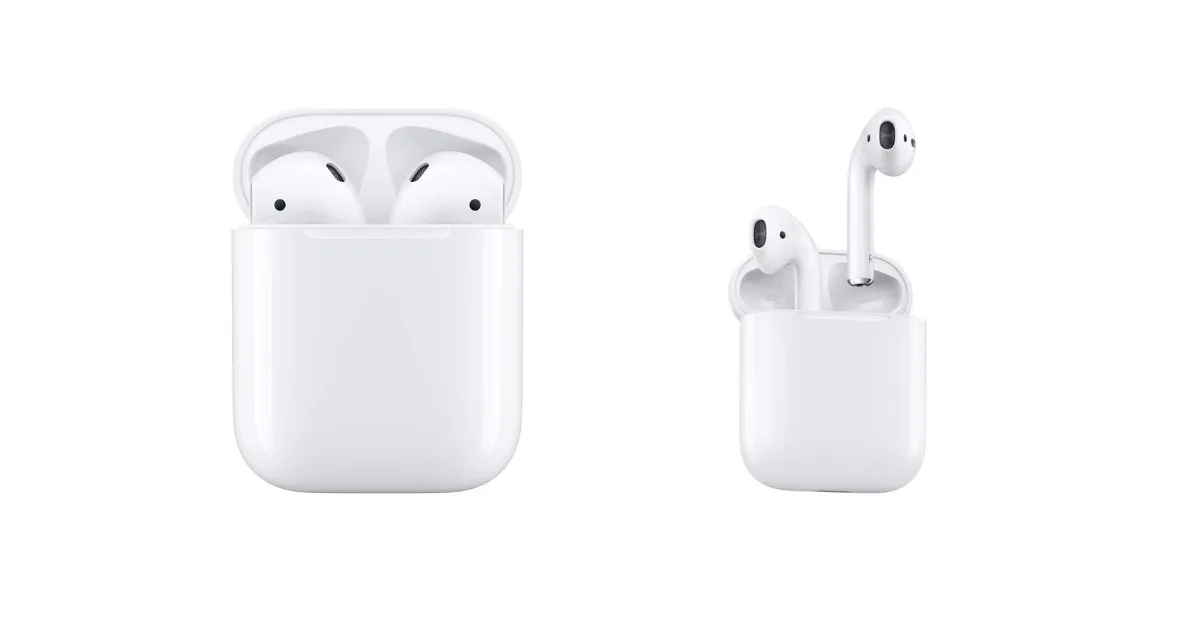
What Earbuds Work with Ps5? Your Ultimate Guide
So, you’ve got a shiny new PlayStation 5, and you’re ready to dive into the immersive world of gaming. But what about the audio experience? The PS5’s Tempest 3D AudioTech is incredible, and you’ll want to experience it to its fullest. While a good gaming headset is a popular choice, sometimes you want something more compact and convenient. That’s where earbuds come in.
Earbuds offer a great alternative, providing a discreet and portable audio solution. They’re perfect for late-night gaming sessions when you don’t want to disturb anyone, or for quick gaming on the go. But with so many options available, choosing the right earbuds for your PS5 can feel overwhelming. Don’t worry, though, because we’re going to break down everything you need to know. We’ll cover compatibility, features, and the best earbuds to enhance your PS5 experience.
This guide will help you understand what earbuds work with PS5, ensuring you get the best audio quality and the most enjoyable gaming sessions. Let’s get started!
Understanding Ps5 Earbud Compatibility
Before we jump into specific recommendations, let’s clarify how earbuds work with the PS5. The good news is that the PS5 supports a variety of connection methods, making it compatible with many different earbud models. Understanding these methods is key to choosing the right earbuds.
Connection Methods: A Breakdown
The PS5 supports several connection methods for audio devices, including earbuds. Here’s a breakdown of the most common ones:
- Bluetooth: This is perhaps the most convenient method. The PS5 has built-in Bluetooth capabilities, allowing you to connect compatible earbuds wirelessly. However, not all Bluetooth earbuds are guaranteed to work seamlessly. We’ll discuss compatibility in detail later.
- USB Dongle (Wireless): Some earbuds come with a dedicated USB dongle that plugs into the PS5’s USB port. These dongles often provide a more stable and lower-latency connection than standard Bluetooth. This is a popular choice for gaming.
- 3.5mm Audio Jack: While less common for earbuds these days, some models still feature a 3.5mm audio jack. You can connect these earbuds directly to the PS5’s DualSense controller.
Bluetooth Compatibility Considerations
While the PS5 supports Bluetooth, there can be some nuances. Here’s what you need to know:
- Bluetooth Codecs: The PS5 supports standard Bluetooth codecs, but not all. The most common codec used is SBC (Subband Codec), with support for AAC (Advanced Audio Coding) and, more recently, potentially aptX. While the PS5 doesn’t natively support aptX, some earbuds may still function, but you won’t get the full benefit of that codec.
- Pairing Process: Pairing Bluetooth earbuds with your PS5 is generally straightforward. You’ll need to put your earbuds into pairing mode and then navigate to the PS5’s Bluetooth settings to connect them.
- Latency: Bluetooth connections can sometimes suffer from latency, which is the delay between the audio being sent and you hearing it. This can be problematic in fast-paced games. Look for earbuds with low-latency Bluetooth or those that use a USB dongle for a more responsive experience.
USB Dongle Advantages
Earbuds with a dedicated USB dongle often offer several advantages over standard Bluetooth connections:
- Lower Latency: USB dongles are specifically designed for gaming and usually provide a much lower latency connection than Bluetooth. This means less delay and a more responsive gaming experience.
- Stable Connection: The connection is often more stable and less prone to dropouts compared to Bluetooth.
- Plug-and-Play: Setting up earbuds with a USB dongle is typically very easy – just plug the dongle into the PS5, and the earbuds should connect automatically.
Key Features to Look for in Ps5 Earbuds
Choosing the right earbuds for your PS5 involves considering several key features. These features will significantly impact your gaming experience, from audio quality to comfort and convenience.
Audio Quality
Sound Quality is Paramount: This is the most critical factor. Look for earbuds that deliver clear, balanced sound with a wide frequency response. This will help you hear everything from subtle footsteps to booming explosions. Consider these points:
- Drivers: Look for earbuds with high-quality drivers. These are the components that produce sound. Larger drivers often deliver more powerful and detailed sound.
- Frequency Response: This specifies the range of frequencies the earbuds can reproduce. A wider frequency response (e.g., 20Hz-20kHz) means you’ll hear a broader range of sounds.
- Sound Profile: Some earbuds are tuned for a specific sound profile. Some are designed to emphasize bass, while others are balanced. Consider what sound profile best suits your gaming preferences.
Microphone Quality
Communication is Crucial: If you plan to use your earbuds for online multiplayer gaming, microphone quality is essential. Look for earbuds with a clear and noise-canceling microphone. Consider these points:
- Noise Cancellation: Active noise cancellation (ANC) helps block out background noise, ensuring your teammates can hear you clearly.
- Microphone Placement: Some earbuds have a built-in microphone, while others have a boom microphone. Boom microphones are often closer to your mouth and provide better voice clarity.
- Microphone Mute: Make sure the earbuds have an easy-to-access mute function, so you can quickly mute your microphone when needed.
Comfort and Fit
Long Gaming Sessions Demand Comfort: You’ll likely be wearing your earbuds for extended periods, so comfort is vital. Consider these points:
- Eartip Selection: Most earbuds come with multiple sizes of eartips. Experiment to find the best fit for your ears. A good fit will provide comfort and also improve sound isolation.
- Ergonomic Design: Look for earbuds with an ergonomic design that fits securely in your ears without causing discomfort.
- Weight: Lighter earbuds are generally more comfortable for extended use.
Battery Life
Keep the Game Going: Consider the battery life of the earbuds, especially if you plan to play for long periods. Consider these points:
- Playtime: Check the manufacturer’s specified playtime on a single charge.
- Charging Case: Many earbuds come with a charging case that extends battery life.
- Charging Time: Consider how long it takes to fully charge the earbuds and the charging case.
Connectivity and Controls
Seamless Experience: Ease of use is important. Consider these points:
- Bluetooth Version: Newer Bluetooth versions (e.g., Bluetooth 5.0 or higher) offer improved stability, range, and battery efficiency.
- Controls: Look for earbuds with easy-to-use controls for adjusting volume, skipping tracks, answering calls, and muting the microphone.
- Compatibility: Ensure the earbuds are compatible with the PS5’s connection methods (Bluetooth, USB dongle, or 3.5mm jack).
Best Earbuds for Ps5: Top Recommendations
Now, let’s dive into some specific earbud recommendations that are known to work well with the PS5. We’ll cover various price points and features to help you find the perfect match for your needs.
1. Sony Inzone Buds
Why They’re Great: These earbuds are specifically designed for gaming and are a top choice for PS5 users. They offer excellent audio quality, low latency, and a comfortable fit. They come with a USB-C dongle for a stable, lag-free connection. The INZONE Buds also feature active noise cancellation to block out distractions, and a great microphone for clear communication. The INZONE Buds are designed for the PS5, so pairing and setup is simple.
Key Features:
- Low Latency: Designed for gaming with a dedicated USB dongle.
- Excellent Audio Quality: High-quality drivers deliver clear and immersive sound.
- Active Noise Cancellation: Blocks out distractions.
- Comfortable Fit: Multiple eartip sizes for a secure fit.
- Integrated Controls: Easy-to-use controls on the earbuds.
Considerations: The price point is at the higher end, but the quality justifies the cost for serious gamers.
2. Steelseries Arctis Nova Pro Wireless (with Dongle)
Why They’re Great: While technically a headset, the Arctis Nova Pro Wireless offers a fantastic experience, and the earbuds are a great option for those who want top-tier audio quality and convenience. They feature a dual-wireless system, allowing you to connect to the PS5 via a USB dongle and Bluetooth simultaneously. This lets you take calls while gaming. The audio quality is exceptional, and the noise cancellation is top-notch. They also come with a hot-swappable battery system.
Key Features:
- Dual Wireless: Simultaneously connect to the PS5 via USB and Bluetooth.
- Exceptional Audio: High-fidelity audio drivers for detailed sound.
- Active Noise Cancellation: Effective at blocking out background noise.
- Comfortable Design: Designed for long gaming sessions.
- Hot-Swappable Battery: Never run out of power.
Considerations: This is a premium option, so the price is significant. The earbud design may not be the most discreet. The initial setup requires a little more configuration than other options. Requires the base station included with the headset.
3. Razer Hammerhead Hyperspeed (with Dongle)
Why They’re Great: Razer is a well-known name in gaming peripherals, and the Hammerhead HyperSpeed earbuds are a solid choice for PS5 gamers. They feature a low-latency 2.4 GHz wireless connection via a USB-C dongle, providing a responsive gaming experience. They also offer active noise cancellation, a comfortable fit, and decent battery life. The Hammerhead HyperSpeed earbuds are designed for a great gaming experience.
Key Features:
- Low-Latency Wireless: 2.4 GHz wireless connection for lag-free gaming.
- Active Noise Cancellation: Blocks out background noise.
- Comfortable Fit: Multiple eartip sizes.
- Long Battery Life: Up to 30 hours with the charging case.
- RGB Lighting: Customizable Razer Chroma RGB lighting.
Considerations: The microphone quality is good, but not exceptional. The RGB lighting may not be a priority for everyone.
4. Turtle Beach Stealth Pro (with Dongle)
Why They’re Great: Turtle Beach is another established brand in the gaming audio space. The Stealth Pro earbuds offer a competitive feature set, including low-latency wireless via a USB dongle, active noise cancellation, and a comfortable fit. They deliver clear audio and a good microphone. The Stealth Pro earbuds are designed for a great gaming experience.
Key Features:
- Low-Latency Wireless: Dedicated USB dongle for a stable connection.
- Active Noise Cancellation: Blocks out distractions.
- Comfortable Fit: Multiple eartip sizes.
- Good Microphone Quality: Clear voice capture for communication.
- Long Battery Life: Up to 12 hours of playtime on a single charge.
Considerations: Can be more expensive than some alternatives. The design might not appeal to everyone.
5. Jabra Elite 7 Pro (bluetooth)
Why They’re Great: While not specifically designed for gaming, the Jabra Elite 7 Pro earbuds are a versatile option that works well with the PS5. They offer excellent audio quality, a comfortable fit, and effective active noise cancellation. They connect via Bluetooth, so you won’t need a dongle. They may have a slightly higher latency than options with a dedicated dongle, but they are great for general use. The Jabra Elite 7 Pro are a great choice for a balance of gaming and everyday use.
Key Features:
- Bluetooth Connectivity: Easy to connect to the PS5.
- Excellent Audio Quality: Balanced sound profile.
- Active Noise Cancellation: Blocks out background noise.
- Comfortable Fit: Multiple eartip sizes.
- Multipoint Connection: Connect to two devices simultaneously.
Considerations: Since they connect via Bluetooth, latency can be a factor for competitive gaming. They are not specifically designed for gaming, so they may lack some gaming-specific features.
Setting Up Your Earbuds with Your Ps5
Once you’ve chosen your earbuds, setting them up with your PS5 is usually straightforward. Here’s a step-by-step guide:
Bluetooth Earbud Setup
- Enable Bluetooth Mode on Your Earbuds: Put your earbuds into pairing mode. This usually involves pressing and holding a button on the earbuds or the charging case. Consult your earbud’s manual for specific instructions.
- Navigate to PS5 Settings: On your PS5, go to the Settings menu (represented by a gear icon).
- Select Accessories: Choose the “Accessories” option.
- Select Audio Devices: Select “Audio Devices”.
- Select Output Device: Choose “Output Device” and select “Bluetooth Headset”.
- Select Bluetooth Accessory: Your PS5 should scan for nearby Bluetooth devices. Select your earbuds from the list of available devices.
- Test Your Audio: Once connected, test the audio by adjusting the volume or playing a game.
USB Dongle Earbud Setup
- Plug in the USB Dongle: Plug the USB dongle that came with your earbuds into one of the USB ports on your PS5.
- Power On the Earbuds: Make sure your earbuds are powered on.
- Select Output Device: Go to “Settings” -> “Accessories” -> “Audio Devices” -> “Output Device”.
- Select Output Device: If your earbuds do not automatically connect, select “USB Headset” as your output device.
- Test Your Audio: Adjust the volume or play a game to test the audio.
Troubleshooting Common Issues
Sometimes, you might encounter issues when connecting your earbuds. Here’s how to troubleshoot some common problems:
- No Sound: Double-check the volume settings on both your PS5 and your earbuds. Make sure the earbuds are properly connected and selected as the output device.
- Poor Audio Quality: Ensure your earbuds are fully charged. Try resetting your earbuds and reconnecting them to your PS5.
- Microphone Not Working: Make sure the microphone is not muted on your earbuds and in the PS5 settings. Check that the microphone is enabled in your game’s audio settings.
- Latency Issues: If you’re experiencing latency, try using a USB dongle instead of Bluetooth. Ensure there are no other devices interfering with the Bluetooth signal.
- Connection Drops: If you experience frequent connection drops with Bluetooth earbuds, try moving closer to your PS5 or reducing interference from other devices.
Optimizing Your Ps5 Audio Settings
Once your earbuds are connected, you can further optimize your audio settings for the best gaming experience. Here’s how:
- Audio Output: In the “Audio Devices” settings, you can adjust the “Output to Headphones” setting. You can choose to output all audio, chat audio only, or no audio to your headphones. Select “All Audio” for the most immersive experience.
- Volume Control: Adjust the headphone volume to a comfortable level.
- 3D Audio: Enable the “3D Audio for Headphones” setting to experience the PS5’s Tempest 3D AudioTech. You can customize the 3D audio profile based on your head shape for a more personalized experience.
- Microphone Level: Adjust the microphone level in the “Microphone” settings to ensure your voice is clear and audible.
Caring for Your Earbuds
To ensure your earbuds last and provide optimal performance, it’s essential to care for them properly. Here are some tips:
- Cleaning: Regularly clean your earbuds with a soft, dry cloth. Avoid using water or harsh chemicals.
- Storage: Store your earbuds in their charging case when not in use to protect them from dust and damage.
- Charging: Charge your earbuds regularly to maintain battery health. Avoid overcharging them.
- Eartip Replacement: Replace your eartips periodically to maintain hygiene and ensure a good fit.
- Avoid Extreme Temperatures: Do not expose your earbuds to extreme temperatures or direct sunlight.
Final Verdict
Choosing the right earbuds for your PS5 can significantly enhance your gaming experience. By considering factors like audio quality, microphone performance, comfort, and connectivity, you can find the perfect pair to suit your needs. From dedicated gaming earbuds with USB dongles to versatile Bluetooth options, there’s a wide range of choices available. Take the time to research your options, read reviews, and consider your personal preferences. With the right earbuds, you’ll be able to enjoy immersive audio, clear communication, and comfortable gaming sessions. Happy gaming!
Recommended Products