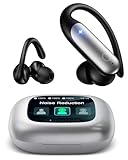
How to Work Bluetooth Earbuds: A Complete Beginner’s Guide
Bluetooth earbuds have become a staple for music lovers, podcast enthusiasts, and anyone seeking a wire-free audio experience. From commuting to working out, these tiny devices offer incredible convenience. But with so many models and features, understanding how to work bluetooth earbuds can feel overwhelming at first. Don’t worry, though! This guide is designed to walk you through everything you need to know, from initial setup to advanced troubleshooting.
We’ll cover pairing, controls, charging, and even some common issues you might encounter. Whether you’re a complete beginner or looking to refine your knowledge, you’ll find plenty of helpful information here. Get ready to experience the freedom and flexibility that Bluetooth earbuds offer. Let’s get started!
Understanding Bluetooth Earbuds: The Basics
Before diving into the practical aspects of using Bluetooth earbuds, let’s cover some fundamental concepts. This foundational knowledge will make the entire process smoother and more enjoyable. Knowing how these devices operate will help you troubleshoot issues and appreciate their functionality.
What Is Bluetooth?
Bluetooth is a wireless technology standard for exchanging data over short distances. It uses radio waves to connect devices like smartphones, tablets, and earbuds. Bluetooth operates on a specific frequency band, allowing devices to communicate without requiring physical cables. Bluetooth has several versions, each offering improvements in speed, range, and power efficiency. The latest versions provide better audio quality and more stable connections.
How Bluetooth Earbuds Work
Bluetooth earbuds essentially act as wireless receivers for audio signals. Your phone or another device transmits audio via Bluetooth, and the earbuds receive and play it. They contain a tiny Bluetooth chip, a battery, a speaker, and often a microphone for calls. The earbuds need to be ‘paired’ with your device before they can connect. Once paired, they automatically connect whenever they are within range and powered on. The range varies depending on the Bluetooth version and the environment, but typically, it’s around 30 feet (10 meters).
Types of Bluetooth Earbuds
There are several different types of Bluetooth earbuds, each with its own advantages and disadvantages. Choosing the right type depends on your needs and preferences. Here’s a breakdown:
- True Wireless Earbuds (TWS): These are the most popular type. They have no wires connecting the earbuds to each other or to your device. They come with a charging case for portability and extended battery life. Examples include Apple AirPods, Samsung Galaxy Buds, and many others.
- Neckband Earbuds: These earbuds have a wire connecting the two earpieces, which drapes around your neck. They often have longer battery life and are less likely to get lost.
- Sport Earbuds: Designed for workouts, these earbuds are usually sweat-resistant, have secure fits, and sometimes include features like heart rate monitoring.
- Over-Ear Headphones with Bluetooth: While not technically earbuds, these headphones also use Bluetooth. They provide a more immersive audio experience with larger drivers and often include noise cancellation.
Getting Started: Pairing Your Bluetooth Earbuds
Pairing your Bluetooth earbuds with your device is the first and most crucial step. The process is generally straightforward, but it can vary slightly depending on your device and the earbuds you have. Here’s a step-by-step guide:
Step 1: Charge Your Earbuds
Before pairing, make sure your earbuds are charged. Most earbuds come with a charging case, which also holds a charge. Place the earbuds in their case and plug the case into a power source using the provided charging cable. You can often see the charging status through LED indicators on the case or the earbuds themselves.
Step 2: Enable Bluetooth on Your Device
On your smartphone, tablet, or computer, go to the settings menu and find the Bluetooth option. Enable Bluetooth. The exact location of this setting varies depending on your operating system (iOS, Android, Windows, macOS).
- iOS (iPhone/iPad): Go to Settings > Bluetooth and toggle the switch to the on position.
- Android: Go to Settings > Connections > Bluetooth and toggle the switch to the on position. Or, swipe down from the top of the screen to open the notification panel and tap the Bluetooth icon.
- Windows: Go to Settings > Devices > Bluetooth & other devices. Make sure Bluetooth is turned on.
- macOS: Click the Bluetooth icon in the menu bar (if it’s visible). If not, go to System Preferences > Bluetooth and turn Bluetooth on.
Step 3: Put Your Earbuds in Pairing Mode
This is where the process can differ slightly depending on your earbuds. Generally, you’ll need to put your earbuds into pairing mode. Check your earbud’s manual for specific instructions, but here are some common methods:
- True Wireless Earbuds: Open the charging case. Some earbuds automatically enter pairing mode when the case is opened. Others require you to press and hold a button on the case or the earbuds themselves. Look for a flashing LED light, which usually indicates pairing mode.
- Neckband Earbuds: Press and hold the power button until the indicator light flashes, signaling pairing mode.
- Sport Earbuds: Similar to neckband earbuds, press and hold the power button until the pairing mode indicator appears.
Step 4: Select Your Earbuds on Your Device
Once your earbuds are in pairing mode, your device should start scanning for Bluetooth devices. You should see your earbuds listed in the available devices. Tap on your earbuds’ name to connect. You might be prompted to enter a PIN (usually 0000 or 1234), but most devices connect without one.
Step 5: Test the Connection
After successful pairing, your earbuds should be connected. Play some music or a video to test the connection. You should hear the audio through your earbuds. If the connection isn’t working, review the troubleshooting tips later in this guide.
Mastering the Controls: Buttons and Gestures
Bluetooth earbuds offer various controls to manage your music and calls. These controls are usually implemented through buttons or touch-sensitive surfaces on the earbuds. Understanding these controls is crucial for a seamless experience. The specific controls can vary slightly depending on the brand and model of your earbuds, so always refer to your user manual.
Button Controls
Many earbuds use physical buttons for control. These buttons are often located on the earbud’s stem or the main housing. Here are some common button functions:
- Power On/Off: Typically, you press and hold the power button to turn the earbuds on or off.
- Play/Pause: Usually, a single press of a button will play or pause the current audio.
- Next Track: A double-tap (or sometimes a long press) on the right earbud often skips to the next track.
- Previous Track: A double-tap (or long press) on the left earbud often goes back to the previous track.
- Volume Up: Press and hold (or sometimes a single press) the volume up button.
- Volume Down: Press and hold (or sometimes a single press) the volume down button.
- Answer/End Calls: A single press usually answers an incoming call, and another press ends the call.
- Reject Calls: A long press on the button often rejects an incoming call.
- Voice Assistant: A long press can activate your phone’s voice assistant (Siri, Google Assistant, etc.).
Touch Controls
Touch controls are becoming increasingly common on Bluetooth earbuds. These controls use touch-sensitive surfaces on the earbuds to detect taps, swipes, and other gestures. Touch controls offer a sleek and modern look, but they can sometimes be more sensitive or require a learning curve.
- Play/Pause: A single tap on either earbud often plays or pauses the audio.
- Next Track: A double-tap on the right earbud usually skips to the next track.
- Previous Track: A double-tap on the left earbud typically goes back to the previous track.
- Volume Up: A swipe up on either earbud often increases the volume.
- Volume Down: A swipe down on either earbud often decreases the volume.
- Answer/End Calls: A single tap usually answers or ends a call.
- Reject Calls: A long press often rejects an incoming call.
- Voice Assistant: A long press can activate your phone’s voice assistant.
Customizing Controls
Some higher-end earbuds come with companion apps that allow you to customize the controls. You can often remap the functions of the buttons or touch gestures to suit your preferences. Check the manufacturer’s website or app store to see if your earbuds have a companion app. Customizing controls can significantly improve your user experience.
Charging and Battery Life
Battery life and charging are critical aspects of using Bluetooth earbuds. Understanding how to charge your earbuds properly and maximize their battery life will ensure you can enjoy your music and calls without interruption.
Charging Your Earbuds
Most Bluetooth earbuds come with a charging case. The case serves multiple purposes: it protects the earbuds, provides additional battery life, and allows you to charge them on the go. Here’s how to charge your earbuds:
- Place the Earbuds in the Case: Put the earbuds into the charging case. Make sure they are correctly seated and making contact with the charging pins.
- Close the Case: Close the lid of the charging case.
- Connect the Case to a Power Source: Use the charging cable that came with your earbuds to connect the charging case to a power source (e.g., a wall adapter, a computer’s USB port, or a power bank).
- Check the Charging Status: Most charging cases have LED indicators that show the charging status. The earbuds themselves may also have LED lights that indicate when they are charging.
Battery Life Considerations
Battery life varies depending on the type of earbuds, the volume level, and the features being used (e.g., noise cancellation). Here are some factors to consider:
- Earbud Type: True wireless earbuds typically have shorter battery life than neckband earbuds.
- Volume Level: Higher volume levels consume more power and drain the battery faster.
- Noise Cancellation: If your earbuds have noise cancellation, enabling it will reduce battery life.
- Bluetooth Version: Newer Bluetooth versions are generally more power-efficient.
- Codec Used: The audio codec used (e.g., SBC, AAC, aptX) can impact battery life.
Maximizing Battery Life
You can take several steps to extend the battery life of your Bluetooth earbuds:
- Reduce the Volume: Listen at a moderate volume level.
- Disable Unnecessary Features: Turn off noise cancellation or other features when you don’t need them.
- Store Properly: Always store your earbuds in their charging case when not in use.
- Avoid Extreme Temperatures: Extreme heat or cold can affect battery performance.
- Update Firmware: Keep your earbuds’ firmware updated, as updates often include battery optimization improvements.
Charging Best Practices
Follow these tips to ensure the longevity of your earbuds’ batteries:
- Use the Correct Charger: Use the charging cable and adapter that came with your earbuds.
- Avoid Overcharging: Once the earbuds are fully charged, disconnect them from the power source.
- Avoid Deep Discharges: Don’t let the battery drain completely before recharging.
- Clean the Charging Contacts: Occasionally clean the charging contacts on the earbuds and the charging case to ensure proper charging.
Troubleshooting Common Issues
Even with the best earbuds, you might encounter some issues. Here are some common problems and how to fix them:
Earbuds Won’t Pair
If your earbuds won’t pair with your device, try these solutions:
- Ensure Bluetooth is Enabled: Double-check that Bluetooth is turned on in your device’s settings.
- Put Earbuds in Pairing Mode: Make sure your earbuds are in pairing mode (refer to the instructions above).
- Check Battery Level: Ensure your earbuds have sufficient battery power.
- Restart Your Devices: Restart both your earbuds and your device.
- Forget and Re-pair: On your device, forget the earbuds in the Bluetooth settings and then try pairing them again.
- Check for Interference: Move away from other Bluetooth devices or sources of interference (e.g., Wi-Fi routers, microwaves).
- Update Firmware: Update the firmware of your earbuds if an update is available.
One Earbud Isn’t Working
If only one earbud is producing sound, try these steps:
- Check Balance Settings: Make sure the audio balance isn’t skewed in your device’s settings (Settings > Accessibility > Audio/Visual).
- Clean the Earbuds: Clean the earbud’s speaker mesh, as it can get blocked with debris.
- Restart the Earbuds: Turn off and then back on both earbuds.
- Re-pair the Earbuds: Unpair the earbuds from your device and then re-pair them.
- Check for Firmware Updates: Ensure your earbuds have the latest firmware.
Poor Sound Quality
If the sound quality is poor, try these solutions:
- Adjust Volume: Make sure the volume is not set too low.
- Check for Obstructions: Ensure the earbud’s speaker isn’t blocked by wax or debris.
- Check Bluetooth Codec: Some earbuds support different Bluetooth codecs (e.g., SBC, AAC, aptX). You may be able to change this in your device’s Bluetooth settings (if supported). Try different codecs to see if the sound quality improves.
- Reduce Interference: Move away from sources of interference.
- Reset the Earbuds: Reset your earbuds to their factory settings (refer to your user manual).
Earbuds Disconnecting Frequently
If your earbuds keep disconnecting, try these solutions:
- Check the Distance: Stay within the recommended Bluetooth range (usually around 30 feet).
- Reduce Interference: Minimize interference from other devices.
- Restart Your Devices: Restart both your earbuds and your device.
- Update Firmware: Ensure your earbuds have the latest firmware.
- Forget and Re-pair: Forget the earbuds in your device’s Bluetooth settings and then re-pair them.
Microphone Issues
If the microphone isn’t working correctly during calls, try these solutions:
- Ensure Microphone is Enabled: Make sure the microphone is enabled in your device’s settings.
- Check Earbud Placement: Ensure the microphone opening isn’t blocked.
- Clean the Microphone: Clean the microphone opening to remove any debris.
- Test with Another Device: Try making a call with your earbuds on another device to see if the problem persists.
- Check for Firmware Updates: Update the firmware of your earbuds.
Advanced Features and Tips
Beyond the basics, Bluetooth earbuds offer a range of advanced features that can enhance your listening experience. Here are some tips to get the most out of your earbuds:
Noise Cancellation
Many premium earbuds feature active noise cancellation (ANC). ANC uses microphones to detect ambient noise and then generates opposing sound waves to cancel it out. This feature is particularly useful for reducing background noise in noisy environments like airplanes, trains, or busy streets. Experiment with different ANC modes (e.g., transparency mode, which lets you hear your surroundings) to find the best settings for your situation.
Transparency Mode
Transparency mode, also known as ambient sound mode, uses the earbuds’ microphones to amplify the sounds of your surroundings. This allows you to hear what’s happening around you without removing the earbuds. This is useful for staying aware of your environment while listening to music or podcasts. Transparency mode is great for safety, especially when walking or cycling.
Multipoint Pairing
Some earbuds support multipoint pairing, which allows you to connect to two devices simultaneously. This means you can seamlessly switch between listening to music on your laptop and answering calls on your phone without manually disconnecting and reconnecting. Multipoint pairing provides added convenience, especially for users who frequently switch between devices.
Voice Assistant Integration
Most Bluetooth earbuds offer voice assistant integration. You can activate your phone’s voice assistant (e.g., Siri, Google Assistant, Alexa) by pressing a button or using a voice command. Voice assistants allow you to control your music, make calls, get information, and more, all hands-free.
Water Resistance
Many sport and workout earbuds are water-resistant or sweat-resistant. This means they can withstand exposure to sweat, rain, or splashes. Look for an IP (Ingress Protection) rating, which indicates the level of protection against water and dust. Knowing the IP rating helps you to understand the level of water resistance.
Using Companion Apps
Many earbud manufacturers offer companion apps that provide additional features and customization options. These apps often allow you to:
- Customize touch controls
- Adjust EQ settings
- Update firmware
- View battery levels
- Access advanced settings
Download the companion app for your earbuds to unlock their full potential.
Tips for Better Sound Quality
Here are some tips to improve the sound quality of your Bluetooth earbuds:
- Choose the Right Eartips: Use the eartips that best fit your ears. A proper fit ensures a good seal, which is essential for optimal sound quality and bass response.
- Adjust EQ Settings: Experiment with the equalizer (EQ) settings in your phone or the companion app to customize the sound to your liking.
- Use High-Quality Audio Sources: Listen to music from high-quality sources, such as streaming services that offer lossless audio.
- Clean Your Earbuds Regularly: Clean the earbud’s speaker mesh and eartips to prevent wax and debris from affecting the sound quality.
Taking Care of Your Earbuds
Proper care will extend the lifespan of your Bluetooth earbuds:
- Clean Regularly: Clean your earbuds regularly with a soft, dry cloth. Avoid using water or harsh chemicals.
- Store Properly: Store your earbuds in their charging case when not in use.
- Protect from Extreme Temperatures: Avoid exposing your earbuds to extreme heat or cold.
- Handle with Care: Avoid dropping or damaging your earbuds.
- Follow Manufacturer’s Instructions: Always refer to your earbud’s user manual for specific care instructions.
Bluetooth Earbuds: A Comparison Table
Here’s a comparison table to help you understand the differences between various earbud features:
| Feature | True Wireless | Neckband | Sport | Over-Ear (with Bluetooth) |
|---|---|---|---|---|
| Wires | None | Wire connecting earpieces | Usually none | None |
| Portability | Excellent (charging case) | Good | Good | Good (foldable) |
| Battery Life | Varies (with charging case) | Generally longer | Varies | Long |
| Water Resistance | Varies | Often sweat-resistant | Usually sweat/water-resistant | Often water-resistant |
| Noise Cancellation | Often available | Often available | Sometimes available | Usually available |
| Price | Varies | Generally more affordable | Varies | Can be expensive |
Verdict
Using Bluetooth earbuds is a straightforward process, but knowing the fundamentals and troubleshooting techniques will greatly enhance your experience. From pairing your earbuds to customizing controls and maximizing battery life, this guide has provided you with the necessary information to get the most out of your wireless audio devices.
Remember to familiarize yourself with your specific earbud model’s features and refer to the user manual for detailed instructions. Whether you’re enjoying music, podcasts, or taking calls, Bluetooth earbuds offer a convenient and immersive audio experience. With the knowledge gained here, you’re well-equipped to enjoy your wireless audio journey.
Recommended Products