How to Turn on Shokz Earbuds: A Simple Guide
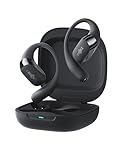
So, you’ve got yourself a pair of Shokz earbuds – fantastic choice! These bone conduction headphones are a game-changer for anyone who loves to listen to music or podcasts while staying aware of their surroundings. Whether you’re a runner, cyclist, or just someone who enjoys a good audiobook while walking the dog, Shokz offer a unique and safe listening experience. But, before you can enjoy the crystal-clear audio, you need to know how to turn them on. Don’t worry, it’s a breeze! I’ll walk you through the process, covering everything from the initial setup to troubleshooting common issues.
This guide will cover all Shokz models, including the OpenRun, OpenMove, OpenComm, and more. We’ll explore the different button configurations, charging requirements, and what to do if things aren’t working as expected. I’ll also provide some helpful tips and tricks to maximize your Shokz experience. Let’s get started and get you listening!
Understanding Shokz Earbud Basics
Before we jump into the ‘how,’ let’s quickly cover the ‘what.’ Shokz earbuds, unlike traditional in-ear headphones, use bone conduction technology. This means they transmit sound through your cheekbones, leaving your ears open to hear ambient sounds. This design makes them ideal for outdoor activities, allowing you to stay aware of traffic, other people, and your environment while enjoying your audio.
Key Components
- The Headphones: This is the main unit, containing the bone conduction transducers, battery, and controls.
- The Buttons: Shokz earbuds typically have a multi-function button (MFB) for power, pairing, and call management, along with volume buttons. The exact placement and functionality can vary slightly depending on the model.
- The Charging Cable: Most Shokz models use a proprietary magnetic charging cable. Always use the cable that came with your headphones.
- The Charging Port: This is where you connect the charging cable.
Model Variations
Shokz offers a range of models, each with slightly different features and button layouts. While the core functionality remains the same, knowing your specific model will help you understand the controls. Here’s a quick overview of some popular models and their common features:
- OpenRun (formerly Aeropex): Known for its lightweight design and premium sound quality. It features a multi-function button and volume controls.
- OpenMove: A more budget-friendly option, still offering excellent bone conduction performance. It also has a multi-function button and volume controls.
- OpenComm: Designed for communication, with a built-in boom microphone for clear calls. It features a multi-function button and volume controls.
- OpenRun Pro: Upgraded version of the OpenRun with enhanced bass and a longer battery life.
- OpenSwim: Specifically designed for swimming, with an internal memory for storing music.
No matter which model you have, the basic steps for turning them on are very similar. The specific button may vary slightly in placement or function, so it’s always a good idea to consult the user manual that came with your specific model. However, the core principles stay consistent.
Turning on Your Shokz Earbuds: Step-by-Step Guide
Now, let’s get down to the business of turning on your Shokz earbuds. Here’s a step-by-step guide that works for most models:
Step 1: Charging (if Necessary)
Before you turn on your Shokz earbuds for the first time, or if they haven’t been used in a while, it’s a good idea to make sure they’re charged. Most Shokz models come with a magnetic charging cable. Connect the cable to the charging port on your headphones and the other end to a USB power source (like a computer or a wall adapter). The charging indicator light will illuminate during charging. Typically, it will be red while charging and turn blue or green when fully charged. Check the manual for your specific model for charging times and indicator light details. A full charge usually takes around 1-2 hours.
Important: Always use the charging cable that came with your Shokz earbuds. Using a different cable could damage the headphones.
Step 2: Locating the Power Button
The power button, often the same as the multi-function button (MFB), is usually located on the side of the headphone. The exact location can vary slightly depending on your model. On the OpenRun and OpenMove, it’s typically located on the left side of the unit, near the back. On the OpenComm, it might be on the side of the microphone boom. Refer to your user manual if you’re unsure.
Step 3: Turning on Your Earbuds
Press and hold the power/MFB button for a few seconds. You should hear a voice prompt or see an LED indicator light up. The voice prompt will often say something like “Power on” or “Welcome to Shokz.” The LED light will typically flash blue, indicating that the headphones are on and ready to pair.
- OpenRun/OpenMove: Press and hold the power button for 2-3 seconds until you hear the power-on prompt.
- OpenComm: Press and hold the MFB button for 2-3 seconds until you hear the power-on prompt.
If you don’t hear anything or see any lights, make sure the headphones are charged. If they’re charged and still not turning on, check the troubleshooting section below.
Step 4: Pairing with Your Device (if Necessary)
If you’re turning on your Shokz earbuds for the first time, or if you’re pairing them with a new device, you’ll need to put them into pairing mode. This is usually done by holding the power/MFB button for a longer period (typically 5-7 seconds) until you hear a different voice prompt (like “Pairing”) and the LED light flashes red and blue.
Then, on your device (smartphone, tablet, computer, etc.), go to your Bluetooth settings and search for available devices. You should see your Shokz earbuds listed. Select them to connect. Once connected, the LED light on the earbuds will typically turn solid blue.
Tips for Pairing:
- Make sure Bluetooth is enabled on your device.
- Keep your Shokz earbuds close to your device during pairing.
- If you’ve paired your earbuds with a device before, they should automatically connect when you turn them on, as long as Bluetooth is enabled on your device.
Mastering the Basic Controls
Once your Shokz earbuds are on and connected, you’ll need to know how to control your music, calls, and volume. Here’s a quick overview of the common controls.
Multi-Function Button (mfb)
- Power On/Off: Press and hold for 2-3 seconds.
- Pairing Mode: Press and hold for 5-7 seconds (until the LED flashes red and blue).
- Play/Pause (Music): Press once.
- Answer/End Call: Press once.
- Reject Incoming Call: Press and hold for 2 seconds.
- Activate Voice Assistant (Siri, Google Assistant): Press twice.
Volume Buttons
- Volume Up: Press the volume up button.
- Volume Down: Press the volume down button.
The exact placement of these buttons varies slightly depending on the model, but the functionality remains consistent. Refer to your user manual for specific button locations.
Troubleshooting Common Issues
Sometimes, things don’t go as planned. Here are some common issues you might encounter and how to fix them.
Earbuds Won’t Turn On
- Check the Battery: Make sure your earbuds are charged. Connect them to a power source and let them charge for at least 30 minutes.
- Try a Hard Reset: Some models have a reset function. Consult your user manual for the specific steps. It typically involves pressing and holding the power button and volume buttons simultaneously.
- Contact Support: If the earbuds still won’t turn on, contact Shokz customer support. There might be a hardware issue.
Earbuds Won’t Pair
- Make Sure Bluetooth is Enabled: Ensure Bluetooth is turned on in your device’s settings.
- Check Pairing Mode: Make sure the earbuds are in pairing mode (LED flashing red and blue).
- Forget and Re-pair: On your device, forget the Shokz earbuds in your Bluetooth settings and then re-pair them.
- Check for Interference: Other Bluetooth devices or Wi-Fi routers can sometimes interfere with the connection. Try moving closer to your device or turning off other Bluetooth devices.
- Update Firmware: Occasionally, outdated firmware can cause pairing issues. Check the Shokz website for firmware updates and instructions.
Sound Issues
- Adjust Volume: Make sure the volume is turned up on both the earbuds and your device.
- Check the Fit: Ensure the transducers are correctly positioned on your cheekbones. The sound quality is optimal when they have good contact.
- Clean the Transducers: Sometimes, dirt or debris can affect sound quality. Gently clean the transducers with a soft, dry cloth.
- Try a Different Audio Source: Test with different music apps or audio files to rule out a source issue.
Other Issues
- No Voice Prompts: If you’re not hearing voice prompts, ensure the volume isn’t muted. Resetting the earbuds may also help.
- Connectivity Drops: If the connection drops intermittently, try moving closer to your device or reducing interference from other devices.
Maximizing Your Shokz Experience: Tips and Tricks
Here are some extra tips to help you get the most out of your Shokz earbuds:
- Proper Fit: Ensure the headphones are positioned correctly on your head. The transducers should sit comfortably on your cheekbones, just in front of your ears. Adjust the band for a secure and comfortable fit.
- Volume Levels: Be mindful of the volume levels. While bone conduction allows you to hear your surroundings, excessive volume can still damage your hearing.
- Charging Habits: Avoid letting the battery drain completely. Charge your earbuds regularly to prolong battery life.
- Cleaning and Maintenance: Keep your earbuds clean by wiping them down with a soft, dry cloth after each use. Avoid getting them wet.
- User Manual: Keep your user manual handy. It contains detailed information about your specific model, including button functions, troubleshooting tips, and safety information.
- Firmware Updates: Regularly check for firmware updates on the Shokz website. These updates can improve performance and fix bugs.
- Explore Accessories: Consider accessories like a carrying case or replacement earplugs (for use in very noisy environments).
Comparing Shokz Models: Quick Reference
Choosing the right Shokz model can be tricky. Here’s a quick table comparing some key features to help you decide:
| Feature | OpenRun | OpenMove | OpenComm | OpenRun Pro |
|---|---|---|---|---|
| Target User | Runners, Athletes | General Use, Budget-conscious | Communication, Professionals | Runners, Athletes (Premium) |
| Price | Mid-Range | Budget-Friendly | Mid-Range | Premium |
| Battery Life | 8 hours | 6 hours | 8 hours (talk time) | 10 hours |
| Water Resistance | IP67 | IP55 | IP55 | IP55 |
| Microphone | Dual Noise-Canceling Mic | Dual Noise-Canceling Mic | Boom Mic with Noise Canceling | Dual Noise-Canceling Mic |
| Charging | Magnetic | Magnetic | Magnetic | Magnetic |
| Key Features | Lightweight, Premium Sound | Affordable, Versatile | Boom Mic, Clear Calls | Enhanced Bass, Longer Battery |
Verdict
Turning on your Shokz earbuds is a straightforward process. By following these simple steps, you’ll be enjoying your favorite music, podcasts, or audiobooks in no time. Remember to charge your earbuds, locate the power button, and press and hold it until you hear the power-on prompt. If you’re pairing for the first time, or with a new device, remember to enter pairing mode by holding the power button longer. Don’t forget to consult your user manual for model-specific instructions and troubleshooting tips. With a little practice, you’ll be a Shokz expert in no time. Enjoy your open-ear listening experience, and stay safe and aware!
Congratulations! You are now equipped with the knowledge to power on and operate your Shokz earbuds. I hope this guide has been helpful in getting you started. Remember to experiment with the different controls and settings to find what works best for you.
If you encounter any issues, don’t hesitate to refer back to the troubleshooting section or consult the official Shokz support resources. With a little patience, you’ll be enjoying the benefits of bone conduction technology in no time.
Recommended Products