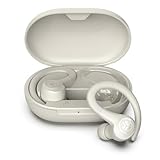
How to Track My Jlab Earbuds: A Complete Guide
Lost your JLab earbuds? It’s a frustrating experience, but don’t panic! Many JLab earbuds come equipped with features that can help you locate them. Whether they slipped out of your pocket on your morning commute or vanished somewhere in your home, this guide will walk you through the steps to find your lost earbuds. I’ll cover everything from the basic features to some clever troubleshooting tips, ensuring you have the best chance of reuniting with your audio companions.
We will explore how to use the JLab app, understand the limitations of the tracking features, and provide some general advice for preventing future losses. Even if your specific model doesn’t have built-in tracking, there are still a few things you can try. Let’s get started and see if we can get your JLab earbuds back where they belong.
Understanding Jlab Earbud Tracking Capabilities
Before we jump into the ‘how,’ it’s essential to understand what your JLab earbuds are capable of. Not all JLab models have the same features. The tracking capabilities often depend on the specific model and the technology it incorporates. Generally, the more recent and higher-end models tend to have more advanced tracking features.
Models with Built-in Tracking (and What to Expect)
Some JLab earbuds come with built-in tracking via the JLab app. This typically involves the following:
- Last Known Location: The app records the last known location of your earbuds when they were connected to your phone. This information is usually displayed on a map within the app.
- Bluetooth Range: While not a precise GPS tracker, the app can often give you an idea of whether your earbuds are within Bluetooth range (approximately 30-40 feet).
- Sound Feature: Some models allow you to trigger a sound from the earbuds through the app, helping you locate them if they’re nearby.
It’s crucial to check your specific model’s specifications to confirm its tracking features. The product packaging or the JLab website will provide this information. If your model doesn’t explicitly mention tracking, it’s unlikely to have these features.
Models Without Built-in Tracking (and What to Do)
If your JLab earbuds lack built-in tracking, you’re not entirely out of luck. There are still some steps you can take, though they are less reliable:
- Bluetooth History: Check your phone’s Bluetooth history. It might show the last time your earbuds were connected, which could give you a clue about their last known location.
- Search Area: Systematically search the areas where you last used your earbuds. This includes your home, office, car, and any places you visited recently.
- Prevention is Key: If your earbuds lack tracking, consider using a lanyard or case with a secure clip to minimize the chances of losing them in the future.
Using the Jlab App for Tracking
The JLab app is your primary tool for tracking compatible JLab earbuds. Here’s a step-by-step guide on how to use it effectively:
1. Downloading and Setting Up the Jlab App
First, make sure you have the JLab app installed on your smartphone. It’s available for both iOS and Android devices. You can download it from the Apple App Store or Google Play Store. Once installed, open the app and follow the on-screen instructions to create an account or log in.
2. Pairing Your Earbuds with the App
The next step is to pair your JLab earbuds with the app. This process varies slightly depending on your earbud model, but generally involves the following:
- Enable Bluetooth: Turn on Bluetooth on your smartphone.
- Put Earbuds in Pairing Mode: Place your earbuds in pairing mode. This usually involves pressing and holding a button on the earbuds or the charging case. Refer to your earbud’s user manual for specific instructions.
- Select Your Earbuds: In the JLab app, go to the ‘Connect’ or ‘Devices’ section and select your earbuds from the list of available devices.
- Follow Prompts: Follow any on-screen prompts to complete the pairing process.
Once paired, the app will recognize your earbuds and allow you to access their features.
3. Locating Your Earbuds Using the App
Once your earbuds are paired, you can start using the app’s tracking features. Here’s how to do it:
- Open the App: Launch the JLab app on your smartphone.
- Navigate to the Tracking Section: Look for a section labeled ‘Find My Earbuds’, ‘Locate’, or something similar. The exact wording may vary depending on the app version and your earbud model.
- View Last Known Location: The app should display the last known location of your earbuds on a map. This is where your earbuds were last connected to your phone.
- Use the Sound Feature (If Available): If your earbuds have a sound feature, tap the corresponding button in the app to trigger a sound from the earbuds. This is helpful if you’re within Bluetooth range and can hear the sound.
- Check Bluetooth Range: The app may also indicate whether your earbuds are within Bluetooth range.
The accuracy of the location information depends on several factors, including the last time your earbuds were connected and the availability of GPS data. The app is a great tool, but it has limitations. If the earbuds are turned off, out of range, or the battery is dead, the last known location might be all you get.
Troubleshooting Common Tracking Issues
Even with the JLab app, you might encounter some issues when trying to track your earbuds. Here are some common problems and how to troubleshoot them:
1. The App Doesn’t Show a Location
If the app doesn’t show a location for your earbuds, it could be due to several reasons:
- Earbuds are Not Connected: Make sure your earbuds are powered on and connected to your phone’s Bluetooth.
- Earbuds are Out of Range: If your earbuds are out of Bluetooth range, the app won’t be able to provide a real-time location. The app will only show the last known location.
- Battery is Dead: If the earbuds’ battery is completely drained, they won’t transmit any location data.
- App Permissions: Ensure the JLab app has permission to access your location in your phone’s settings.
- App Glitch: Sometimes, a simple app restart or update can resolve minor glitches. Try closing and reopening the app or checking for updates.
2. The Last Known Location Is Inaccurate
The accuracy of the last known location can be affected by several factors:
- GPS Signal: The accuracy depends on the availability of a strong GPS signal when the earbuds were last connected. Indoors, GPS signals can be weak or unavailable.
- Bluetooth Interference: Bluetooth signals can be affected by interference from other devices or physical obstacles.
- Map Data: The map data used by the app may not always be perfectly accurate.
3. The Sound Feature Isn’t Working
If the sound feature isn’t working, check the following:
- Earbud Battery: Make sure the earbuds have sufficient battery power.
- Bluetooth Connection: Ensure the earbuds are still connected to your phone via Bluetooth.
- Volume Level: Check the volume level on your phone and the earbuds. The sound may be too quiet to hear.
- App Glitch: Try restarting the app or updating it.
4. The App Is Not Responding
If the app is unresponsive:
- Restart the App: Close the app and reopen it.
- Restart Your Phone: Restart your smartphone.
- Update the App: Check for app updates in the App Store or Google Play Store.
- Check Internet Connection: Ensure your phone has a stable internet connection.
Tips for Preventing Earbud Loss
Prevention is always better than cure. Here are some tips to minimize the risk of losing your JLab earbuds:
1. Use a Case or Pouch
Always store your earbuds in their charging case or a protective pouch when you’re not using them. This helps prevent them from accidentally falling out of your pocket or bag. The charging case also protects the earbuds from damage.
2. Secure the Charging Case
If your charging case doesn’t have a secure closure, consider using a small carabiner clip to attach it to your keys, backpack, or belt loop. This will help prevent you from misplacing the charging case, which also contains your earbuds.
3. Be Mindful of Your Surroundings
Pay attention to where you’re putting your earbuds. Avoid placing them on surfaces where they could easily be knocked off, such as tables, countertops, or car seats. Be especially careful in crowded places or public transport.
4. Establish a Routine
Develop a routine for storing your earbuds. For example, always put them in their case and then in your bag or pocket immediately after use. This helps you remember where they are and reduces the chances of misplacing them.
5. Consider a Lanyard or Clip
Some earbud models come with or can be used with a lanyard or clip. This allows you to secure the earbuds around your neck or attach them to your clothing, making them less likely to fall out or get lost.
6. Regularly Check Your Earbuds
Make it a habit to check your earbuds periodically throughout the day, especially if you’re traveling or in a busy environment. This will help you catch any potential loss early on.
7. Consider Insurance
For more expensive earbud models, you might consider purchasing insurance that covers loss or theft. This can provide some peace of mind.
Alternative Tracking Methods (if Available)
While the JLab app is the primary tracking method, there might be other ways to locate your earbuds, depending on the model and any extra accessories you might have. Here’s a brief look at some of those options:
1. Google’s Find My Device (android Only)
If you have Android earbuds and they are connected to your Google account, you might be able to use Google’s Find My Device feature. This feature can track a wide range of devices, including some Bluetooth devices. To use this, you’ll need to:
- Ensure Bluetooth is Enabled: Make sure Bluetooth is turned on on your Android phone.
- Check Find My Device Settings: Go to your phone’s settings, search for ‘Find My Device’, and ensure it’s enabled.
- Look for Your Earbuds: Open the Find My Device app or go to android.com/find. Your earbuds may appear in the list of devices.
The effectiveness of this method depends on whether your earbuds are compatible with Find My Device and whether they were connected to your phone when they were lost.
2. Third-Party Apps
Some third-party apps claim to help you find lost Bluetooth devices. These apps often work by scanning for nearby Bluetooth signals and estimating the proximity of your earbuds. While these apps can be helpful, their accuracy is not guaranteed, and they may require a subscription or purchase. Research and read reviews before using a third-party app.
3. Accessories with Tracking Capabilities
Some accessories, such as keychains or cases with built-in trackers, can be paired with your earbuds. If you have an accessory like this, you can use its tracking features to locate your earbuds. Make sure to consult the accessory’s instructions for how to use its tracking functionality.
Comparing Jlab Earbud Tracking Features
Let’s look at a table to summarize the tracking features commonly found in JLab earbuds. Keep in mind that specific features may vary depending on the model and the year of release. Always refer to your product documentation for the most accurate information.
| Feature | Description | Typical Availability |
|---|---|---|
| Last Known Location | Displays the last location where the earbuds were connected to your phone. | Most models with app support. |
| Sound Feature | Allows you to trigger a sound from the earbuds to help you locate them. | Higher-end models. |
| Bluetooth Range Indicator | Provides an estimate of whether the earbuds are within Bluetooth range. | Common in models with app support. |
| Find My Device Integration | Integration with Google’s Find My Device or similar services. | Some Android-compatible models. |
| GPS Tracking | Direct GPS tracking using built-in GPS modules. | Rare, typically in very high-end models. |
This table is a general guide. Always check the specifications for your exact JLab earbud model.
Final Thoughts
Losing your JLab earbuds can be frustrating, but with the right approach, you can increase your chances of finding them. Remember to regularly check your app, use the sound feature if available, and systematically search the areas where you last used your earbuds. Prevention is also key. By using a case, establishing a routine, and being mindful of your surroundings, you can reduce the likelihood of losing your earbuds in the first place. If all else fails, consider contacting JLab customer support for further assistance. They may have additional troubleshooting tips or be able to provide information specific to your earbud model. Good luck in your search, and hopefully, you’ll be reunited with your JLab earbuds soon!
Recovering your lost JLab earbuds can be a straightforward process if you utilize the available features. The JLab app is your primary resource, providing location data and sound features. Remember to enable location services and Bluetooth on your phone and to keep the app updated. If your model lacks these features, don’t give up. Explore Bluetooth history and meticulously search your surroundings.
Prevention is equally important. Employing a case, following a routine, and being attentive to your environment minimizes the risk of losing your earbuds. Regularly checking your earbuds and using accessories that aid in tracking can also be beneficial. By combining these methods, you’ll significantly improve your chances of finding your lost JLab earbuds and enjoying your music again.
Recommended Products