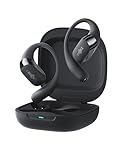
How to Find My Shokz Earbuds: A Comprehensive Guide
Losing your earbuds can be incredibly frustrating, especially when they’re as essential as your Shokz open-ear headphones. Whether you’re a seasoned runner, a dedicated cyclist, or someone who simply enjoys listening to music while working, your Shokz are likely a crucial part of your daily routine. They’re designed for comfort and safety, allowing you to stay aware of your surroundings. But what happens when they go missing?
Don’t panic! Finding lost Shokz earbuds doesn’t have to be a stressful ordeal. This guide will walk you through the most effective methods to locate your missing headphones, from utilizing the power of technology to employing good old-fashioned detective work. We’ll cover everything from checking your last known location to leveraging the Shokz app and exploring potential hiding spots. Let’s get started on the path to reuniting you with your favorite open-ear audio companions.
Understanding Your Shokz and Their Features
Before we jump into finding your lost Shokz, let’s refresh our knowledge of their key features. Knowing how your Shokz work and what they’re capable of will greatly aid your search. Shokz headphones use bone conduction technology, which transmits sound through your cheekbones, leaving your ears open to ambient sounds. This is a significant advantage in terms of safety, especially during outdoor activities. Understanding this technology is helpful when considering where you might have left them.
Key Features to Remember:
- Bluetooth Connectivity: Shokz connect to your devices via Bluetooth. This is a crucial aspect to remember, as it opens up possibilities for tracking and finding them.
- Battery Life: The battery life of your Shokz model will influence how long they can be tracked if they are powered on.
- Water Resistance: Most Shokz models are water-resistant, meaning they can withstand sweat and light rain. However, this doesn’t mean they’re waterproof, so consider this when searching in wet environments.
- Shokz App Compatibility: Some Shokz models are compatible with the Shokz app, which can provide location data and other helpful features.
Step-by-Step Guide to Finding Your Shokz Earbuds
Now, let’s get into the practical steps you can take to locate your missing Shokz. We’ll cover everything from the simplest checks to more advanced techniques.
1. Retrace Your Steps: The Obvious First Step
The most straightforward method is to retrace your steps. Think back to when you last used your Shokz. Where were you? What activities were you doing? Did you take them off at any point? Consider these questions:
- When did you last use them? Try to pinpoint the exact time and location.
- What were you doing? Were you exercising, working, commuting, or relaxing?
- Where did you go? List all the places you visited since you last used your Shokz.
- Who were you with? Ask anyone who was with you if they saw your Shokz.
Start by checking the most likely places first. This could be your desk, your gym bag, your car, or any other area where you frequently use your headphones.
2. Check Common Hiding Spots
Sometimes, the obvious isn’t so obvious. Your Shokz might be in a place you wouldn’t immediately think of. Consider these potential hiding spots:
- Pockets and Bags: Thoroughly check all your pockets, bags, backpacks, and purses.
- Under Cushions and Furniture: They could have slipped under a couch cushion or chair.
- Inside Clothing: Check coats, jackets, and any clothing you might have taken off.
- Car Seats and Compartments: If you use them in your car, check under the seats and in the glove compartment.
- Gym Equipment: If you work out, check around the equipment you used.
3. Utilize Bluetooth Tracking Features (if Available)
While Shokz doesn’t have built-in tracking like some other earbuds, you can still leverage Bluetooth technology. Here’s how:
- Check Your Phone’s Bluetooth History: Your phone’s Bluetooth settings may show the last known location of your Shokz. This isn’t always precise, but it can give you a general idea of where they were last connected.
- Use a Bluetooth Finder App: Several apps available on the App Store (iOS) and Google Play Store (Android) can scan for Bluetooth devices and show their approximate proximity. These apps work by measuring the signal strength of the Bluetooth connection. The closer you are to the device, the stronger the signal. Keep in mind that the accuracy of these apps varies.
4. The Shokz App (if Compatible)
Some newer Shokz models are compatible with the official Shokz app. If you have a compatible model, this app can be an invaluable tool. Here’s what to do:
- Check the App: Open the Shokz app on your phone. See if there’s a “Find My Shokz” or similar feature. The app might show the last known location of your earbuds.
- Last Known Location: The app might display a map with the last known location of your Shokz. This can be a significant help if you’ve misplaced them far from home.
- Sound Alerts: The app might allow you to trigger a sound alert from your Shokz, even if they’re not connected to your phone. This can be extremely helpful if they’re nearby but hidden.
- Update the App: Make sure you have the latest version of the Shokz app installed. Updates often include bug fixes and new features, including improvements to the “Find My” functionality.
5. Check Your Recent Activity on Connected Devices
If your Shokz were connected to a computer or tablet, check the device’s Bluetooth history. It might display the last time they were connected and, potentially, the location. Some operating systems also provide location data for Bluetooth devices.
6. Ask for Help
Don’t hesitate to ask for help from friends, family, or colleagues. They might have seen your Shokz or have some ideas about where you might have left them. Post on social media or in local groups to see if anyone has found them. Offer a reward if necessary.
7. Consider Insurance or Warranty
If you’ve exhausted all other options and your Shokz are still missing, check your insurance or warranty. Depending on the terms, they might cover the cost of a replacement.
8. Preventive Measures for the Future
Once you’ve found your Shokz (or replaced them), consider these preventative measures to avoid losing them again:
- Establish a Routine: Always put your Shokz in the same place when you’re not using them.
- Use a Case: Store your Shokz in their case when not in use. This protects them and makes them easier to find.
- Attach a Tile Tracker (Optional): If your model doesn’t have built-in tracking, consider attaching a Tile tracker or similar device to the case.
- Be Mindful: Pay attention to where you take them off and put them down.
- Regularly Clean and Maintain: Keep your Shokz clean and in good working order. This will help them last longer and reduce the chances of misplacing them.
- Consider a Brightly Colored Case: A brightly colored case makes your Shokz more visible.
Troubleshooting Common Problems
Sometimes, the search isn’t straightforward. Here are some common problems and how to address them:
Problem: Bluetooth Not Connecting
Solution: Make sure Bluetooth is enabled on your phone and that your Shokz are charged. Try restarting both devices and repairing the connection.
Problem: No Sound Alert
Solution: Ensure your Shokz are powered on and within Bluetooth range. If the sound alert doesn’t work, the battery might be dead or the earbuds could be out of range. Check the Shokz app for any troubleshooting tips.
Problem: App Not Showing Location
Solution: Ensure location services are enabled for the Shokz app on your phone. Make sure you have the latest version of the app installed. If the location data is still unavailable, the earbuds might be too far away or powered off.
Problem: Earbuds Found but Not Working
Solution: Check the charging case and ensure the earbuds are properly seated and charging. Clean the charging contacts on both the earbuds and the case. If the problem persists, the earbuds might need to be repaired or replaced.
Comparing Shokz Models and Features
Understanding the features of your specific Shokz model can help you in your search. Here’s a comparison of some popular models and their key features. This is a general comparison, and specific features may vary. Always refer to your product’s manual for specific details.
| Model | Bluetooth Version | Battery Life | Water Resistance | Shokz App Compatibility |
|---|---|---|---|---|
| OpenRun Pro | Bluetooth 5.1 | 10 hours | IP55 | Yes |
| OpenRun | Bluetooth 5.1 | 8 hours | IP67 | Yes |
| OpenMove | Bluetooth 5.0 | 6 hours | IP55 | No |
| OpenComm | Bluetooth 5.0 | 16 hours (talk time) | IP55 | No |
Note: The availability of features and compatibility with the Shokz app can vary depending on the model and the date of manufacture. Check your specific model’s specifications for accurate information.
Conclusion
Finding your lost Shokz earbuds can be a process, but with a systematic approach, you significantly increase your chances of a successful reunion. Remember to retrace your steps, check common hiding spots, and utilize any available technology, like the Shokz app or Bluetooth tracking apps. By combining these methods, you’ll be well-equipped to locate your missing audio companions and get back to enjoying your music safely and comfortably. Even if your search doesn’t immediately yield results, don’t give up. Persistence and a thorough search often pay off. And, once you’ve found them, remember the preventative measures to minimize the risk of losing them again. Happy listening!
Recommended Products