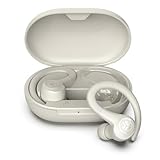
Does Jlab Earbuds Have Tracking? A Comprehensive Guide
Are you considering a pair of JLab earbuds and wondering about the tracking capabilities? It’s a valid concern in today’s world, where we increasingly rely on tech and want to keep track of our belongings. Losing a pair of earbuds can be frustrating, especially if they’re a part of your daily routine for music, calls, or workouts.
This guide will explore whether JLab earbuds offer tracking features and provide insights into the various models and their functionalities. We’ll delve into the specifics, comparing different JLab products and explaining the available options. We’ll also cover alternative solutions if your chosen JLab earbuds don’t have built-in tracking. This way, you can make an informed decision when selecting your next pair of earbuds, ensuring you’re prepared for any scenario.
Let’s get started, and clarify the tracking capabilities of JLab earbuds.
Understanding Jlab Earbuds and Tracking Technology
JLab is a well-known brand, popular for its budget-friendly audio products. They offer a diverse range of earbuds, from basic models to those with advanced features. Before we address tracking, let’s briefly consider what tracking technology entails in earbuds. Generally, this involves the ability to locate your earbuds if they’re lost or misplaced. This is usually achieved through integration with a smartphone app, Bluetooth connectivity, and GPS or similar location services. The tracking feature can range from a simple ‘last known location’ to real-time tracking, depending on the technology used.
The tracking technology can vary significantly. Some earbuds use Bluetooth to show the last known location when they were connected to your phone. Others integrate with more sophisticated systems, like Tile or Find My, providing more accurate and frequent location updates. The presence or absence of tracking often influences the price and features of the earbuds.
How Earbud Tracking Works
Earbud tracking relies on several technologies:
- Bluetooth: The primary connection method. Tracking often uses Bluetooth to determine the last known location when the earbuds were connected to your device.
- GPS/Location Services: Some earbuds utilize GPS or location services on your phone to pinpoint their location more accurately.
- Smartphone Apps: Most tracking features are integrated through a dedicated app. These apps often provide a map showing the last known location of your earbuds.
- Third-Party Integration: Some earbuds might integrate with third-party tracking services like Tile, allowing for a broader tracking network.
These elements work together to provide you with the ability to locate your lost earbuds. The specific features and effectiveness vary depending on the model and the tracking technology implemented.
Why Tracking Matters in Earbuds
Tracking features add significant value to your earbuds. Here’s why tracking is important:
- Prevents Loss: The primary benefit is preventing the loss of your earbuds. Tracking significantly increases the chances of recovery if you misplace them.
- Peace of Mind: Knowing you can locate your earbuds offers peace of mind, especially if you use them frequently.
- Convenience: Saves time and effort. Instead of frantically searching, you can quickly check their last known location.
- Protects Your Investment: Earbuds can be a significant investment, and tracking helps protect that investment by making it easier to find them if they’re lost.
The benefits of tracking are clear, making it a valuable feature to consider when purchasing earbuds.
Do Jlab Earbuds Have Tracking Features?
The answer to whether JLab earbuds have tracking is nuanced. It’s not a blanket yes or no. The presence of tracking depends heavily on the specific model. While JLab offers a wide variety of earbuds, not all of them come equipped with built-in tracking features. Some models provide basic tracking through their app, while others may lack any tracking capabilities.
Here’s the general breakdown:
- Entry-Level Models: Typically, basic and entry-level JLab earbuds do not have built-in tracking. These models focus on providing affordable audio quality without advanced features.
- Mid-Range Models: Some mid-range JLab earbuds might offer basic tracking, such as showing the last known location through the JLab app.
- High-End Models: Premium JLab models are more likely to include tracking features, potentially integrating with third-party services like Tile or offering more advanced location capabilities.
To determine if a specific JLab earbud model has tracking, it is important to check the product specifications and reviews. Look for mentions of features like ‘Find My’ or integration with tracking apps. Detailed product descriptions usually specify the presence or absence of tracking functionality.
Specific Jlab Models and Their Tracking Capabilities
Let’s examine some popular JLab earbud models and their tracking features:
- JLab Go Air Series: These are budget-friendly earbuds, and typically, they do not include built-in tracking. They provide essential features without the added cost of location services.
- JLab Air Pro Series: Some models within the Air Pro series might have basic tracking features via the JLab app, allowing you to see the last known location of the earbuds.
- JLab Epic Series: The Epic series, often positioned as a premium offering, might include tracking features or integration with third-party tracking services. Always check the specific model details.
- JBuds Series: Depending on the sub-model, the JBuds series can vary. Some may offer basic tracking through the JLab app, while others may not have any tracking capabilities.
Important Note: Feature availability can change as JLab releases new models. Always refer to the latest product specifications before purchasing.
How to Find Out If Your Jlab Earbuds Have Tracking
Before buying or if you already own JLab earbuds, you’ll want to confirm whether they have tracking. Here’s how to check:
- Check the Product Specifications: The product page on the JLab website or your retailer’s website is the best place to start. Look for a section listing the features. Keywords to search for include “Find My,” “Tracking,” or “Location Services.”
- Read the User Manual: The user manual will detail all the features of your earbuds, including how to use the tracking feature if available.
- Review the JLab App: Download and open the JLab app (if applicable to your model). If your earbuds have tracking, the app will likely have a “Find My” or “Locate” feature.
- Examine the Packaging: The packaging often highlights key features. Look for any mention of tracking, Tile integration, or location services.
- Search Online Reviews: Independent reviews often mention whether a model has tracking and how well it works. Websites like CNET, PCMag, and YouTube tech reviewers can offer useful insights.
By using these methods, you can quickly determine whether your JLab earbuds have tracking capabilities and how to use them.
Using Tracking Features in Jlab Earbuds (if Available)
If your JLab earbuds have tracking, here’s how to use them effectively:
- Download the JLab App: If your earbuds use the JLab app, download and install it on your smartphone.
- Pair Your Earbuds: Connect your earbuds to your phone via Bluetooth and pair them with the JLab app.
- Navigate to the Tracking Feature: Within the app, look for a “Find My” or “Locate” section. This is usually found in the settings or device management area.
- View the Last Known Location: The app will display the last known location of your earbuds on a map. This is where they were last connected to your phone.
- Use the “Find” Function (if available): Some apps allow you to trigger a sound from the earbuds to help you locate them when nearby.
- Check for Updates: Ensure your JLab app and the earbuds’ firmware are up to date. Updates often improve tracking accuracy and features.
By following these steps, you can maximize the effectiveness of the tracking features in your JLab earbuds and increase your chances of finding them if they are lost.
Troubleshooting Tracking Issues
Even with tracking features, you might encounter issues. Here’s how to troubleshoot them:
- Check Bluetooth Connection: Tracking relies on a Bluetooth connection. Ensure your earbuds are connected to your phone via Bluetooth.
- Verify Location Services: Make sure location services are enabled on your phone and that the JLab app has permission to access your location.
- Update the App and Firmware: Outdated software can cause problems. Update both the JLab app and the earbuds’ firmware to the latest versions.
- Check Battery Life: Low battery can affect tracking. Ensure your earbuds have sufficient battery power.
- Restart Devices: Sometimes, a simple restart of your phone and the earbuds can resolve tracking issues.
- Contact JLab Support: If problems persist, contact JLab customer support for assistance.
By addressing these common issues, you can often restore the tracking functionality of your JLab earbuds.
Alternative Solutions for Lost Jlab Earbuds (without Tracking)
If your JLab earbuds don’t have built-in tracking, don’t despair! Several alternative solutions can help you locate them:
- Check Recent Locations: If you can remember where you last used your earbuds, retrace your steps. Think about where you were, what you did, and who you were with.
- Use Bluetooth Scanning Apps: Several third-party apps can scan for Bluetooth devices. While they won’t provide a precise location, they can help you narrow down the search area if the earbuds are nearby.
- Ask for Help: If you think you lost your earbuds in a public place, ask the staff or check the lost and found.
- Check Your Home Thoroughly: Look in common places like under furniture, in bags, and pockets.
- Use a Bluetooth Tracker (External): If you frequently lose items, consider attaching a Bluetooth tracker (like Tile) to your earbud case.
While these solutions may not be as effective as built-in tracking, they can still help you locate your lost JLab earbuds.
Third-Party Tracking Solutions
If your JLab earbuds lack built-in tracking, you can use external trackers. Here are a few options:
- Tile: Tile trackers are small, attachable devices that can be added to your earbud case. The Tile app shows the last known location of the tracker.
- Apple AirTag (for iOS users): If you use an iPhone, you can attach an Apple AirTag to your earbud case. The Find My network will help you locate the earbuds.
- Bluetooth Finders: There are various Bluetooth finder devices that can be attached to your earbud case. These devices often have a companion app to help locate the item.
These third-party solutions can provide an extra layer of protection and increase your chances of finding lost JLab earbuds.
Comparing Jlab Earbuds with Tracking to Competitors
Let’s compare JLab earbuds with tracking to those from competitors:
| Feature | JLab (with Tracking) | Apple AirPods | Samsung Galaxy Buds |
|---|---|---|---|
| Tracking Method | JLab App, Tile (some models) | Find My | SmartThings Find |
| Integration | JLab App | iOS ecosystem | Android ecosystem |
| Accuracy | Varies by model | High | High |
| Ease of Use | User-friendly, depends on app | Seamless integration | Seamless integration |
| Price | Generally more affordable | Higher | Higher |
| Additional Features | Varies by model | Noise cancellation, spatial audio | Noise cancellation, ambient sound |
As the table shows, competitors like Apple and Samsung often have more advanced, seamlessly integrated tracking features due to their ecosystem advantages. However, JLab offers a cost-effective alternative. The best choice depends on your budget, device ecosystem, and the importance you place on tracking capabilities.
Factors to Consider When Choosing Jlab Earbuds with Tracking
When selecting JLab earbuds, consider these factors:
- Tracking Method: Determine how the earbuds track (e.g., JLab app, Tile integration).
- Accuracy: Assess the accuracy of the tracking.
- Integration: Consider how well the tracking integrates with your devices.
- Price: The cost of earbuds with tracking is typically higher.
- Battery Life: Tracking features can impact battery life.
- Additional Features: Consider any additional features that come with the earbuds, such as noise cancellation and water resistance.
- Reviews: Read customer reviews to understand the real-world performance of the tracking features.
Careful consideration of these factors will help you choose the right JLab earbuds to meet your needs.
The Future of Tracking in Jlab Earbuds
The future of tracking in JLab earbuds looks promising. We can expect:
- Improved Integration: Enhanced integration with existing apps and services.
- More Advanced Technology: The adoption of more sophisticated tracking technologies.
- Wider Availability: An increase in the number of JLab models with built-in tracking.
- Enhanced User Experience: User-friendly apps and seamless tracking experiences.
As technology evolves, JLab is likely to incorporate new features and improve the tracking capabilities of its earbuds, making them more convenient and secure for users.
Conclusion
While not all JLab earbuds come with tracking features, the availability of this functionality depends on the specific model. Entry-level models often lack tracking, while mid-range and premium models are more likely to offer it, sometimes through the JLab app or third-party integrations like Tile. To ensure you choose earbuds with tracking, carefully review product specifications, check user manuals, and read reviews before purchasing. If your JLab earbuds do not have built-in tracking, you can explore alternative solutions such as Bluetooth scanning apps or external trackers. By understanding the available options and considering your specific needs, you can select the best JLab earbuds to suit your preferences and provide the peace of mind that comes with knowing you can locate them if they go missing.
Recommended Products