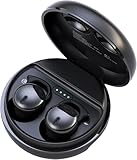
Why Do One of My Earbuds Not Work? Troubleshooting Guide
Ugh, there’s nothing more frustrating than your favorite music abruptly cutting out because one of your earbuds has decided to take a vacation. You’re jamming to your playlist, lost in a podcast, or focused on a call, and suddenly…silence from one side. It’s a common problem, but the good news is, it’s often fixable.
Before you toss those earbuds in the trash and resign yourself to a life of mono audio, let’s troubleshoot. There are several reasons why one earbud might be silent, ranging from simple fixes to more complex issues. We’ll walk through them step-by-step, helping you diagnose the problem and hopefully get your tunes flowing again. Let’s get started!
Common Causes and Troubleshooting Steps
Let’s dive into the most frequent culprits behind the “one earbud not working” scenario. We’ll start with the simplest solutions and work our way towards more involved fixes. Remember to try each step before moving on to the next.
1. The Obvious: Check the Basics
Before you panic, let’s make sure the fundamentals are covered. These are the quick checks that can often save the day:
- Volume Levels: It sounds silly, but double-check the volume on both your device (phone, tablet, computer) and the earbuds themselves. Sometimes the volume is accidentally muted on one side. Make sure the balance isn’t skewed to one side in your device’s audio settings.
- Physical Connection (Wired Earbuds): If you’re using wired earbuds, inspect the headphone jack on your device and the plug on the earbuds. Look for any debris, lint, or damage that might be interfering with the connection. Try wiggling the plug slightly to see if the sound returns. Also, check the cable for any kinks or breaks.
- Charging (Wireless Earbuds): For wireless earbuds, ensure both earbuds are fully charged. Place them in the charging case and let them charge for a while. Sometimes, a low battery can cause one earbud to malfunction or not connect properly. Check the charging case itself to make sure it’s charged too.
- Bluetooth Connection (Wireless Earbuds): Is Bluetooth enabled on your device? Is it connected to the correct earbuds? Sometimes, your device might be connected to a different audio source. Try disconnecting and reconnecting the earbuds to your device.
2. Device-Specific Settings
Your device’s settings can sometimes interfere with audio output. Let’s check a few settings:
- Audio Balance: Most devices have an audio balance setting that allows you to adjust the volume levels between the left and right channels. Check these settings (usually found in your device’s accessibility or audio settings) to ensure the balance isn’t skewed heavily to one side. If it is, adjust it to center.
- Mono Audio: Some devices have a “Mono Audio” setting, which combines the left and right audio channels into a single channel, playing the same sound through both earbuds. Make sure this setting is turned OFF. This setting is often found in accessibility settings.
- App-Specific Settings: Some apps (like music streaming services) have their own audio settings. Check the app’s settings to see if there are any balance or output options that might be causing the issue.
3. Cleaning and Maintenance
Earbuds, especially in-ear models, are prone to collecting dirt, earwax, and debris. This buildup can block the sound output or interfere with the connection. Regular cleaning is crucial:
- Clean the Earbud Tips: Remove the ear tips (the rubber or silicone pieces) from the earbuds. Clean the tips with warm water and mild soap, then rinse thoroughly and let them dry completely.
- Clean the Earbud Mesh: Use a soft, dry brush (like a toothbrush) or a cotton swab to gently clean the mesh or grill where the sound comes out. Be careful not to push debris further in.
- Clean the Charging Contacts (Wireless Earbuds): For wireless earbuds, use a dry cotton swab to clean the charging contacts on both the earbuds and the charging case. This ensures a good connection for charging.
4. Bluetooth Interference (wireless Earbuds)
Wireless earbuds rely on Bluetooth, which can be susceptible to interference. Here’s how to troubleshoot interference issues:
- Proximity: Make sure your earbuds and your device are within the recommended Bluetooth range (usually around 30 feet). Obstacles like walls and other electronic devices can interfere with the signal.
- Other Devices: Other Bluetooth devices or Wi-Fi routers operating nearby can cause interference. Try turning off other Bluetooth devices or moving away from Wi-Fi routers to see if that resolves the issue.
- Reset Bluetooth: Try turning off Bluetooth on your device, waiting a few seconds, and then turning it back on. This can sometimes clear up connection issues.
- Forget and Reconnect: On your device, “forget” the earbuds in your Bluetooth settings, then re-pair them. This can often resolve pairing problems.
5. Resetting Your Earbuds
Many earbuds have a reset function that can restore them to their factory settings. This can be a useful troubleshooting step:
- Check the Manual: Consult your earbuds’ user manual or the manufacturer’s website for instructions on how to reset your specific model. The reset process varies depending on the brand and model.
- Common Reset Methods: Common reset methods include holding down a button on the earbuds or the charging case for a certain amount of time, or using a specific combination of button presses.
6. Hardware Issues
Sometimes, the problem lies within the hardware itself. Here’s how to investigate potential hardware issues:
- Test with Another Device: Try connecting your earbuds to a different device (another phone, tablet, or computer). If the problem persists on another device, it suggests a hardware issue with the earbuds. If it works fine on another device, the problem lies with your original device.
- Inspect the Cable (Wired Earbuds): Carefully inspect the cable of your wired earbuds for any visible damage, such as kinks, cuts, or exposed wires.
- Check the Driver: The driver is the small speaker inside the earbud. It might be damaged. There is no easy fix for this, and it generally requires professional repair or replacement.
7. Software Updates
Outdated software can sometimes cause compatibility issues. Make sure your device’s operating system and the apps you use are up to date:
- Update Your Device: Check your phone or tablet’s settings for software updates and install any available updates.
- Update Your Apps: Ensure that the music streaming apps or other apps you use are updated to the latest version.
Troubleshooting Specific Earbud Types
Different types of earbuds have slightly different quirks and troubleshooting steps. Let’s look at some specifics:
Wired Earbuds
Wired earbuds are generally less prone to issues than wireless ones, but they can still encounter problems. Here’s what to consider:
- Cable Damage: The most common issue with wired earbuds is cable damage. Inspect the cable for any visible damage, such as kinks, cuts, or exposed wires. If the cable is damaged, the earbud may need to be replaced.
- Headphone Jack Issues: The headphone jack on your device can sometimes be the culprit. Try using a different device to see if the problem persists. Clean the headphone jack with a cotton swab.
- Loose Connection: A loose connection at the plug can cause intermittent sound or no sound at all. Try wiggling the plug to see if the sound returns.
Wireless Earbuds
Wireless earbuds introduce Bluetooth connectivity, which opens up a whole new realm of potential issues. Here’s how to troubleshoot:
- Bluetooth Interference: Bluetooth interference is a common problem. Try moving closer to your device, turning off other Bluetooth devices, and resetting your Bluetooth connection.
- Charging Issues: Make sure both earbuds are fully charged. Place them in the charging case and let them charge for a while. Sometimes, a low battery can cause one earbud to malfunction.
- Pairing Problems: Ensure your earbuds are properly paired with your device. Try “forgetting” the earbuds in your Bluetooth settings and then re-pairing them.
- Firmware Updates: Some wireless earbuds have firmware updates that can fix bugs and improve performance. Check the manufacturer’s website or app for updates.
True Wireless Earbuds
True wireless earbuds (those without any wires connecting the two earbuds) have their own unique set of challenges:
- Individual Earbud Connection: Each earbud needs to connect to your device independently. If one earbud is not connecting, try resetting the earbuds or re-pairing them.
- Charging Case Issues: The charging case is crucial for true wireless earbuds. Make sure the charging case is charged and that the earbuds are properly seated in the case for charging.
- Synchronization: Sometimes, the two earbuds can become out of sync. Try resetting the earbuds or re-pairing them to re-establish synchronization.
Preventative Measures
Taking a few precautions can help prevent earbud problems in the first place:
- Proper Storage: When not in use, store your earbuds in a case or pouch to protect them from damage and debris.
- Gentle Handling: Avoid pulling on the cable (wired earbuds) or dropping your earbuds.
- Regular Cleaning: Clean your earbuds regularly to prevent the buildup of earwax and debris.
- Avoid Extreme Temperatures and Humidity: Protect your earbuds from extreme temperatures and humidity, which can damage the internal components.
- Use a Case (Wireless): Use a protective case for your charging case to prevent scratches and damage.
When to Seek Professional Help
Sometimes, the problem is beyond your ability to fix. Here’s when to consider professional help or replacement:
- Persistent Issues: If you’ve tried all the troubleshooting steps and the problem persists, it’s time to consider professional help.
- Hardware Damage: If there’s visible damage to the earbuds, such as a broken cable or damaged driver, it’s likely a hardware issue that requires repair or replacement.
- Warranty: If your earbuds are still under warranty, contact the manufacturer for support or a potential replacement.
- Repair Services: Some repair services specialize in repairing earbuds. Search online for local repair services.
- Replacement: If the cost of repair exceeds the cost of a new pair of earbuds, it might be more cost-effective to replace them.
Further Considerations
Here are some additional tips and considerations to keep in mind:
- Brand-Specific Issues: Some brands are known for certain issues. Research your earbud model to see if other users have reported similar problems.
- User Forums and Communities: Online forums and communities can be a great resource for troubleshooting. Search for your earbud model and see if others have found solutions to similar problems.
- Check the Manufacturer’s Website: The manufacturer’s website often has troubleshooting guides, FAQs, and contact information for support.
- Keep Receipts and Documentation: Keep your receipts and any documentation related to your earbuds, in case you need to contact the manufacturer for warranty support.
Choosing Replacement Earbuds
If you need to replace your earbuds, consider these factors:
- Type: Decide if you prefer wired, wireless, or true wireless earbuds.
- Features: Consider features like noise cancellation, water resistance, and battery life.
- Fit: Choose earbuds that fit comfortably in your ears.
- Sound Quality: Read reviews to assess the sound quality of different models.
- Budget: Set a budget and choose earbuds that fit your price range.
- Brand Reputation: Research different brands and their reputation for quality and customer service.
Conclusion
Dealing with a non-functioning earbud can be a real pain, but hopefully, this guide has given you a clear path to troubleshooting. We’ve covered a wide range of potential problems, from simple fixes like checking volume levels and cleaning the earbuds to more complex issues like Bluetooth interference and hardware problems. Remember to work through the steps systematically, starting with the simplest solutions.
By following these troubleshooting steps, you’ll increase your chances of getting your earbuds working again. If you’ve tried everything and still can’t get that second earbud to sing, it might be time to consider professional help or a replacement. Don’t give up hope – often, the solution is just a few steps away!
Recommended Products